Who Can Use Cloudy: Features and Permissions
Last updated: October 8, 2026
Cloudy is a set of features, each switched on for your school separately. Access to the Cloudy page itself is feature-gated: it requires the AI assistant feature gate and staff access. Conversations is available to authorized staff without a separate tab permission, while the Usage, Skills, and Automations tabs have their own permission checks. That is why two people at the same school can see different Cloudy features.
At Maple Hall… Sam can see Cloudy but not the Skills tab. Jordan checks Sam's role to see why.
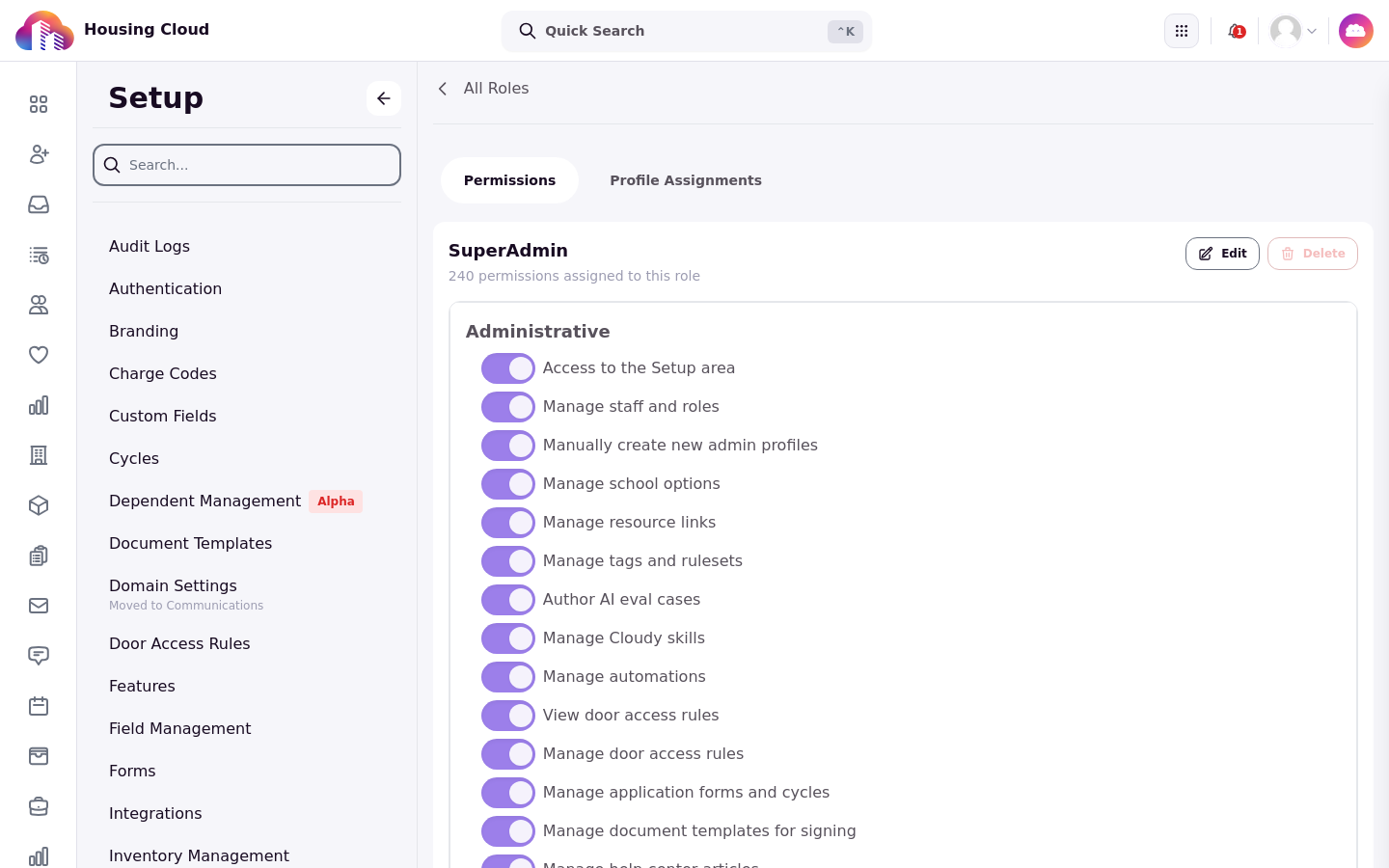
The role permission list: "Manage Cloudy skills" and "Manage automations" sit with the other administrative permissions.
Turned on by Housing Cloud
Housing Cloud turns each Cloudy feature on for your school, usually after your AI agreement is in place. To ask for a feature, contact Housing Cloud.
The one switch your school controls
Your school controls one switch itself: "AI Answers In The Help Center" in Feature Management, which turns on AI answers for residents. See "AI Answers in the Help Center".

The "AI Answers In The Help Center" card in Feature Management.
The features and their permissions
Cloudy feature |
Turned on by |
Permission it also needs |
|---|---|---|
Chat, page questions, conversations |
Housing Cloud ("Cloudy assistant") |
Staff access; answers stay inside your existing permissions |
Changes through chat |
Housing Cloud ("Cloudy actions") |
The permission for each change, for example "Edit tasks". See "What Cloudy Can Change for You (the 18 Actions)" |
Skills tab |
Housing Cloud ("Cloudy saved skills") |
"Manage Cloudy skills" to write; anyone can run |
Automations tab |
Housing Cloud ("Cloudy actions" and "Cloudy Automations") |
"Manage automations" |
Usage tab |
Comes with Cloudy |
"View billing usage and costs" |
Ruleset drafting and health check |
Housing Cloud ("Cloudy ruleset assistance") |
"Manage tags and rulesets" |
Auto-triage |
Housing Cloud ("Cloudy task triage") |
"Edit tasks" |
Timeline briefing |
Housing Cloud ("Cloudy profile timeline briefings") |
"View audit logs" |
Email drafting |
Housing Cloud ("Cloudy email drafting") |
"Send messages directly from Housing.Cloud" |
Help center AI answers (residents) |
Your school, in Feature Management ("AI Answers In The Help Center") |
None for students |
Cloudy never sees more than your role
Cloudy works inside your permissions. No permission, no tool: a feature your role lacks doesn't appear, and data your role can't see is removed from its answers.
Give someone a Cloudy tab
If a colleague is missing a tab such as Skills or Automations, add the permission to their role in Setup → Roles. The change shows up the next time they open Cloudy.

The Cloudy page tabs: Conversations, Usage, Skills and Automations, each tied to its own permission.