Cloudy Skills: Save a Job Your Team Runs with "/"
Last updated: October 8, 2026
A skill is a request someone writes down once so anyone on the team can run it from any chat by typing "/". A skill is a saved prompt, not a new feature: it runs with your permissions, and data-changing actions it takes normally show a "Needs your OK" card for your approval first. Read-only work needs no approval, and when Cloudy runs in validated autonomous mode, certain data-changing actions execute without the card.
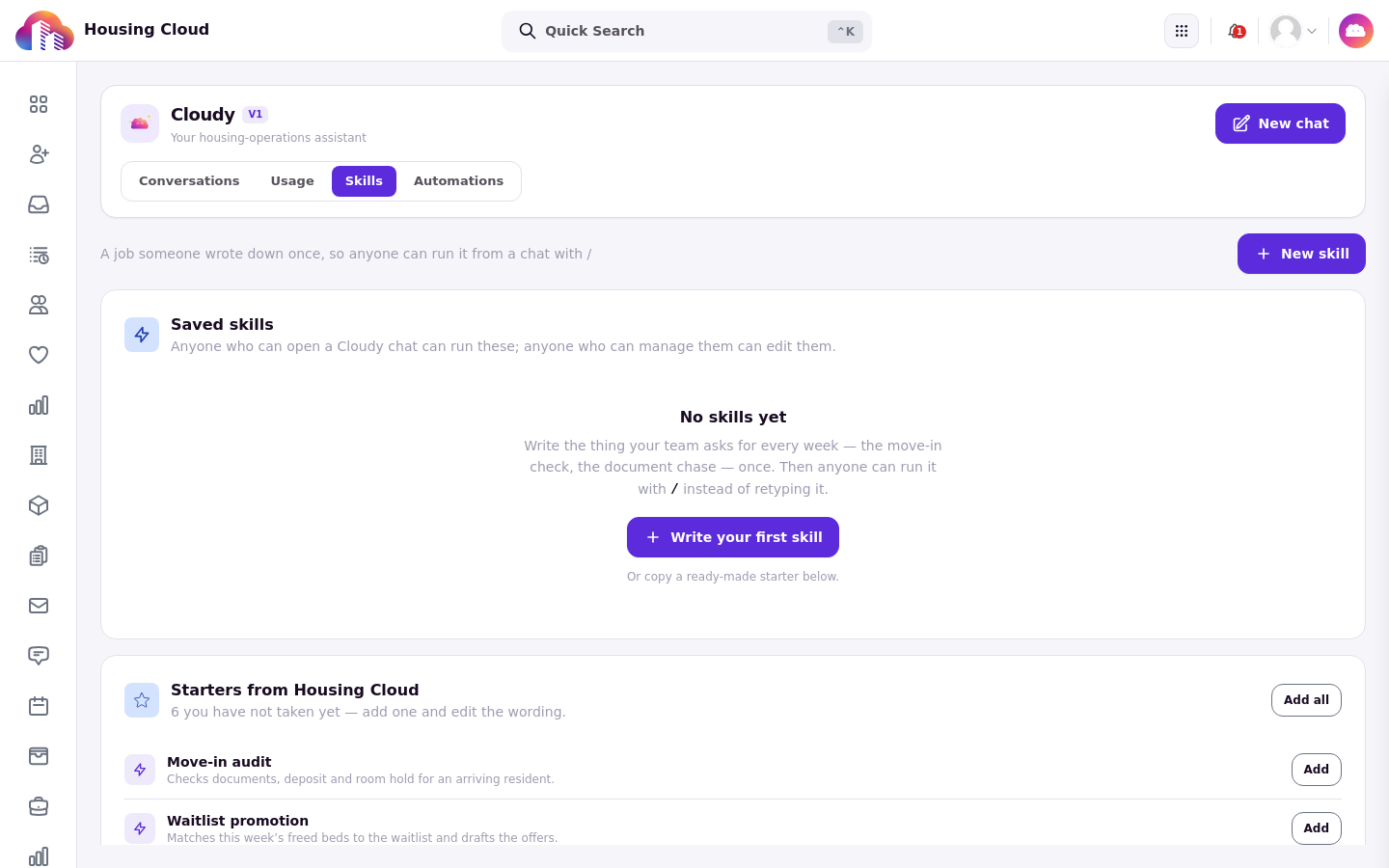
The Skills tab: saved skills on top, the "Starters from Housing Cloud" card below with the ready-made starters.
The Skills tab
Open the Cloudy page and choose the Skills tab. Writing skills needs the "Manage Cloudy skills" permission; everyone can run them. See "Who Can Use Cloudy: Features and Permissions".
Starters from Housing Cloud
The Skills tab offers starters from Housing Cloud: templates you copy and then edit. Read a starter before you rely on it. Some ask for things Cloudy can't do on its own, for example the "Document chase" starter asks Cloudy to email residents, which it can't do. Edit a starter before you use it.
Write a skill
Create a new skill with three parts:
Title: what people pick in the "/" menu.
Description: one line, up to 140 characters.
Prompt: the instructions, up to 2,000 characters.
A live preview beside the form shows how the skill will look in the "/" menu.
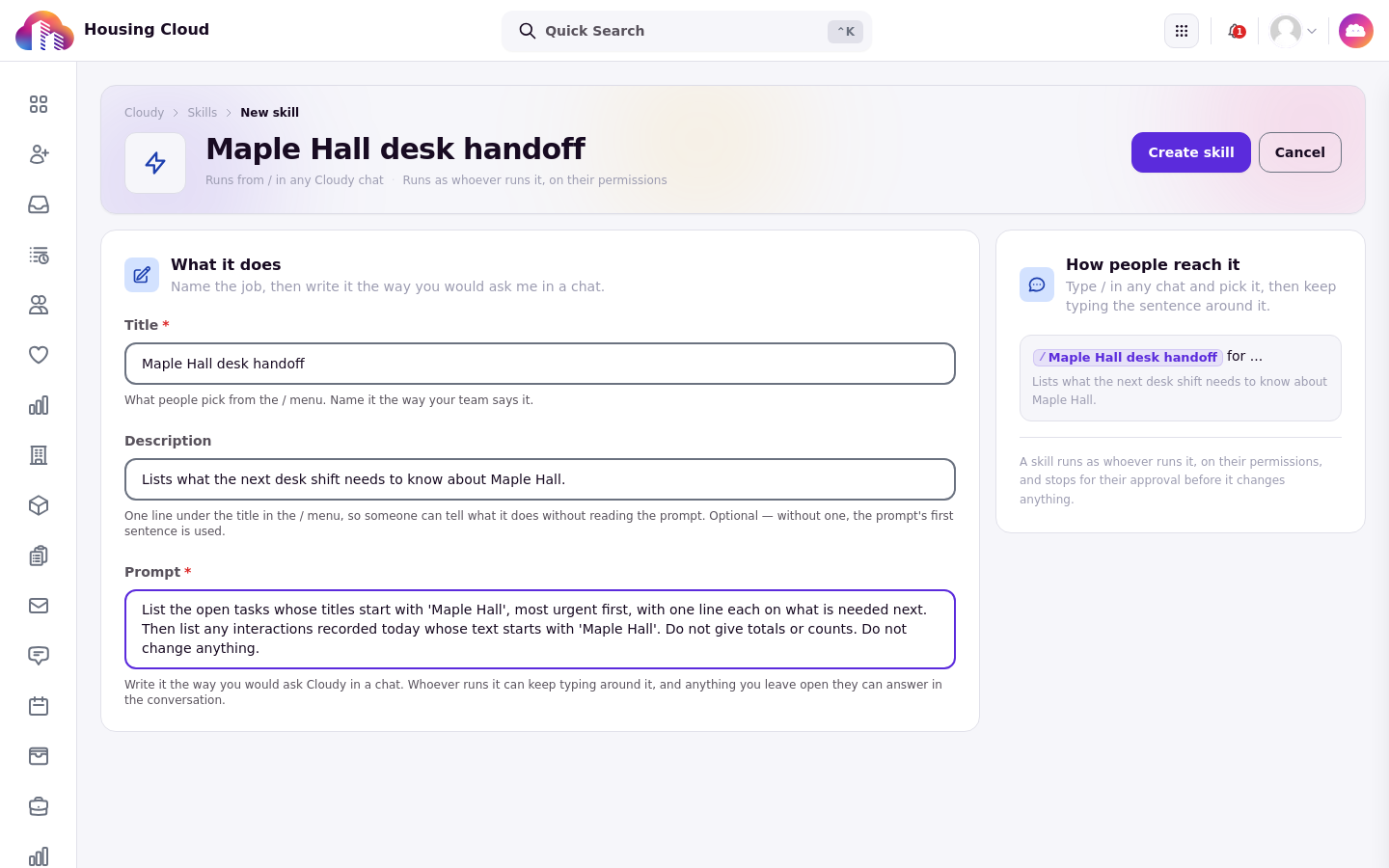
The new skill form: Title, Description and Prompt, with the live preview of the "/" menu row beside it.
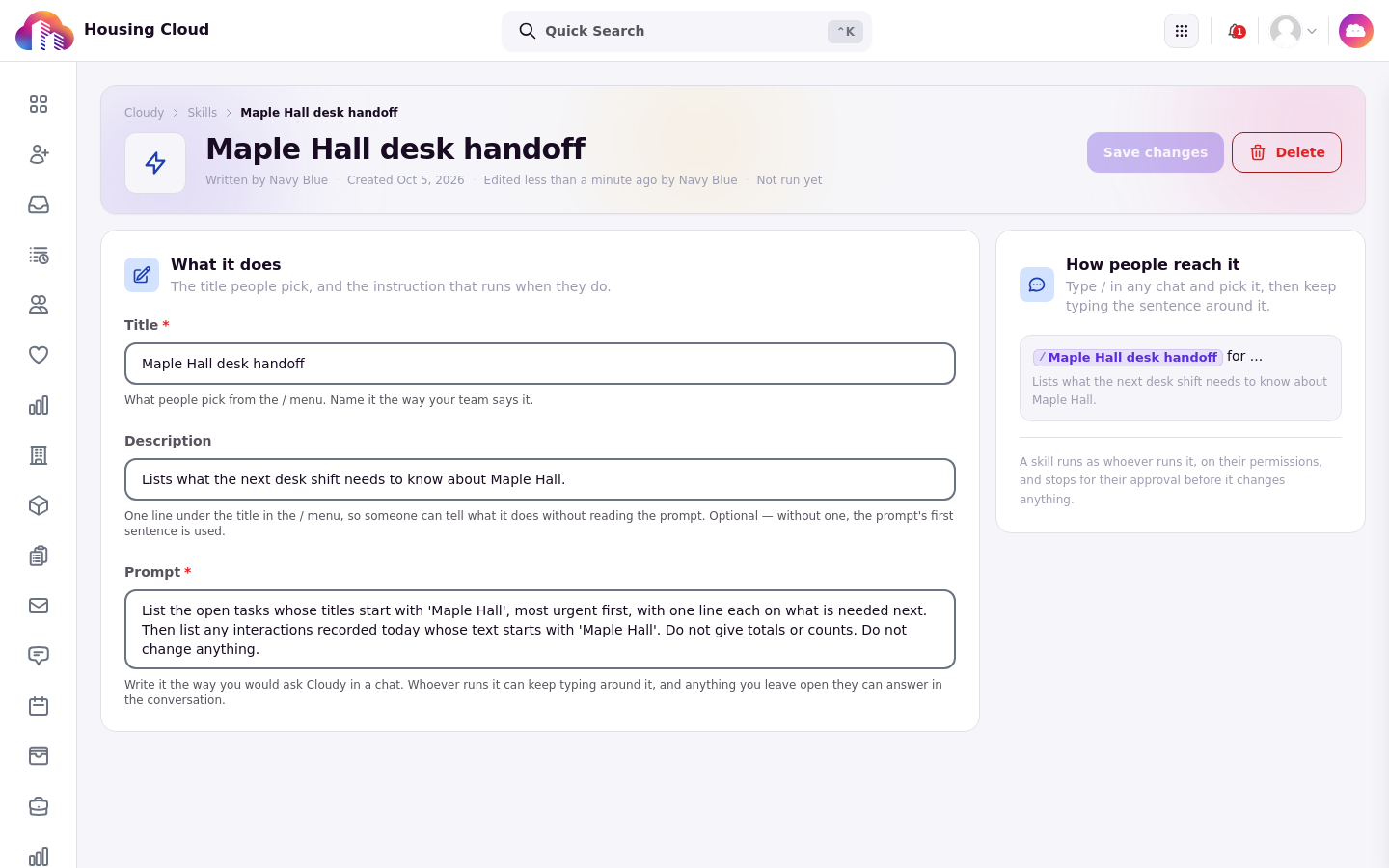
The saved skill page, with its save and delete controls at the top.
Run a skill
Type "/" in any chat, pick the skill from the menu, and keep typing the rest of your sentence if the prompt takes it. Then send as usual.
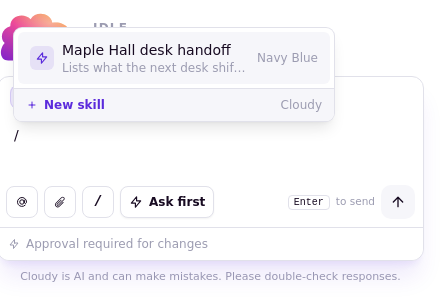
Type "/" and pick the skill from the menu.
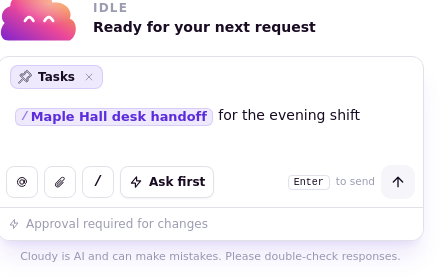
The skill sits in the message box as a pill; keep typing the rest of the sentence around it.
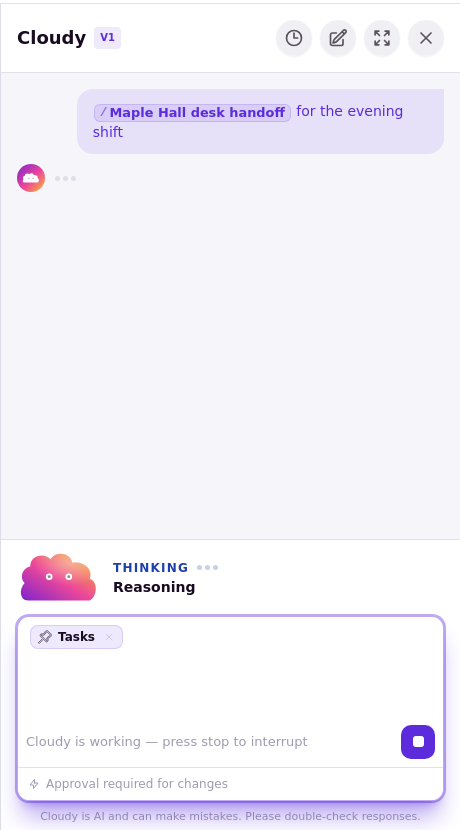
The sent skill: the pill plus the rest of the sentence, with Cloudy working on the request.
Good to know
Up to 3 skills can be used in one message.
A school can have up to 100 skills.
Editing a skill changes future runs only. Runs already completed stay as they were.
Changes a skill proposes still show a "Needs your OK" card. See "When Cloudy Asks First: Approve or Reject a Change".