Draft Ruleset Rules and Run a Ruleset Health Check
Last updated: October 8, 2026
In the ruleset editor you can type a rule in plain English and Cloudy drafts it for you to accept or discard. "Get an AI health check on this ruleset" scores the ruleset and lists what to look at.
At Maple Hall… Jordan wants quiet-floor students to room together, types that as a sentence, and asks Cloudy whether the ruleset makes sense.
Before you start
You need the "Manage tags and rulesets" permission.
Cloudy drafts rules only from tags your school already has. If a rule needs a tag that doesn't exist, the draft fails.
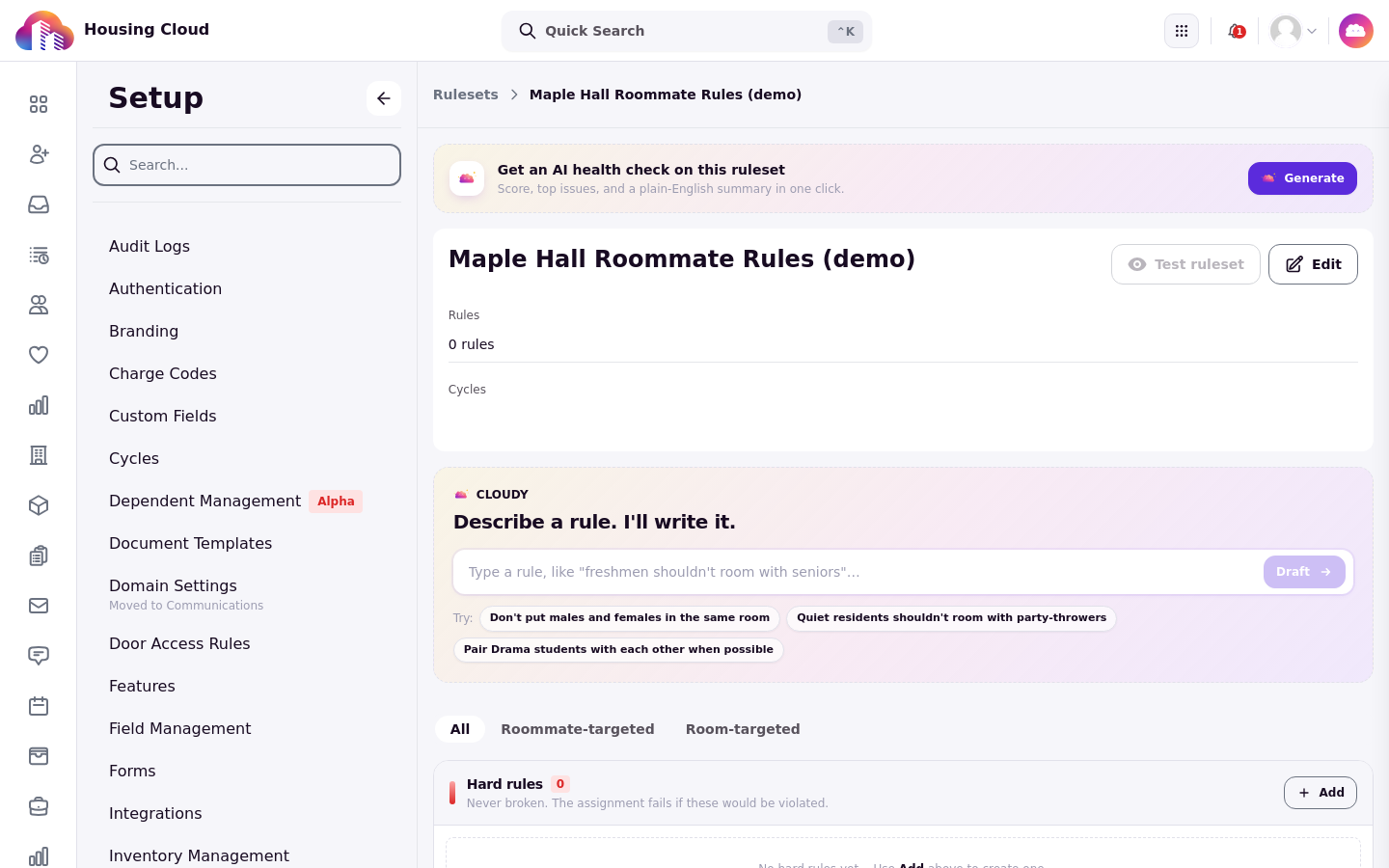
The ruleset editor: the "Get an AI health check on this ruleset" card at the top and the Cloudy rule box below.
Draft a rule by typing a sentence
Open Setup → Rulesets and open the ruleset. In the rule box, which says "Type a rule, like "freshmen shouldn't room with seniors"…", type the rule as a sentence and send it. Cloudy shows "Drafting rule" while it works.
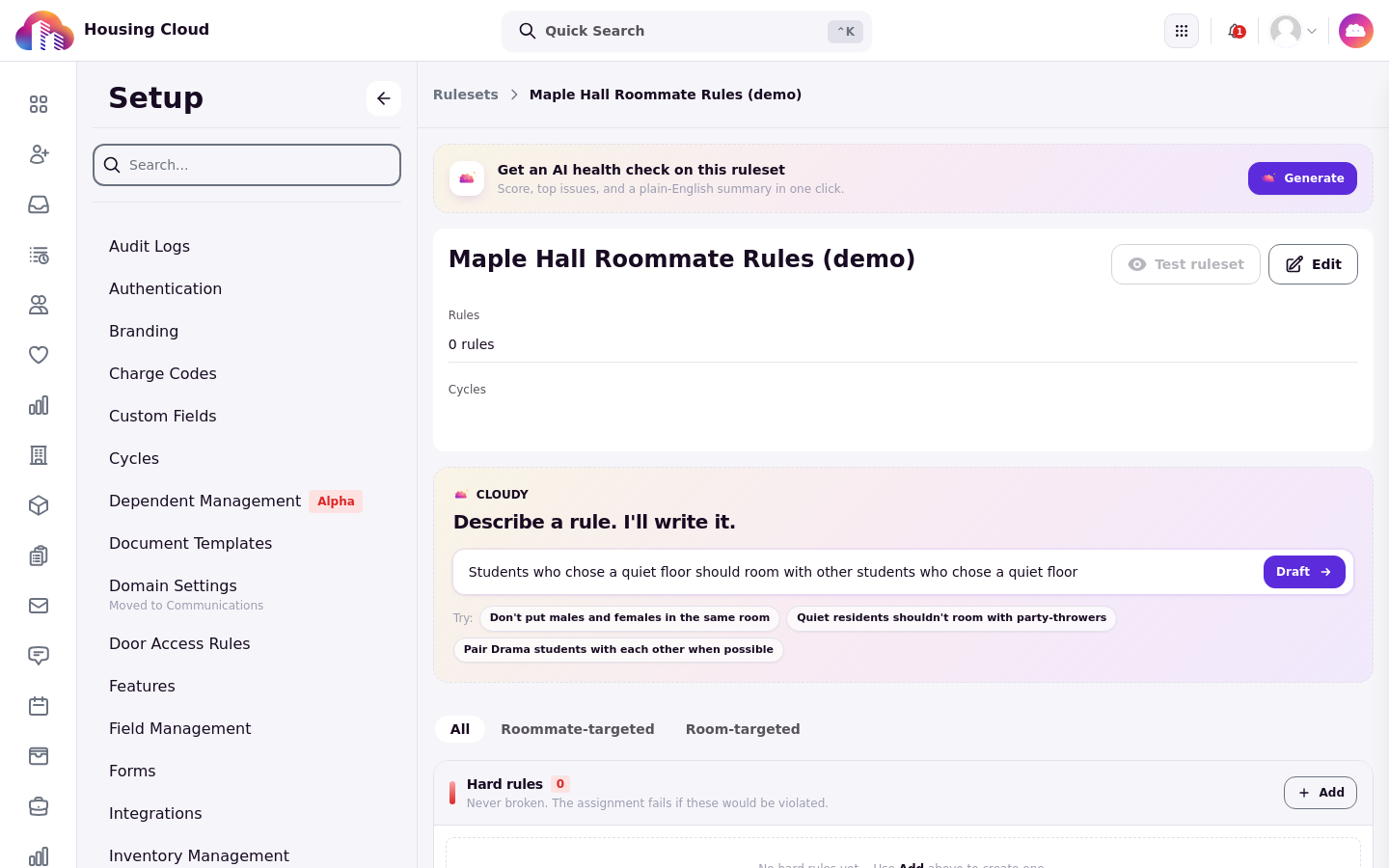
The rule typed as a sentence, ready to send with "Draft".
Read and accept the draft
The drafted rule shows the tags Cloudy chose. Read them: they come only from tags your school already has. Press "Accept" (or "Accept pair" when the rule pairs two groups) to add it to the ruleset, or discard it to try again.
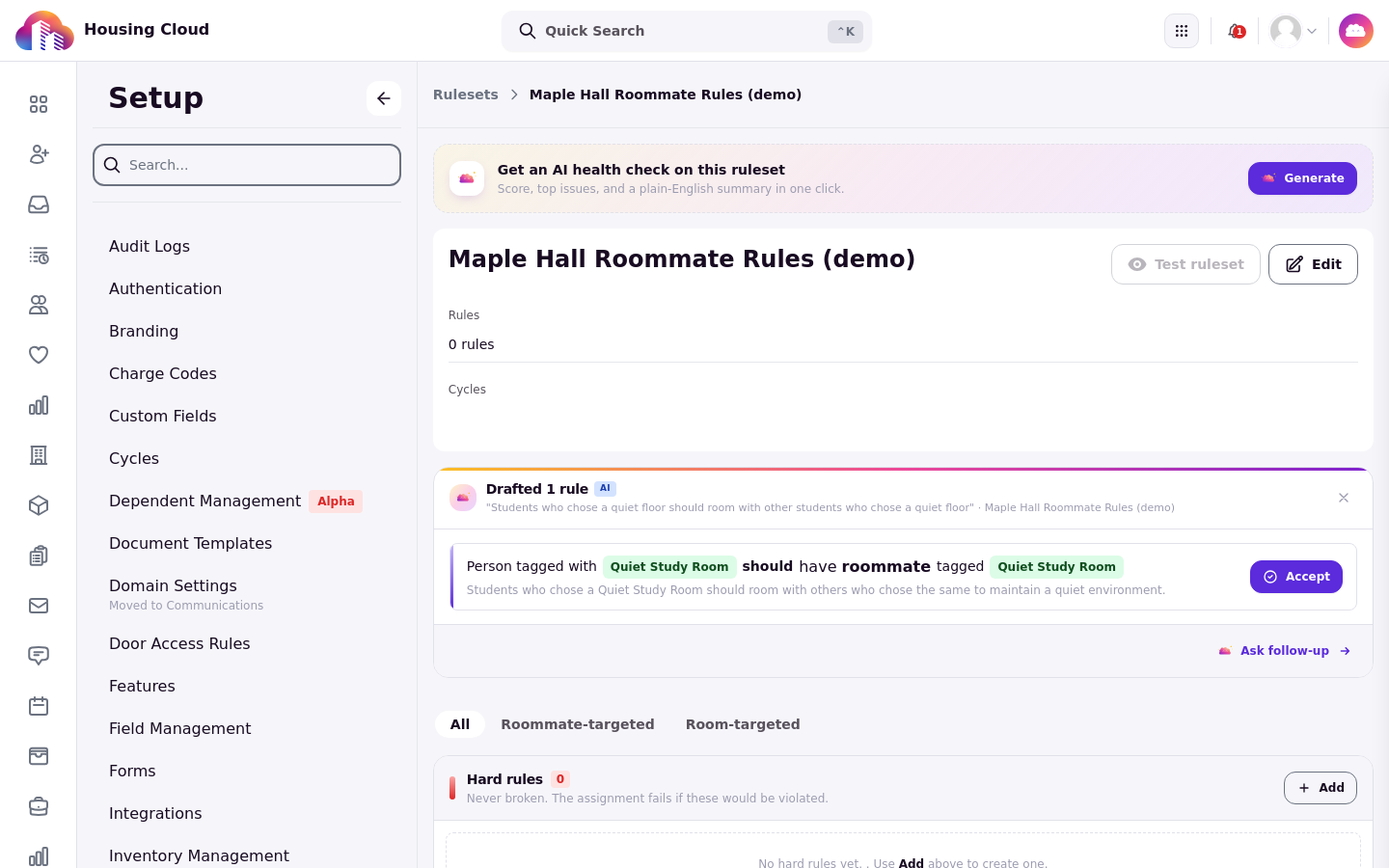
The draft card shows the tags Cloudy picked, with an "Accept" button on the right. Read the tags before you accept.
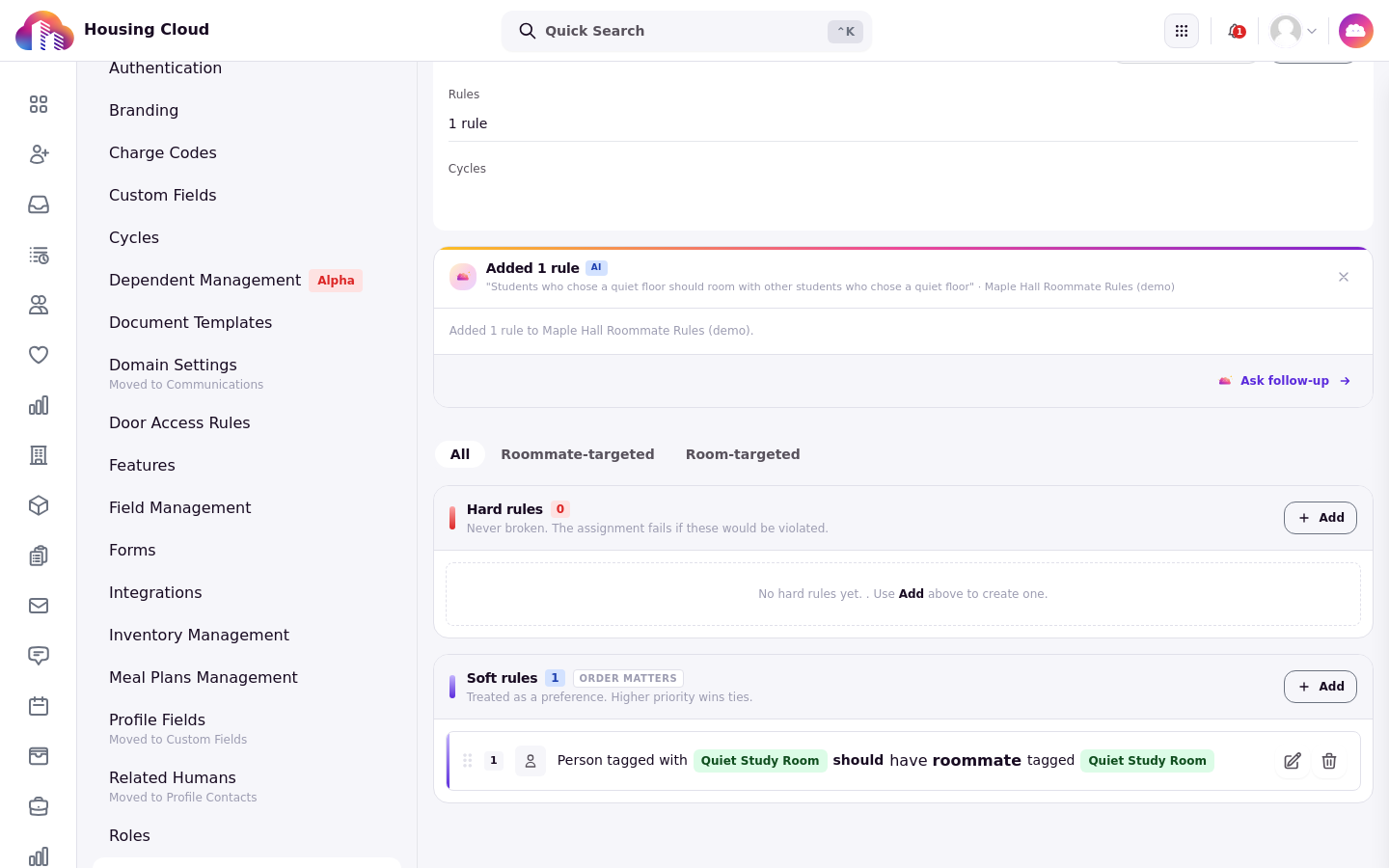
The accepted rule now sits under Soft rules in Maple Hall Roommate Rules (demo).
Run a health check
Press "Get an AI health check on this ruleset", then "Generate". The result shows a score for the ruleset and surfaces the highest-priority finding category: Errors, Warnings, Suggestions, or Notices. "Show impact by rule" breaks the result down per rule, and "View detailed report" opens the full write-up.

"Get an AI health check on this ruleset", with its "Generate" button.
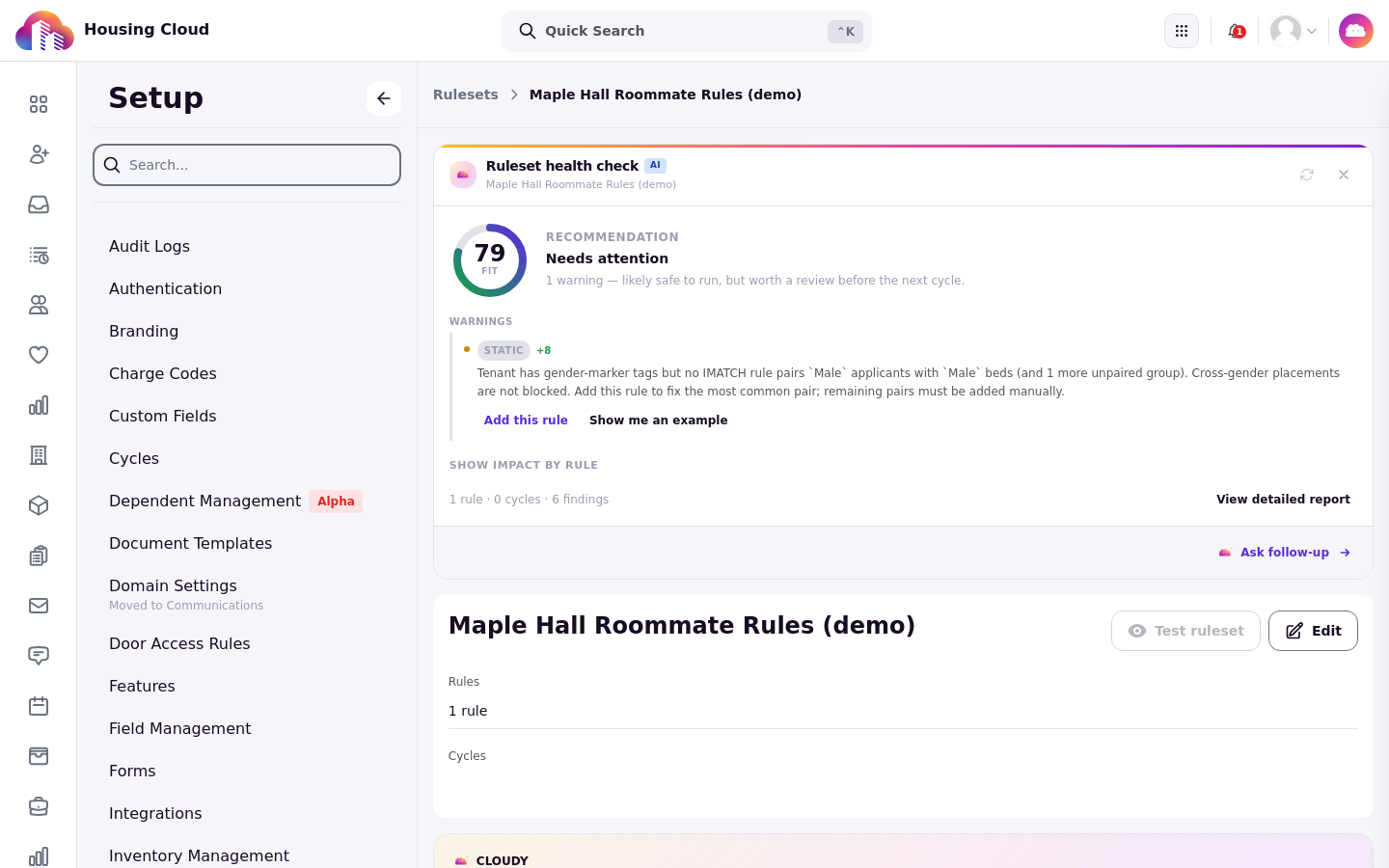
The result: a score (79, Fit), a recommendation, the warnings, and "Show impact by rule".
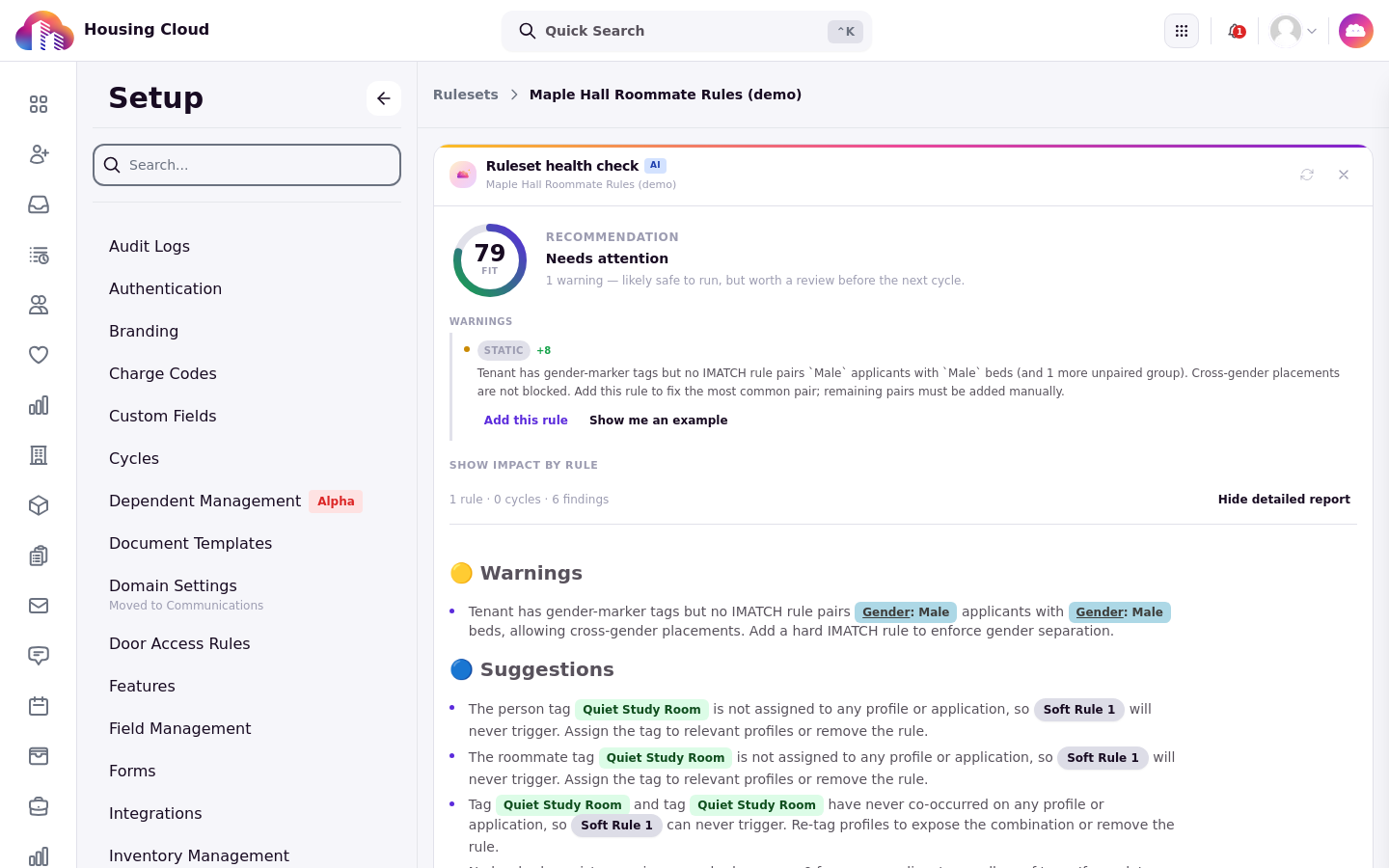
"View detailed report" opens the full write-up with Warnings and Suggestions.
Suggestions are advice
The health check does not change rules automatically, but its findings may offer actions such as adding a rule, converting a rule to soft, or removing a rule. The health check reports; you decide.
Good to know
Try a health check on a copy of a ruleset first, especially before a release.