What Cloudy Can Change for You (the 18 Actions)
Last updated: October 8, 2026
This is the full list of changes Cloudy can prepare, and the ones that work differently: bulk changes, money and staff email. Ordinary changes wait for your approval on a "Needs your OK" card before they happen. Charge and refund handoffs open the form directly instead, and autonomous mode can run eligible actions without the approval card.
At Maple Hall… Jordan wants to know what Sam can ask Cloudy to do, and which requests will only ever open a form for Sam to finish.
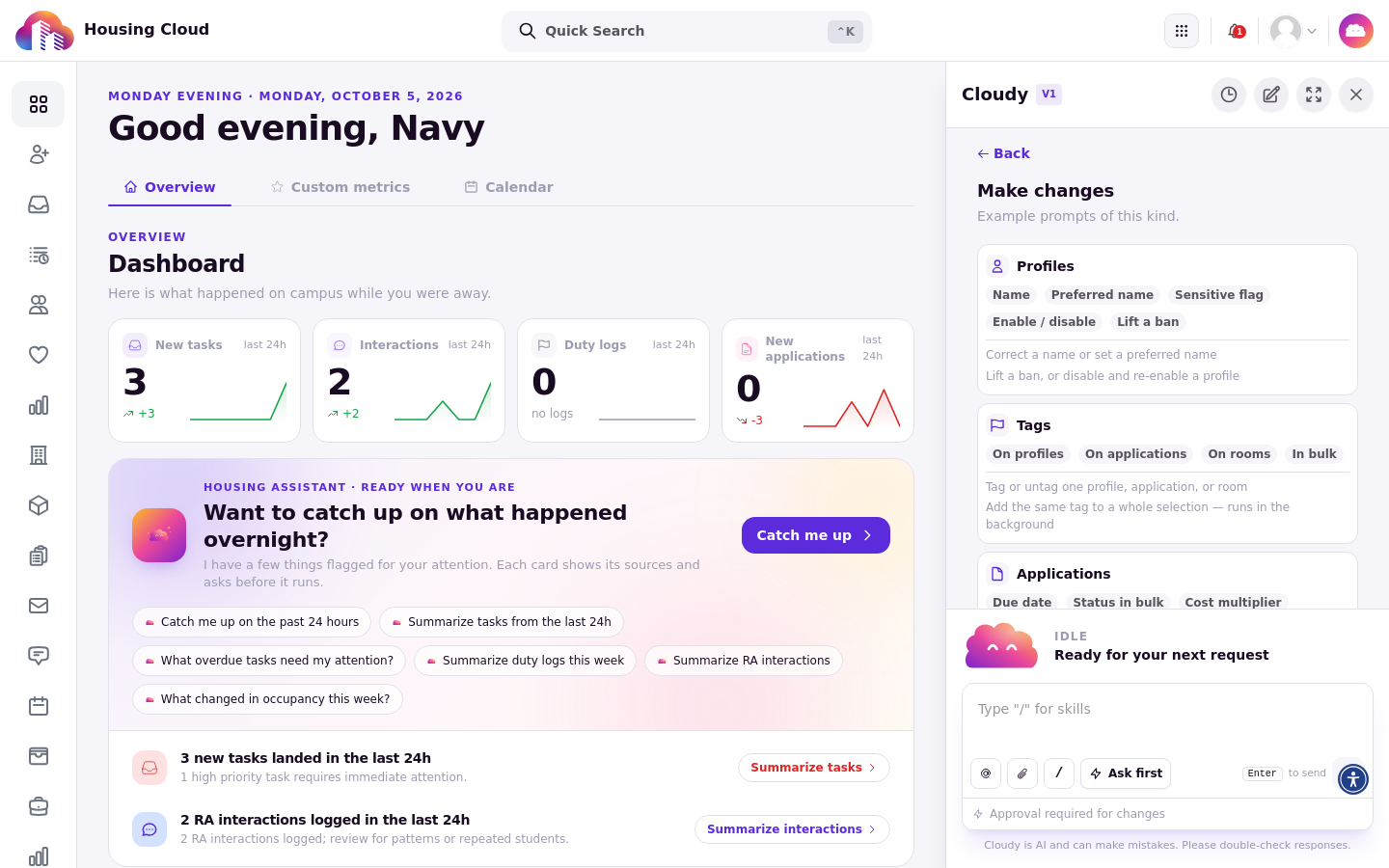
"Make changes" groups the actions by area: Profiles, Tags (including tags in bulk), Applications, and more.
The list
Area |
What Cloudy can prepare |
Works differently |
|---|---|---|
Profiles |
Add or remove profile tags; change a profile's name; mark or unmark a profile as sensitive; disable or re-enable a profile; lift a profile ban |
Each one is a single person and asks first |
Applications |
Add or remove application tags; change an application's due date |
|
Rooms and billing |
Add or remove room tags; change a residency's cost multiplier |
The multiplier card is marked "Transactions" because it changes what the resident is billed |
Tasks |
Create a task; change a task's status; assign a task |
|
Bulk |
Change the status of many applications; change the due date of many applications; add or remove tags on many profiles |
Runs in the background over a saved list or report; the status change is marked "Bulk operation" |
Money |
Preview, then issue, a prorated refund on a charge; open a prefilled charge or refund |
The prefilled charge or refund is a handoff: Cloudy shows "Open prefilled form" and you finish it. Refunds are marked "Transactions" |
Staff email |
Email up to 10 staff members a short note, optionally with one admin-page link |
Staff only. Cloudy can't email residents or applicants, and can't send broadcasts |
Most changes ask first
Ordinary changes wait for your approval and need the same permission you would need to do it yourself. Charge and refund handoffs open the form directly, and autonomous mode can run eligible actions without the approval card. See "When Cloudy Asks First: Approve or Reject a Change" for how the card works.
Turned on as one feature
Your school turns these changes on together as one feature. If it is off, Cloudy can only answer questions. Staff with the required permission can turn it on for your school in Feature Management at /admin/setup/features; see "Who Can Use Cloudy: Features and Permissions".
Money is a handoff
Cloudy never submits a charge or refund form for you. It opens a prefilled form and you review and submit it. A prorated refund works in two steps: Cloudy first shows a preview, then asks before issuing it.
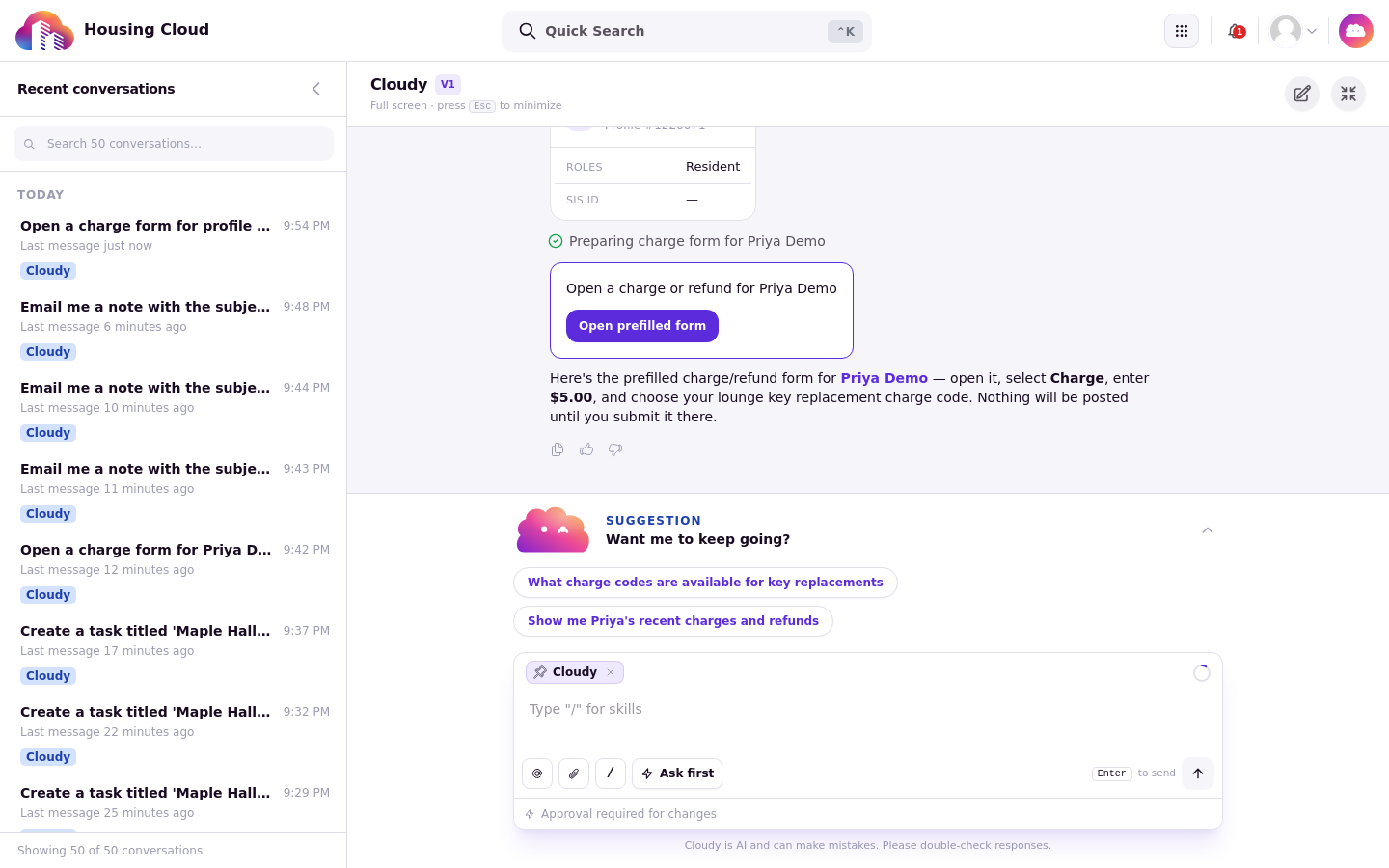
The handoff card: "Open prefilled form" opens the charge or refund form, prefilled with the resident. You choose the charge or refund type, amount, and other transaction details in the form. Nothing is posted until you submit it there.
Bulk changes start from a list
Bulk changes run in the background over a list Cloudy builds. Read the list on the card before you approve, because the change applies to everyone on it.
Staff email sends a real email
When you approve a staff email, it sends to up to 10 staff members. Read it like any message you would send yourself.
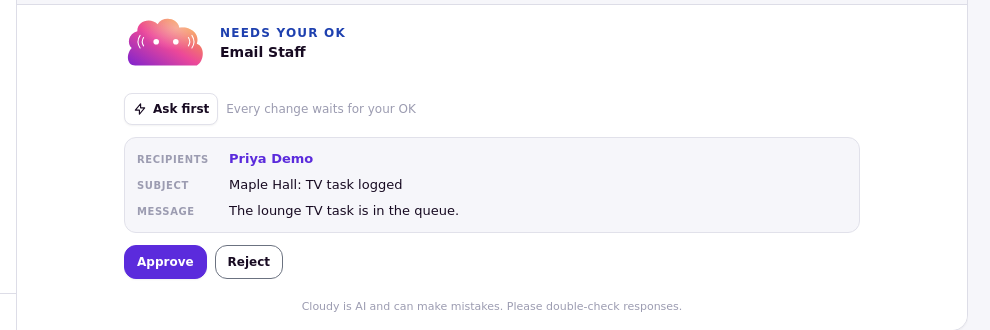
The "Needs your OK" card for a staff email: recipients, subject and message, with Approve and Reject.
What isn't on the list
Cloudy cannot change roles or permissions, your school's settings, feature switches or integrations, send broadcasts to residents, move residents between rooms, or delete records. See "Using AI Safely: What Cloudy Can and Can't Do".