Find the Best Bed for an Applicant
Last updated: October 8, 2026
"Find best assignment with AI" on an application asks Cloudy to check the cycle's ruleset and the available beds and show its top recommendation with its reasons and a list of alternative beds. You confirm any assignment yourself.
At Maple Hall… {STUDENT2} is still waiting for a room in {CYCLE}. Jordan asks Cloudy for the best three beds, reads why, and decides to talk to the student first.
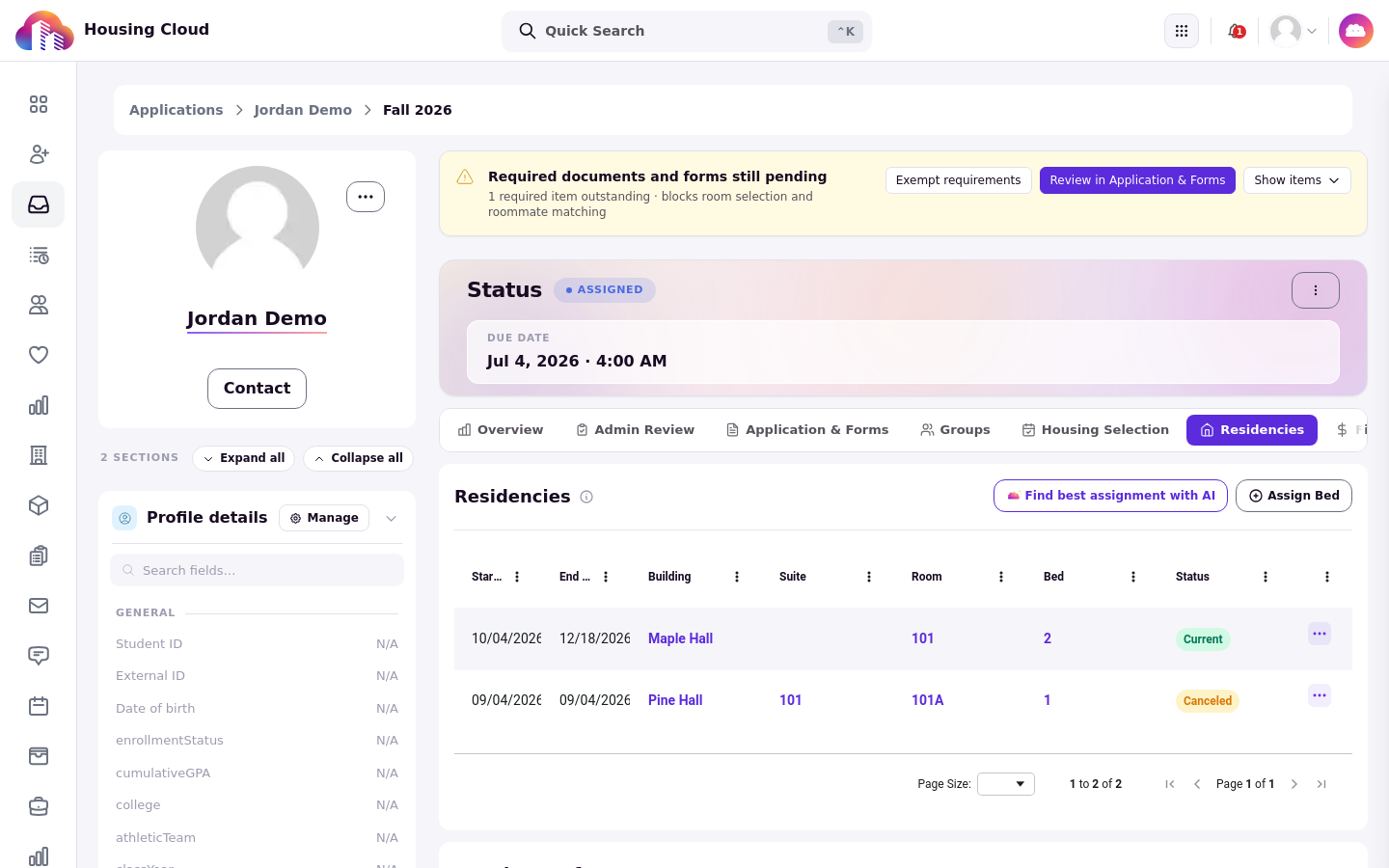
The "Find best assignment with AI" button in the Residencies card header, next to "Assign Bed".
Where to find it
Open the application and click its Residencies tab. The "Find best assignment with AI" button sits in the Residencies card header, next to "Assign Bed". Click it and Cloudy opens with the application as its context chip in the message box.
Read the recommendations
Cloudy explains the rules its top recommendation meets and misses; alternative beds are listed with their scores and details, without individual reasons. Use the explanation and the scores to decide, not just the order.
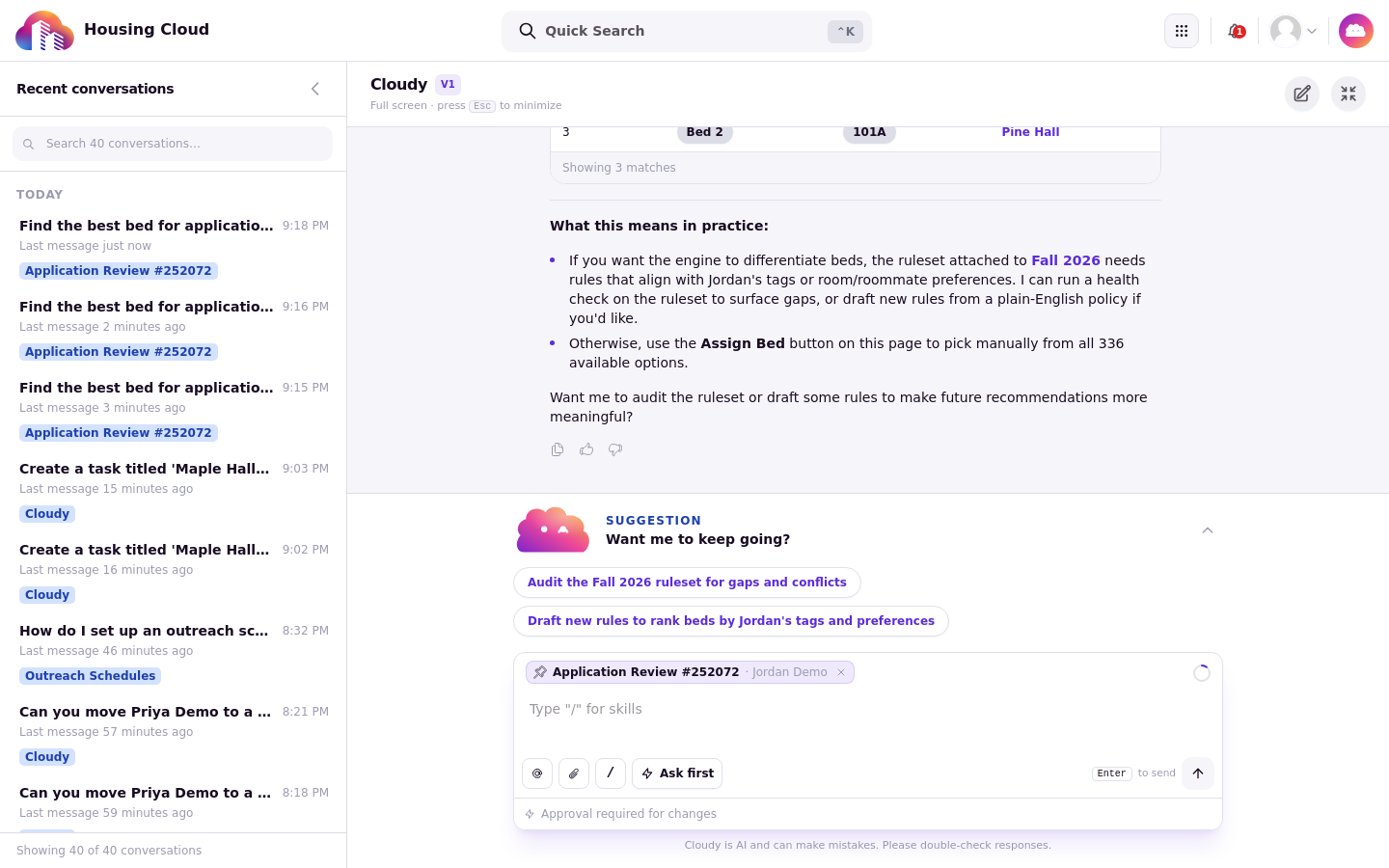
Cloudy shows its picks (here "3 matches", including Bed 2 in room 101A at Pine Hall), then explains what the ruleset did and did not weigh, and offers follow-ups such as auditing the ruleset.
Ask for more options
If none of the first picks works, ask Cloudy for more, for example "Show me a few more bed alternatives".
Assign the bed yourself
To use a pick, press "Confirm and assign" and finish the normal assignment confirmation. Cloudy never assigns on its own; the confirmation is the same one you would see assigning by hand.
No screenshot: the demo application already had a bed, so the assign confirmation was not reached. The confirmation is the same window you see when assigning by hand.
If nothing fits
When the cycle has no available beds at all, Cloudy says "No available beds found in this cycle." When beds are available but every candidate bed is excluded by a hard rule, Cloudy instead reports that all candidate beds were excluded by hard rules. Check the cycle's inventory or the ruleset before trying again.
Good to know
The picks depend on the cycle's ruleset. If the ruleset has no rules that match the applicant's profile tags, Cloudy says so and suggests auditing the ruleset or checking the applicant's tags instead of guessing.
The button appears on the Residencies card even for an application that already has a bed, so check the residence list before you use it.