AI Answers in the Help Center
Last updated: October 8, 2026
AI answers give a resident a written answer, drawn only from your published help articles, when they type a question into the help center. The answer names the articles it came from, and Need a person? is always there when a resident would rather reach someone. You can turn AI answers off for your school.
Before you start
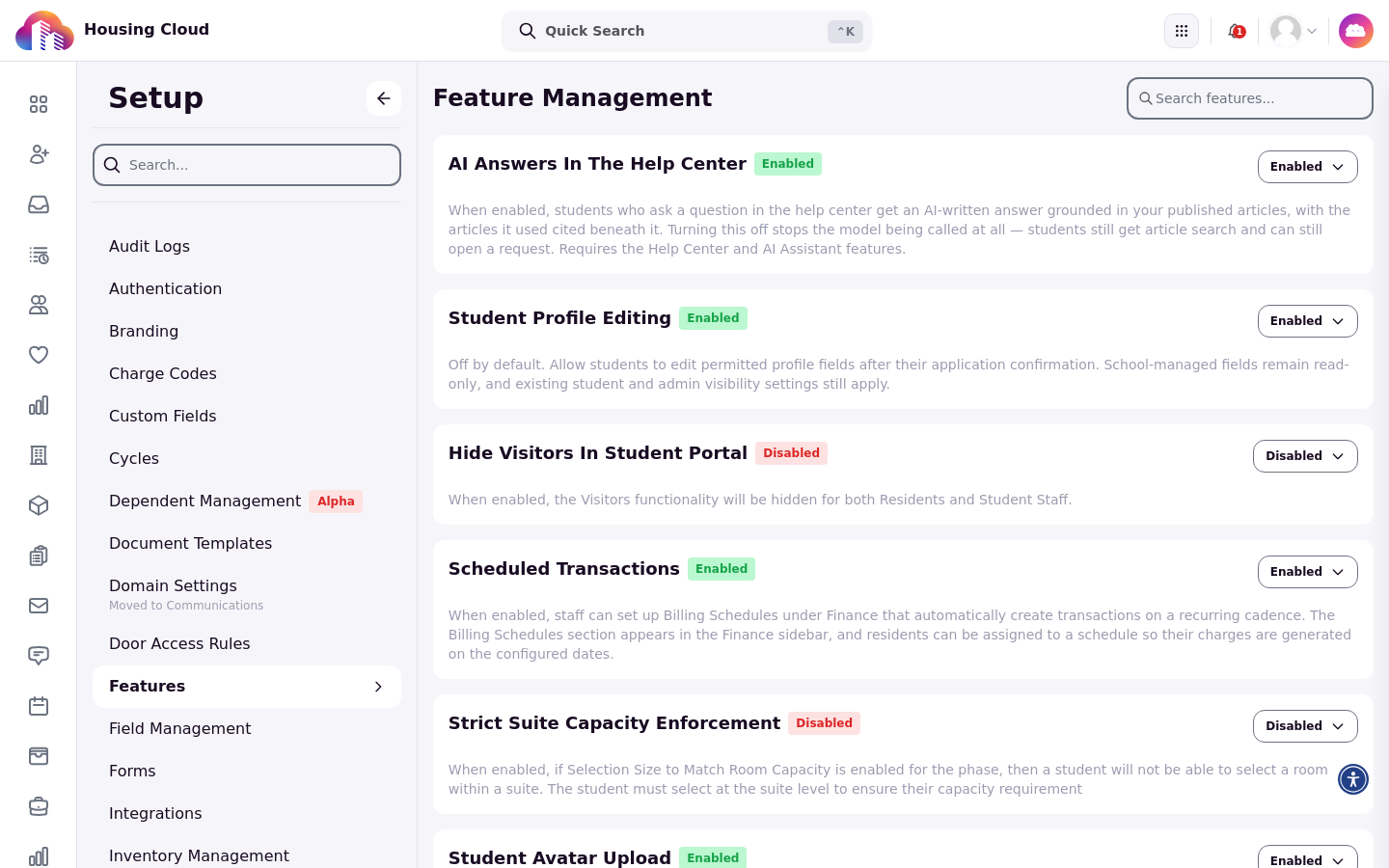
AI answers need three switches: the help center, the AI assistant and AI answers. Housing Cloud turns each one on for your school, so ask your Housing Cloud contact if the feature isn't available.
The switch your school controls is AI answers itself. On Setup → Features (the page headed Feature Management), turning the AI Answers In The Help Center control off means residents get no AI answer; search and requests still work. Turn On Support: Switches, Permissions and the Support Menu lists every switch and permission.
What residents see when they ask
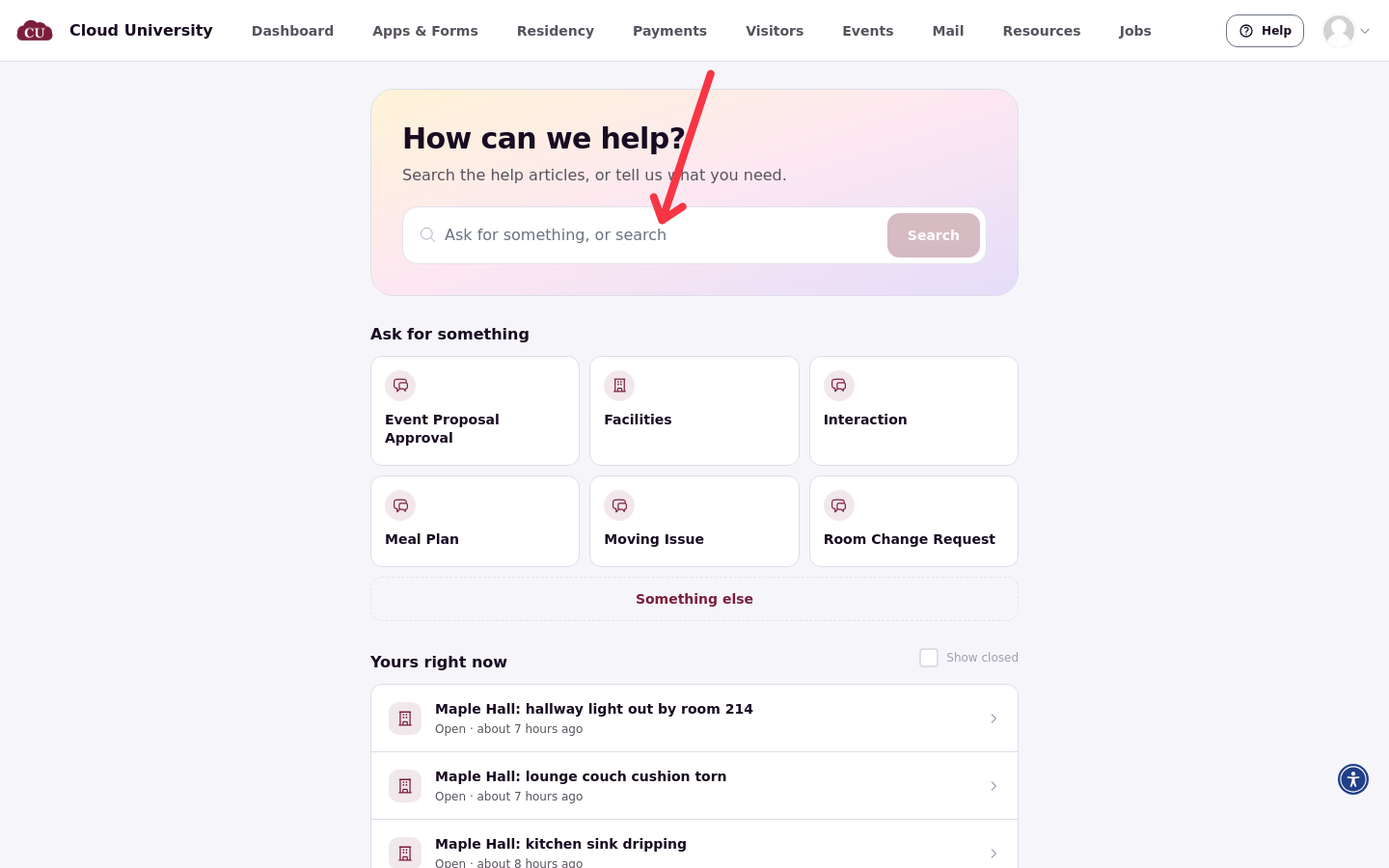
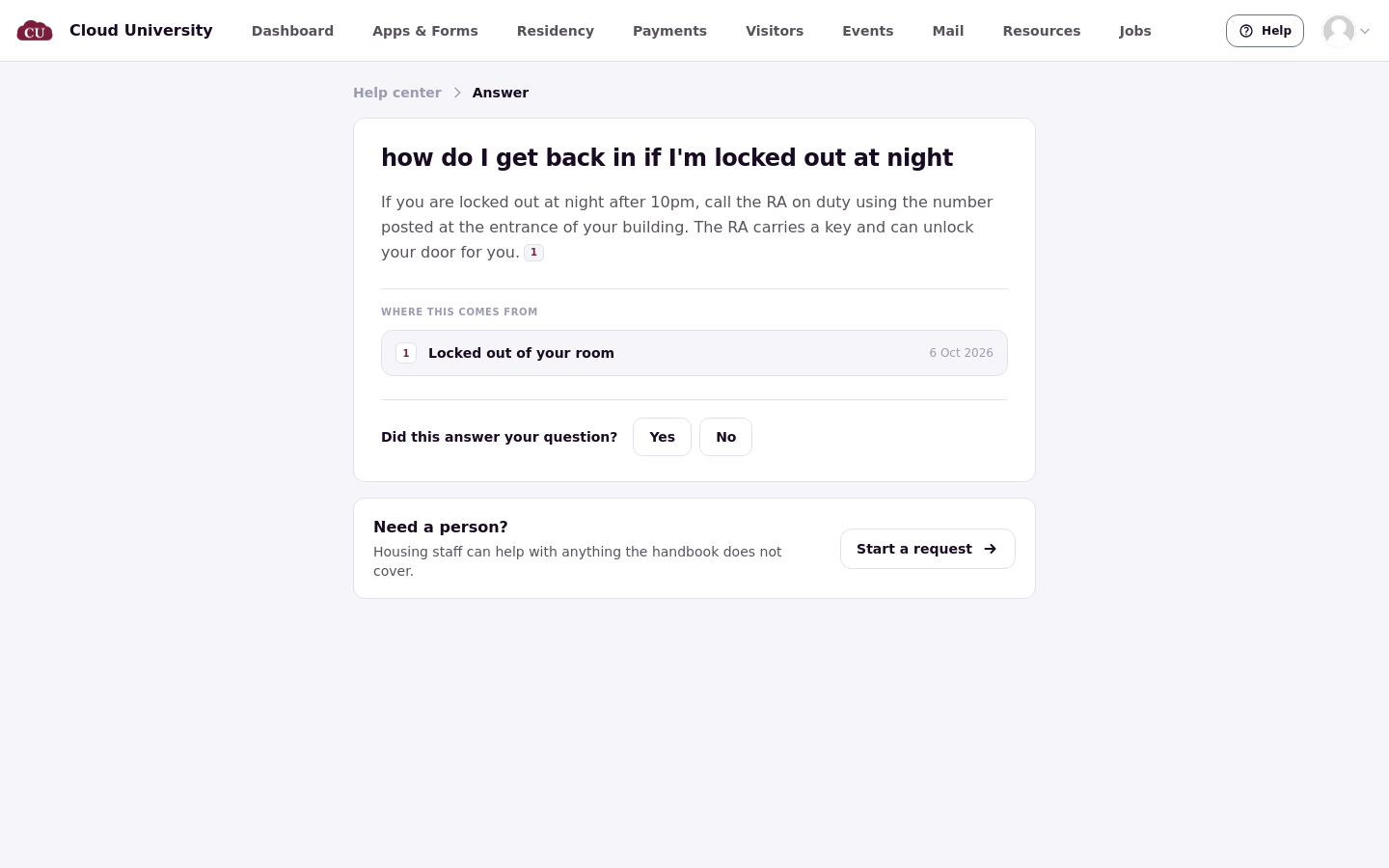
A resident types their question into the search box on the help center home, which reads Ask for something, or search when AI answers are on. The help center shows Putting an answer together while it works, then the answer under Answer, the articles it was written from under Where this comes from, and More in the handbook.
Where answers come from
An answer is written only from published articles this resident may read. It never answers from outside knowledge.
When nothing matches
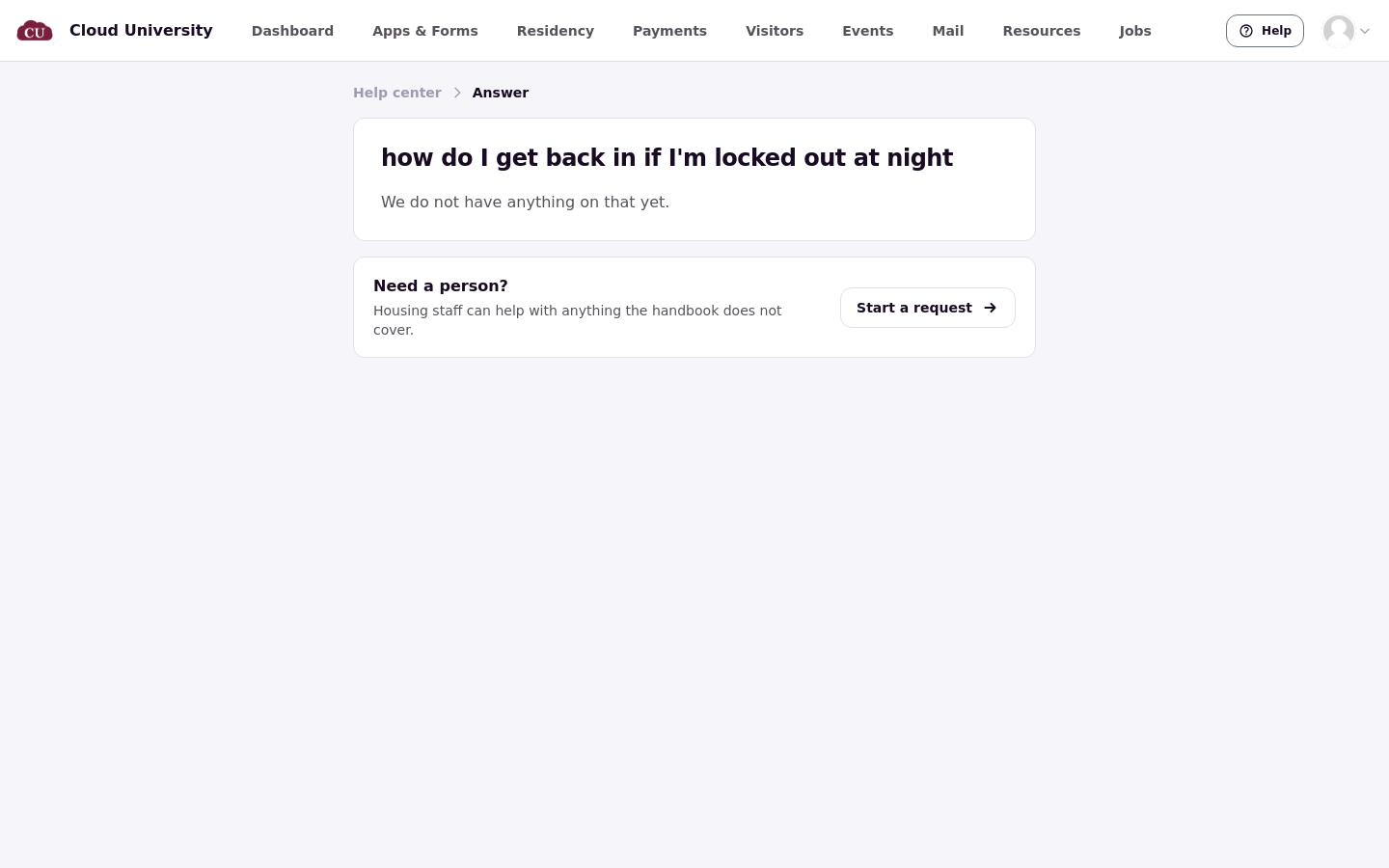
If no article answers the question, the resident sees We do not have anything on that yet. Other articles matching the question are shown with it.
Feedback and reaching a person
Under the answer, Did this answer your question? offers Yes and No. After choosing a rating, Change answer lets the resident reopen those options.
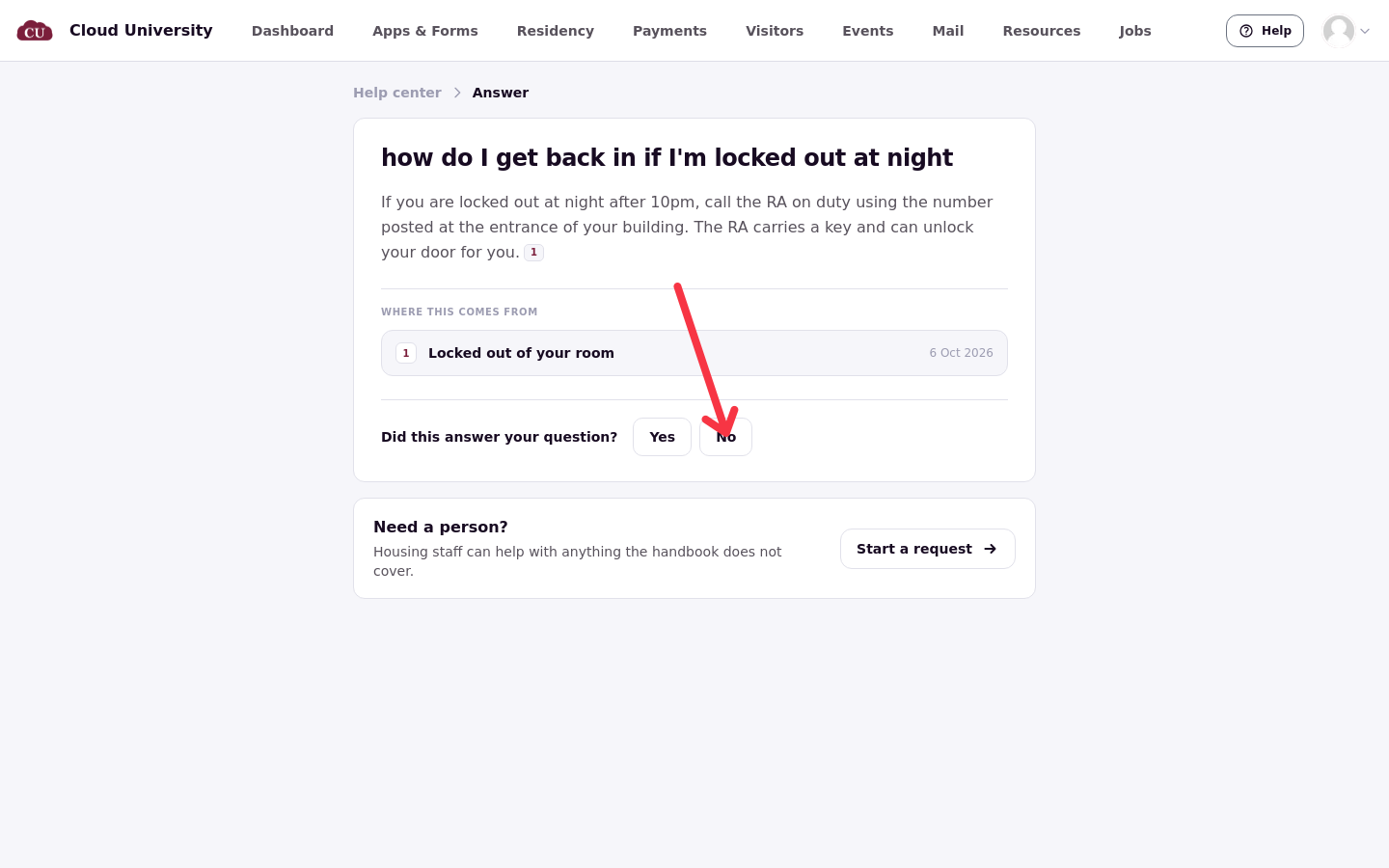
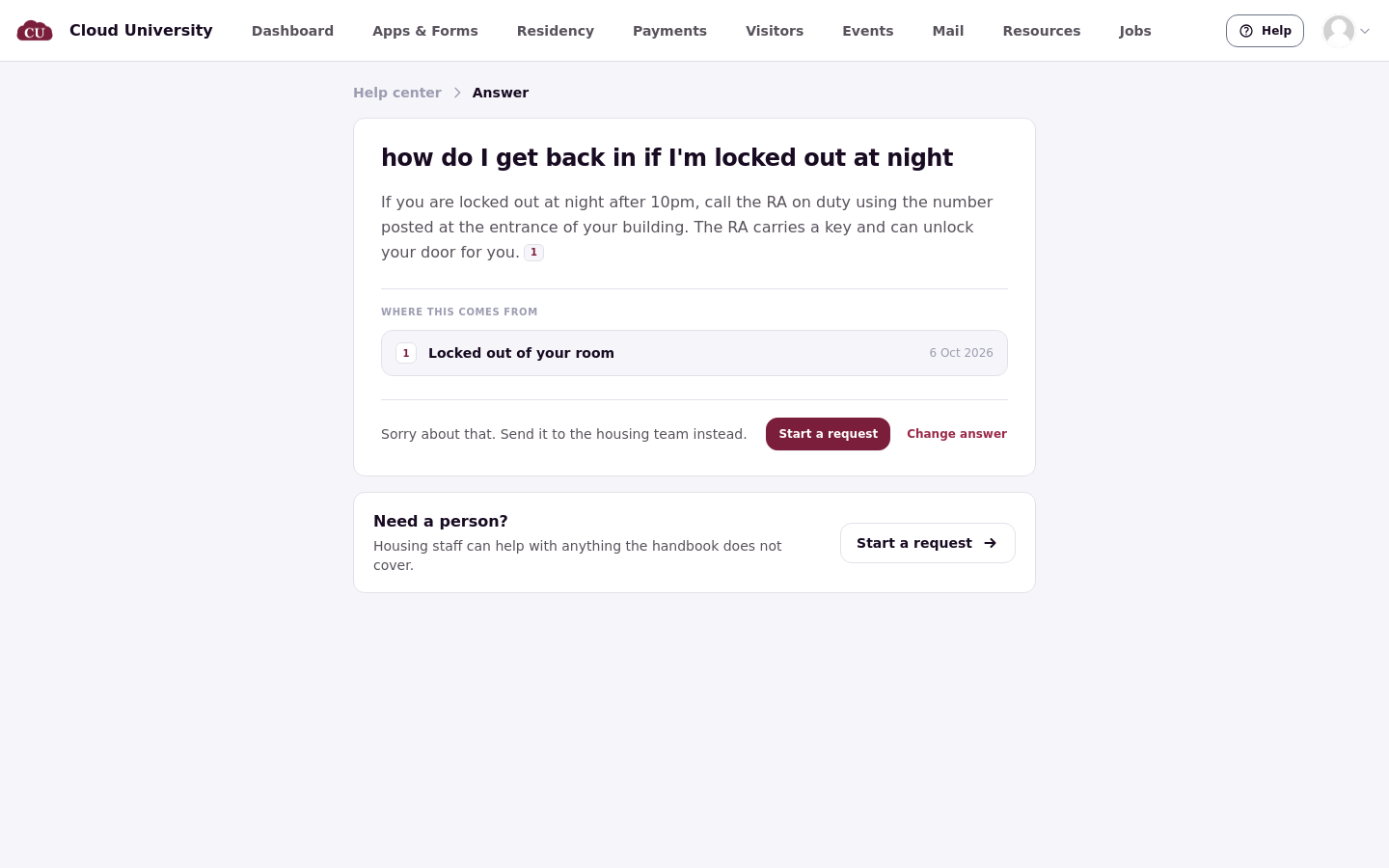
Choosing No shows a message that the issue can be sent to the housing team, with a Start a request button; the question the resident asked isn't carried into the request. Need a person? is always on the screen.
How many answers a resident gets
A resident can get 20 AI answers a day. When the resident reaches that limit, a message says they have asked a lot of questions today. When the school's AI allowance is used up, a message says answers are paused for the school right now.
When answers are reused
Answers are reused for a week. The reuse ends when an article the answer used is republished.
Questions without answers
The questions residents ask that go unanswered are recorded. There is no staff screen for them yet.
A separate plan covers Housing Cloud's AI features in depth.
Good to know
Each resident can get 20 AI answers a day, written only from the articles cited in Where this comes from.
A question a resident asked the AI isn't carried into a request.
Staff can't yet see what residents asked that went unanswered.
Other AI features residents see
Roommate recommendations in the roommate finder are the other AI feature residents see directly. The finder also has a rules mode that compares questionnaire answers instead of using AI. The roommate matching articles cover both modes.
Related articles
2 · Turn On Support: Switches, Permissions and the Support Menu
11 · What Residents See in the Help Center
13 · How Residents Submit a Request