Lend and Take Back Items at the Desk
Last updated: October 8, 2026
A walk-up loan is the desk's bread and butter: a student arrives, asks for an item, the desk verifies it and hands it over, and the desk takes it back when it returns. This article follows one loan start to finish, including the late return, on the desk screen at /ops/resources. It needs the Operate the resource desk permission; overriding a rule also needs the override permission and a reason.
Lend an item as a walk-up
The desk screen is where a walk-up loan starts, and its search box is the way in.
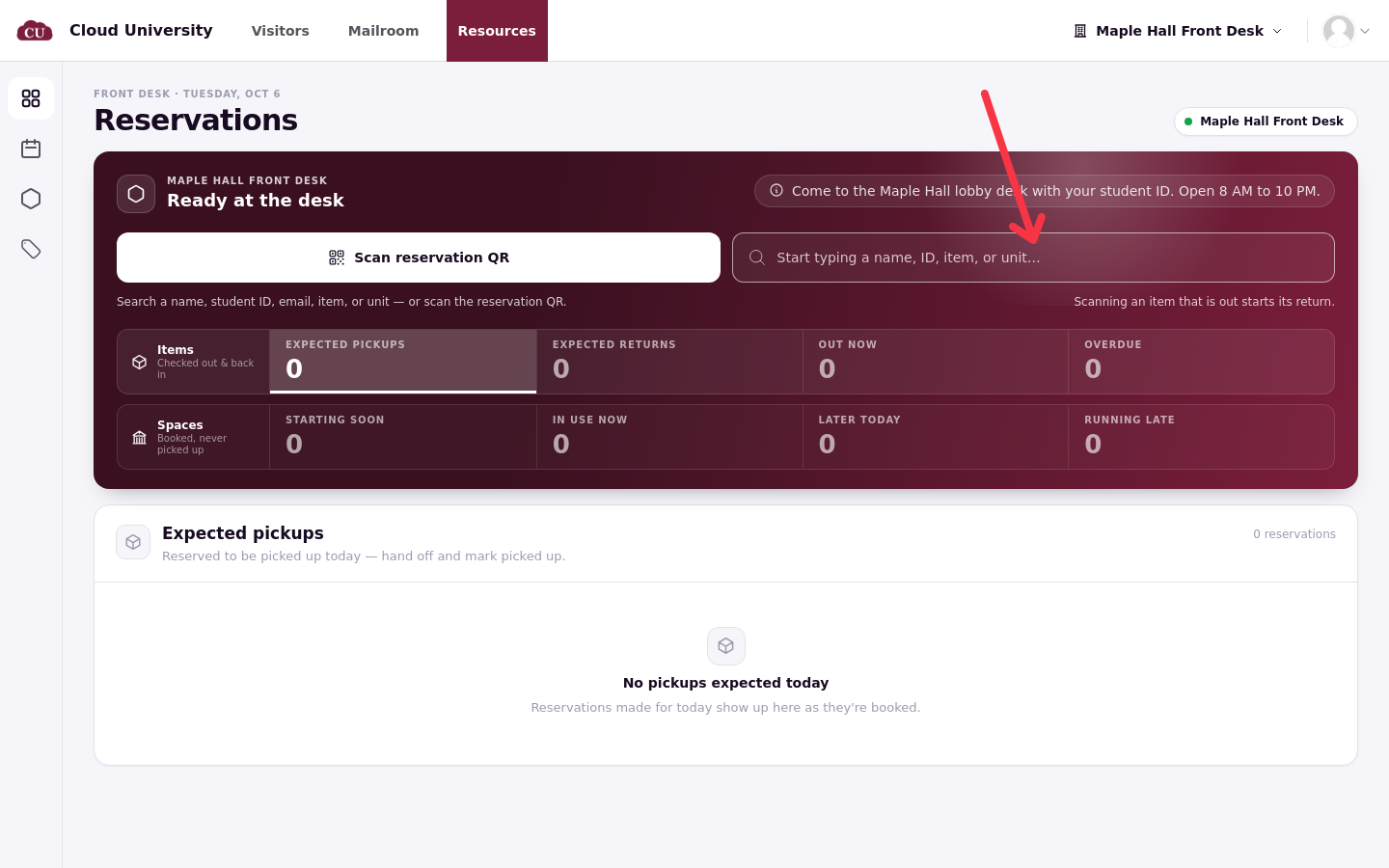
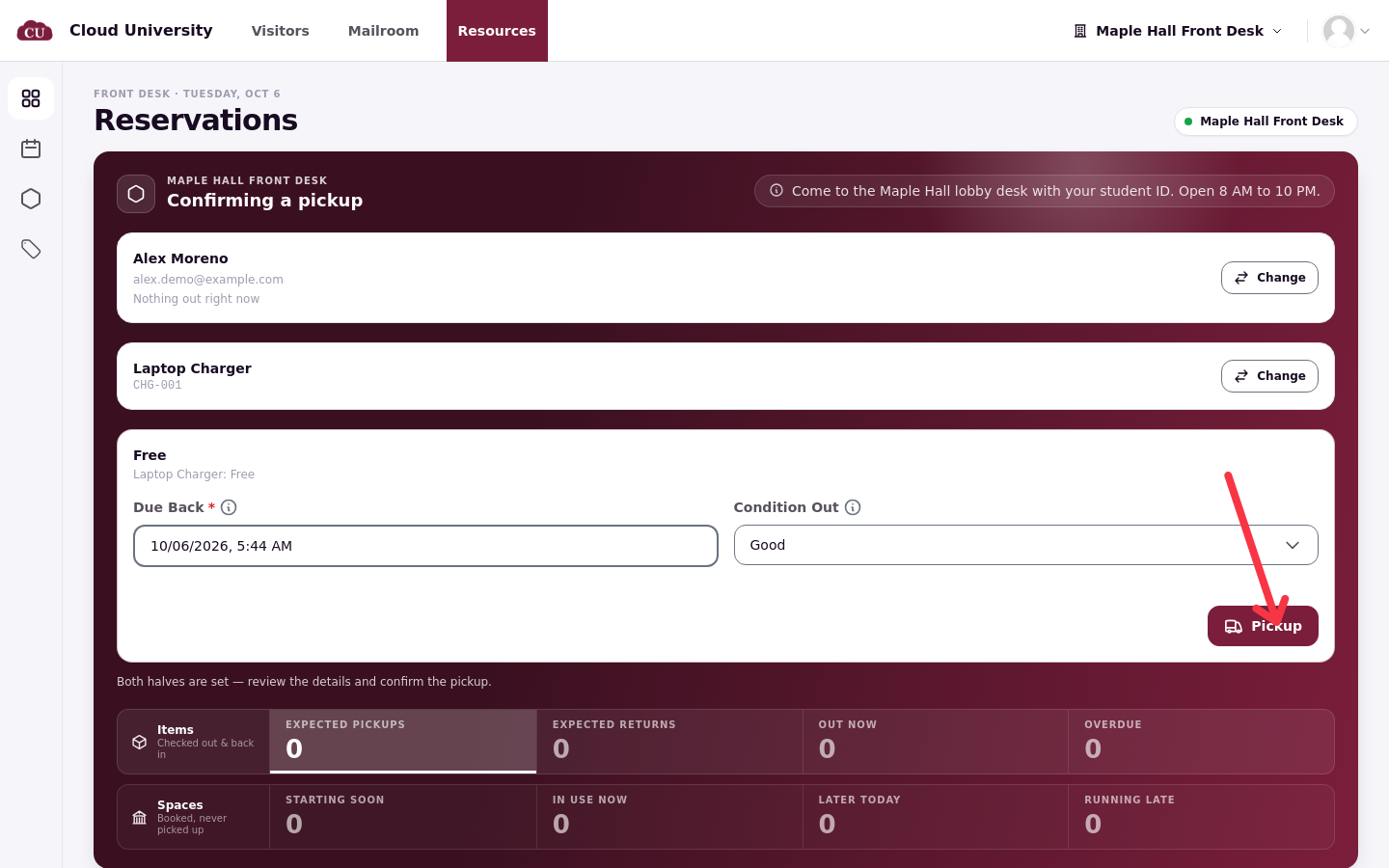
In the desk's search box, type or scan the student's name and pick their card, then search the item, by name or unit code, and pick it. The pickup form sets Due back as a length of time from now, bounded by the resource type's maximum duration, and records the item's condition as it leaves. Review both before handing anything over: the due time is what the overdue check works from.
When everything checks out, the button reads Pickup, shown here on the pickup confirmation. If the loan breaks a rule the type sets, the button reads Pickup with override and warns you; overrides need the override permission and a typed reason, and agreements must be complete before the desk will hand an item over at all.
Pick up a reservation instead
A reservation made in advance follows the same search, but starts from the booking. The pickup flow walks through the reservation and borrower, any charges due, verifying the items, recording custody, and a review before Pickup reservation closes it. Verifying means scanning the unit's QR label with the camera or entering its serial number until it shows as matched; a Rescan rechecks, and accepting a scan that did not match needs the override permission and a reason.
Take an item back
On the item's due day it sits in Expected returns; click Return on it. The return flow mirrors the pickup: verify the items coming back, record the outcome, set the condition it came back in (new, good, fair, poor, or unusable), add notes or photos if the item came back damaged, and review before finishing.
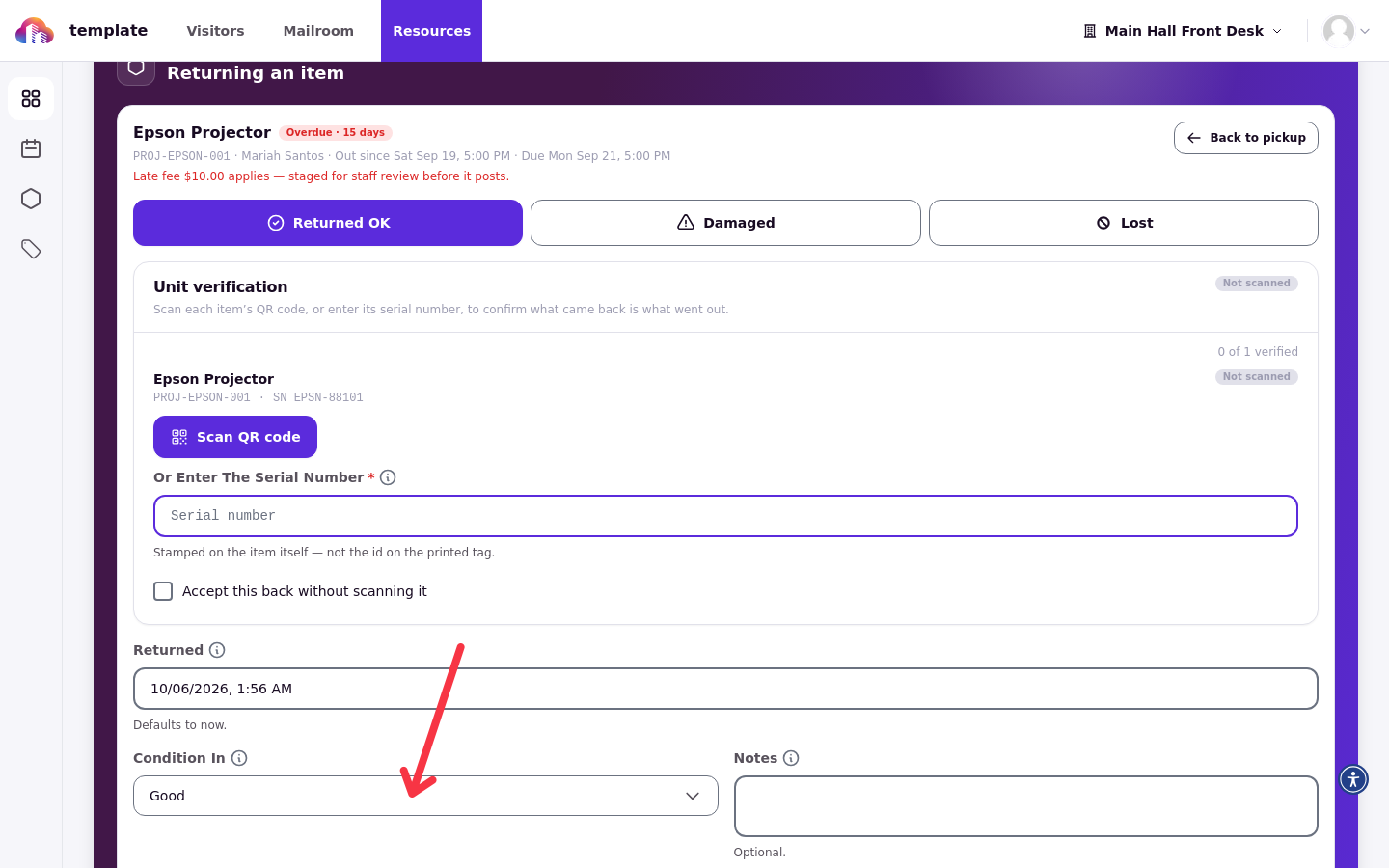
An item assigned to a home desk can be returned at a different desk only when Allow returns at any desk is on; a unit with no home location can be returned at any desk.
Late returns
Once an item passes its due time it moves to Overdue, and the desk shows it with an overdue banner.
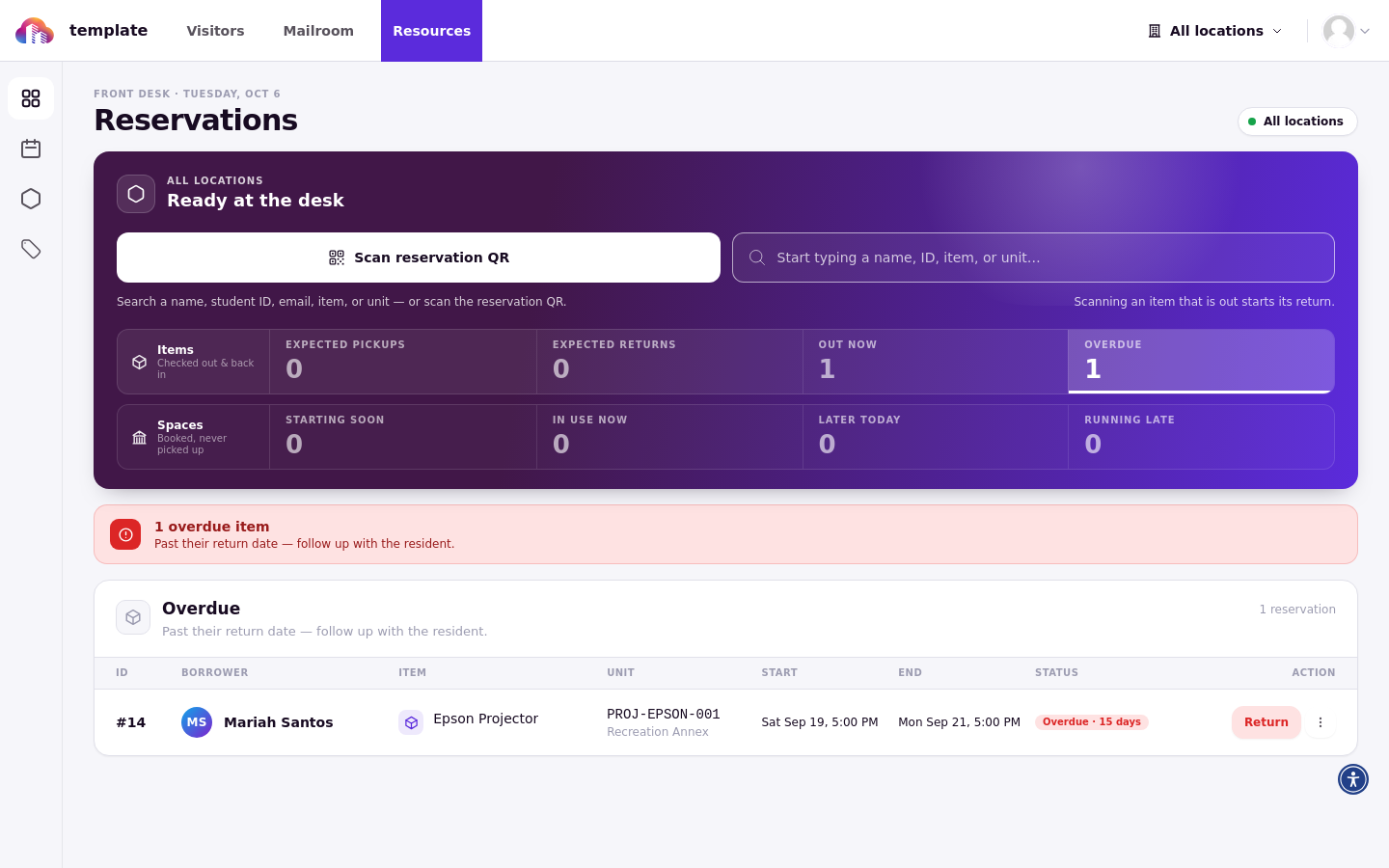
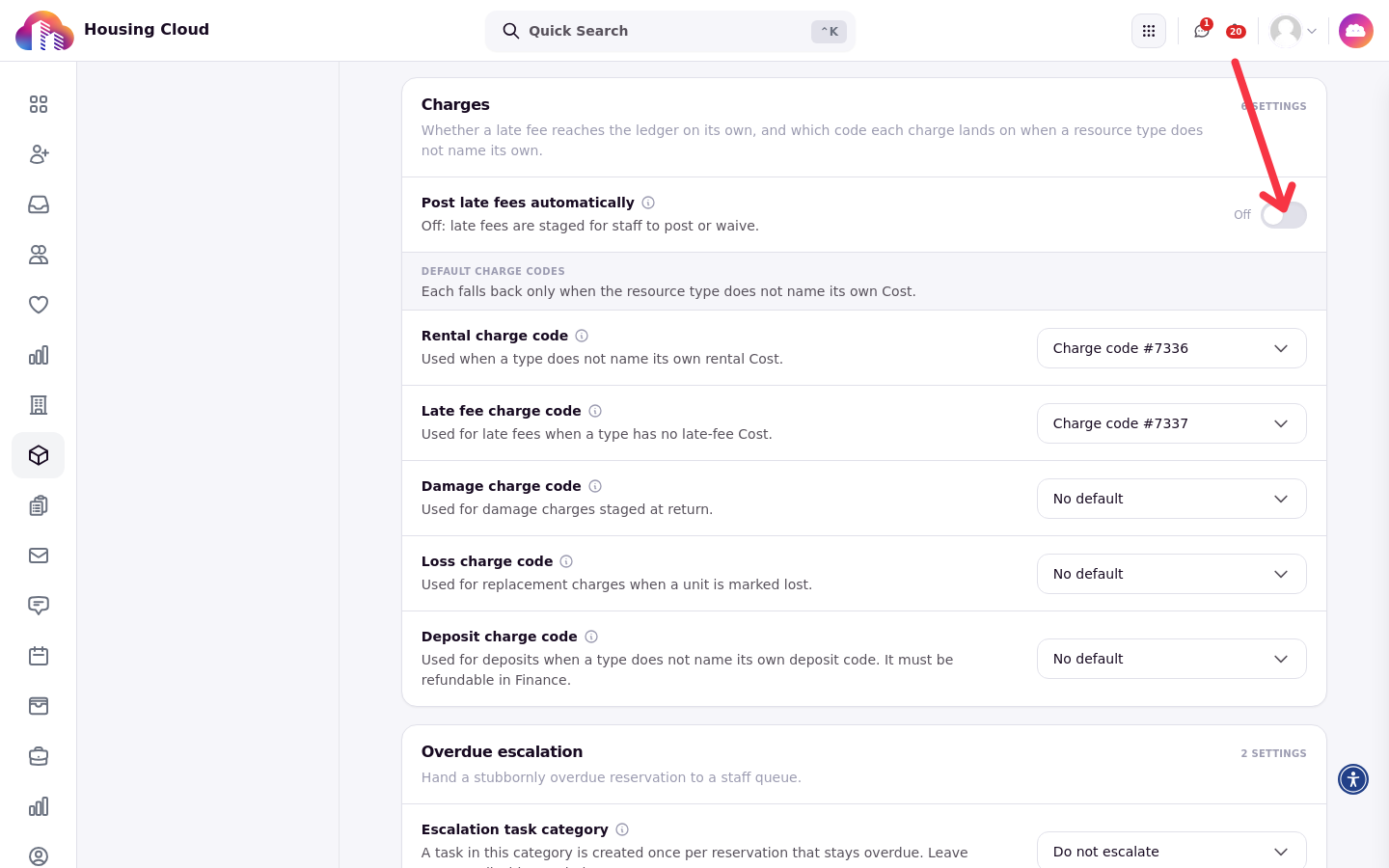
A late fee is a flat amount charged once per loan, never per day, and only after the type's overdue grace has passed; the system's 15-minute overdue check creates it, or the return itself does if the item comes back first. By default the fee is held for review rather than posted to the student's account; staff review and post it later, unless Post late fees automatically is on in Resource Settings. The setting lives in the Charges section of Resource Settings, and the fee only exists when the type or the settings names a late-fee charge code.
Damaged or lost items
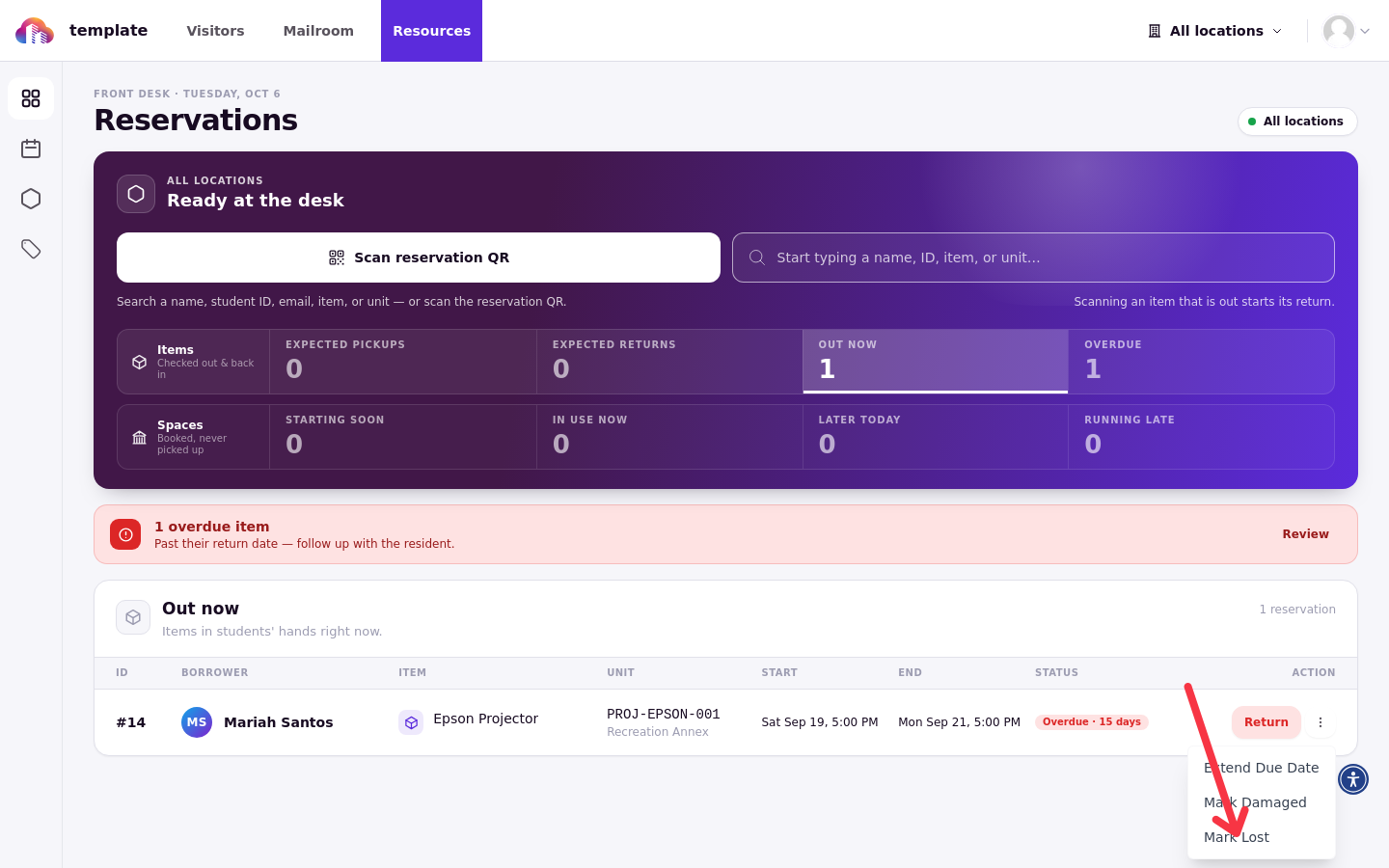
A return recorded as damaged or lost, or a loan marked with Mark lost or damaged, creates a per-item damage or replacement charge, but only when the type or the settings names a charge code for it. Unlike the late fee, damage and loss charges are staged and normally posted by the next charge sweep within 15 minutes, so staff review is not a required step; Post late fees automatically controls late fees only. The row menu on an out item is where the marking happens.
Other desk actions
Extend due date pushes a loan's due time back when a borrower needs longer. A reservation the borrower never collects is released after the desk's no-show grace, so the item goes back on the shelf for someone else.
Verify a completed loan on the reservation's record: it should show the pickup, the condition both ways, any charges with their status, and the return. That record is also what the end-of-week reports read.