Rate Cloudy's Answers
Last updated: October 8, 2026
Every finished Cloudy answer has Copy, "Good answer" and "Bad answer" buttons. Feedback trains Cloudy for your team only.
At Maple Hall… Cloudy's answer about the selected tasks was spot on, and its answer about this week was too long. Jordan says so.

The icons under a finished answer: copy, good answer, bad answer.
The buttons under an answer
Under each finished answer you can copy the text, mark it a good answer, or report a bad answer. Nothing else is required.
Report a bad answer
Press "Bad answer" and Cloudy asks "What went wrong?". Pick the reason that fits: Wrong answer, Wrong tool, Made up a record, Missed follow-up, Too verbose, Too terse, Refused incorrectly, Wrong fact about this tenant, Slow, or Other. You can add a note in "Add detail (optional) — what should Cloudy have said?", then press Send.
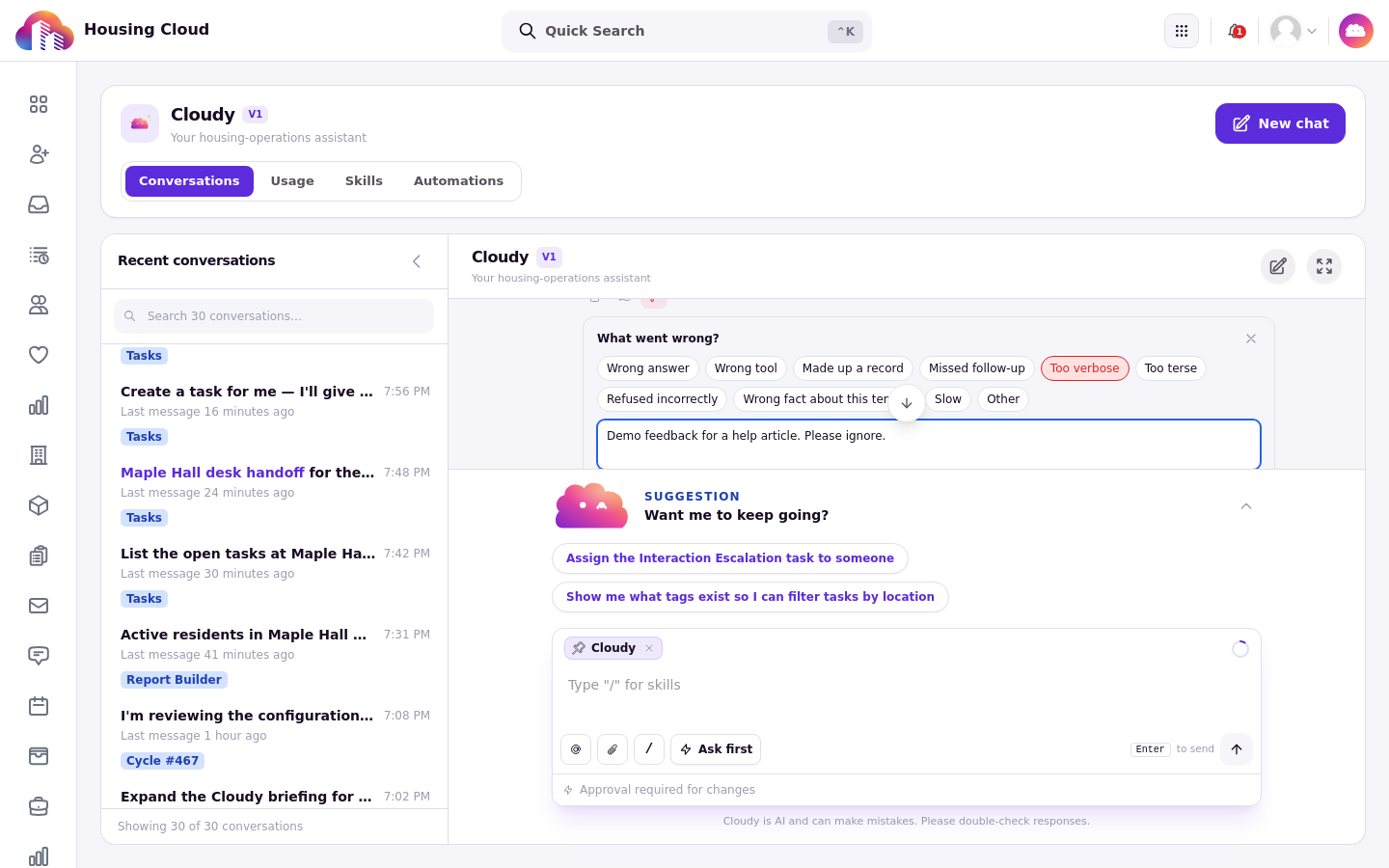
The "What went wrong?" card: tick a reason, add a note, and send.
The confirmation
A good answer confirms with "Thanks - noted". A bad-answer report confirms with "Thanks - we'll look at this". Press the good-answer button again to take positive feedback back; it shows "Feedback removed". Pressing "Bad answer" again only opens or closes the feedback card; to remove a bad-answer report, use "Remove feedback" on the feedback card.

After a good-answer click, the thumb turns green and the confirmation appears.

After sending, the thumb stays highlighted and the confirmation reads "Thanks - we will look at this".
Where feedback goes
Feedback trains Cloudy for your team only. It does not change how Cloudy answers you in the current conversation.