Ask Cloudy About the Page You're On
Last updated: October 8, 2026
Cloudy knows which page you're on and which record is open, so you can say "this resident" or "these rows" instead of typing names.
At Maple Hall… Sam has {STUDENT1}'s profile open and asks Cloudy "what's been going on with this student?" without typing a name.
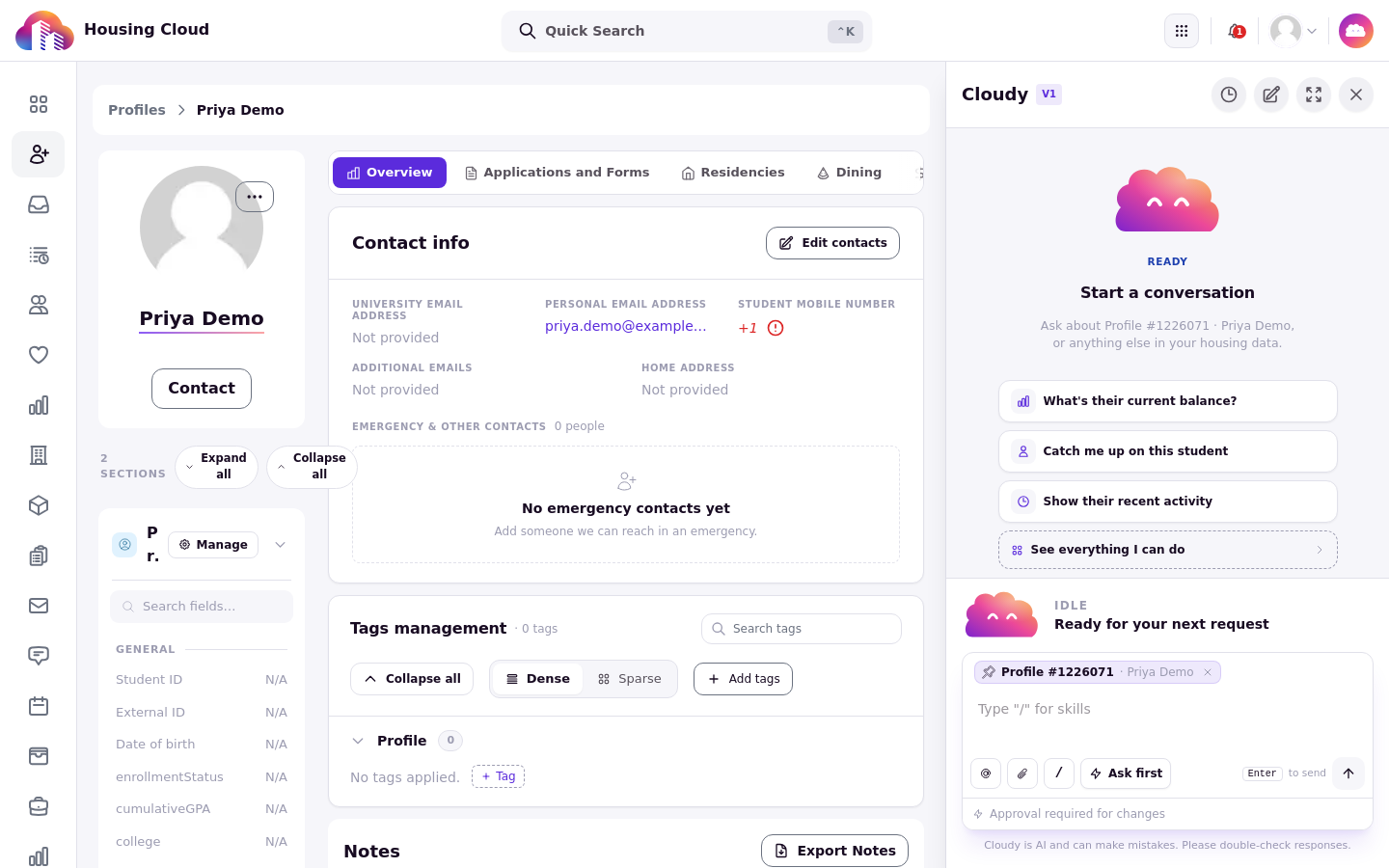
Cloudy opened on a profile shows suggestions about that record and names it in the message box chip.
Cloudy reads the page you're on
When you open Cloudy from a profile or a table, Cloudy sees which record is open and what the table is showing. Suggestions in the empty chat change with the page for the same reason.
Ask about this record
Ask about "this resident", "this cycle" or "this task" without naming it. On {STUDENT1}'s profile, "What has been going on with this student this month?" gets an answer about {STUDENT1}.
[SCREENSHOT 4-2: 02-this-student.png — Answer to "What has been going on with this student this month?"]
Ask Cloudy buttons on other screens
Some screens carry an "Ask Cloudy" button that opens a chat about that item, such as "Ask Cloudy about this audit issue" in the cycle audit and "Ask Cloudy about this setup" in auto-assign. The chat starts already knowing what you're looking at.
Mention a record with @
Type "@" in the message box to mention a specific record by name and pick it from the menu (confirm on screen).
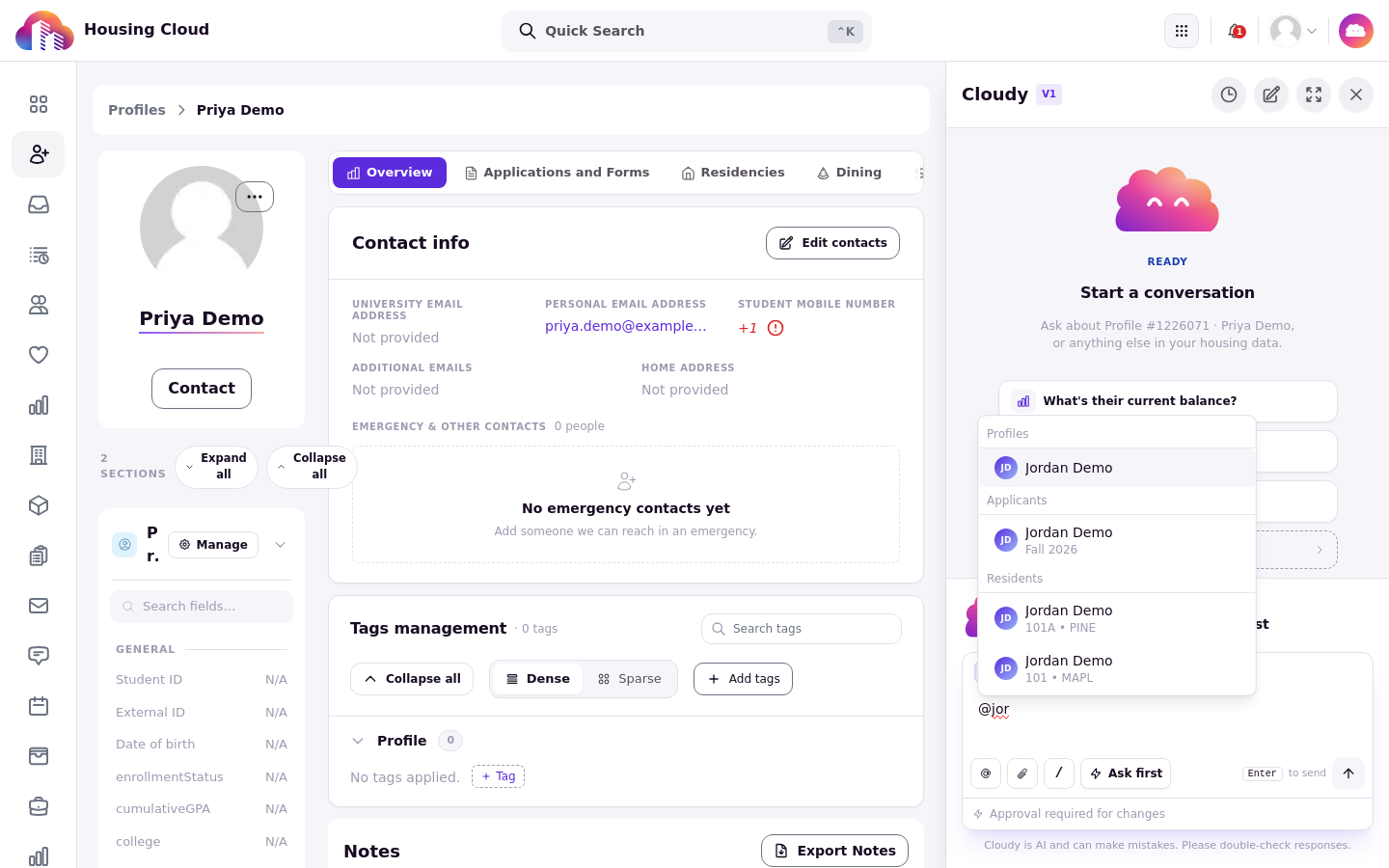
Typing @ and a few letters opens a menu of profiles, applicants and residents to mention.
Ask about selected rows
Tick the checkboxes of rows in a table, then open Cloudy. A chip above the message box shows the selection, and Cloudy answers about only those rows (confirm on screen).
[SCREENSHOT 4-4: 04-selection-chip.png — Two selected Maple Hall tasks shown as a chip above the message box.] [SCREENSHOT 4-5: 05-selection-answer.png — Cloudy's answer about the two selected tasks.]
Your permissions still apply
Cloudy only sees what your role can see on that page. If a column is hidden from you, it is hidden from Cloudy too.