Assigning a Role to a Profile
Last updated: October 7, 2026
Assigning a role for admins is essential to ensure they have the required permissions and responsibilities. Roles are predefined in the system and are configurable by admins. Note that roles can only be assigned to admins.
A profile in Housing.Cloud refers to a user's account and personal information within the platform. It serves as a central hub for managing their interactions and activities related to room management.
Steps to Assign a Role to a Profile
Follow these steps to assign a role to an admin:
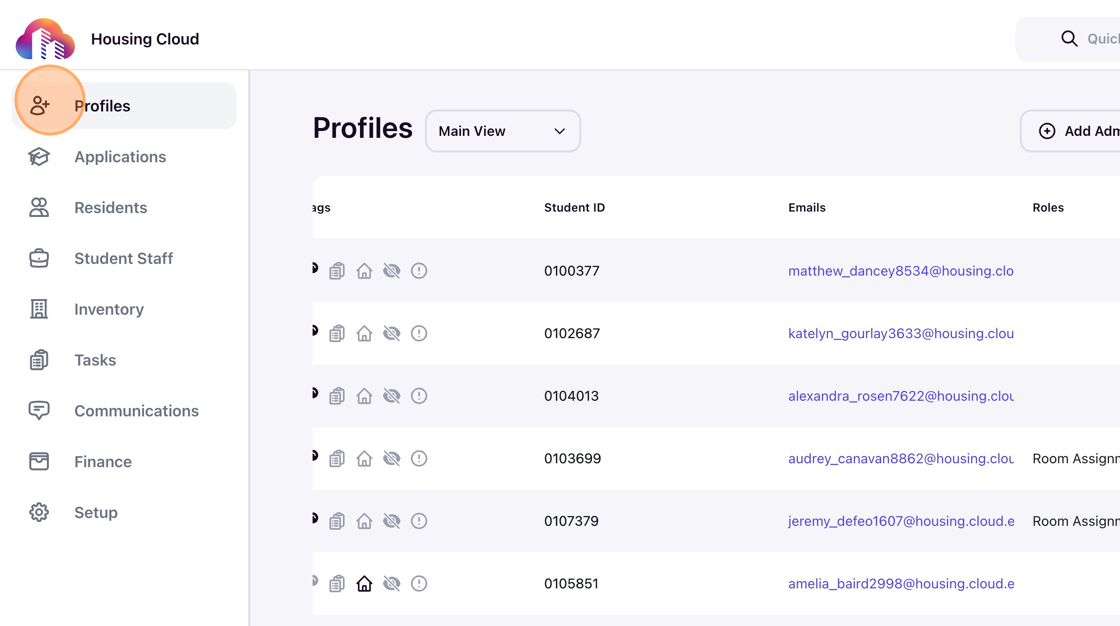
Click on Profiles in the navigation panel.
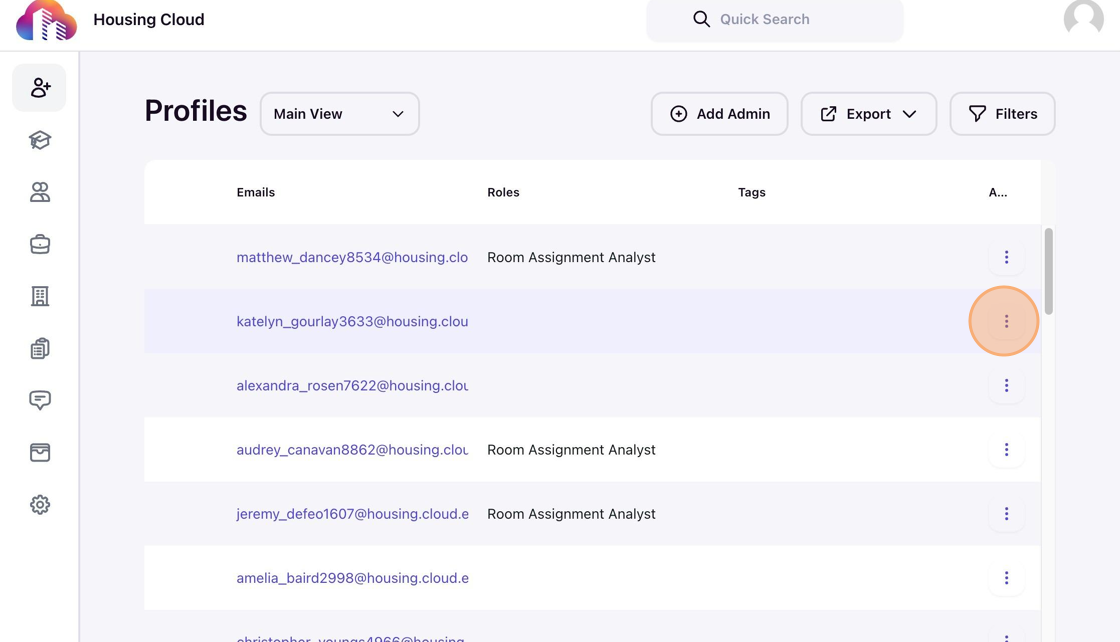
Click the kebab menu of the intended user.
Select a role from the menu and click to assign it to the user.
Note: The roles in the list are configurable and specific to a user account. Read 📄 How to Create a New Rolearticle to learn how to add new roles and configure them.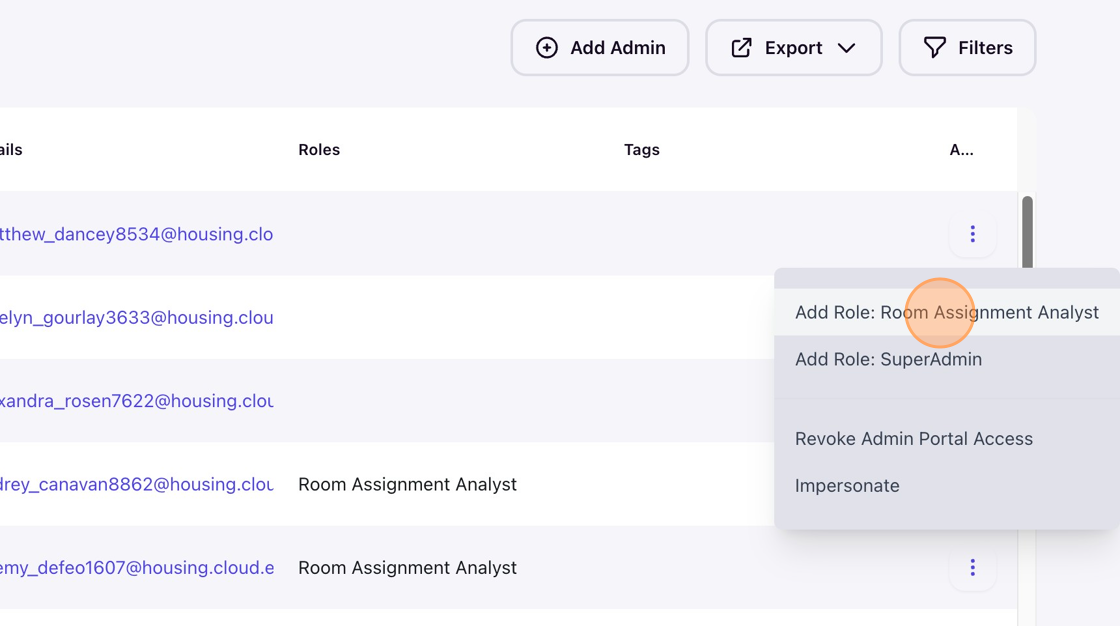
You can also filter the user list with keywords like "admin" or flag the admin users and assign roles from the kebab menu.
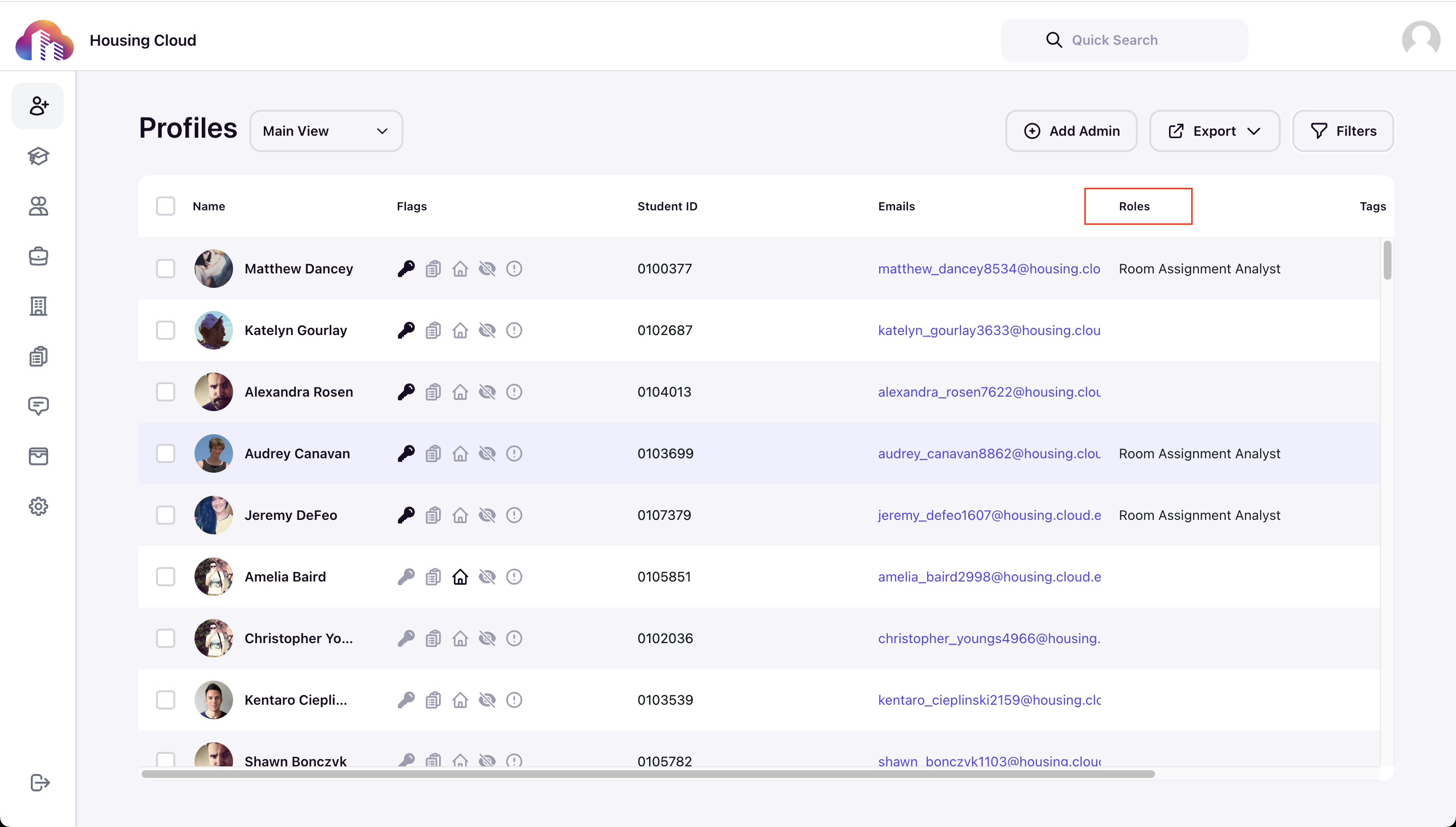
Check the Roles column for the updated roles.