Work Across Several Mailrooms
Last updated: October 8, 2026
A school can run more than one desk, and every mailroom keeps its own storage locations. The mailroom picker at the top of the operations portal decides which desk you are working at; when a resident's mail ends up at the wrong one, the pickup screen says so and the fix is an edit on the item.
Choose your desk
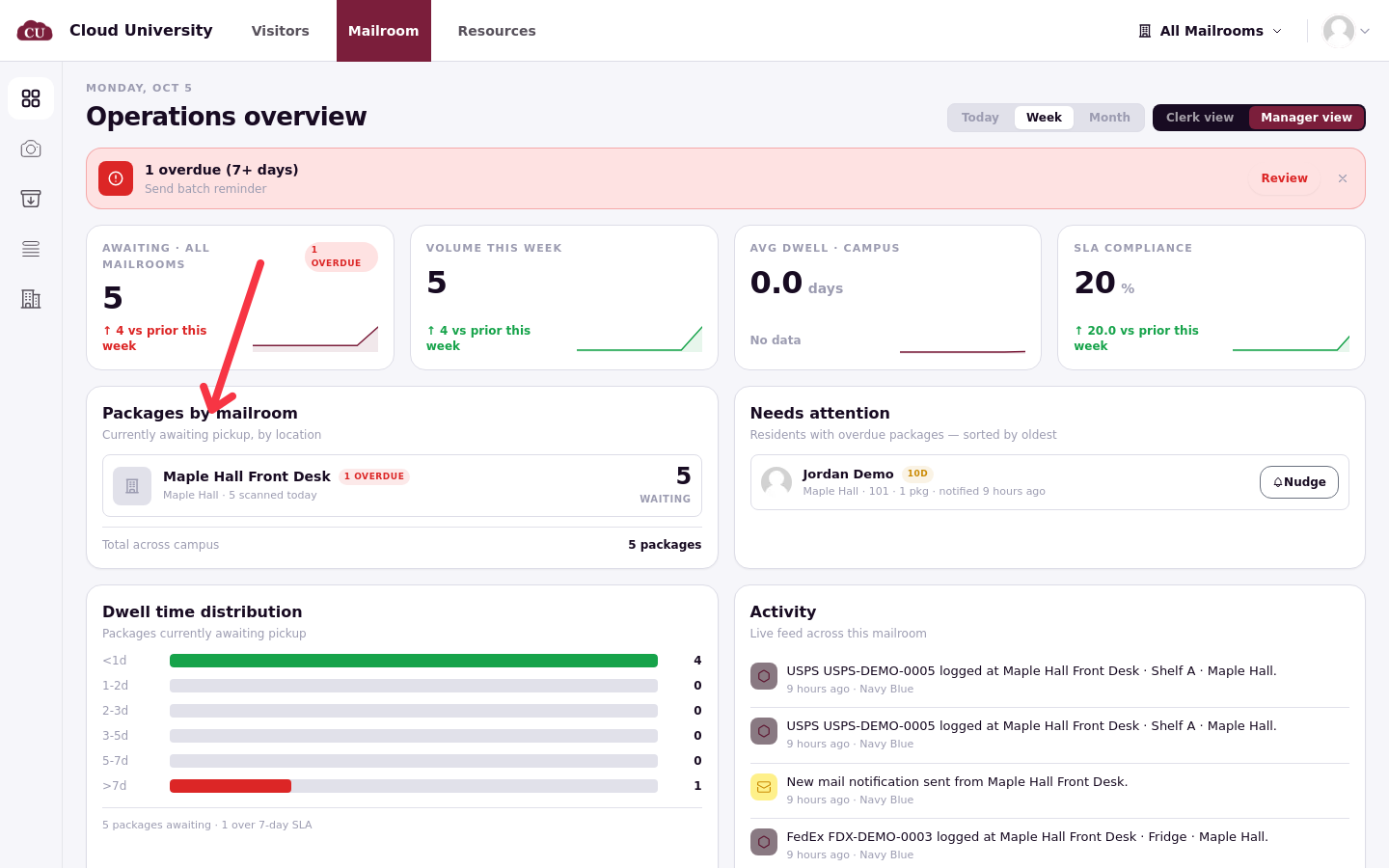
The mailroom picker at the top right of the operations portal offers All Mailrooms or one desk. What you choose changes what Scan, Pickups and the dashboard show. Each browser remembers its own choice, so set it once on every desk computer; a shared machine keeps whatever the last person picked.
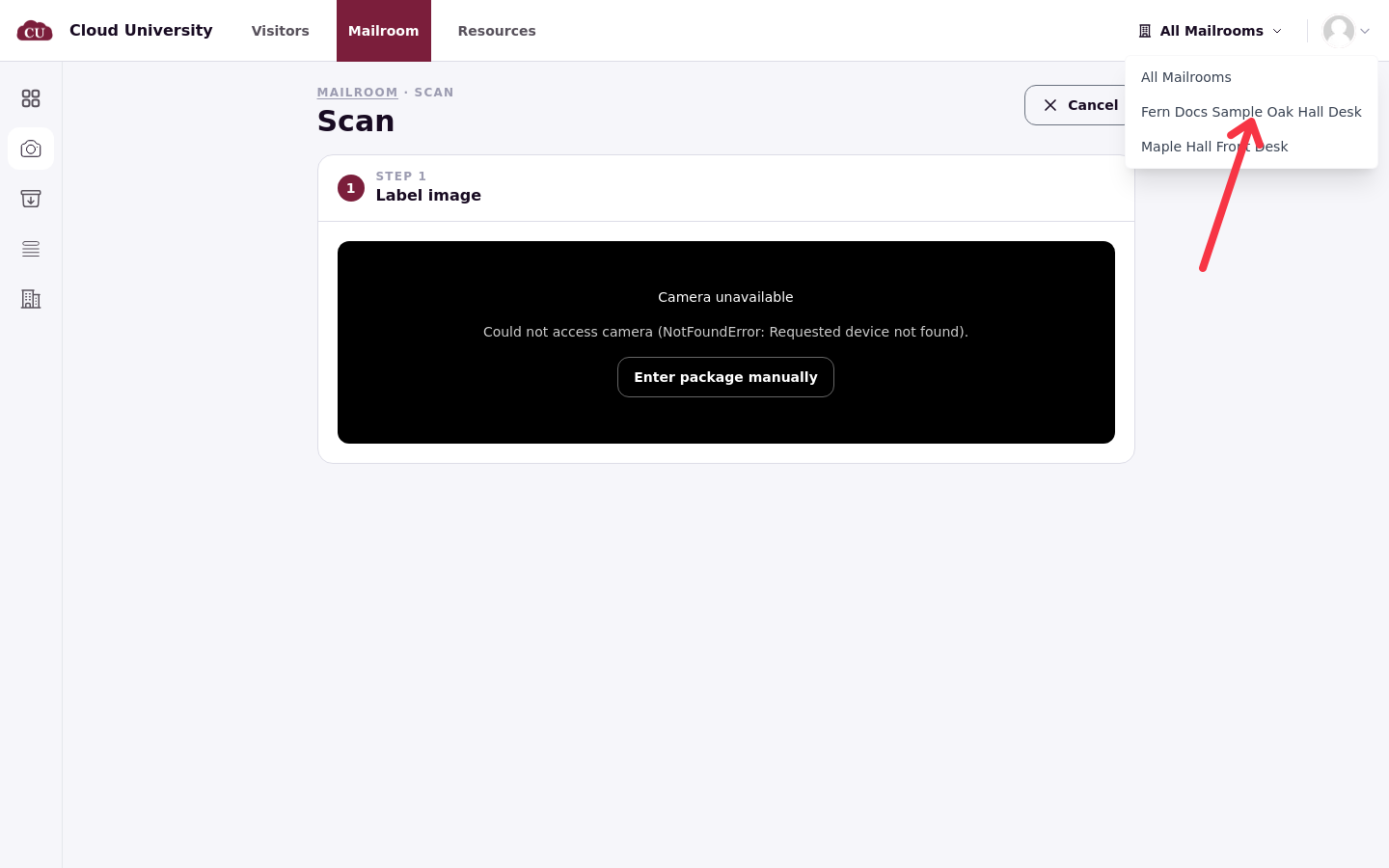
Scan puts a new item in the mailroom chosen under Storage location, not the picker, so double-check that step when you work at several desks in one shift.
When mail is at another desk
If a resident's item was logged at a different desk, their pickup page shows a separate panel: 1 package at another mailroom, reading "Cannot be picked up here. Initiate a transfer or send the resident there."
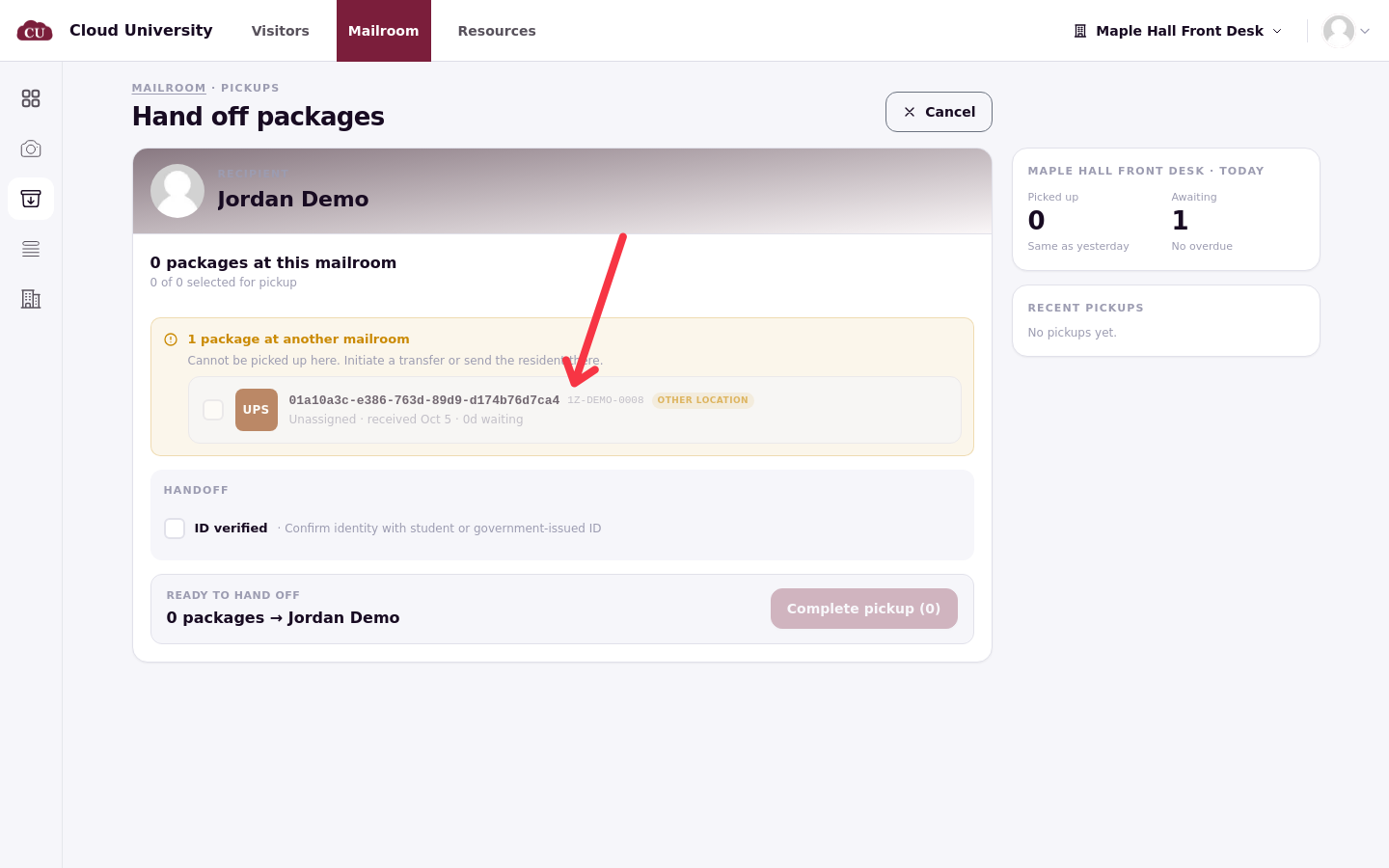
There is no transfer button. Either send the resident to the other desk, or move the item yourself:
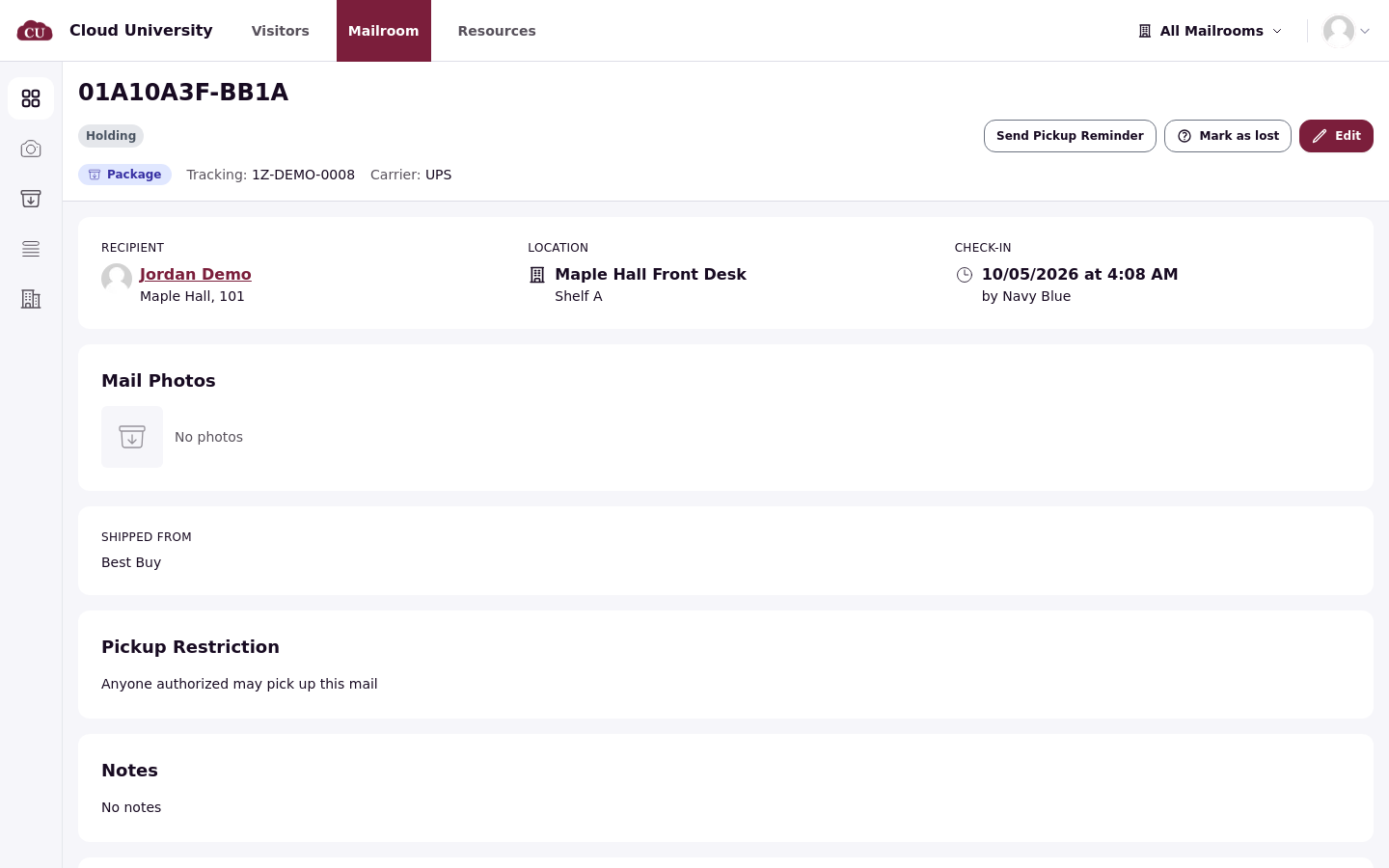
Open the item in All items and click Edit.
In Location, choose the other Mailroom and a storage location there.
Click Save.
The item's Location updates and the audit trail records the edit. The resident is not notified about the move, so tell them which desk now holds their mail; residents never see mailroom names or storage locations, only that something is waiting.
Comparing desks
For the full walkthrough of the Locations page, see Locations, All Items and Export.
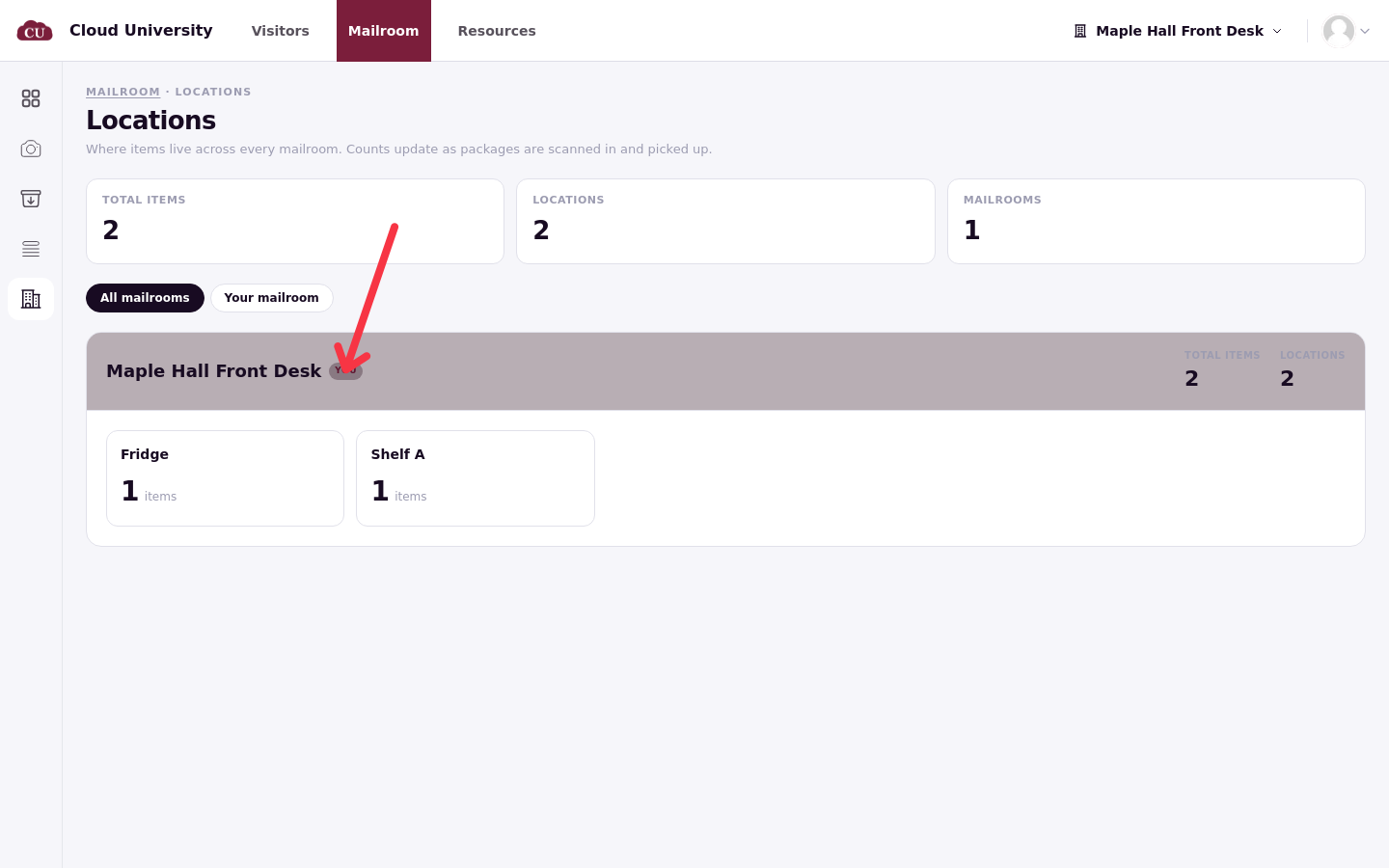
The Locations page shows one card per mailroom with what is waiting in each storage location. The desk you have chosen in the picker carries a You tag, and a filter above the cards switches between All mailrooms and Your mailroom.
The manager side of the dashboard breaks packages down by mailroom when the picker is on All Mailrooms (see Read the Mailroom Dashboard).
On a phone, Locations has a mobile layout, but the page is not included in the tab bar. Mailrooms are not tied to buildings, so a desk can log mail for any resident; the label on the card is the desk's name, not a building assignment.