Look Up an Item and Proof of Pickup
Last updated: October 8, 2026
Answer "Where's my package?" and "I never got it" from the item's record: find the item, read its details and photos, and show who collected it, who released it, and when. Every step of an item's life is kept on file.
Find the item
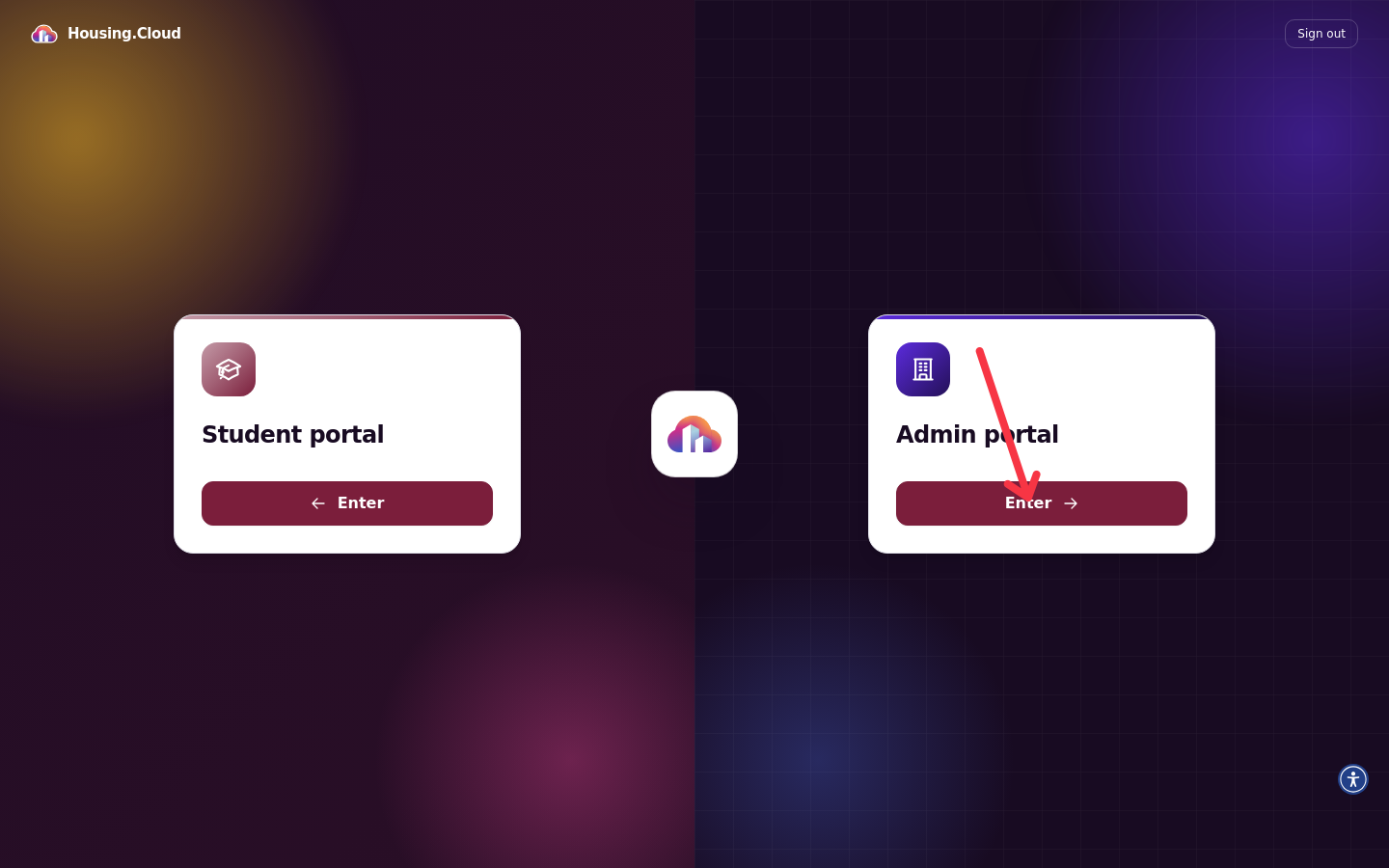
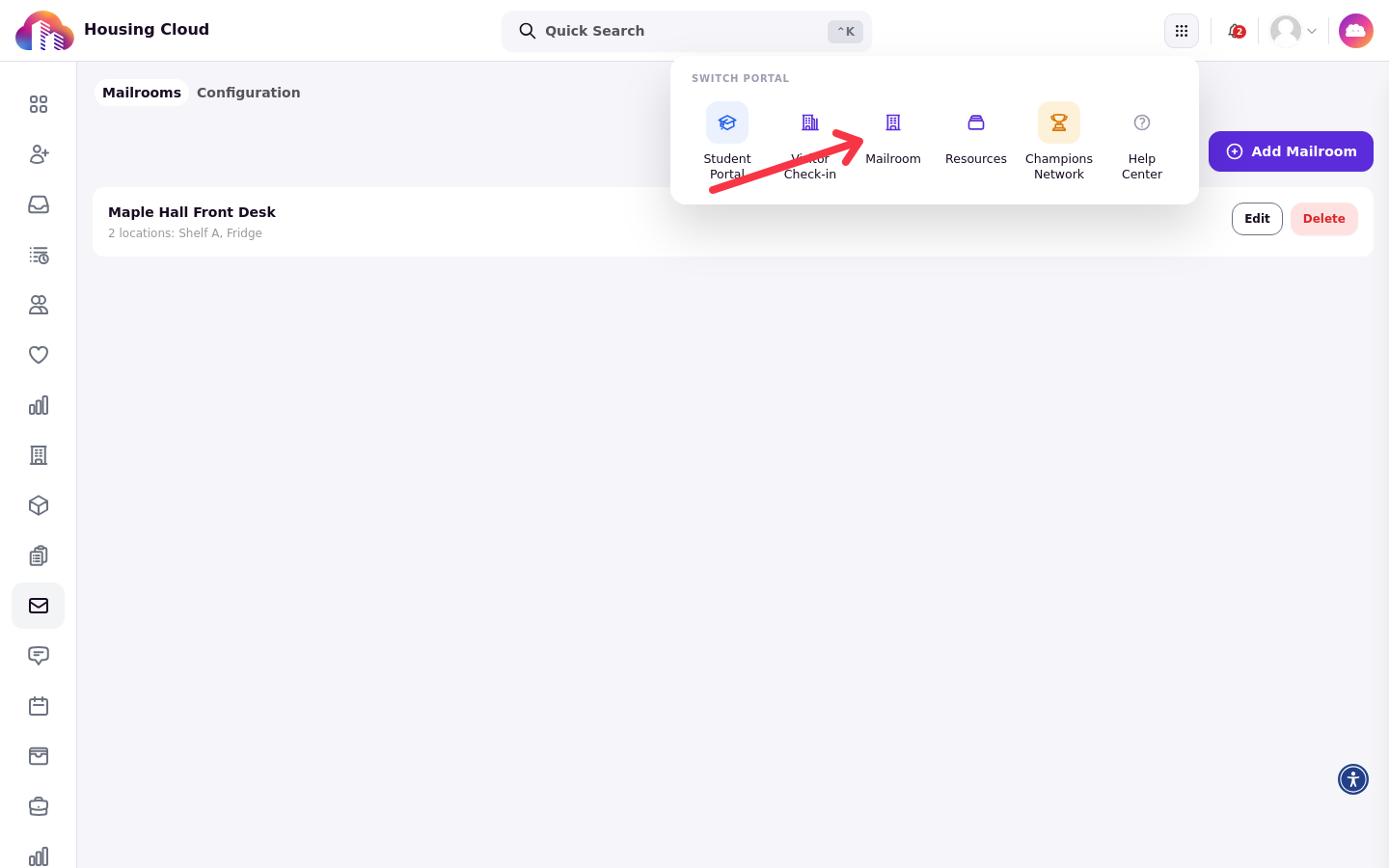
Sign in and enter the Admin portal, then open the portal switcher in the top bar and choose Mailroom.
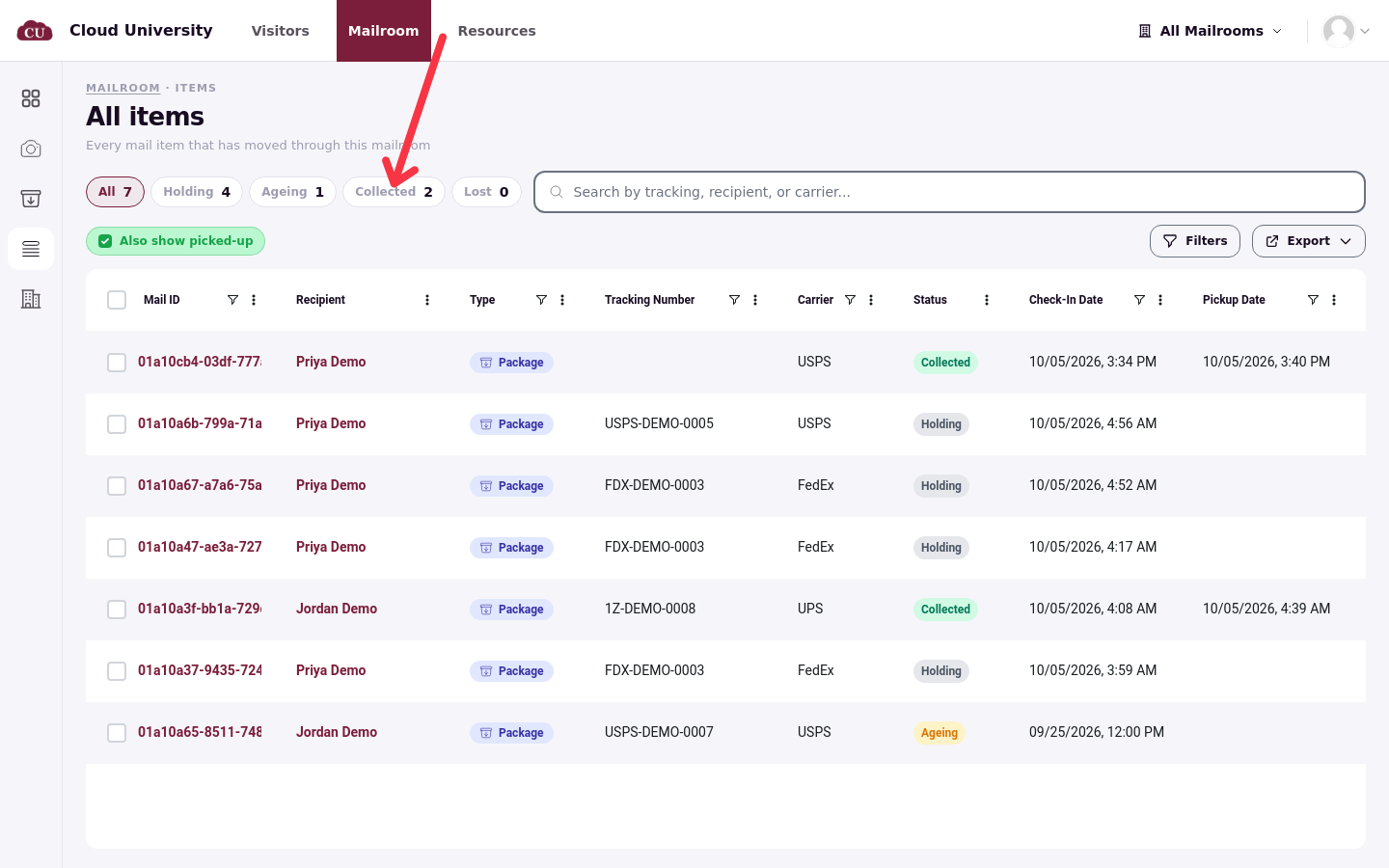
In All items, pick the Collected pill (or All) and search by tracking number, recipient name or carrier. Click the row to open the item's page. You can also reach a resident's mail from their admin profile.
Read the item page
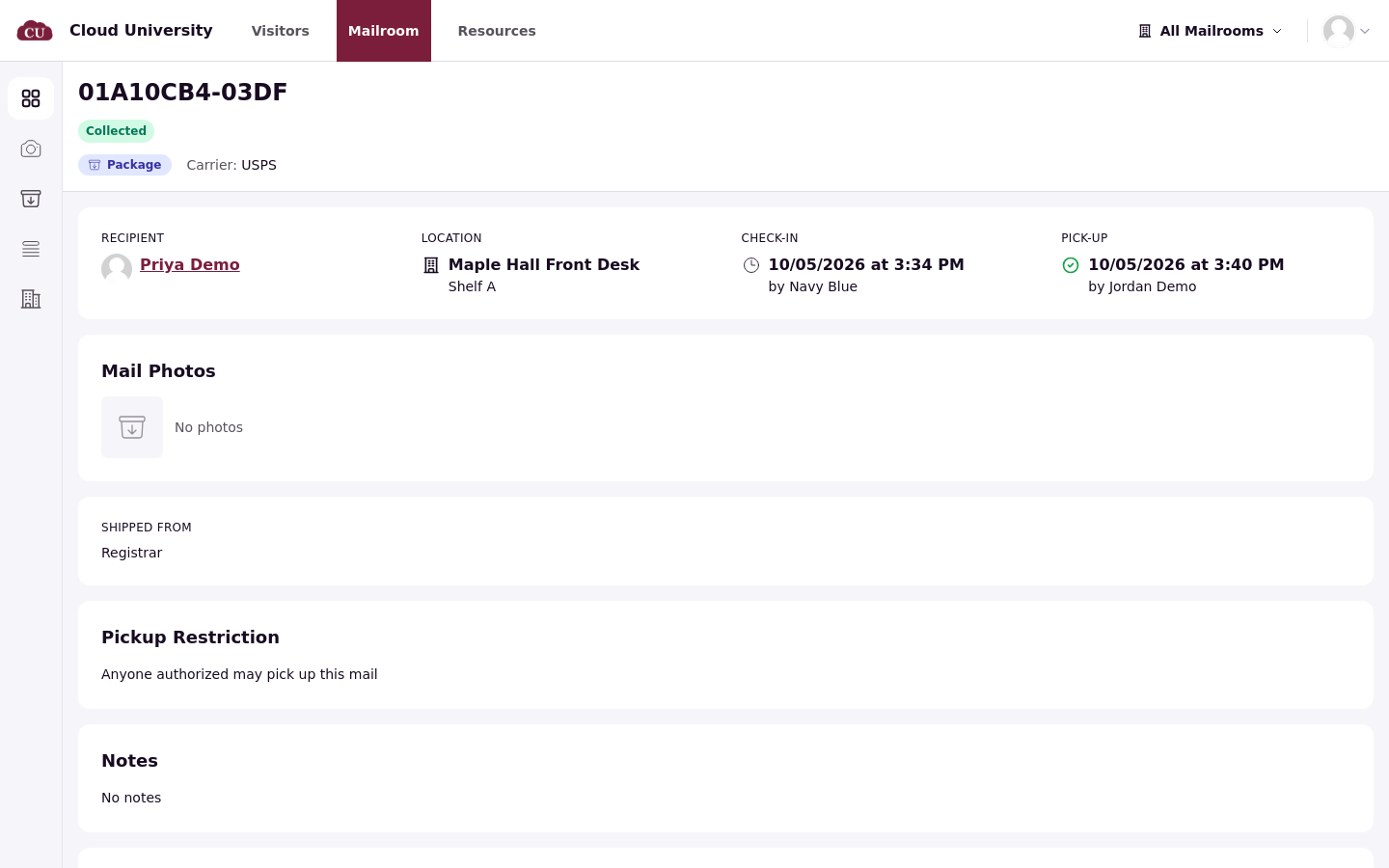
The header shows the mail ID, the status badge, the mail type, the tracking number and the carrier. Below sit the recipient with their room, the Location (mailroom and storage location), the Check-In time and the staff member who logged it, the Mail Photos, the Shipped From sender, the Pickup Restriction and the Notes.
Proof of pickup
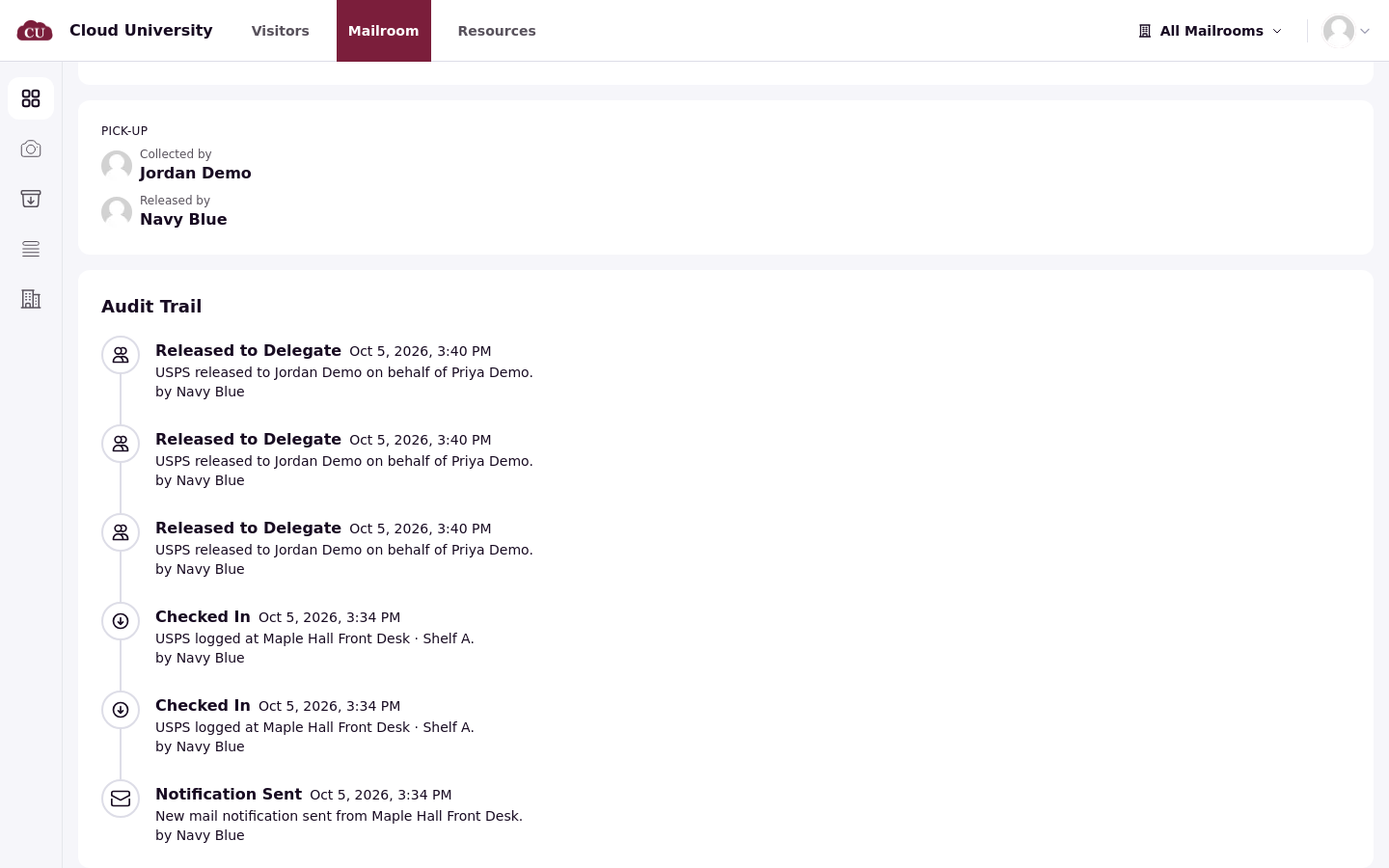
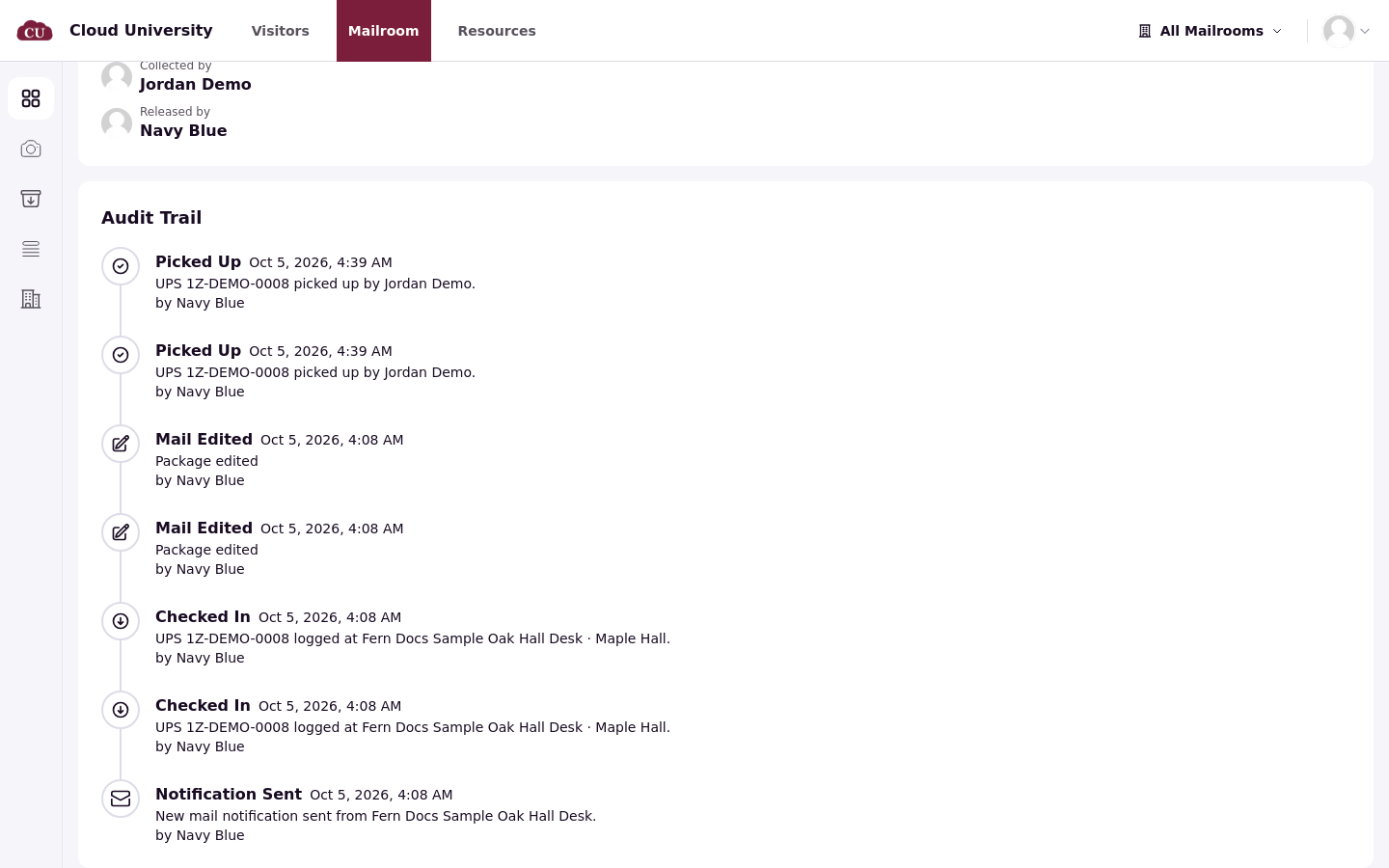
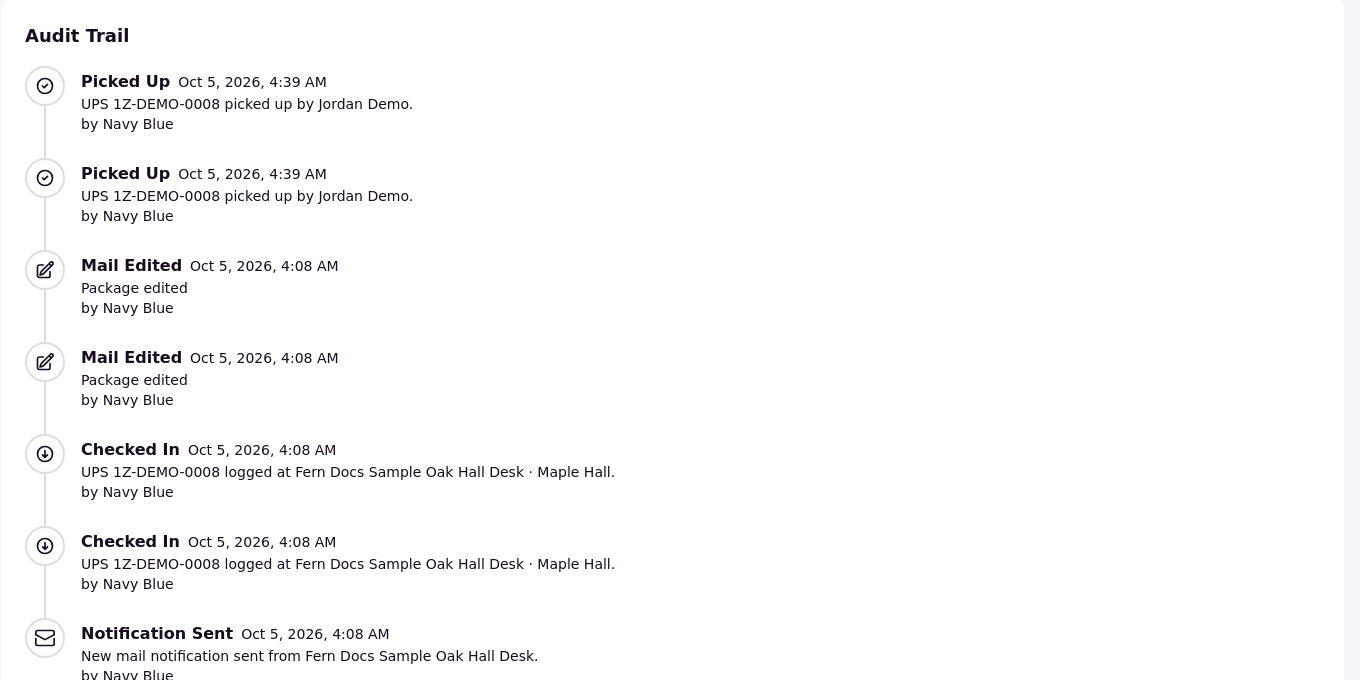
For collected items, the pickup details show Collected by (the resident, or the delegate) and Released by (the staff member who handed it over), plus the checkout photo and/or signature the release requirements asked for, when it was configured and captured. Identity verification is a handoff control, not a separate recorded result on the item page. The Audit Trail lists each event with its time and, when one exists, the staff member who acted: Checked In, Notification Sent, Picked Up, and any edits, reminders or delegate releases in between. System-generated events, such as notifications or reminders, can appear with no staff member.
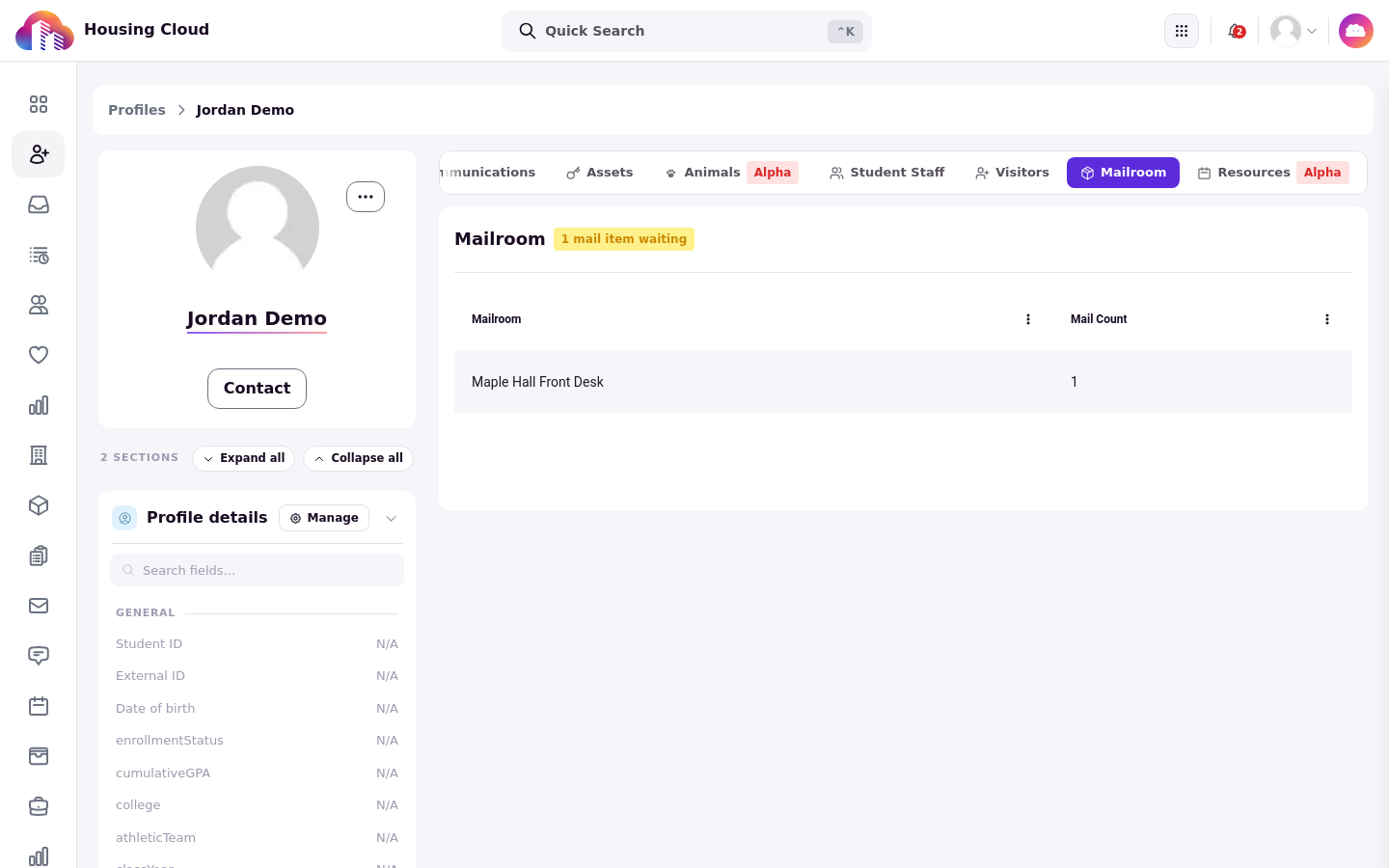
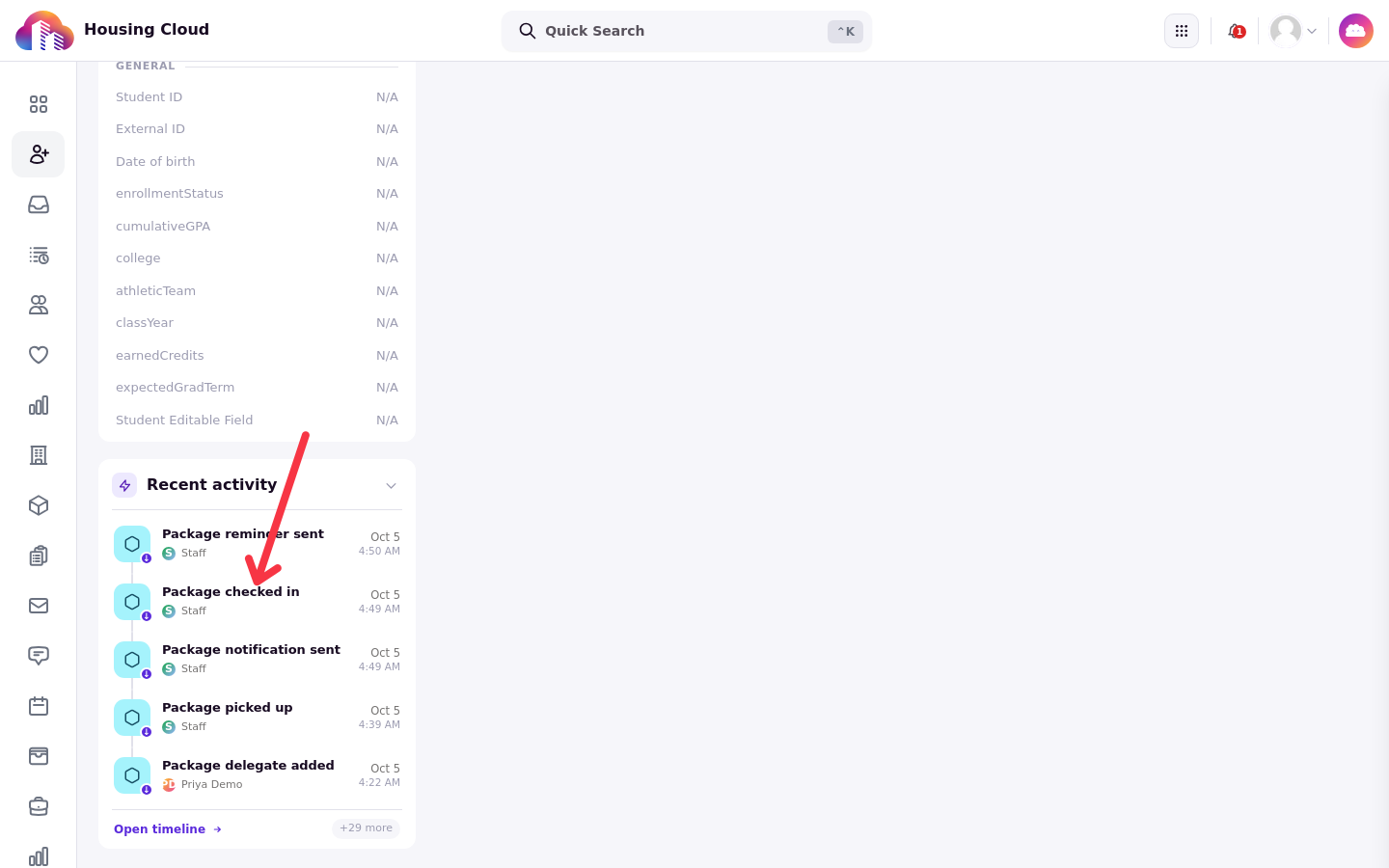
You can also reach a resident's mail from their profile: the Mailroom tab shows how many items are waiting and at which desk, and the Recent activity feed lists package events such as Package checked in and Package picked up, plus reminder and delegate events.
Good to know
When Collected by names someone other than the resident, the Audit Trail shows the release to the delegate, and the owner was sent the Mail Picked Up By Delegate notice (see Let Someone Else Pick Up (Pickup Delegates)).
Cancelled items need the resident's record. They disappear from All items, so an item that is neither in the lists nor in the resident's Packages list was never logged.
Verify an answer by walking the Audit Trail top to bottom with the resident: check-in time, notification, and the pickup with both names.