Let Someone Else Pick Up (Pickup Delegates)
Last updated: October 8, 2026
A resident can name another resident as a pickup delegate: someone who may collect the resident's mail at the desk when they cannot. The resident adds the delegate themselves in the portal (see What Residents See: My Mail, Pickup Code and Delegates); the mailroom option Allow residents to add pickup delegates must be on, and a delegate must be a current resident.
What the desk sees
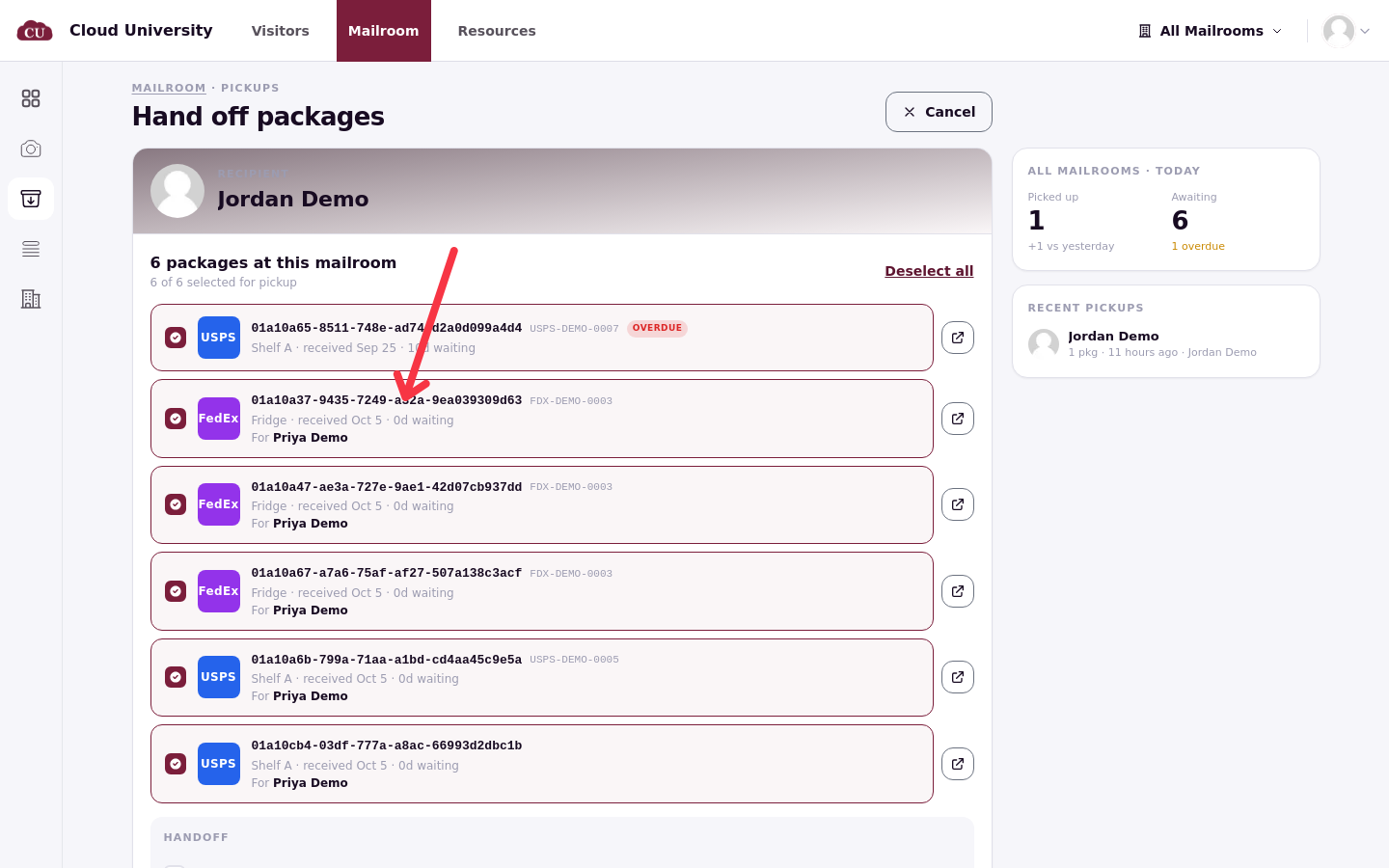
At Pickups, search for the delegate. Their pickup page lists their own mail and, on the same list, the items they are authorized to collect for others, labelled For followed by the other resident's name. Hand these over in the same way, ticking them together with or instead of the delegate's own items.
A pickup page shows the delegate's own items and the items labelled For another resident on one list.
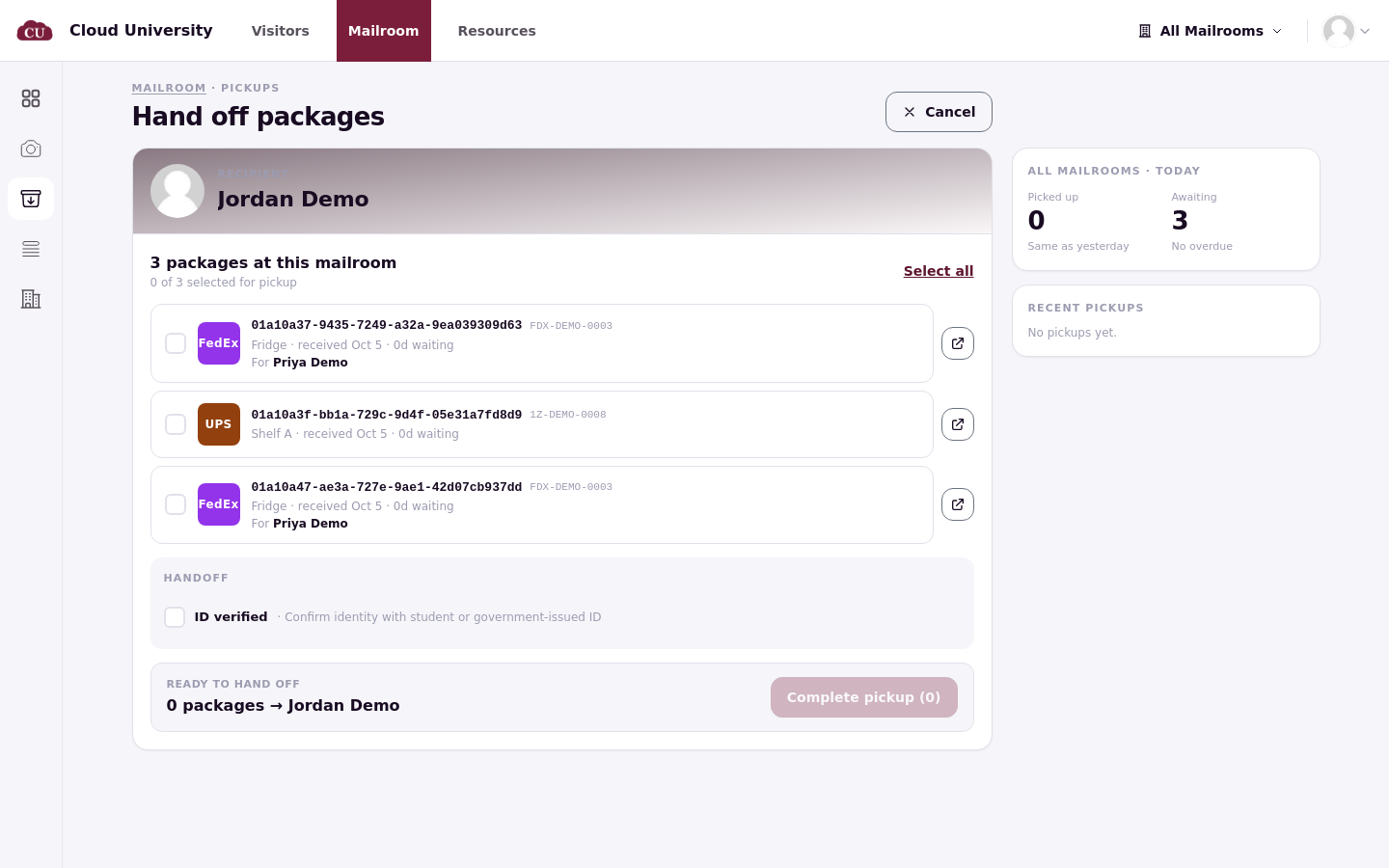
Each delegate's pickup page is their own, so the same screen looks different for every delegate you open.
What a delegate cannot take
Items marked Only recipient may pick this up never appear for the delegate, in the portal or at the desk. Set that switch on the item's page when the resident should collect personally (see Large, Perishable and Recipient-Only Items).
What the records show
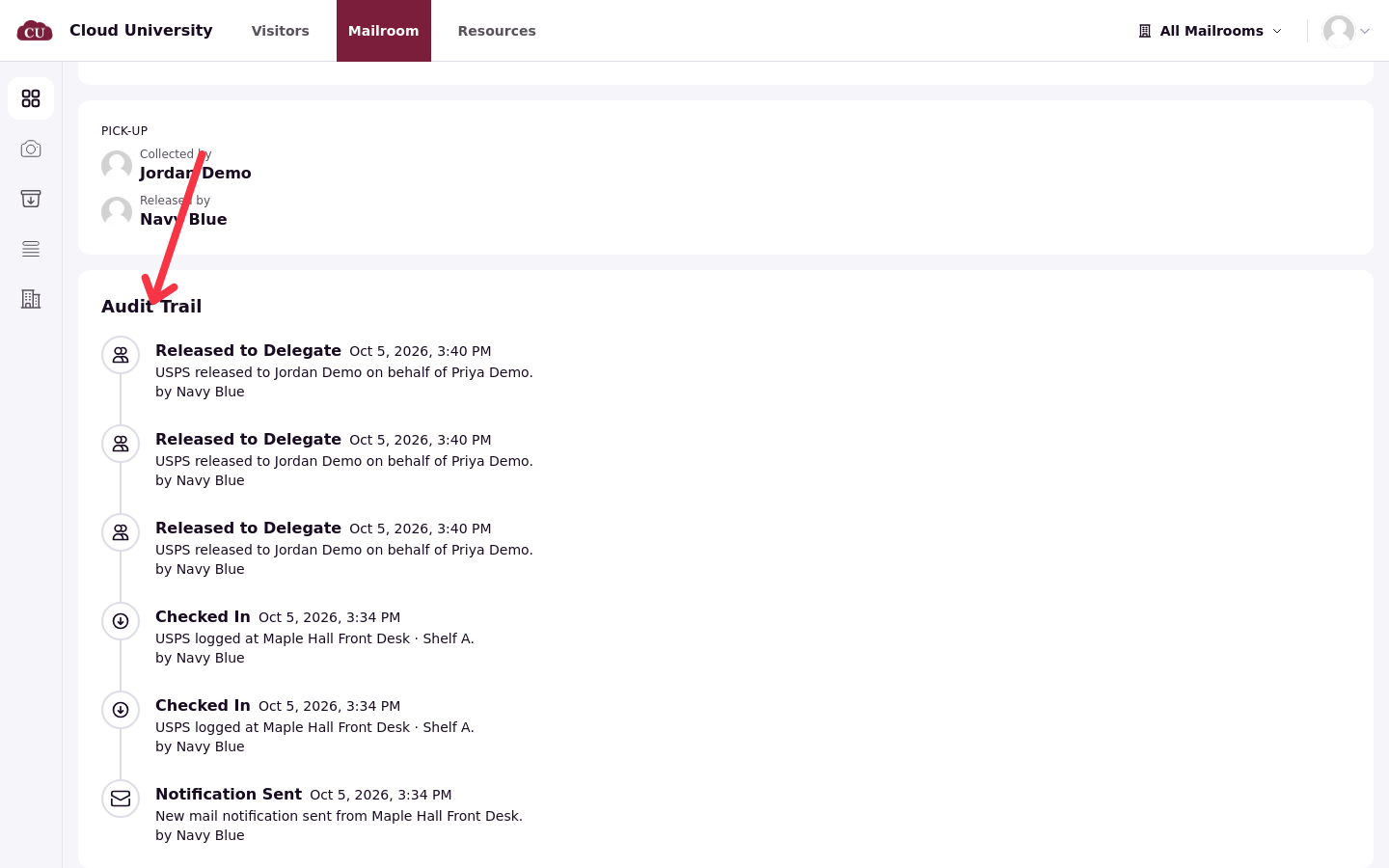
After the hand-off, the item's pickup details show Collected by as the delegate and Released by as the staff member, and the Audit Trail records the release to the delegate. The item's owner receives a Mail Picked Up By Delegate notice, so they know their friend took it.
The Audit Trail records every release to a delegate against the staff member who made it.
A delegate who arrives without the owner's knowledge is easy to verify: open the delegate's result at Pickups to reach their pickup page, which shows exactly which items they are authorized to collect, and recipient-only items are not among them.