Submit an Animal Application, for Students
Last updated: October 8, 2026
If your school allows support animals, service animals, or pets in pet-friendly housing, your housing department may require an animal application before an animal can live with you on campus. Which animals qualify and which questions appear on the application are set by your institution.
The animal application is part of your housing application for a housing cycle. You complete it from the Resident Portal, and your housing office handles the approval decision and timing.
Find the animal application
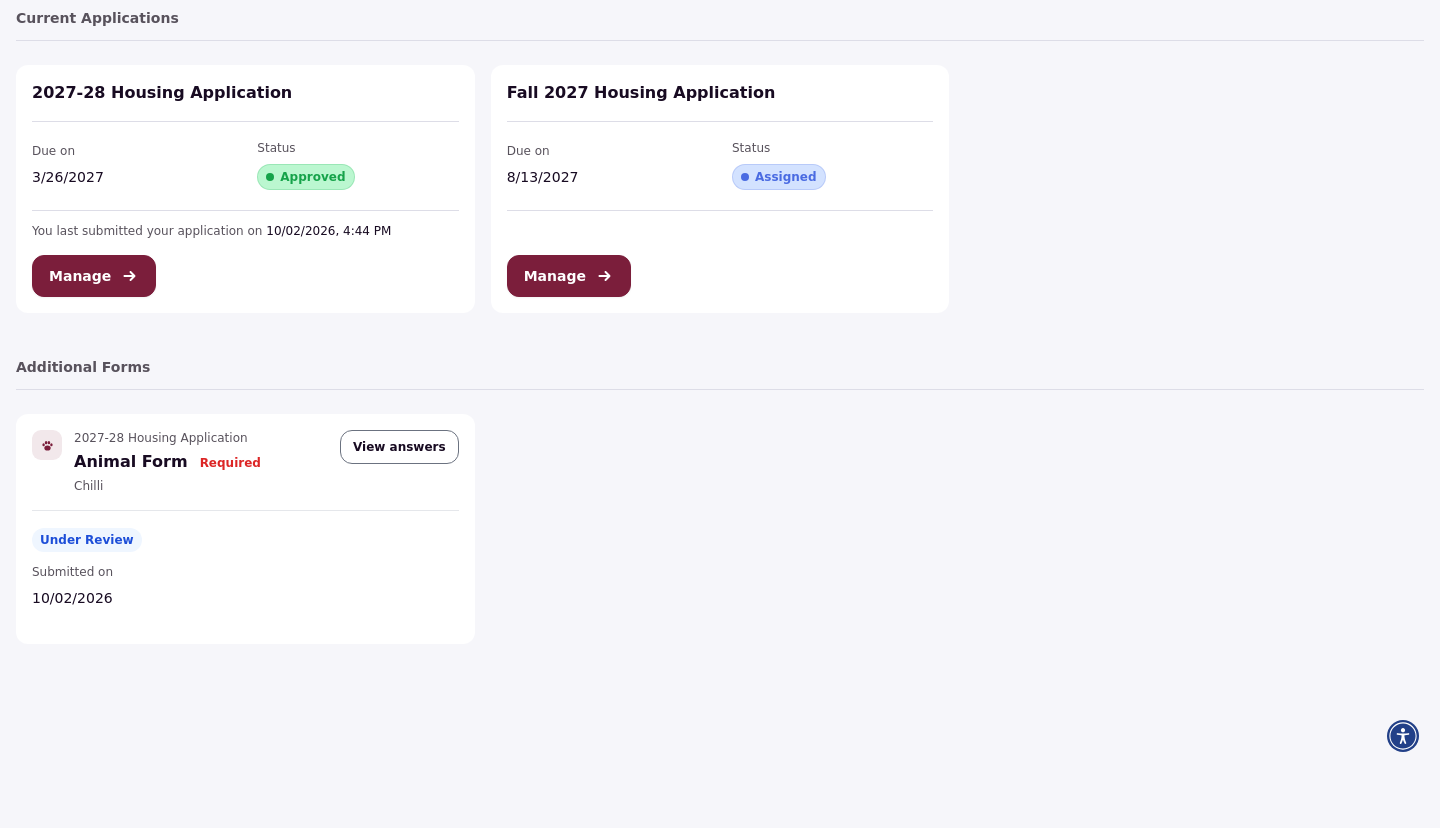
Log in to the Resident Portal and open Apps & Forms. The animal application appears under Additional Forms with your housing application. If your school made the animal application required, it is marked as required there.
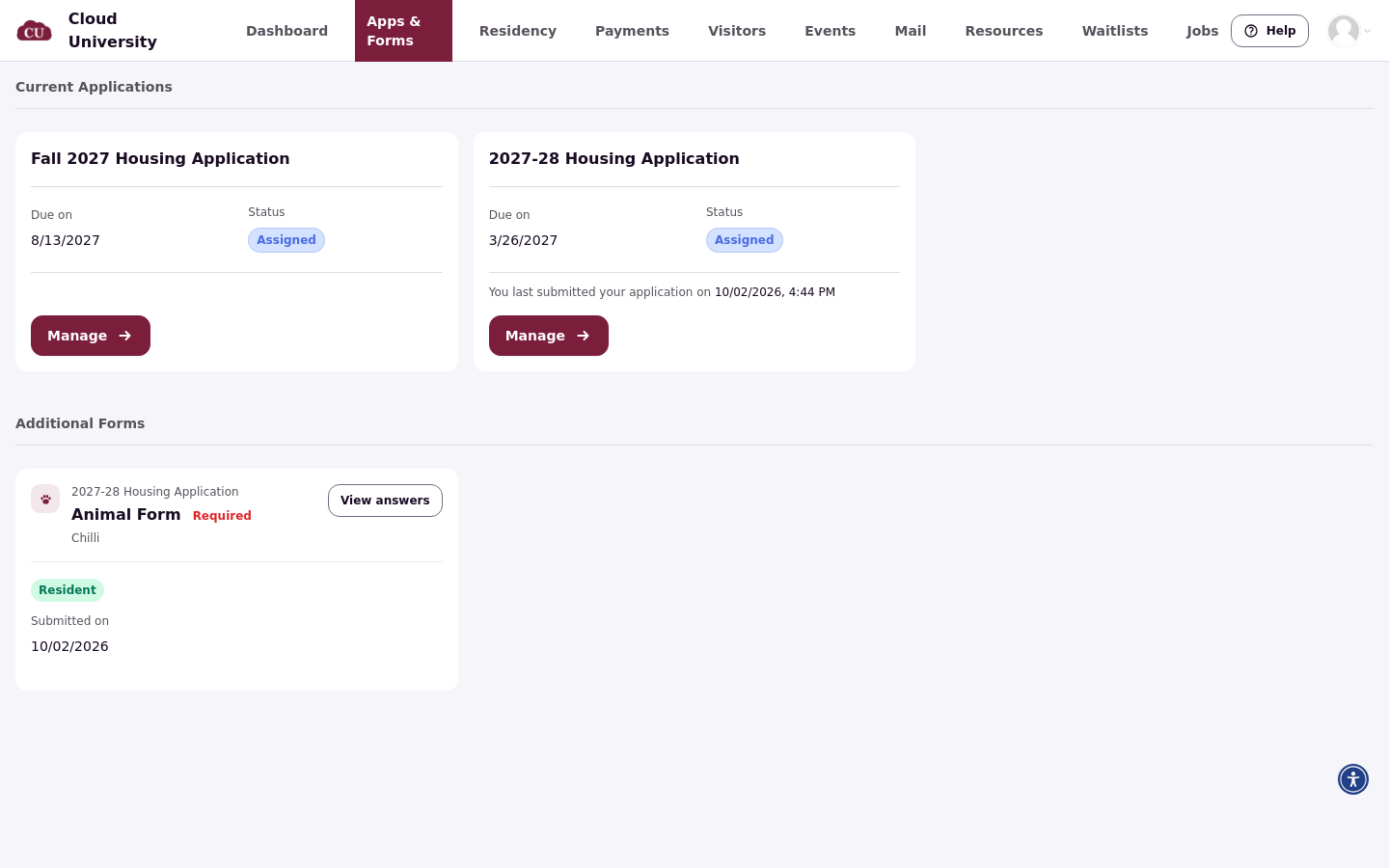
Click Get started to begin a new application. If you already have one in progress, click Continue. If you submitted one already, click View answers to open it.
Add your animal
First, choose which animal the application is for. If you submitted an animal on a previous application, select it from the list. Otherwise, choose to add a new animal, enter the Animal name, and click Save animal.
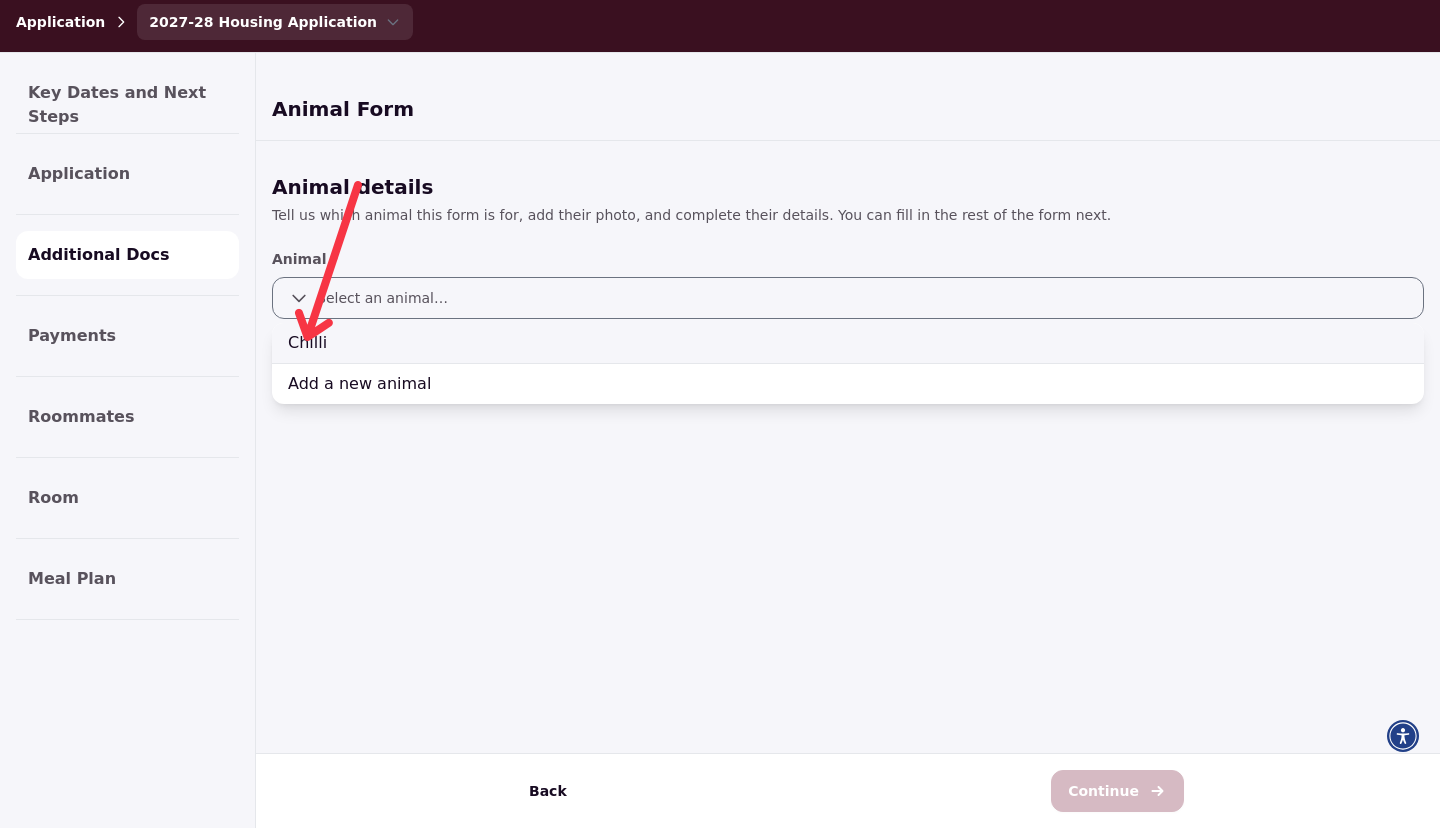
Saving the animal starts its animal profile, which you complete in the next step.
Set up the animal's profile
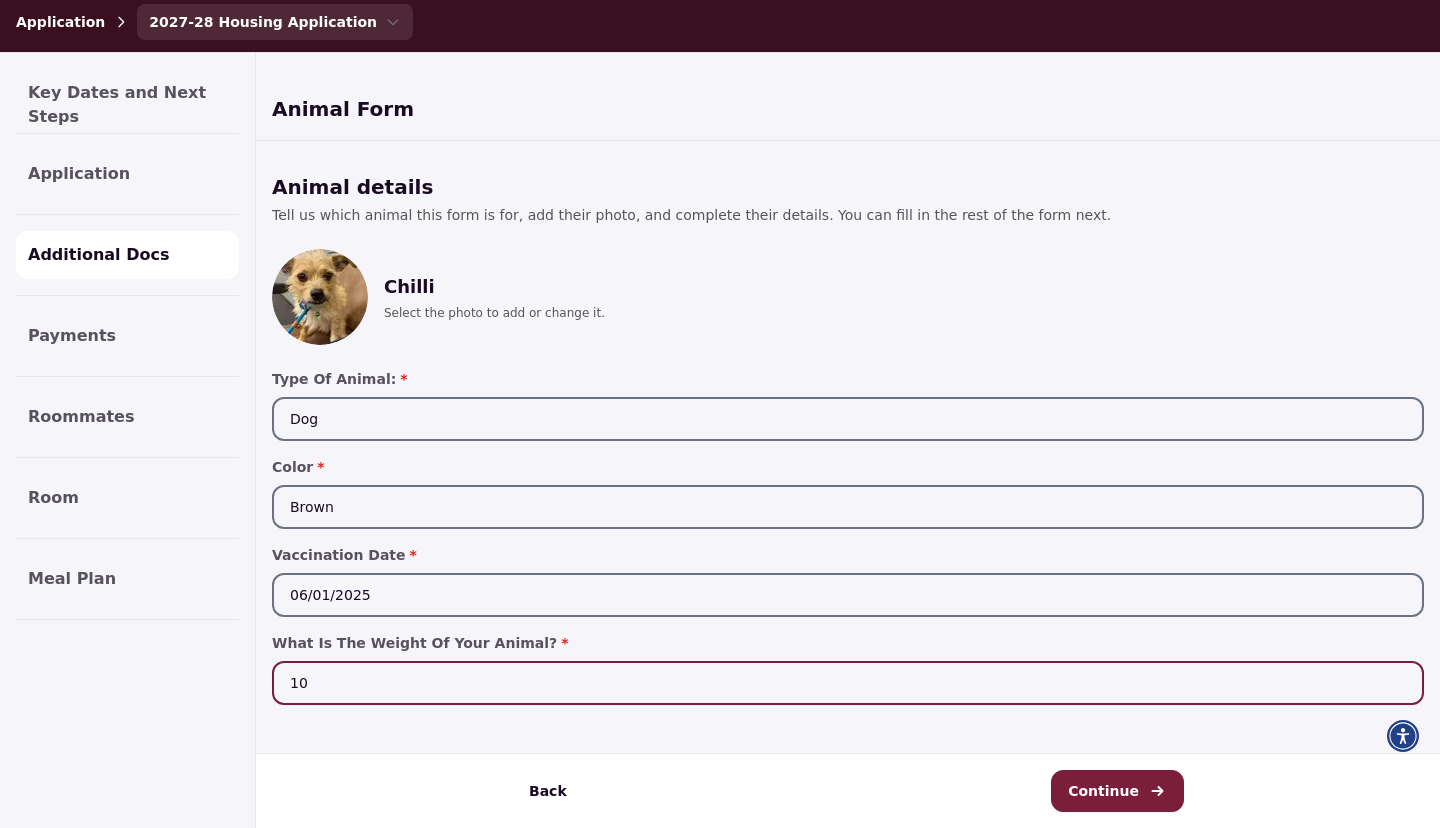
Next, you set up the animal's profile with its name and photo, plus the questions your school added. These questions cover details such as species, color, vaccination date, or weight. This works like the profile confirmation step of your housing application: it collects the details about your animal that your housing department keeps on its profile.
The photo is required and must be a JPG or PNG up to 20 MB. Answer every required question before you submit. If any required question is left blank, you will see Please complete all required animal details.
Complete the animal questions and submit
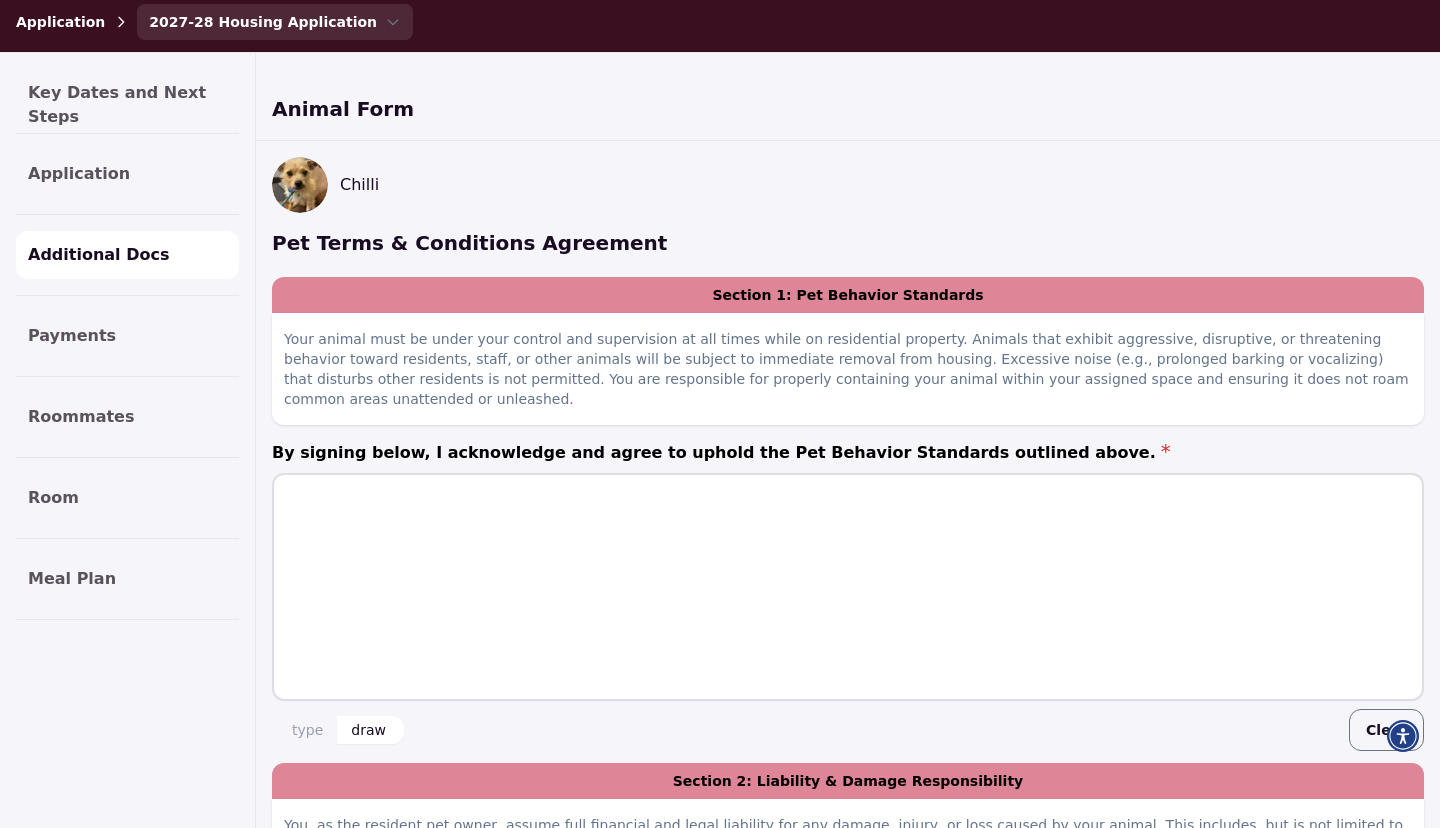
After the animal's profile, you complete the animal application form itself. This is where you answer the questions your school configured for the animal application. If your school added a question that asks you to agree to terms, such as animal behavior or liability rules, complete and sign it here.
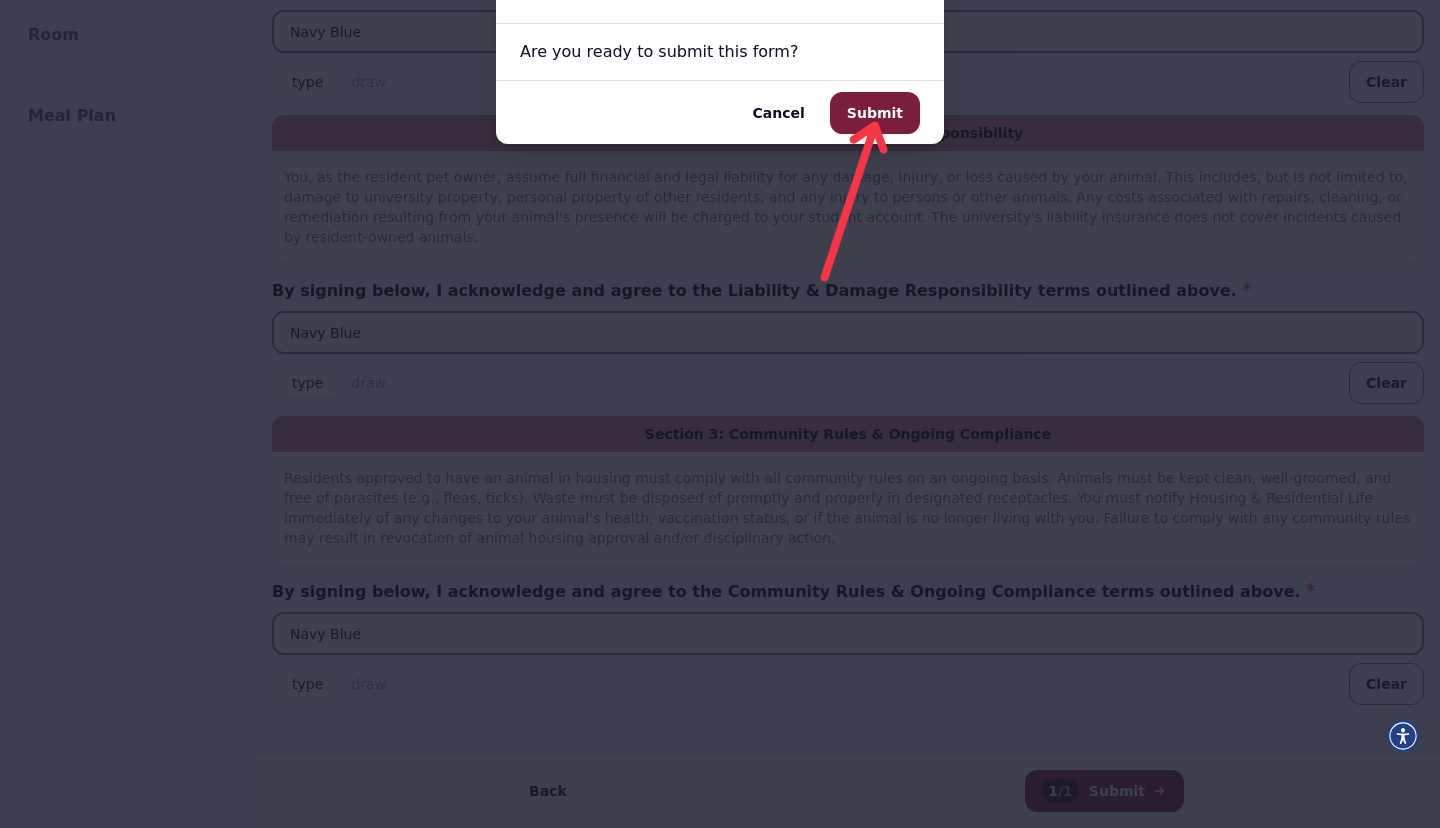
When you have answered everything, submit the application and confirm the submission in the Submit Form dialog.
Track your animal application
After you submit, the animal appears on your housing application with its status. While the application is under review, it shows as Under Review. Once it is approved, it shows as Approved, and once the animal is placed, it shows as Resident.
Check Apps & Forms for status updates. Approval decisions and timing are handled by your housing office, so contact them with questions about your application's status.
Next steps
Once your animal application is approved, your housing office takes care of placing the animal with your housing assignment. If your application is still under review, no action is needed from you while you wait. Keep an eye on Apps & Forms for the status change, and reach out to your housing department if you need to update any details about your animal.