What Residents See: My Mail, Pickup Code and Delegates
Last updated: October 8, 2026
Residents follow their own mail in the portal: a Mail page lists what is waiting for pickup, a QR pickup code is shown at the desk, and residents can name other residents as pickup delegates who collect for them. The desk sees all of this when the resident arrives; this article is what the resident side looks like, so you can answer portal questions.
The Mail page appears for residents with a current room. When the mailroom option Allow non-residents to receive and view mail is on, non-residents see it too; when Allow residents to add pickup delegates is off, the delegates area disappears entirely.
The classic portal: My Mail
In the classic portal, Mail in the menu opens My Mail, headed "Your mail waiting for pickup". Each waiting item is a card with its mail ID, status, type and carrier, the received date, the mailroom holding it, and how long it has been waiting.
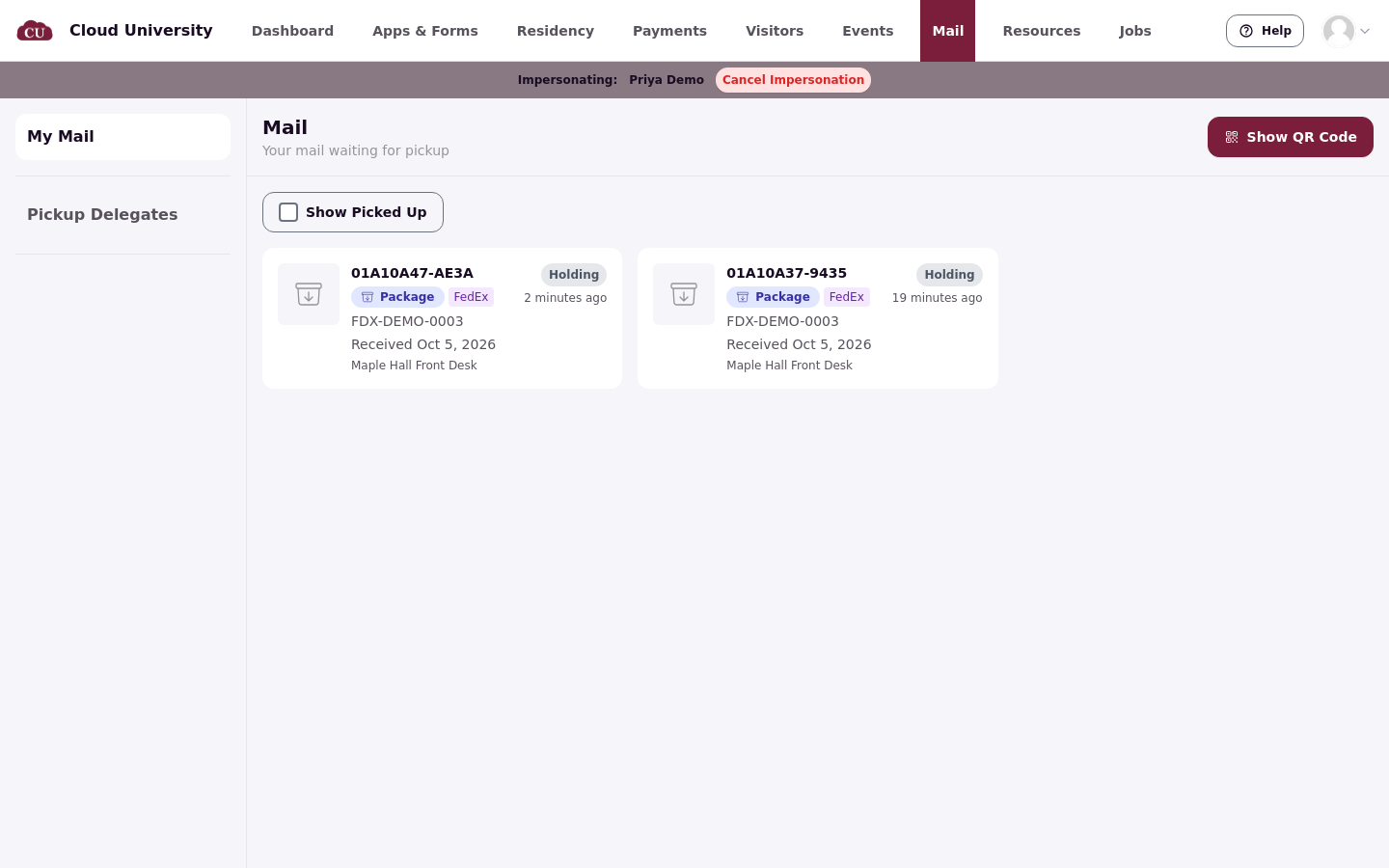
The Show Picked Up toggle above the list adds collected mail to the history. The Show QR Code button at the top right opens the pickup code.
The new portal: You've got mail
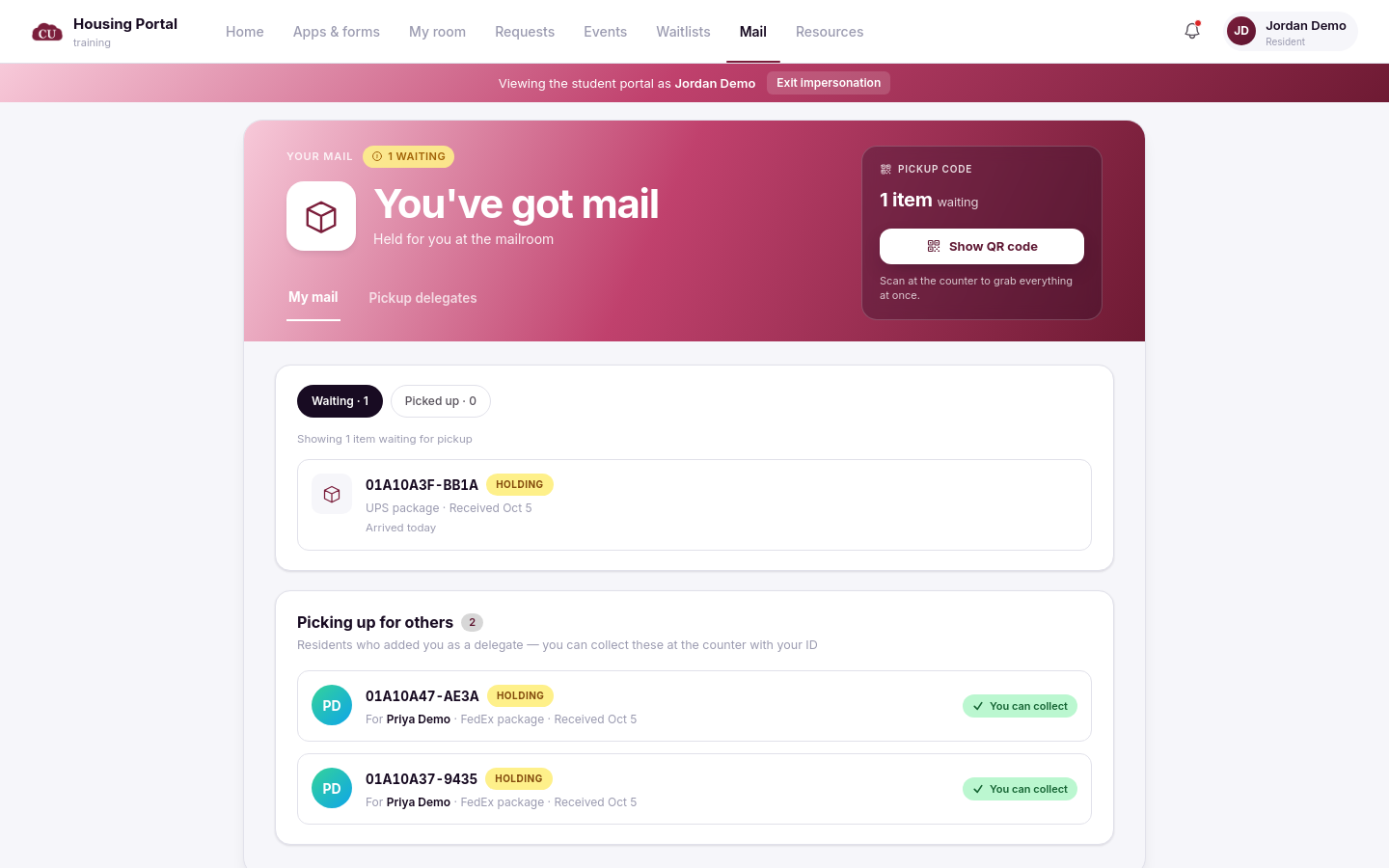
The new resident portal shows the same information under a Mail tab: a banner reading "Held for you at the mailroom", a Waiting and Picked up filter with counts, and a Pickup code card with a Show QR code button. Each item card shows its mail ID, status, carrier, received date and how long ago it arrived.
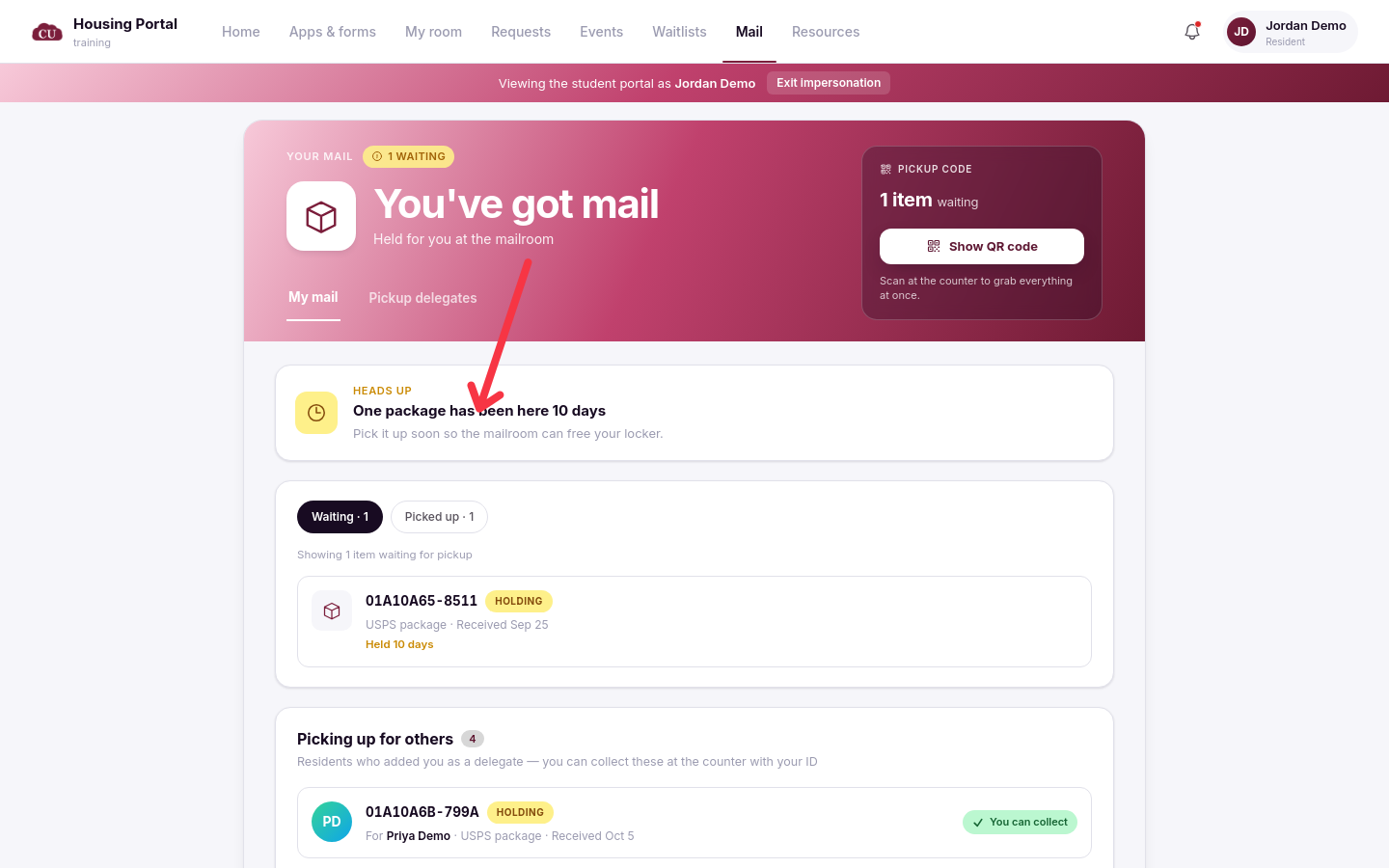
When mail has waited longer than the school's ageing setting, the page nudges the resident to pick it up, for example that a package has been waiting ten days and to collect it soon so the mailroom can free up space. The nudge is only a message; the reminder email to the resident is sent by the product's pickup-reminder process.
The pickup code
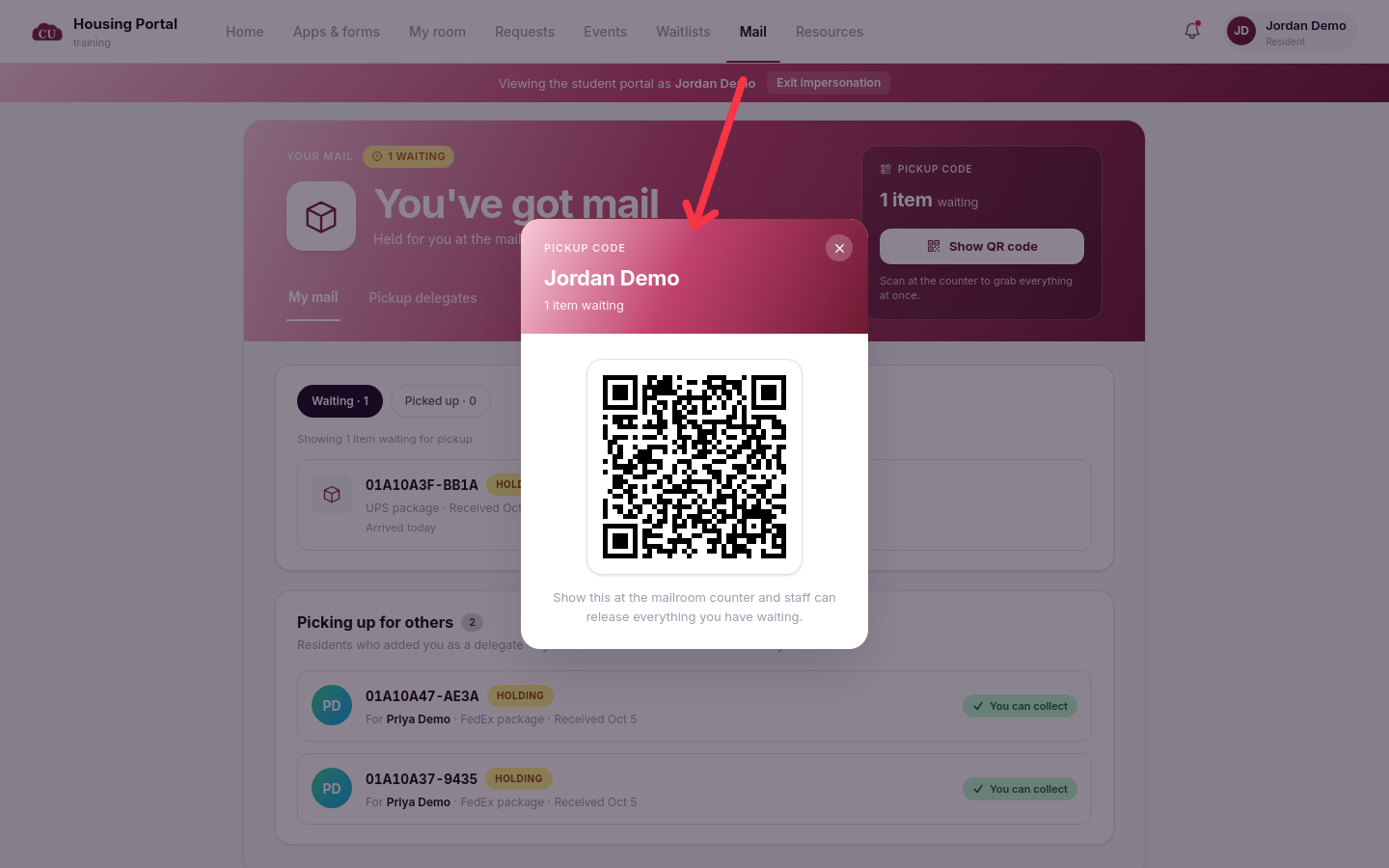
The QR code is how the desk finds the resident at the counter. The modal says "Show this at the mailroom counter and staff can release everything you have waiting"; on the new portal the pickup code card puts it the same way, "Scan at the counter to grab everything at once."
Pickup delegates
Pickup Delegates sits next to My Mail, headed "Manage who can pick up mail on your behalf". The page explains the rule: delegates are people the resident authorizes, staff can release the resident's mail to them, and anyone added remains a delegate until the resident removes them.
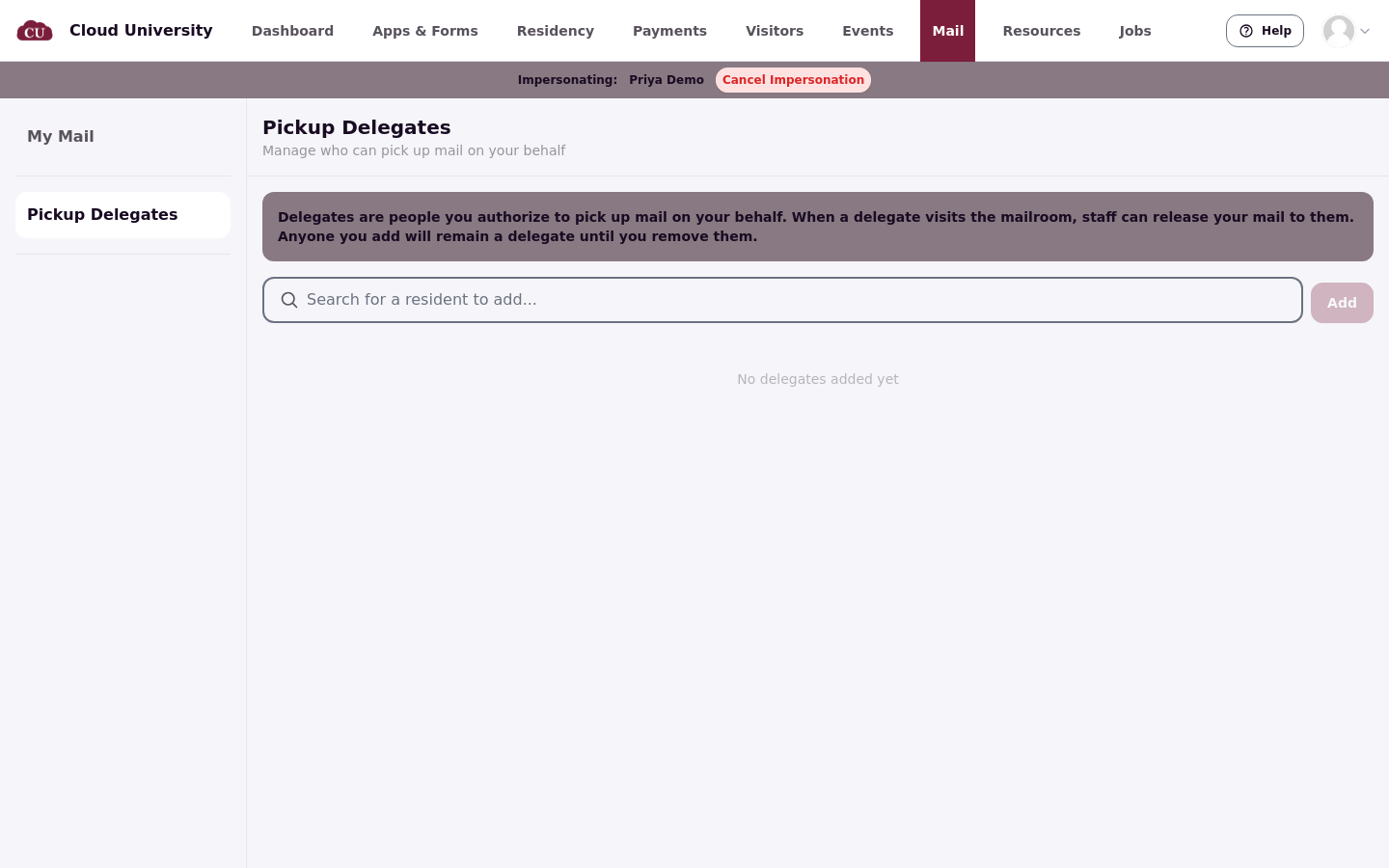
To add one, the resident searches for another resident and clicks Add; a delegate must be a current resident. The page confirms "Delegate added" and lists the delegate with a Remove button.
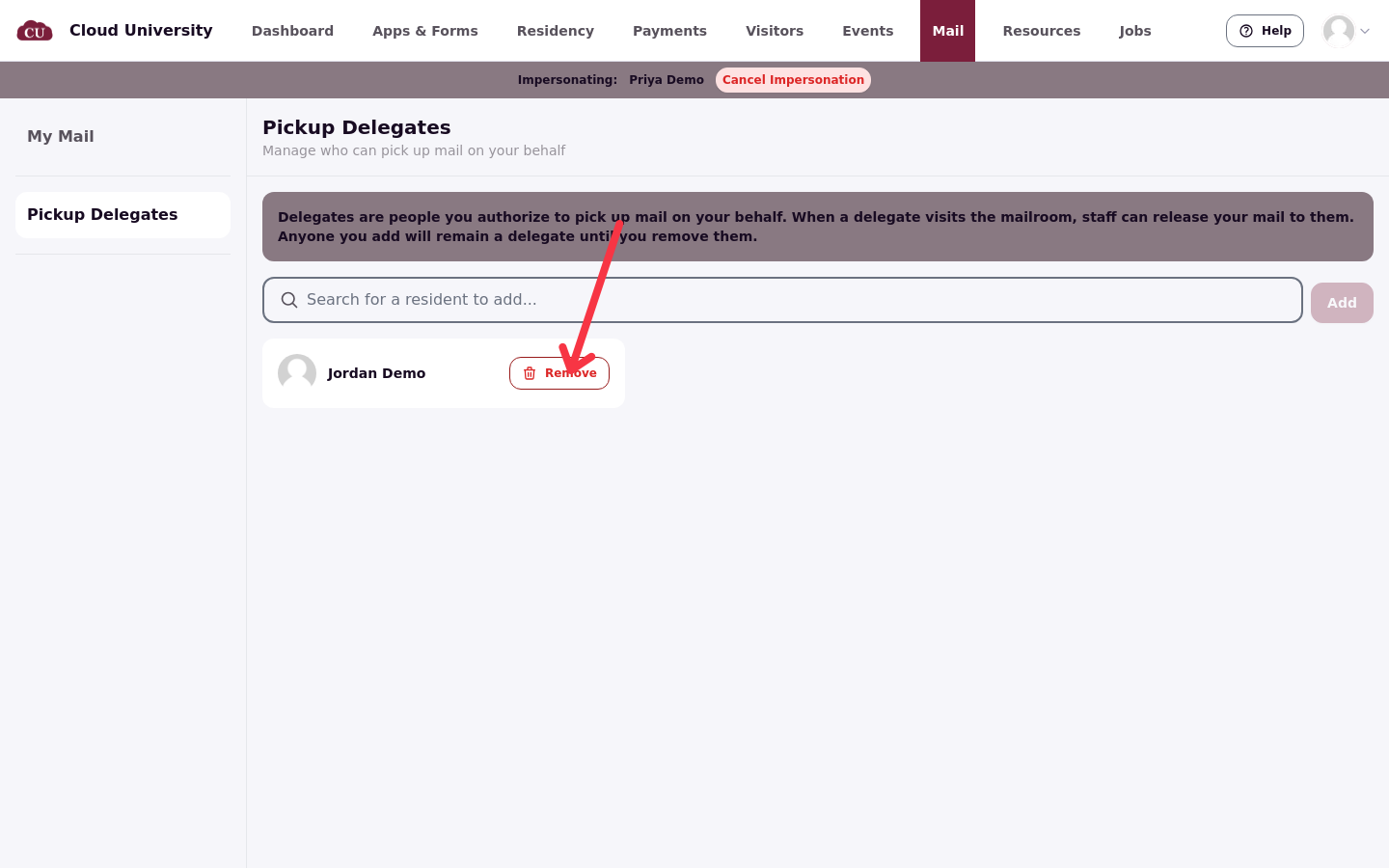
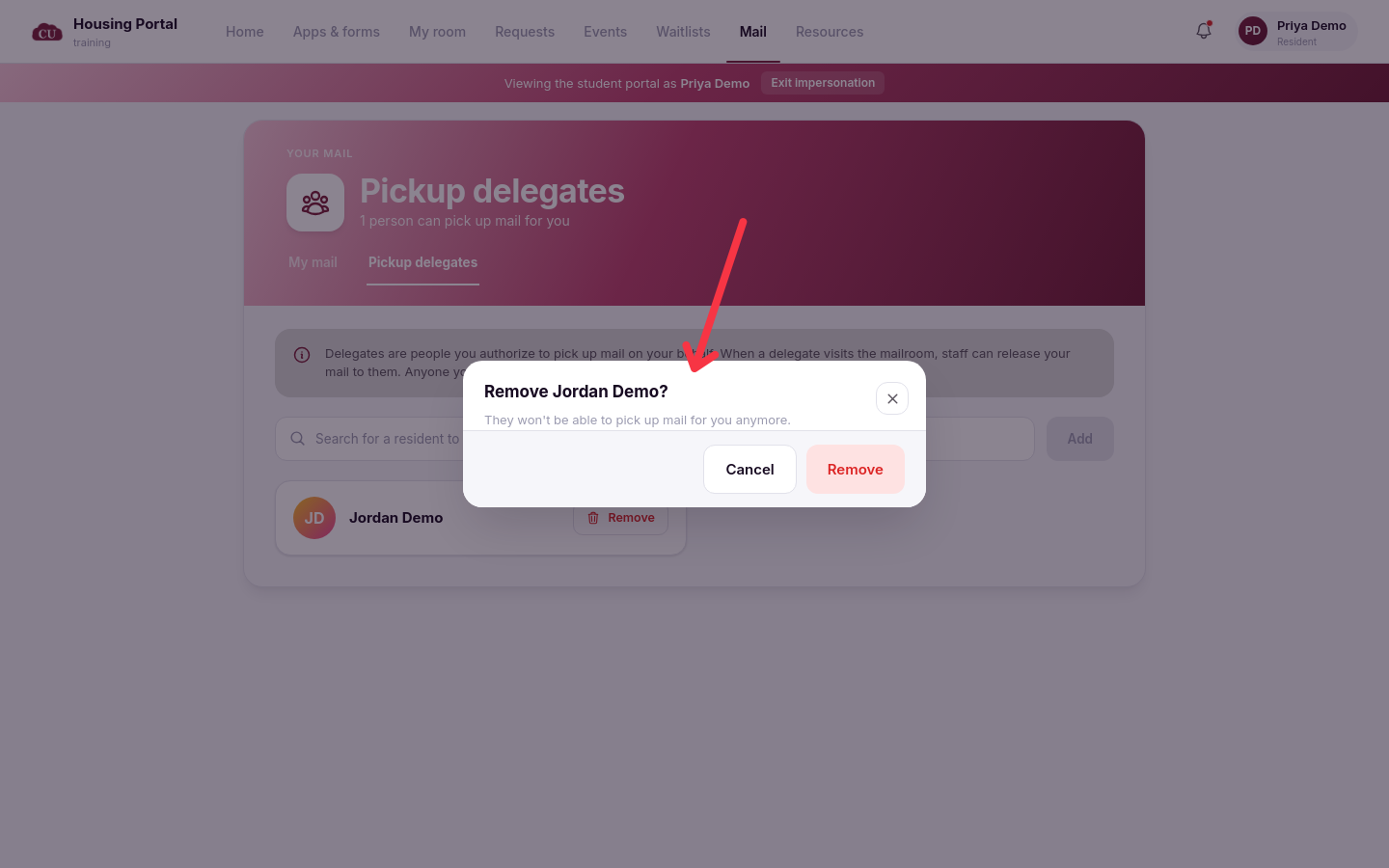
Removing asks first: "Remove [name]?" with the note "They won't be able to pick up mail for you anymore." The delegate is only gone once the resident confirms.
Picking up for others
On the new portal, a delegate sees a Picking up for others section: "Residents who added you as a delegate — you can collect these at the counter with your ID". Each item shows who it is for and carries a You can collect badge.
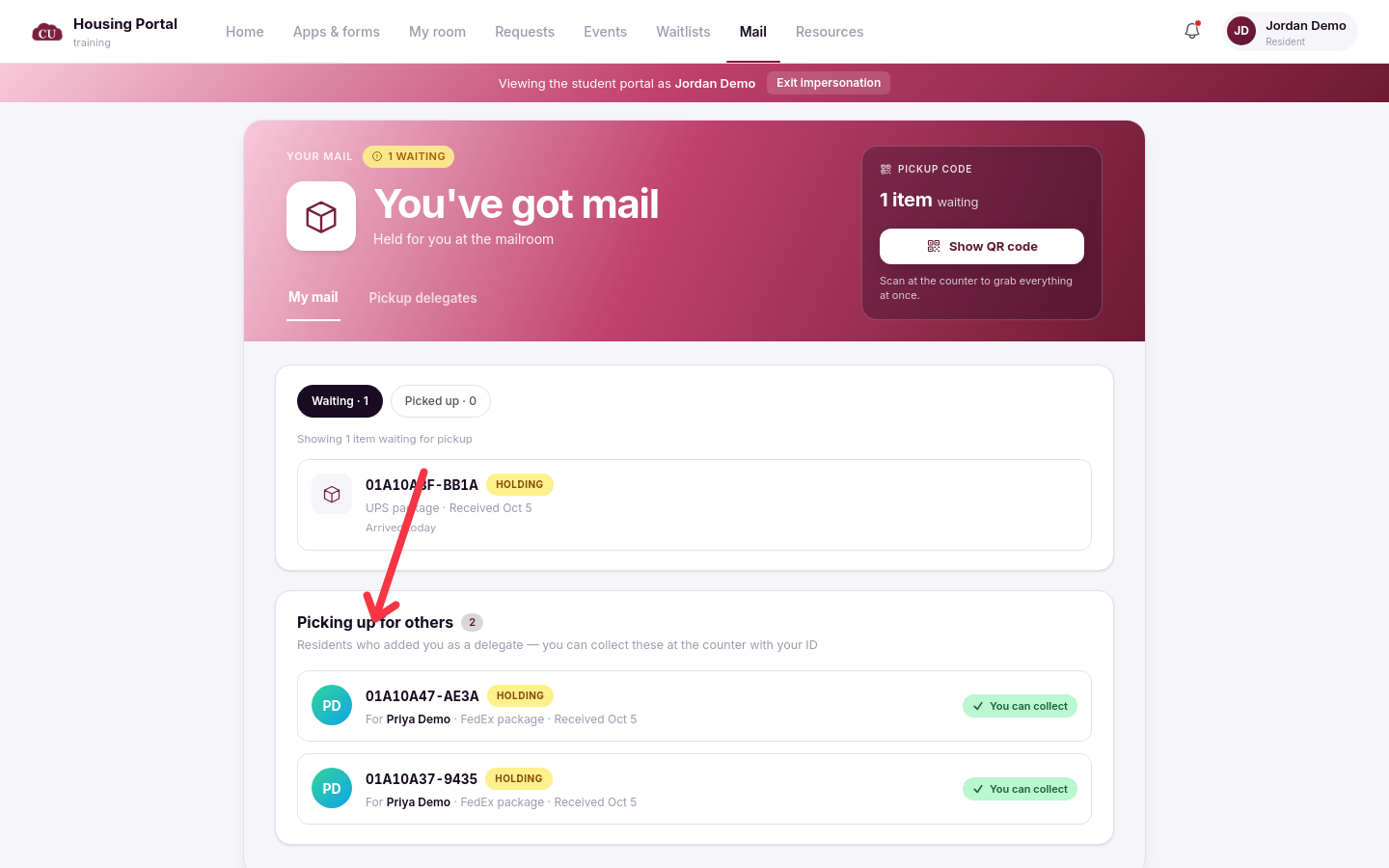
Items marked Only recipient may pick this up are never offered to a delegate, in the portal or at the desk. When a delegate collects, the resident receives a Mail Picked Up By Delegate notice and the item's history records the release to the delegate.
Good to know
Classic portal cards can show a storage location. A classic portal card shows either the mailroom name or the storage location when one is set; the desk hands the mail over at the counter.
Notices are email and in-app. Residents get New Mail Arrived when mail is logged, Mail Pickup Reminder when staff send one, and Mail Picked Up By Delegate when a delegate collects. There are no text messages.
When the resident arrives at the desk, you search for them or scan their QR code on the Pickups page; see Hand Mail to a Resident for the desk side.