Create and manage coattail charge codes
Last updated: August 28, 2026
A coattail charge is a secondary charge attached to a primary charge and automatically applied alongside it. When a primary charge code is assigned to a student, any coattail charges configured on it are applied at the same time. For example, an administrative processing fee that should always accompany a specific room charge can be set up as a coattail charge.
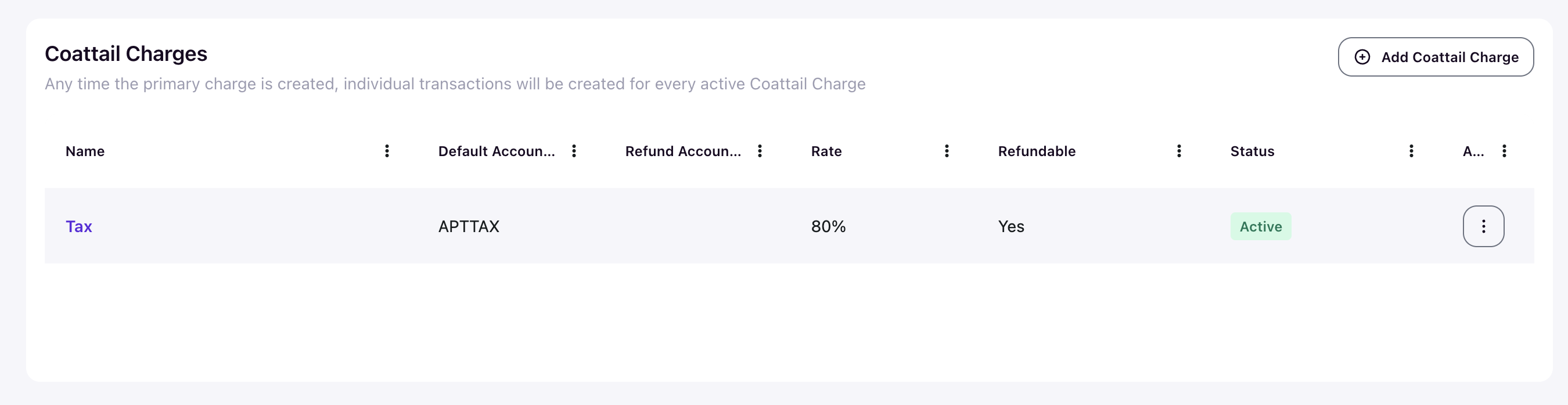
Any time the primary charge is created, individual transactions will be created for every active coattail charge.
View all coattail charges
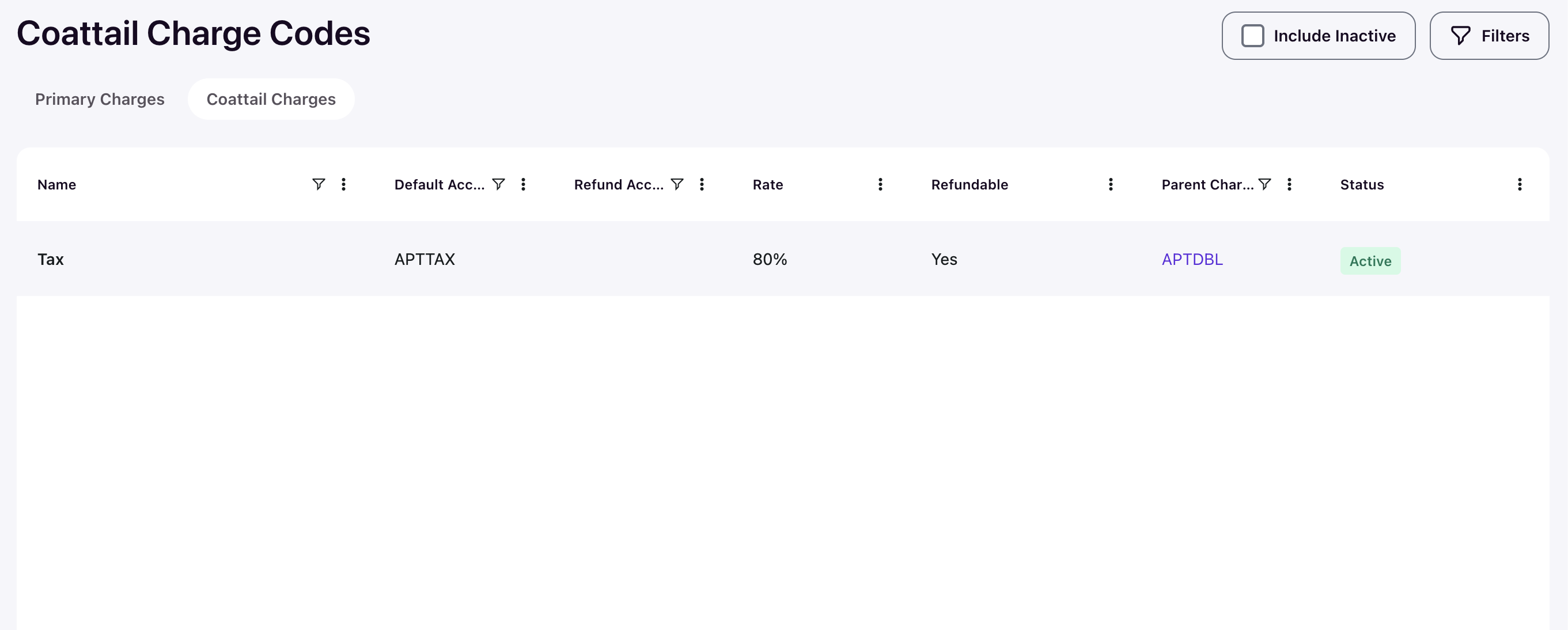
Go to Admin › Setup › Charge Codes and select the Coattail Charges tab. This view shows all coattail charges across the system in a single table, including a Parent Charge column that links back to the primary charge code each coattail belongs to.
Create a coattail charge
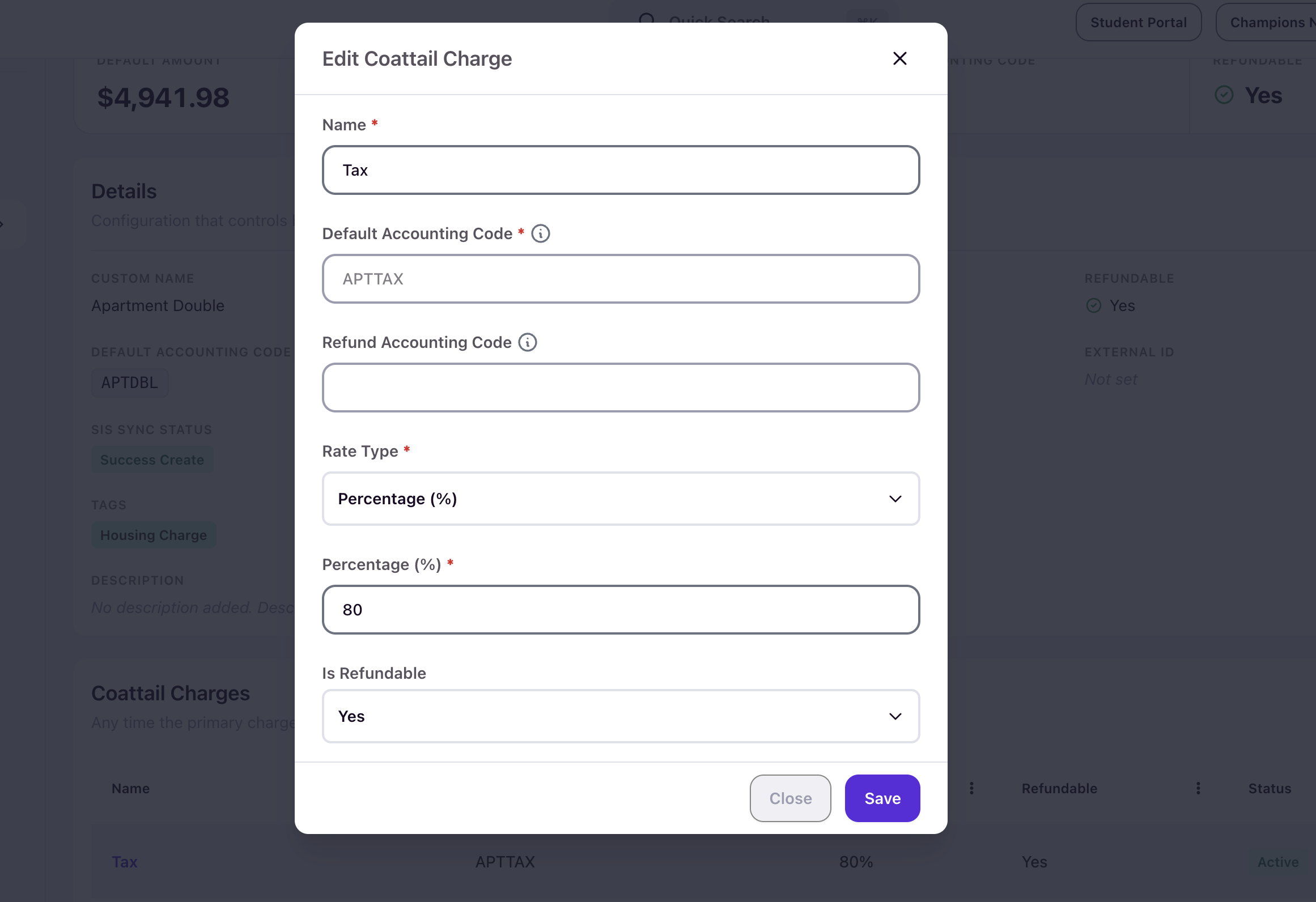
Open the primary charge code you want to attach the coattail charge to. Find the Coattail Charges section and click Add Coattail Charge. The form contains the following fields:
- Name — The system identifier for the coattail charge. Required.
- Default Accounting Code — The ledger code where revenue from this coattail charge is recorded. Required.
- Refund Accounting Code — The ledger code used when this coattail charge is refunded if different than the default. Optional
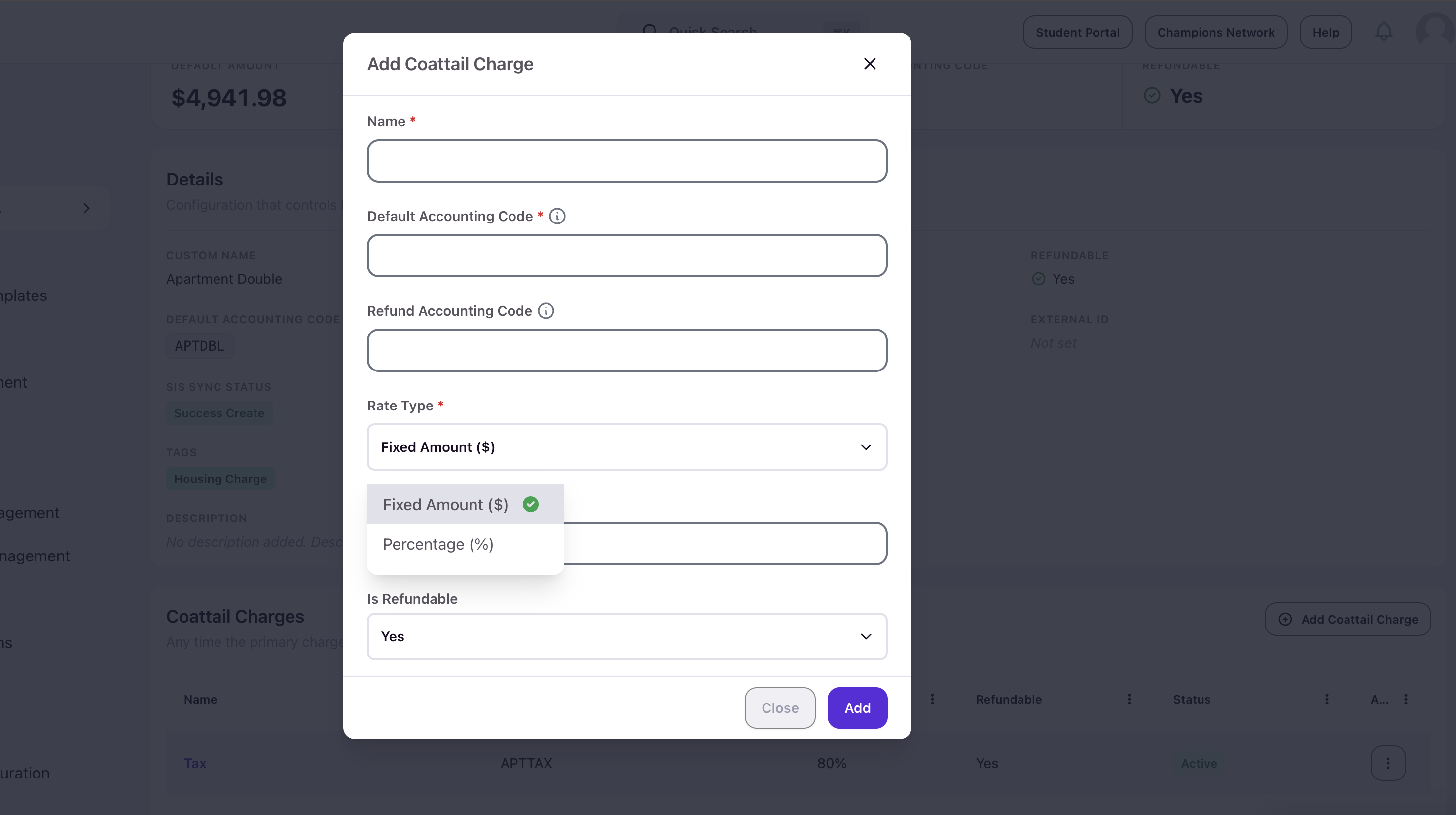
- Rate Type — A dropdown with two options: Fixed Amount ($) or Percentage (%). Required.
- Amount ($) or Percentage (%) — The value used to calculate the coattail charge, depending on the rate type selected. Required.
- Is Refundable — A dropdown set to Yes or No. This controls whether transactions using this coattail charge can be processed through the standard issue refund workflow.
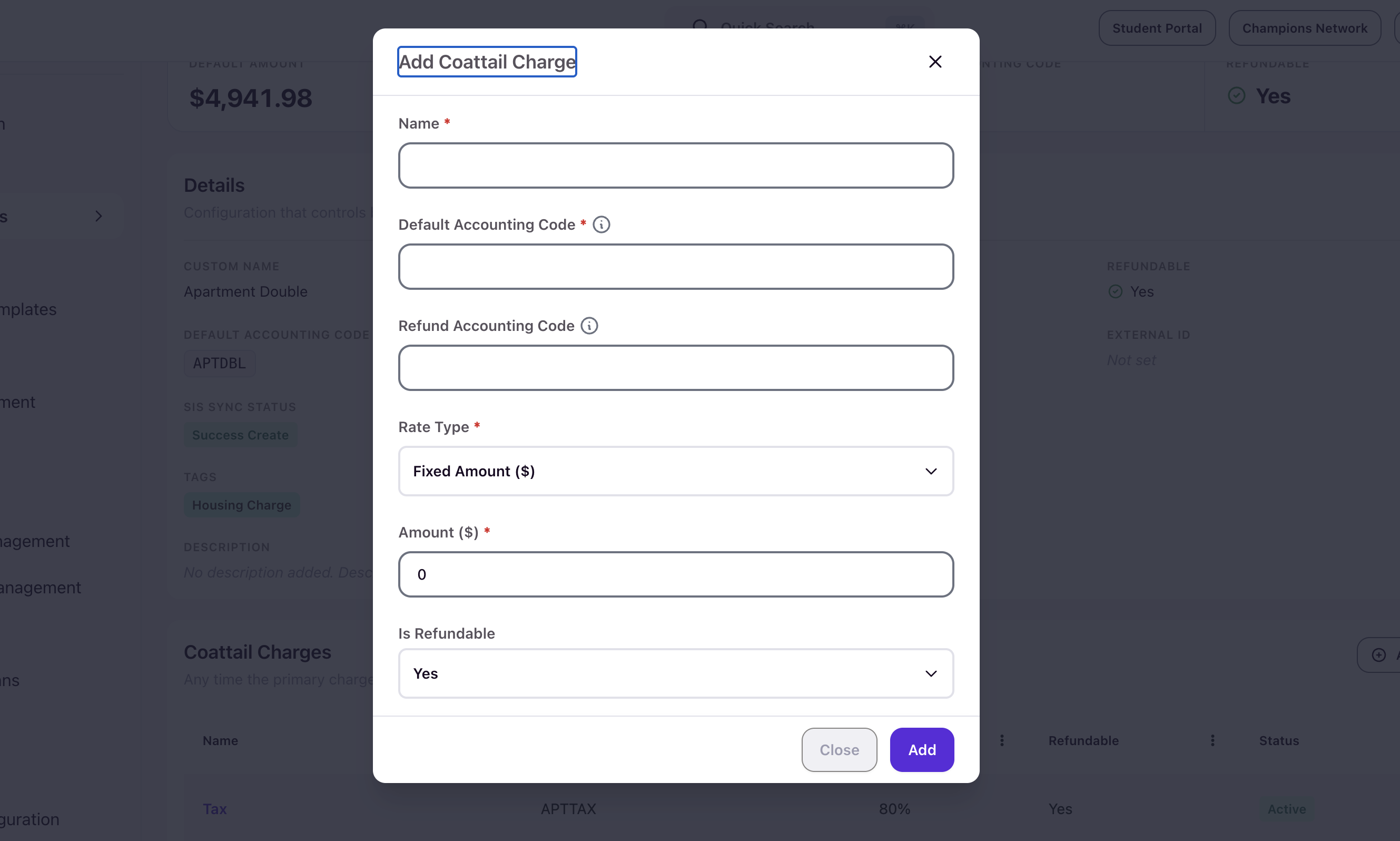
Click Add to save the coattail charge. New coattail charges are created with a status of Deactivated. You must activate a coattail charge before it can be applied alongside its primary charge.
Coattail charge rate types
When configuring a coattail charge, you choose how its amount is calculated.
The Fixed Amount rate type works the same way a standard charge code does. You specify a flat dollar amount, such as $100, and that amount is always applied regardless of the primary charge's value.
The Percentage rate type calculates the coattail charge as a percentage of the primary charge's amount. For example, if you set a coattail charge to 80%, Housing Cloud calculates the coattail amount from the primary charge's value. This is useful for charges that scale proportionally, such as a partial assessment tied to a base room fee.
Edit or remove a coattail charge
To change a coattail charge, open the primary charge code it belongs to, locate the coattail entry, and click the overflow menu on the row to select Edit. You can also activate or deactivate a coattail charge from this menu. Activate coattail charges you need to use immediately. Deactivate historical coattail charges when you no longer need them while preserving the record for data validation and reporting. You cannot delete a coattail charge once it has been created.
If you adjust a coattail charge's rate type or amount after the primary charge has already been assigned to students, the change will not affect transactions that have already been posted. Review your coattail configuration before the primary charge goes into active use.
Things to keep in mind
Coattail charges are configured inside a primary charge code, not created as standalone records. If you need a charge to appear only in combination with another charge, use the coattail structure rather than creating a separate charge code and relying on manual pairing.
Changes to a coattail charge do not retroactively update transactions that have already been posted. Verify your configuration before students are assigned to the primary charge.
Non-refundable transactions cannot use the issue refund flow. If your team attempts to reverse a non-refundable charge, remind staff to post an offsetting debit or credit instead.