How to Manage Requests, for Student Staff
Last updated: October 5, 2026
Student staff can manage requests in these steps:
Note: Refer to this article to learn how to view requests for student staff.
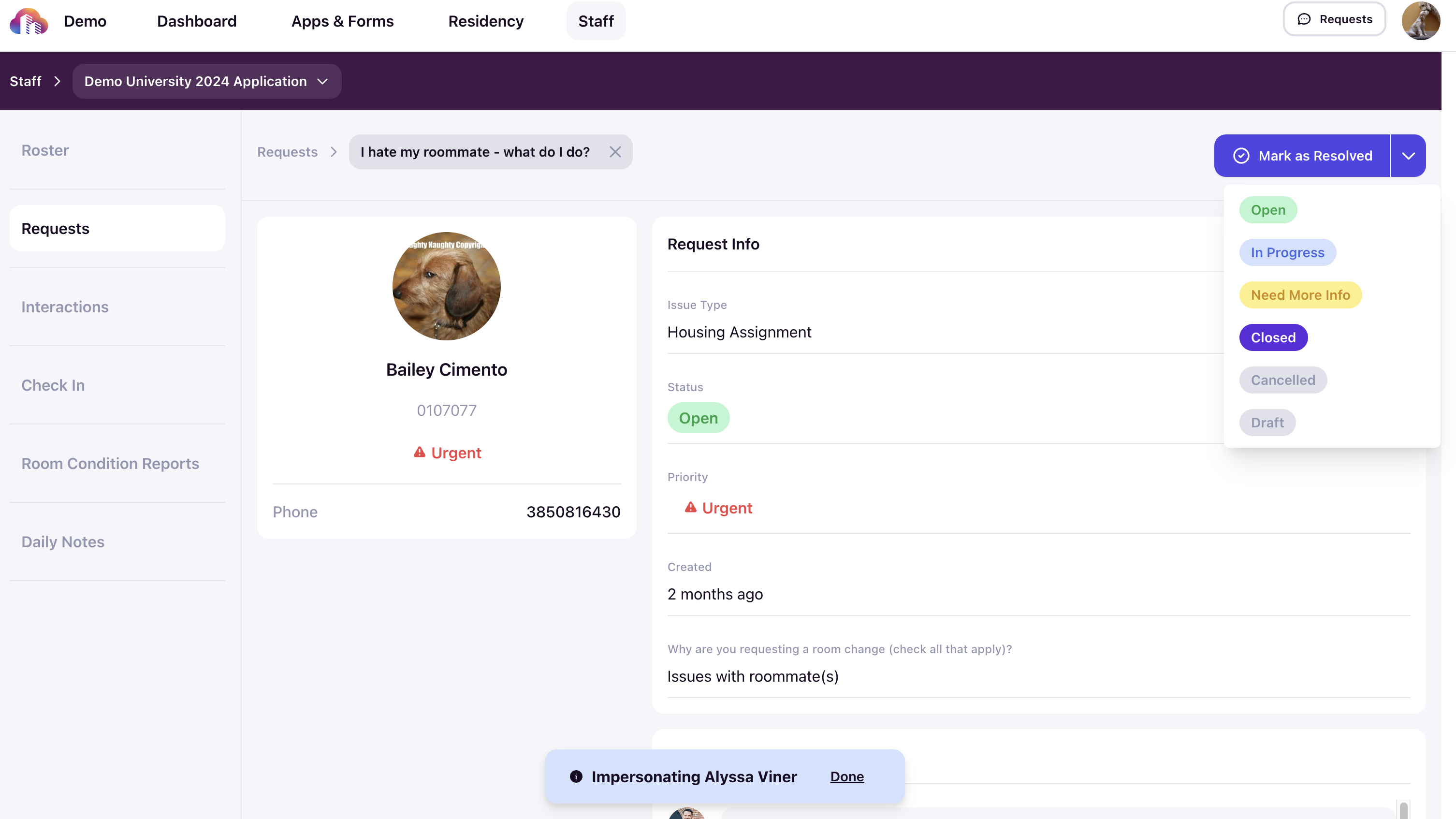
1. Navigate to the request you want to manage on the Requests page and click on it. You are now on the request info page. You will find all the details about the request, like request type, status, priority, and the communications with this request.

2. You can reply to the request in the Comments section. You can also attach supporting files along with your comments.

3. You can also choose to have an internal chat with the person who created the request. This can be useful to address sensitive issues.

4. Once the request is handled or resolved, you can mark the status as resolved. Or, if the resolution is pending, you can choose an appropriate status from the dropdown.