What is Test Drive?
Last updated: October 8, 2026
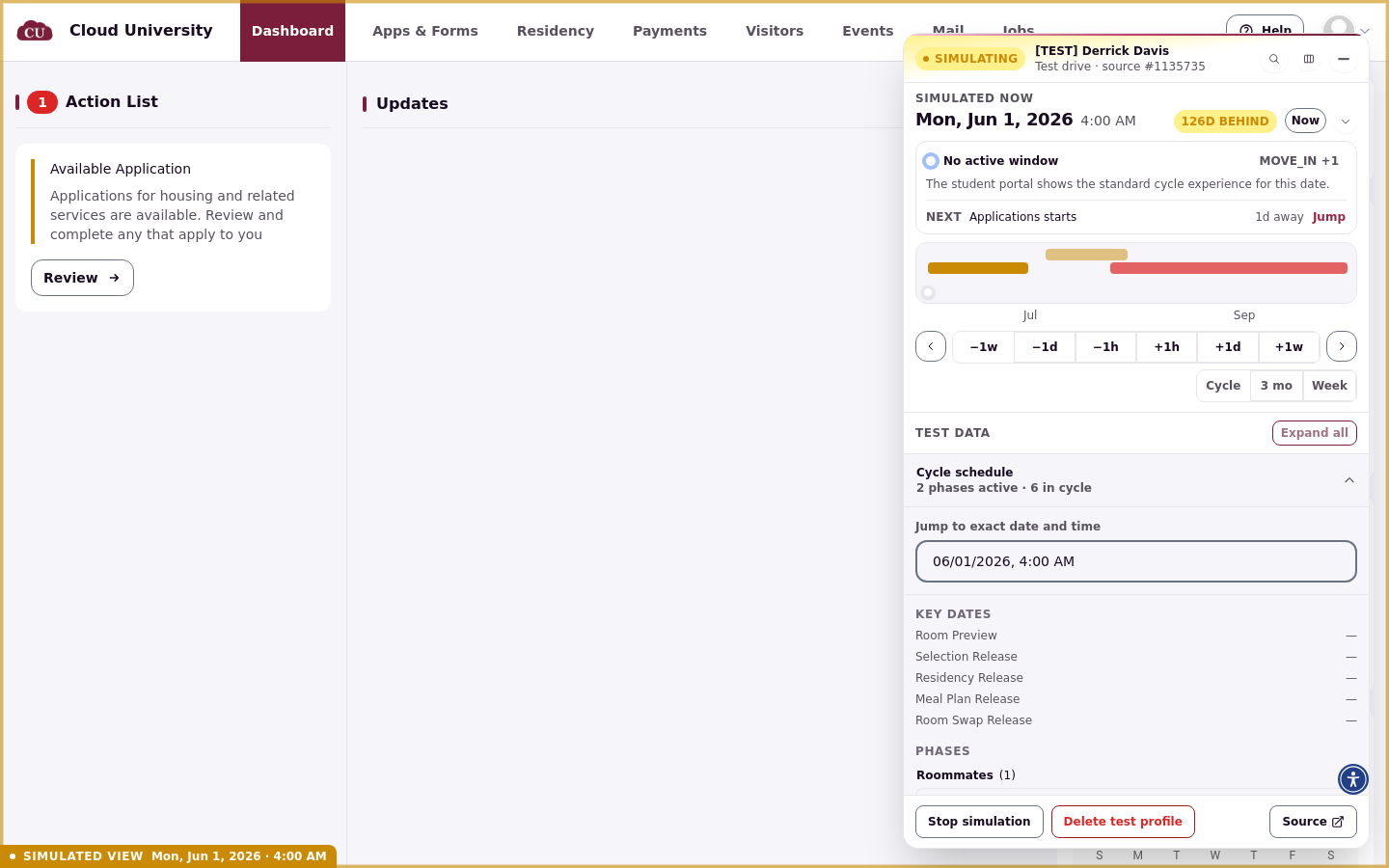
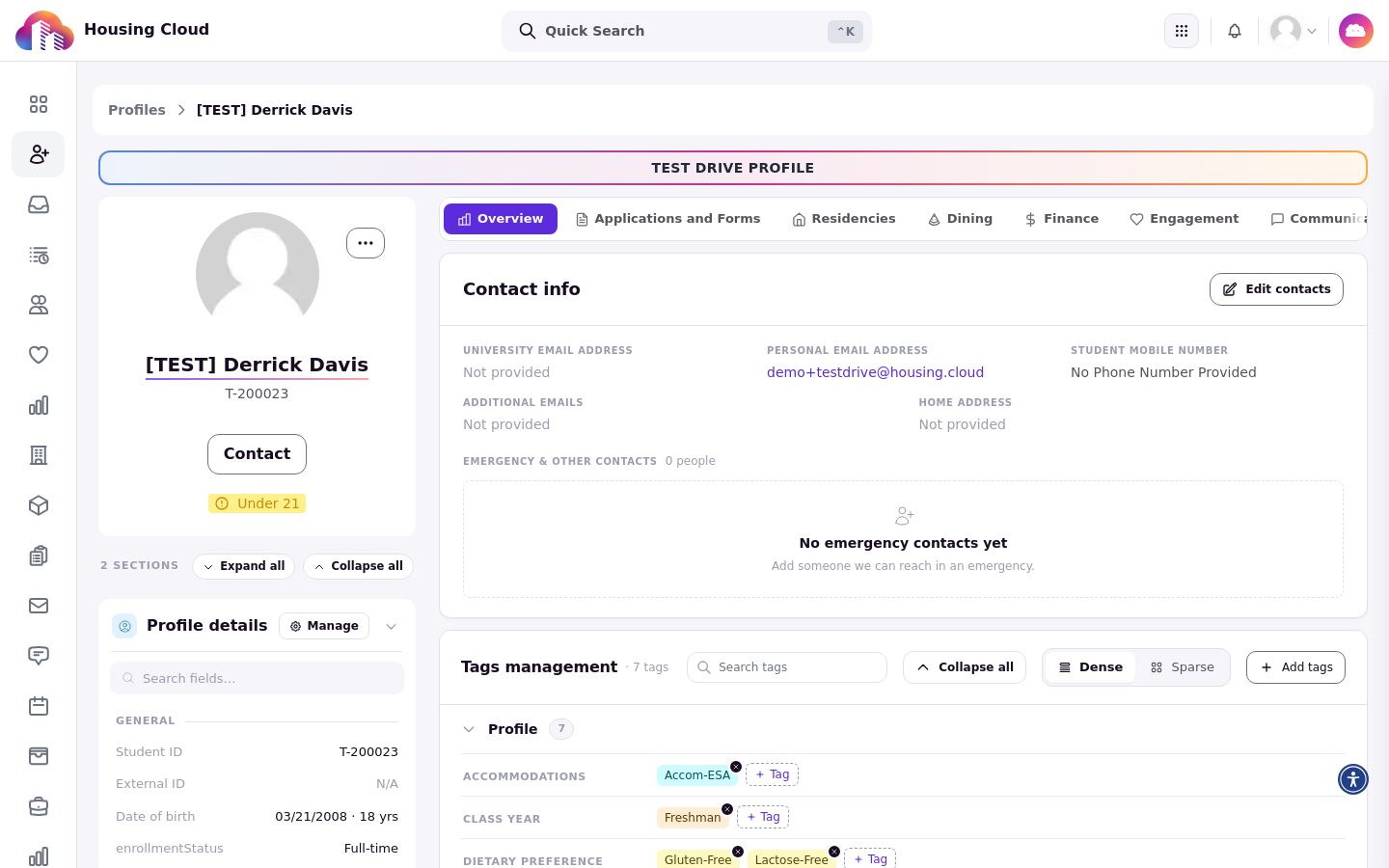
Test Drive clones a student into a temporary [TEST] profile, opens their student portal in a simulated view, and lets you move that portal's clock to any date. Use it to walk a student's housing journey, from application to room selection to move-out, without touching a real student's record or waiting for real dates to arrive.
Impersonating a real student shows today's portal as that student sees it. Test Drive goes further: you control the date, and everything happens on throwaway test data.
How it works
You pick a source student, choose which applications and content to copy, and pick a starting date. Housing Cloud then creates a test profile named [TEST] plus the student's name, opens their portal, and shows a floating panel where you shift the simulated date and inspect the test data. The panel is covered in Open your test profile and get to know the Test Drive panel.
What gets copied
The Clone Content step of the wizard copies, per application you select:
The application itself, its tags, custom fields, and form answers
Meal plan assignments
The matching (roommate) group, when you choose to copy it
The profile also carries the source student's tags, profile fields, and SIS ID (a generated T-prefixed version when one exists). This means a test profile carries a real student's details: use a demo student as the source for anything you screenshot or share.
What stays real
Test Drive does not pause the rest of the system:
Emails and notifications really send. Anything the portal sends while you test goes to the test profile's Notification Email. If you left that blank, the test profile has no email address; the real student's email is not copied. Roommate (co-resident) assignment notices are not sent for test profiles.
Only the test profile's portal moves in time. Admin pages always show the real date, even while you have a Test Drive open in another tab. Scheduled background processes, such as automatic reminders or nightly jobs, also run on the real date.
Test data stays out of real records. Test profiles, applications, residencies, and charges are marked as test data and left out of exports. Test room holds are kept separate from real students.
Test Drive vs. editing live phase dates
Changing a live cycle's phase dates moves every real student's windows at once, and rolling them back is risky. A Test Drive shifts the clock for one throwaway profile only, so you can preview how a window opening or closing will look and feel before you commit the real dates. Use the Housing Cycle Readiness Checklist to plan the real date changes, and Test Drive to rehearse them.
Clean up: auto-delete after 24 hours by default
The wizard's Teardown step sets an Auto-Delete Schedule, 24 hours by default. Auto-delete runs on a 15-minute check, so a test profile can last up to 15 minutes past its scheduled time. Deleting removes the test profile and any cloned roommates; the source student is never changed. You can also stop or delete a test profile manually at any time: see Stop, delete or auto-delete a Test Drive.