Jump to a housing phase or key date
Last updated: October 8, 2026
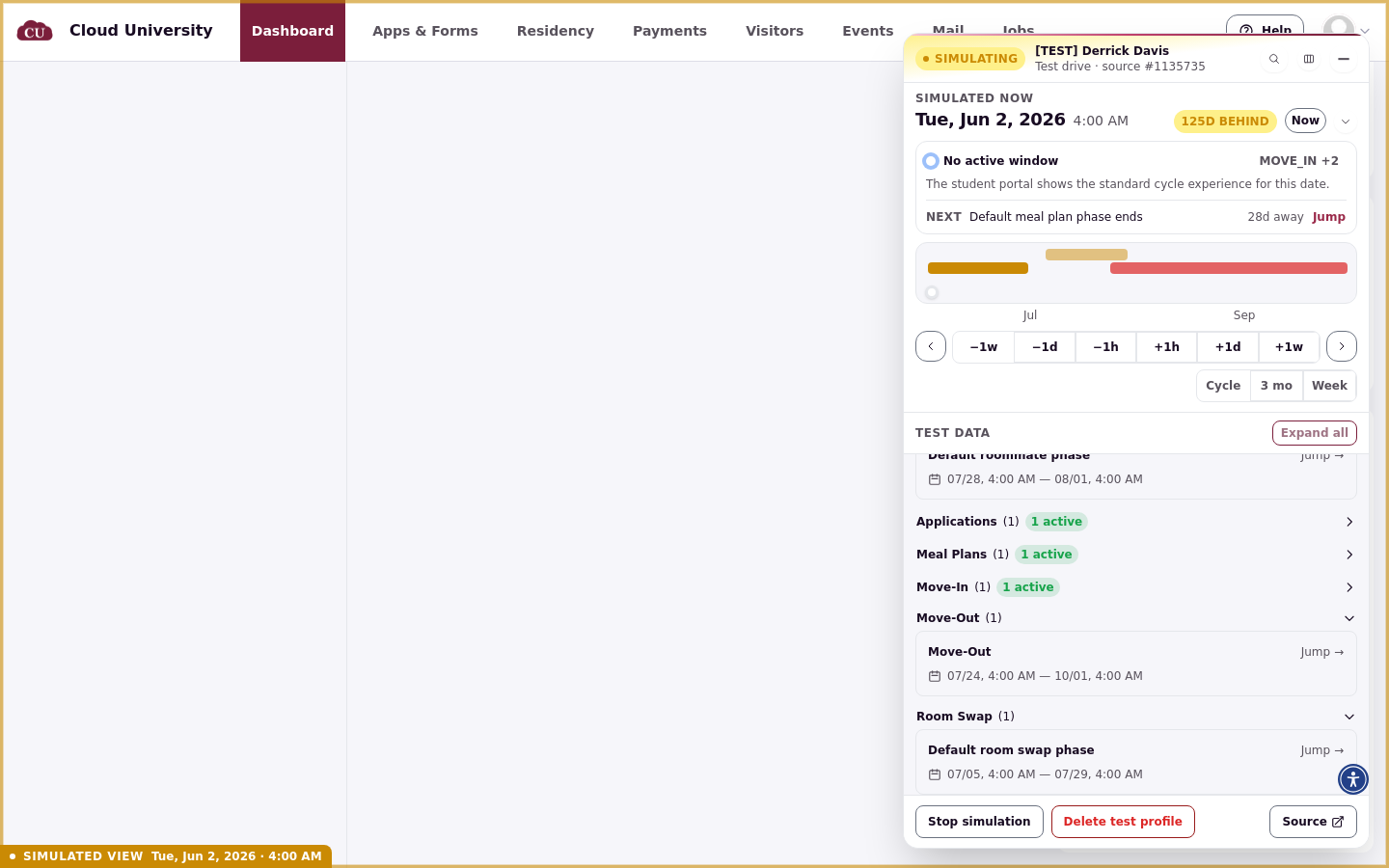
The Cycle schedule section of the Test Drive panel lists every phase of the housing cycle with its dates. Jump to the first day of a phase to see exactly what the student sees when a window opens, is about to open, or has closed.
Open Cycle schedule
Under Test data, expand Cycle schedule. Phases are grouped under headings such as Roommates, Applications, Meal Plans, Move-in, Move-Out, and Room Swap. Each group shows how many of its phases are active with a green badge, and each phase shows its date range with a Jump → link.
Key dates
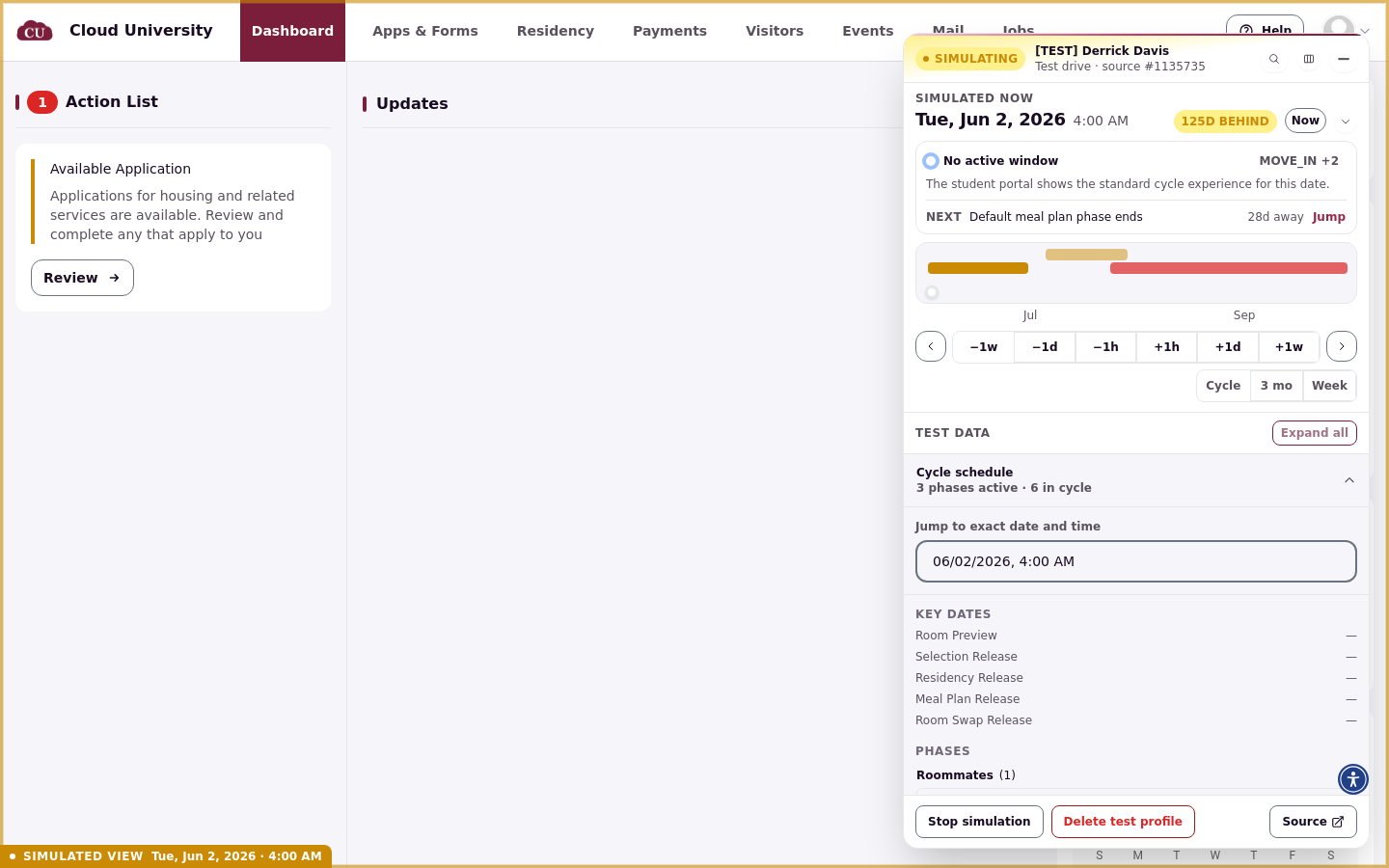
Above the phases, KEY DATES lists Room Preview, Selection Release, Residency Release, Meal Plan Release, and Room Swap Release, each with its date. Use these to land on the moment a specific release happens, not just the phase around it.
Jump to a phase
Click Jump → on the phase you want. The jump stages like any other change: confirm it in the bar at the bottom of the panel and click Apply. The panel refreshes after you apply, and the green active badge moves to the group containing that phase.
Read what the portal shows
The status area at the top of the panel describes what the student portal currently shows, such as No active window with the sentence The student portal shows… underneath. Use the portal's own navigation (not the address bar) to open the page the status describes, so the student's view loads properly.
When the panel shows an eligibility error
If the panel fails to load the phase list and shows an eligibility error such as Test application not found, the test profile has no application in this cycle. Create a new test drive and select an application in the Source Selection step.