Ask the Resident for More Information
Last updated: October 13, 2026
When a request can't move until the resident answers a question, write the question as a public reply and set the task's status to Need More Info. The resident is told to open the request and reply, and their answer lands in the task's comment thread. The status stays at Need More Info until staff set it back.
Commenting alone doesn't tell the resident to look. The status change is what sends the "More info needed" notice, so use the two together whenever you're ready to wait for an answer.
Before you start
Staff users, the task's creator, and the profile the task is assigned to can change a task's status, subject to the status endpoint's authorization rules. Whether the resident gets a "More info needed" notice depends on the notices being switched on for the school by Housing Cloud. If they're off, everything below still works; the resident just gets the ordinary comment email instead.
Ask your question in a public reply
The resident answers from their own request page, so your question has to be one they can see. In the task's Comments box, choose Public reply and write the question. A public reply goes to the resident and every other subscriber, and each of them gets a New Task Comment email, so the question reaches the resident even without the "More info needed" notice.
How public replies and internal notes differ, and who sees each, is covered in Comments: Public Replies and Internal Notes.
Set the status to Need More Info
Use Quick Search in the top navigation to find the task, choose Change Status in its Task Actions, select Need More Info, and click Update Status. Setting Need More Info sends the resident the "More info needed" notice when those notices are switched on, and the status change is also recorded as an event on the task's timeline.
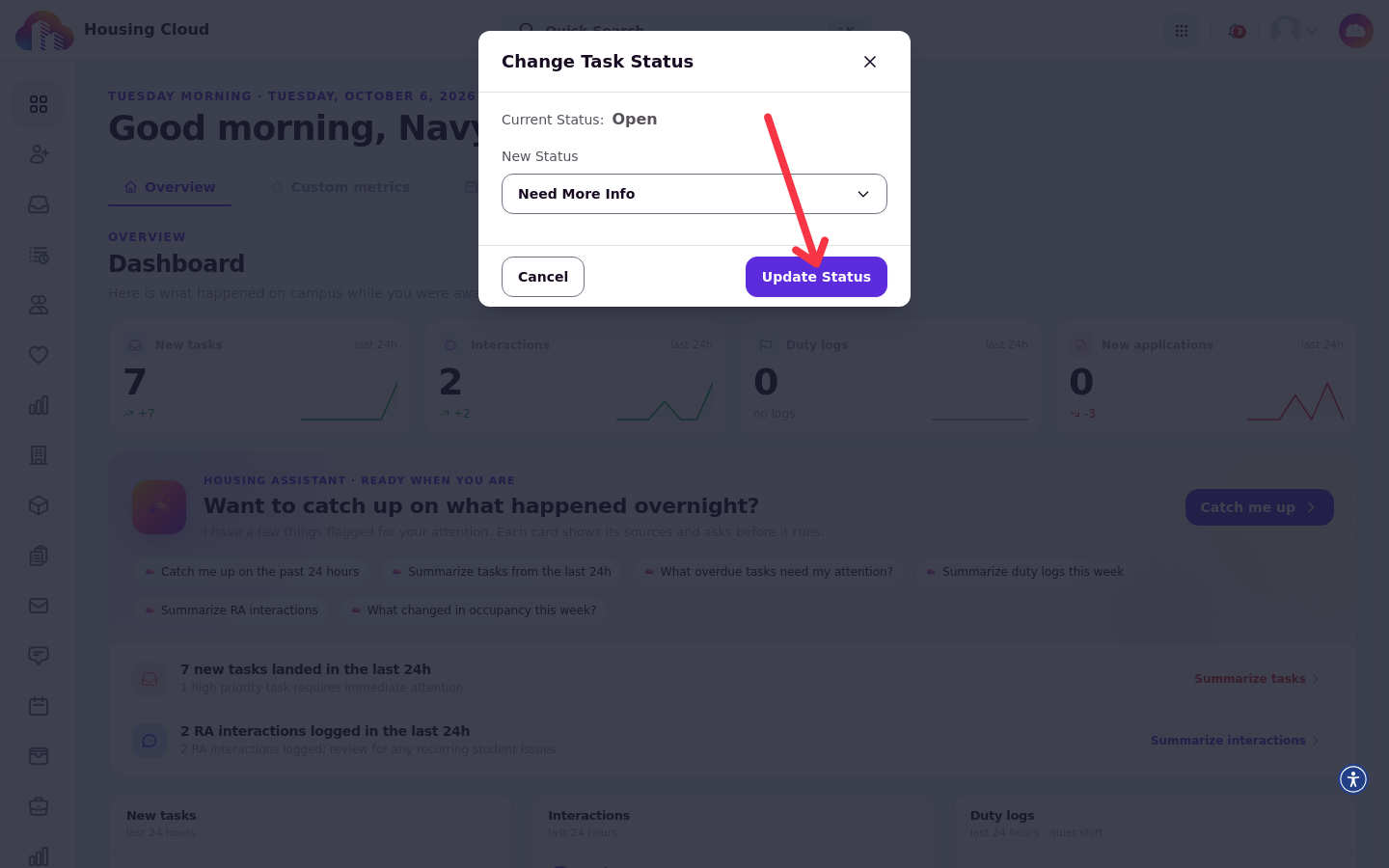
What the resident gets
With the notices switched on, the resident who filed the request gets More info needed by email and in-app: "Your housing team needs more information about your request … Open the request to reply."
The notice goes only to the resident who filed the request. Staff-made tasks send nothing, and a task that is already at Need More Info doesn't send it again when the status is saved a second time.
Without the "More info needed" notices
Where the school doesn't have the notices switched on, there's no special notice. Your public reply still emails the resident New Task Comment, so the question reaches them either way.
How the resident answers
The resident opens the request from the notice or their request page and replies with a comment. Staff subscribers on the task get New Task Comment. What residents see and how they reply from the portal is covered in the Help Center, Requests and Satisfaction help articles.
Move the task on again
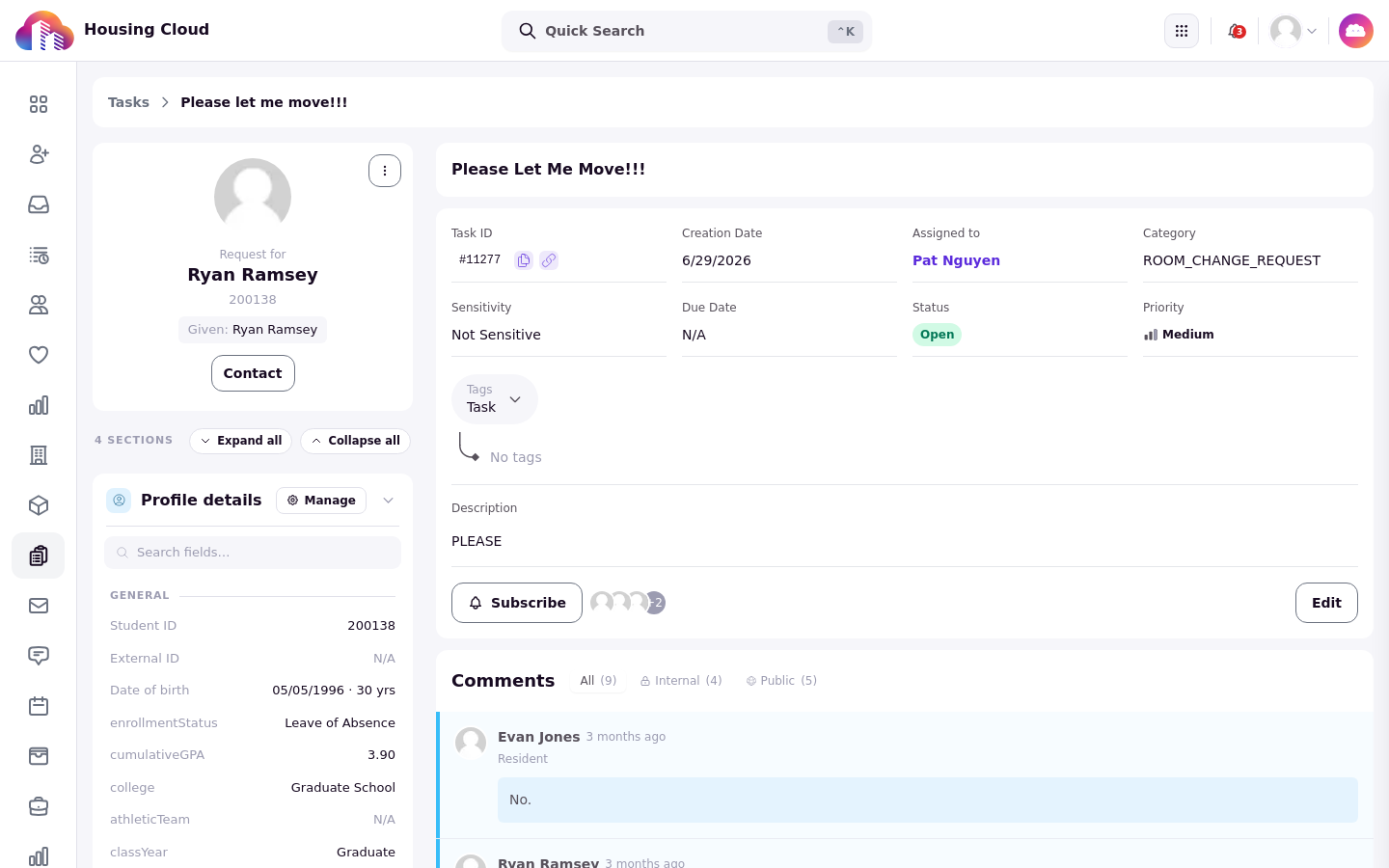
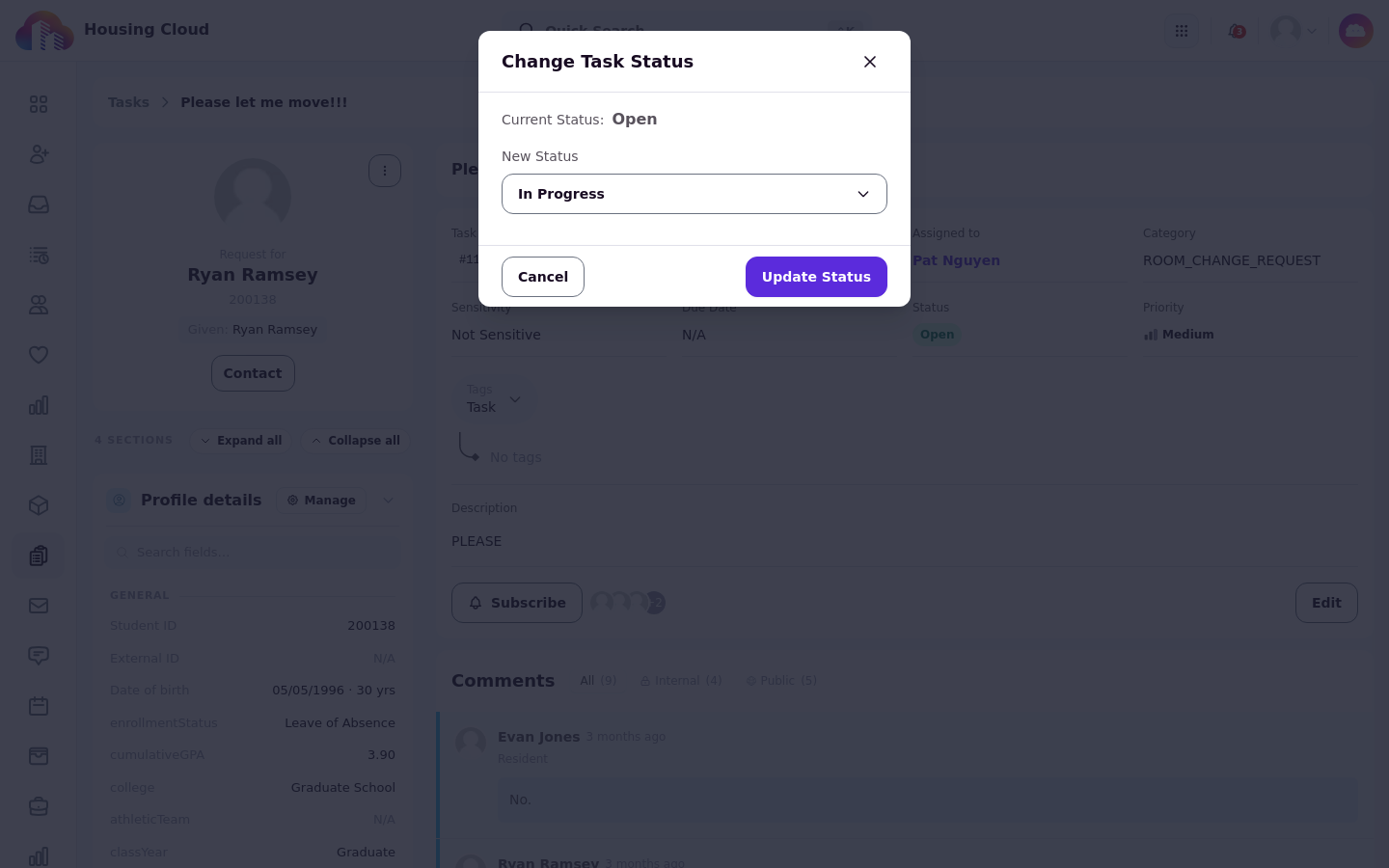
The status doesn't change by itself when the resident answers. Read their answer in the comment thread, and when you have what you need, open Change Task Status the same way and set the status back to In Progress (or another status).
Good to know
A resident's answer doesn't move the task on. Replying leaves the task at Need More Info until staff change it.