Edit, Retire or Delete a Group Type or Role
Last updated: October 13, 2026
Every dependent group type and role has its own detail page under Setup > Dependent Management. From there you can see which groups use it, change its settings, and retire it by turning Active off. Deleting is refused while anything still uses the type or role, so retirement is the normal way to take one out of service.
Use the detail pages when a household type or role needs new limits or wording, when you want to see every group that depends on it before changing it, or when a type or role should stop being offered without breaking the groups that already use it. Creating types and roles is covered in Set Up Dependent Group Types and Roles.
Before you start
Changing types and roles requires the Manage dependent group types and roles permission.
Changing a role's settings does not change people already in households. It applies to anyone added or re-added later.
Open a type or role detail page
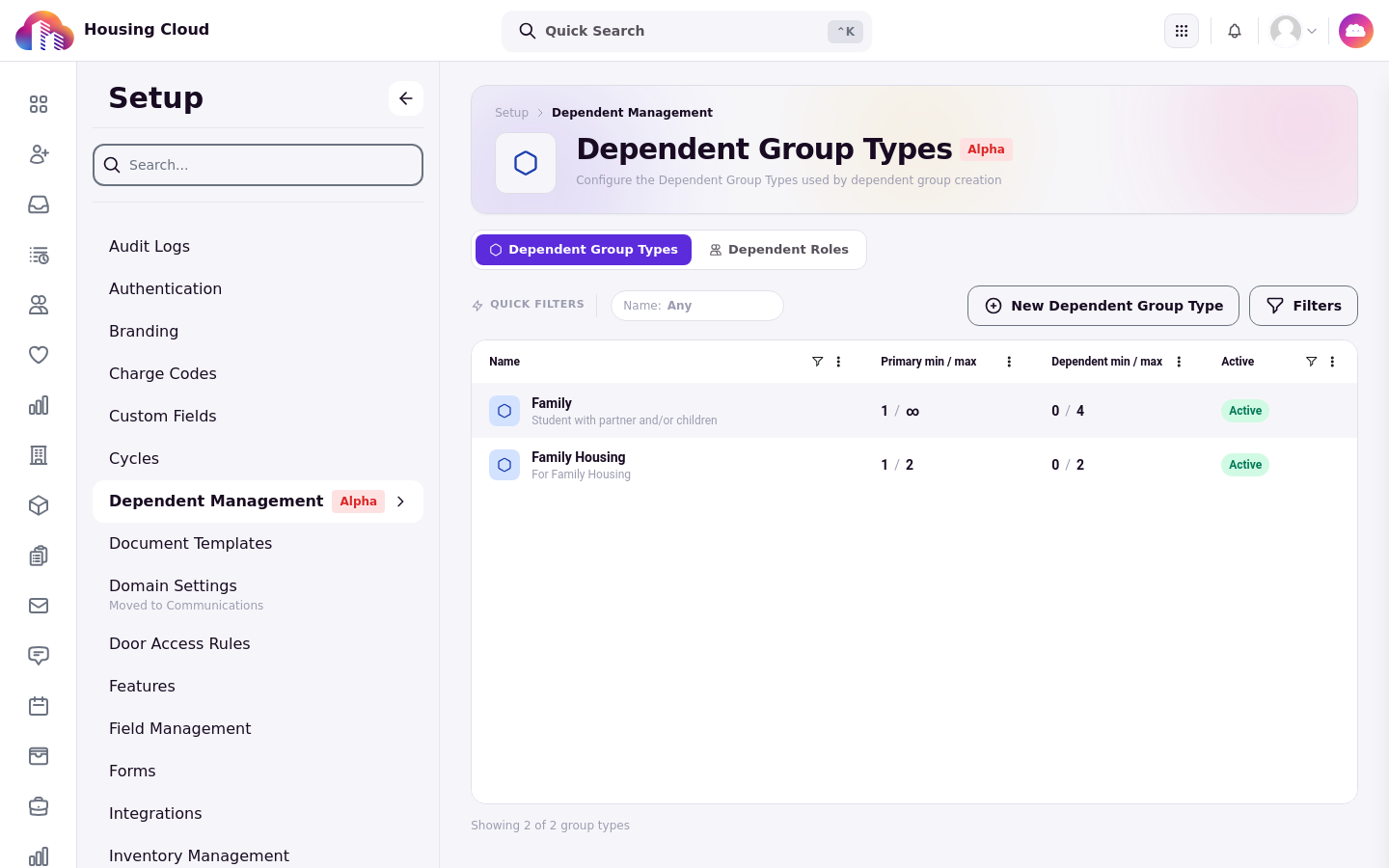
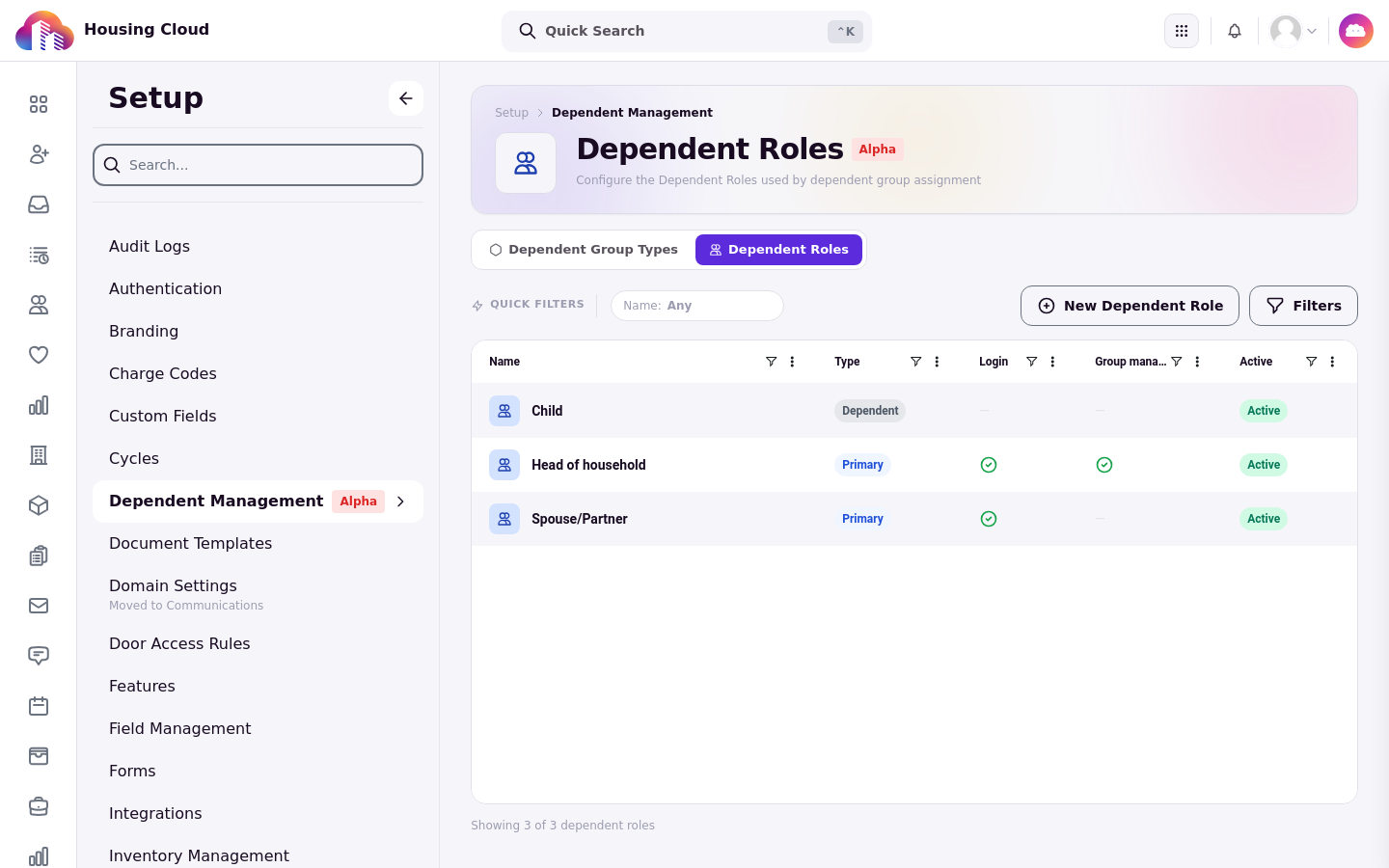
Under Setup, open Dependent Management and click a name in either the Dependent Group Types or the Dependent Roles tab. The type page address ends in /group-types/ followed by a number, the role page in /roles/ followed by a number, and the breadcrumb reads "Setup › Dependent Management" with the name at the end.
Read a group type page
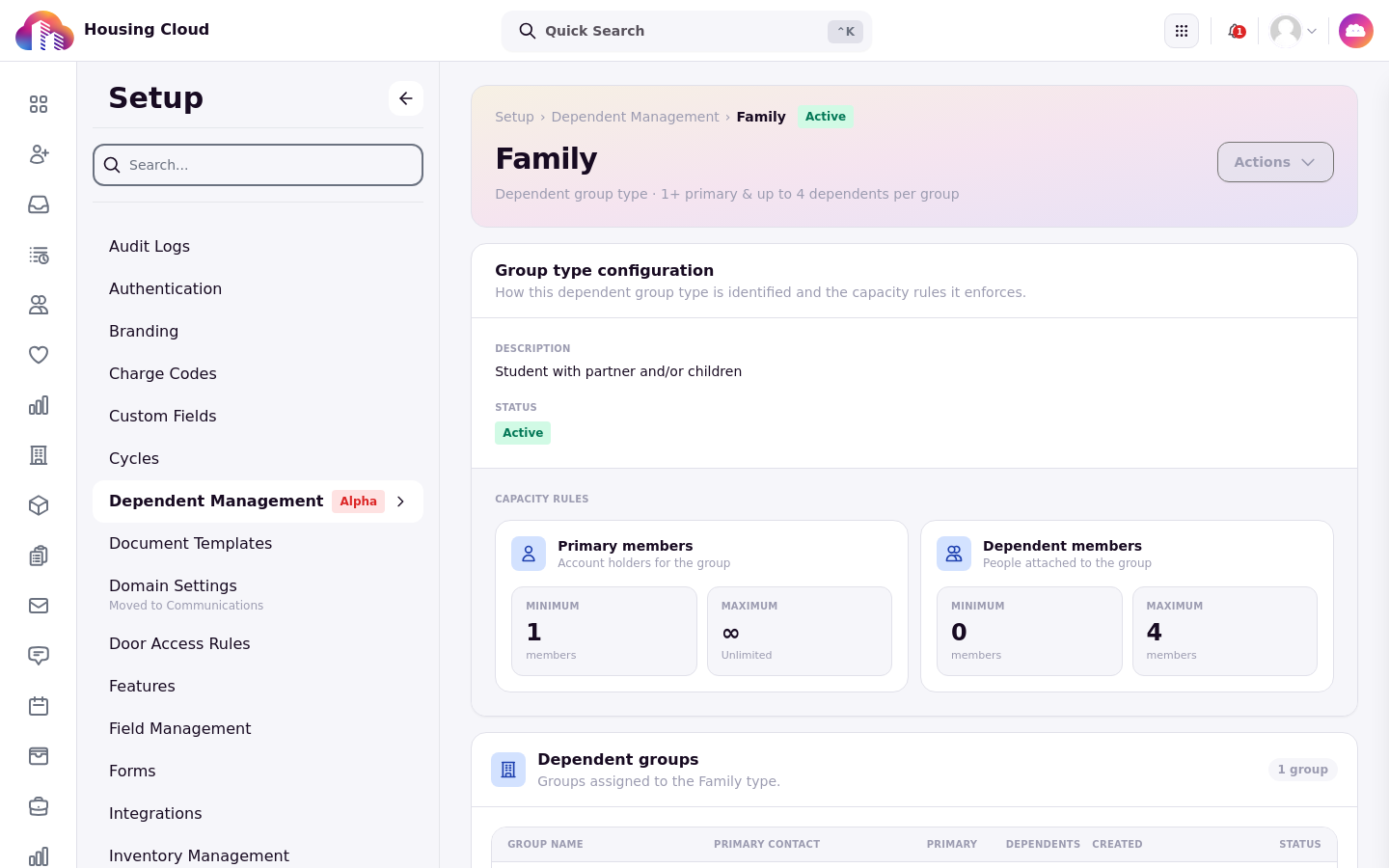
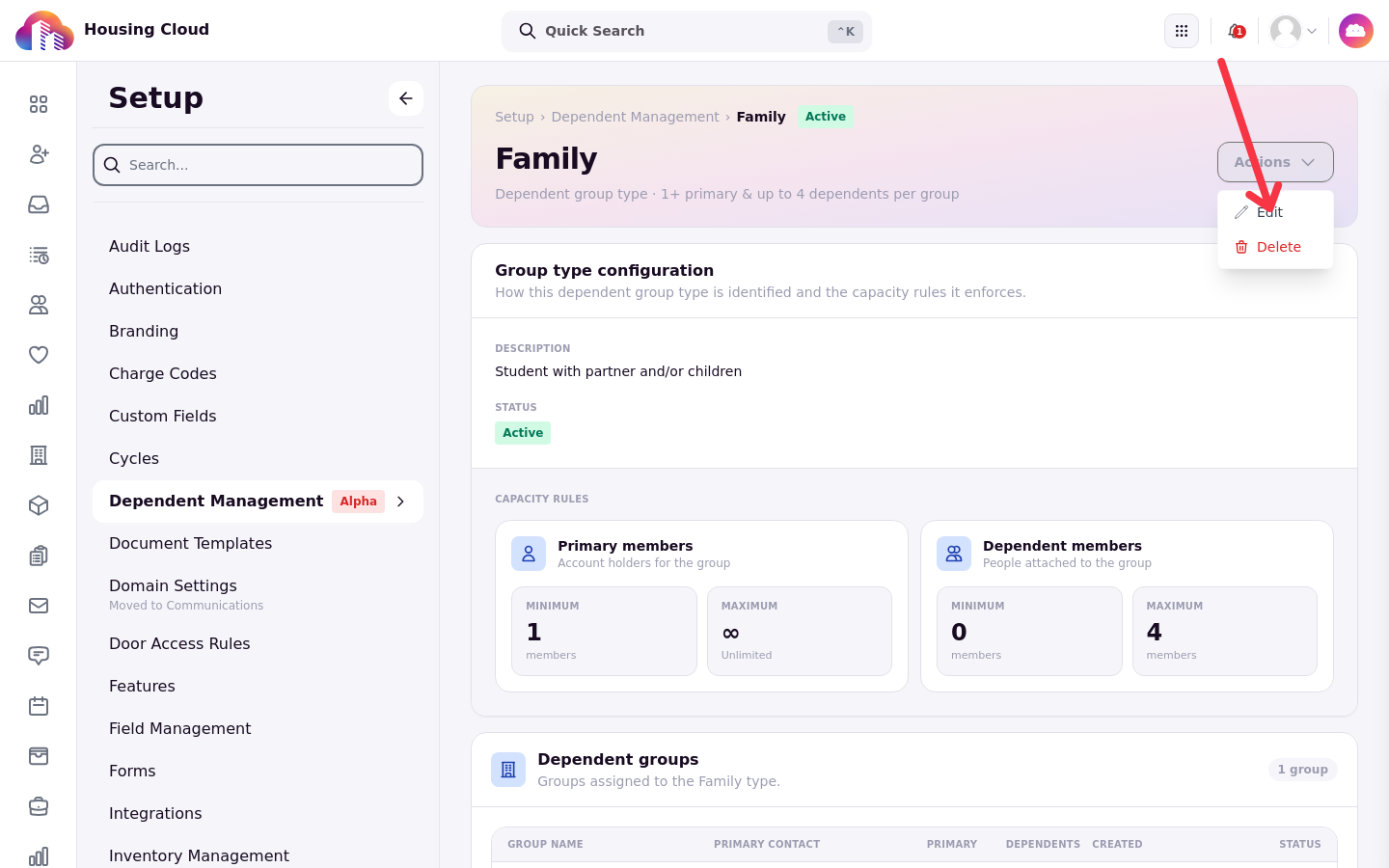
The type page shows the Active or Inactive status and a summary line such as "Dependent group type · 1+ primary & up to 4 dependents per group". The Group type configuration section holds the Description, the Status, and the Capacity rules: a Minimum and Maximum box for Primary members, the account holders for the group, and for Dependent members, the people attached to the group. A blank maximum shows ∞ Unlimited.
The Dependent groups section lists every household of this type, with Group name, Primary contact, Primary, Dependents, Created, and Status. Check this list before changing limits: it shows the groups the change will affect.
Read a role page
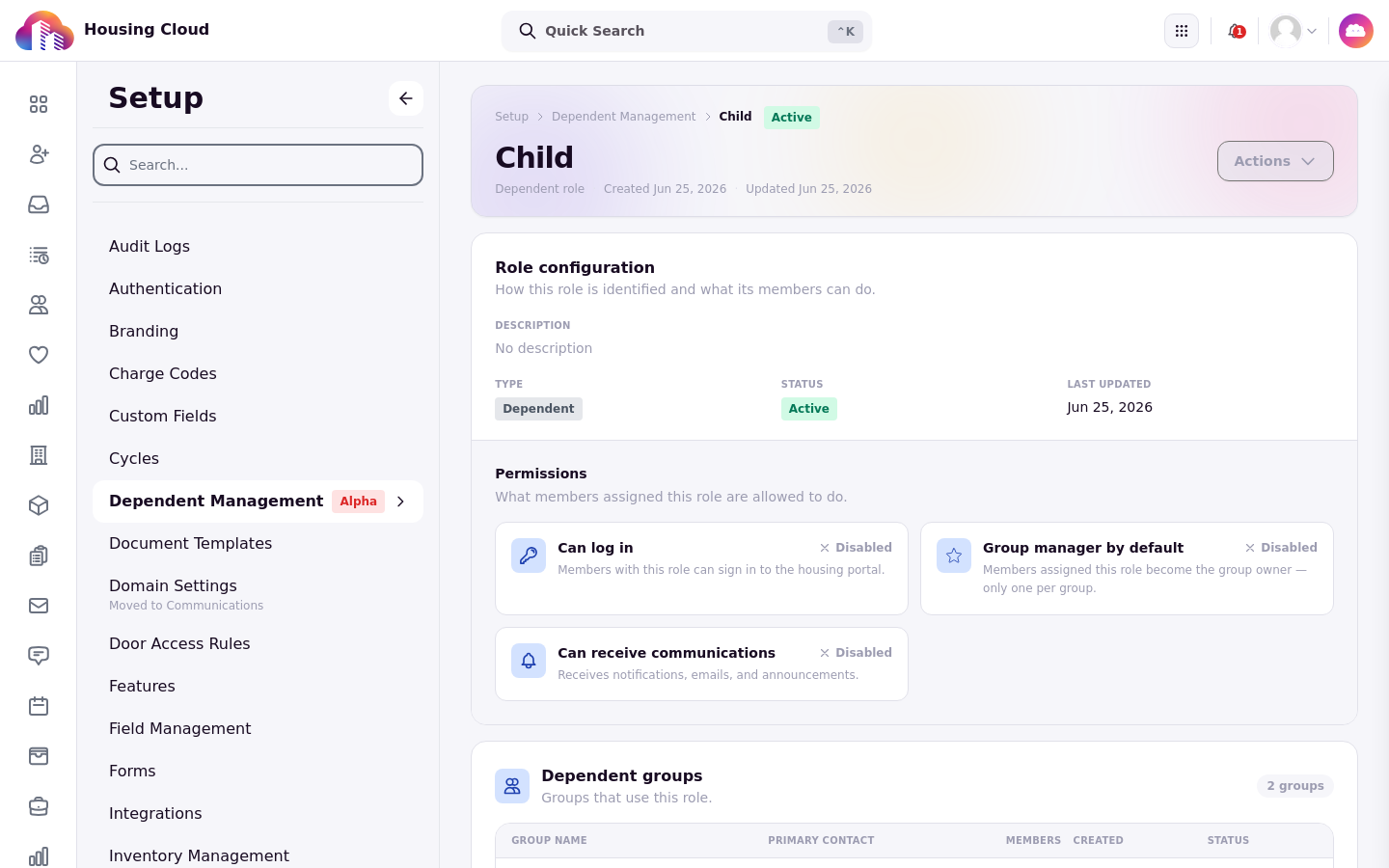
The role page shows the role's Type (Primary or Dependent), Status, Display name, and created and updated dates. Its three settings are marked Enabled or Disabled: Can log in, Group manager by default, and Can receive communications. Whole-household messaging isn't currently available. The setting is still displayed and copied to member assignments.
The Dependent groups section ("Groups that use this role.") lists the groups using the role, with Group name, Primary contact, Members, Created, and Status.
Edit a type or role
Open Actions and choose Edit. A type opens the Edit Dependent Group Type form, saved with Save; a role opens the Edit role form, saved with Save changes.
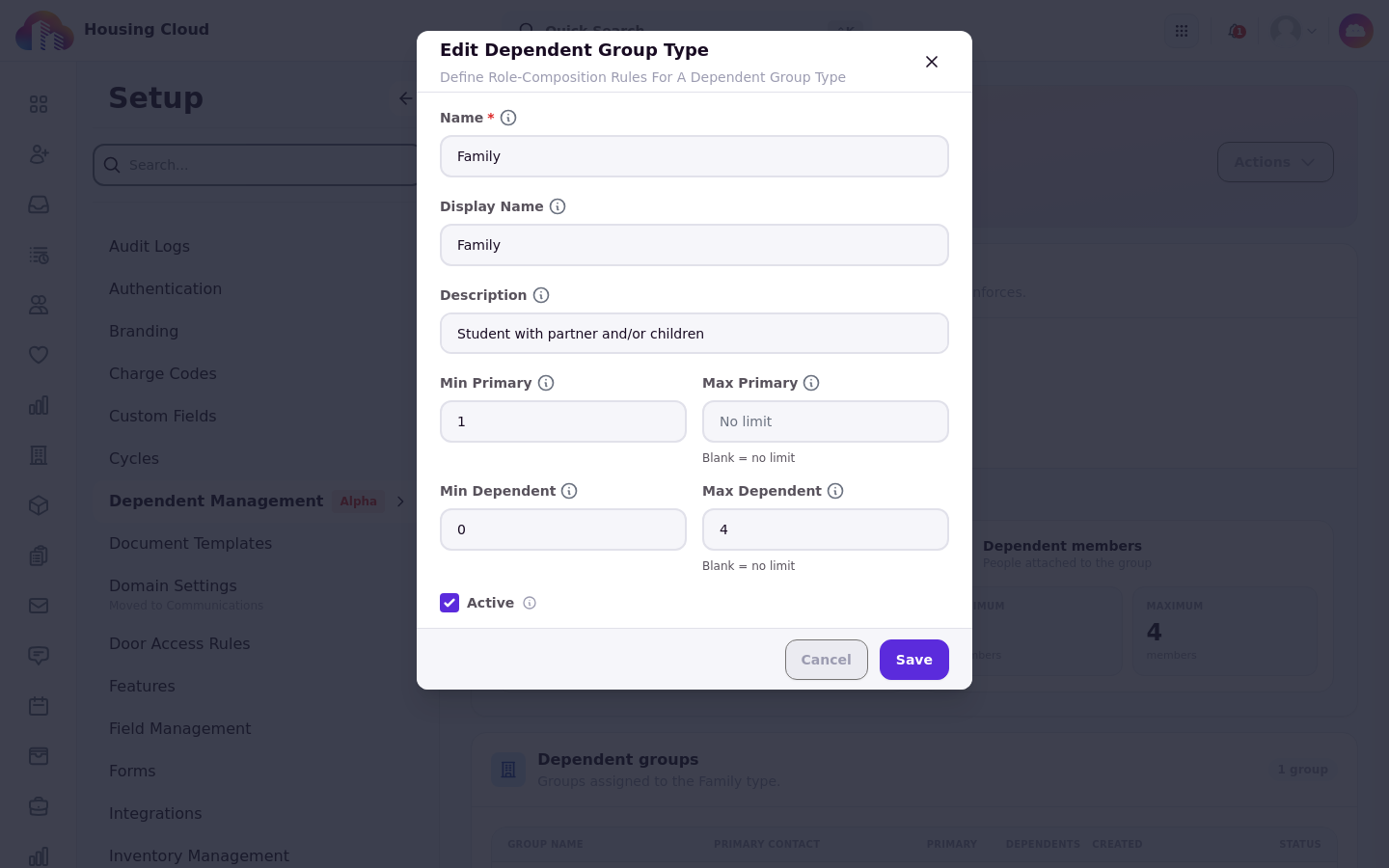
Changing a type's limits takes effect the next time someone is added or the group is marked Active. Existing groups over a new limit are flagged in the group's Resolve before activating box and, at rollover, as Over Household Type Limit.
To change one existing member's role or sign-in, use their member window instead; see Change a Household Member's Role, Sign-in and Owner.
Retire a type or role
Retiring means turning Active off in the edit form and saving. Inactive types are hidden when groups are created, and inactive roles can't be given to new members. At rollover, a household with an inactive type reads Household Type Inactive and one with an inactive member role reads Role Inactive, so reactivate the type or role if those households should roll over.
Delete a type or role
Actions > Delete opens a "Delete group type?" or "Delete dependent role?" confirmation. The confirmation warns that the removal can't be undone and that groups using the type will need a different type. The delete works only when nothing uses the type or role.
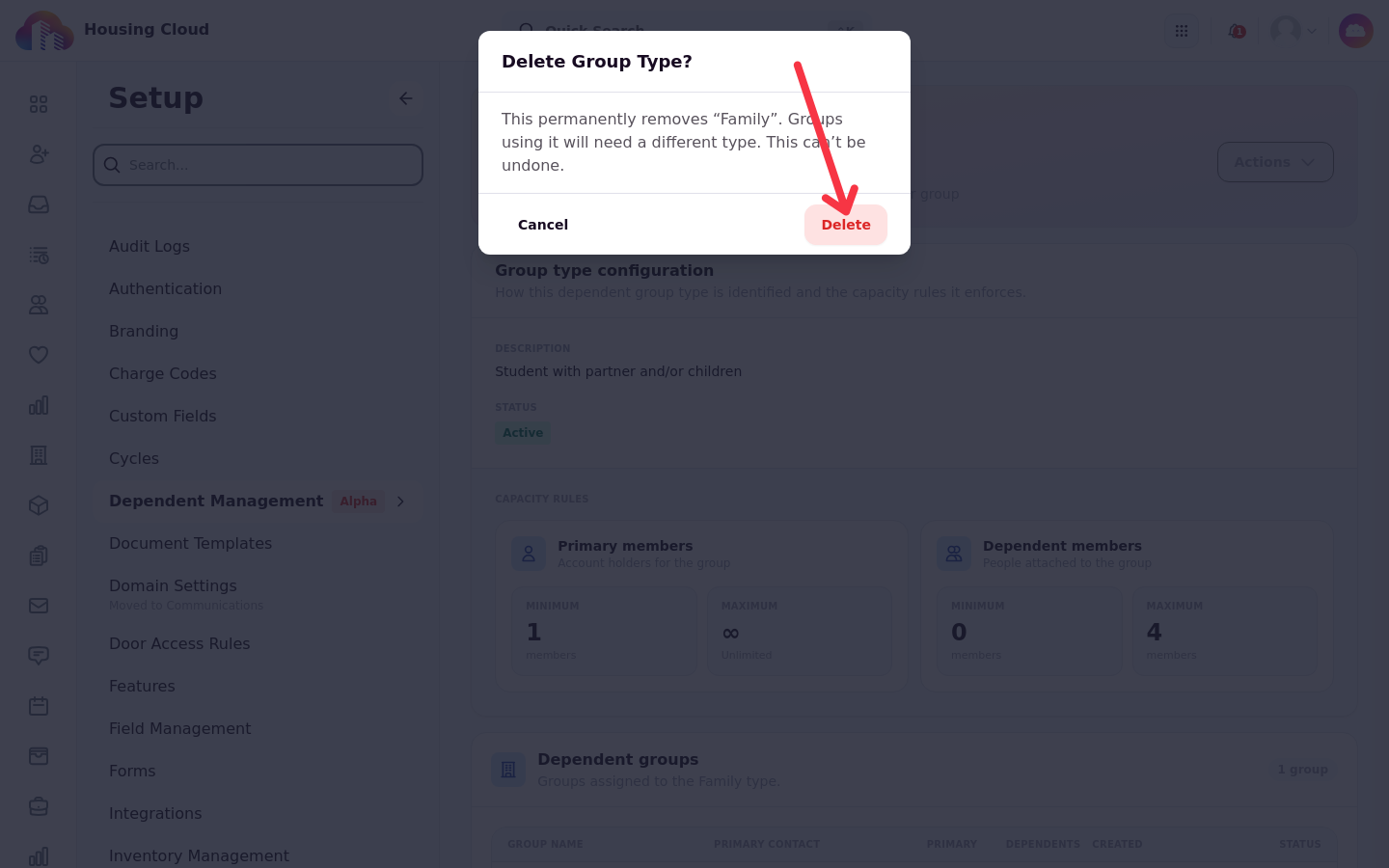
Otherwise it is refused with "Cannot delete a dependent group type that still has groups. Deactivate it instead." or "Cannot delete a dependent role that is still assigned to members. Deactivate it instead."
When a delete is refused, retire the type or role instead.
Verify
Back on the Dependent Management tabs, the type or role shows its new values and its Active status. An inactive type doesn't appear when a group is created, and an inactive role can't be selected when a member is assigned.