How Students Can Un-Submit Applications
Last updated: October 2, 2026
Students can return a submitted application back to In Progress status to make edits, as long as the application has not yet been approved by your housing team. This allows students to update their preferences, roommate requests, or other responses before final approval.
If you want to prevent students from making changes after submission, you can enable auto-approval in your cycle settings.
Un-Submit an Application
From the resident portal at housing.cloud/applications, students see a Manage button on applications with Under Review status (applications they've submitted but you haven't approved yet).
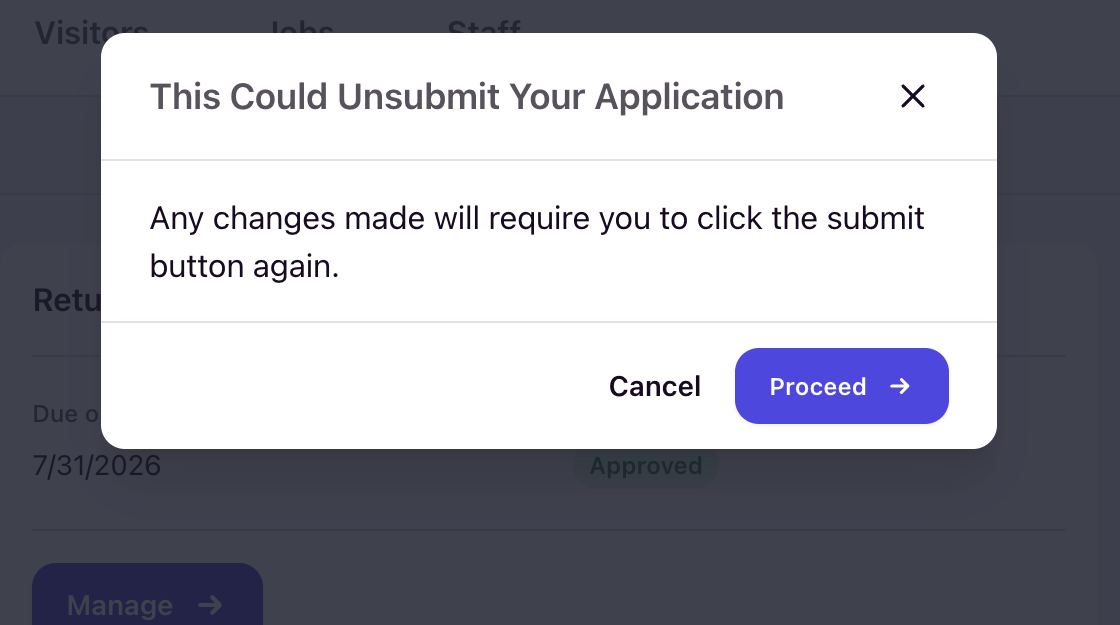
When they click Manage, the system shows a confirmation modal:
Modal title: "This Could Unsubmit Your Application"
Message: "Any changes made will require you to click the submit button again."
Buttons: Cancel | Proceed
If the student clicks Proceed, the application immediately returns to In Progress status and becomes editable again. The student must re-submit the application when they're finished making changes.
Application Status Flow
Here's how the status changes when a student un-submits:
- Under Review → Student clicks Manage → Confirms in modal → In Progress
- Student makes edits and clicks Submit again → Under Review
Once you approve an application (status changes to Approved), the student can no longer use the Manage button to un-submit it.
Prevent Un-Submitting with Auto-Approval
If you want to lock applications immediately after submission and prevent students from making changes, enable the auto-approve setting for your housing cycle.
To enable auto-approval:
- Go to Setup → Housing Cycles
- Select your cycle
- Navigate to Application Settings
- Toggle on Auto Accept Applications
When enabled, all newly submitted applications automatically transition to Approved status, which removes the Manage button and prevents students from un-submitting.
Use auto-approval if you don't need to manually review applications before assignments, or if you want to guarantee students can't change their responses after submission.
If you do not see Auto-Approval enabled in your environment, please reach out the team via a Help Desk ticket.