Troubleshoot Housing Selection Issues
Last updated: October 2, 2026
If a student is unable to select a room during the self-selection phase, several factors may be blocking their access. This article outlines common reasons why students may be unable to proceed with housing selection — including rule violations, missing documents, deposit holds, and roommate group issues.
Administrators can always override rulesets and manually assign a space, but understanding the system’s logic helps ensure students follow your process and reach their assignment through the portal as intended.
Common Reasons a Student Cannot Select a Room
Is the student eligible for the room based on tag rules?
Check for tag conflicts that may prevent the student from seeing eligible spaces. Tag-based hard rules on beds, rooms, suites, or buildings may block access.
To investigate tag-based rule violations in detail, see how to check for room visibility issues here.
Is the room already assigned?
Rooms that are occupied or otherwise unavailable will not appear in the student’s room selection grid.
Has the student completed all required forms and documents?
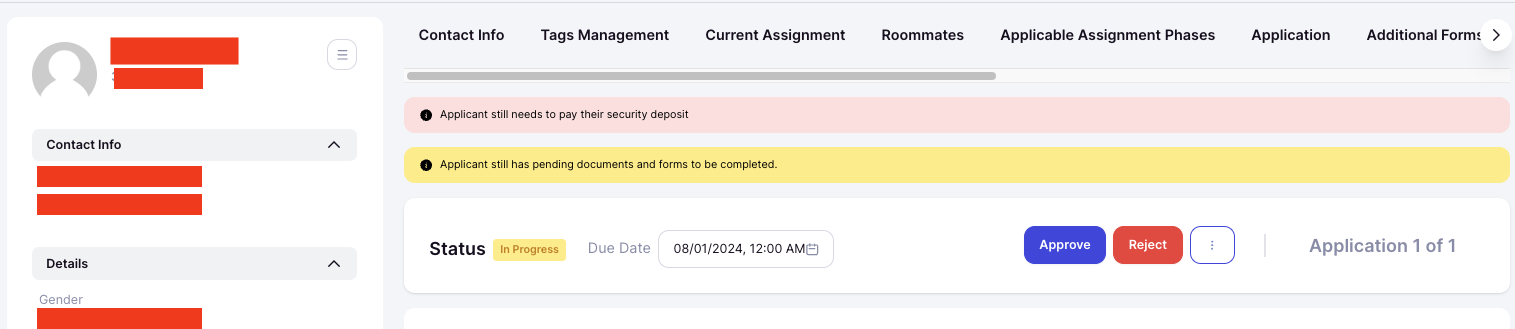
Check the student’s Application page for any yellow warning banners indicating missing documents or forms.

Has the deposit/fee been paid?
If your process requires a deposit, an unpaid deposit may block access. Look for red warning banners at the top of the student’s Application.
Has the student’s selection window opened?
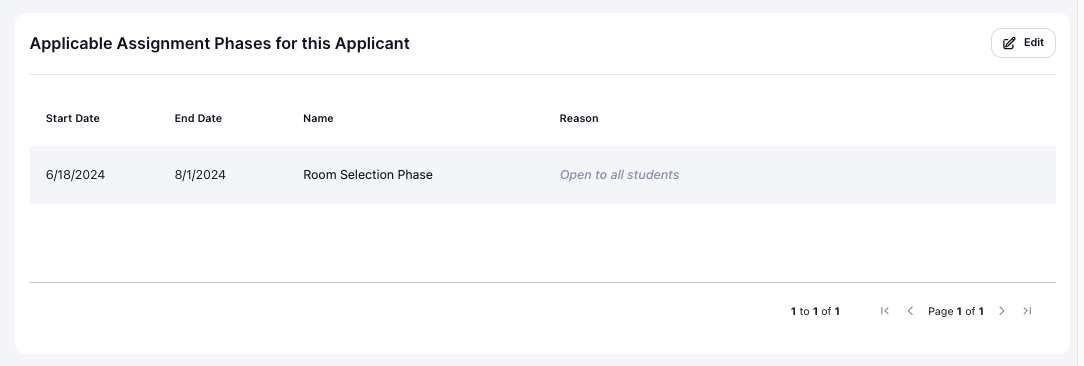
Selection access is determined by the student’s assignment phase. Review the student’s Application for a card titled Applicable Assignment Phases for this Applicant and confirm their time slot has started.
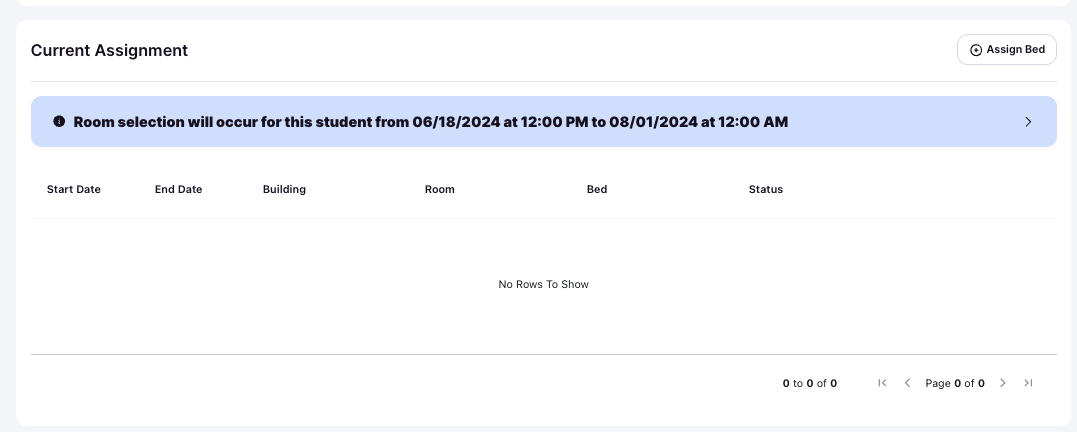
The upcoming selection date for a student will appear inside the Current Assignment card in the student's application page.
Additional Checks for Roommate Groups
If the student is part of a roommate group, additional restrictions may apply.
Is the student the group leader?
Only the group leader can select a room on behalf of the group. Check the Application header or Roommates card to see who is designated as leader.

Have all group members been approved?
Only students with approved applications can participate in room selection.
Does the group meet size requirements?
Review the housing cycle settings to ensure the group meets any min/max roommate requirements.
Are there any tag conflicts within the group?
Tag-based hard rules apply to all members of the group. Conflicts between roommate tags and the space may block access for everyone.
To investigate tag-based rule violations in detail, see how to check for room visibility issues here.
Still Stuck?
If you’ve confirmed documents, deposits, group setup, tags, and time slot are all correct — but the student still can’t select — submit a support ticket so our team can help you investigate.