Assign a Household to Rooms
Last updated: October 8, 2026
The Assign Bed menu in application review can place an entire household in rooms in one submission: selecting Assign Dependent Group assigns one bed to every member of a dependent group and creates one residency per member. Dependent groups are configurable person groups that can represent households, camps, or conferences, and each residency keeps its own charges, linked to the group.
Use this option during application review when the applicant's dependent group needs beds for the whole group, not just for the applicant. Where This Application assigns the applicant alone, the dependent-group option also places members who have no application of their own.
Before you start
The dependent-group option is only offered when all of the following are true:
You have access to the application in application review.
The applicant owns a dependent group in the same housing cycle as the application.
The group has members to place, because the assignment requires exactly one bed per member.
The applicant does not belong to a matching roommate group, because an applicant cannot be assigned through both a roommate group and a dependent group.
If the household is not yet set up as a dependent group, create it first; the steps are in Create and Manage a Dependent Group.
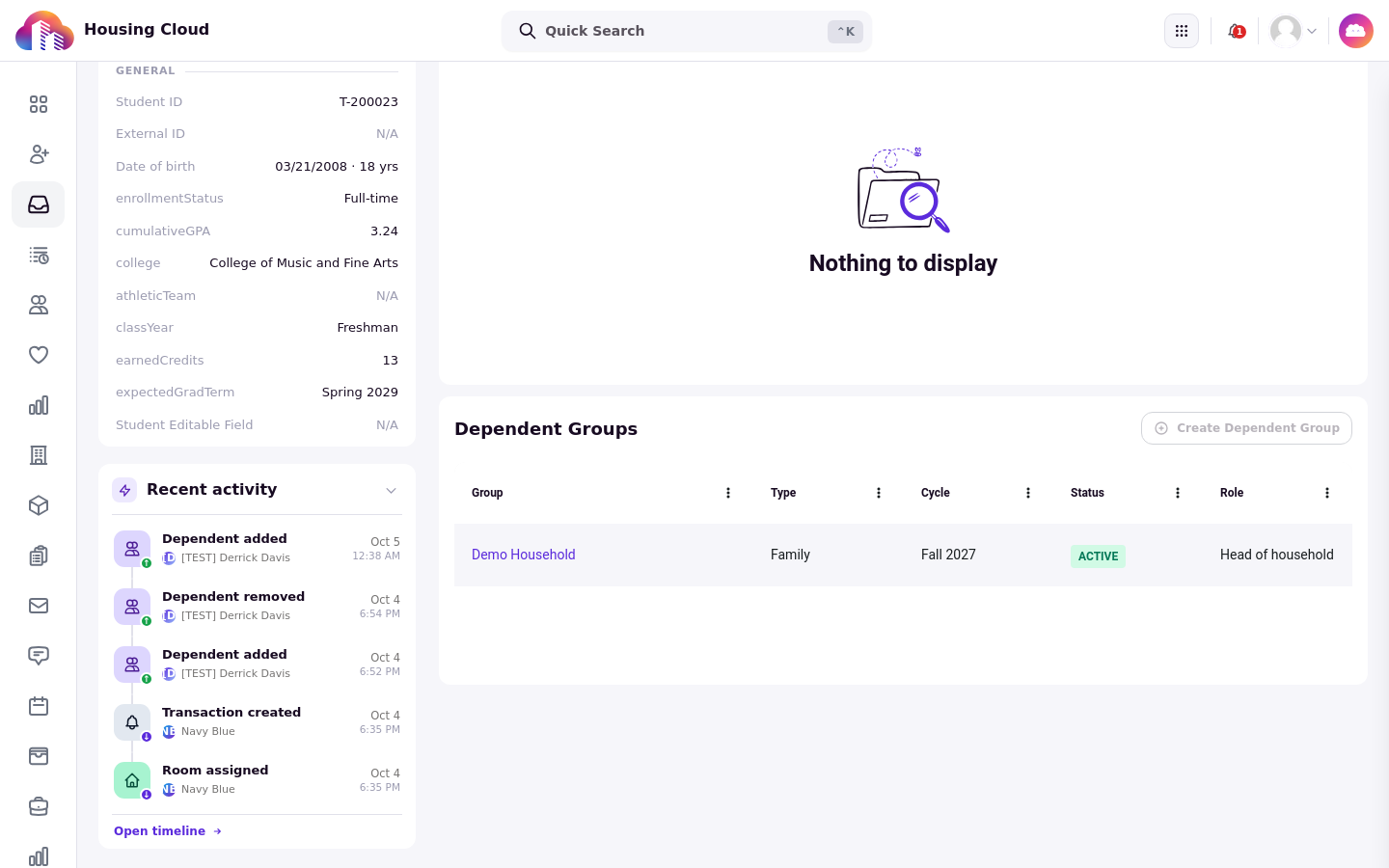
Open Assign Bed from application review
Open the applicant's application in application review (/admin/applicants/review) and open the Assign Bed menu on the assignment card. The menu lists every scope that applies to this applicant: This Application for the applicant alone, and Entire Roommate Group when a matching roommate group exists.
The Assign Dependent Group option appears when exactly one eligible dependent group exists. When several exist, each is listed as Assign Dependent Group followed by the group's name. When no eligible group exists, the option does not appear. An eligible group is an active group owned by the applicant in the application's cycle; groups in another cycle, or with a Draft, Inactive, or Archived status, are never offered.
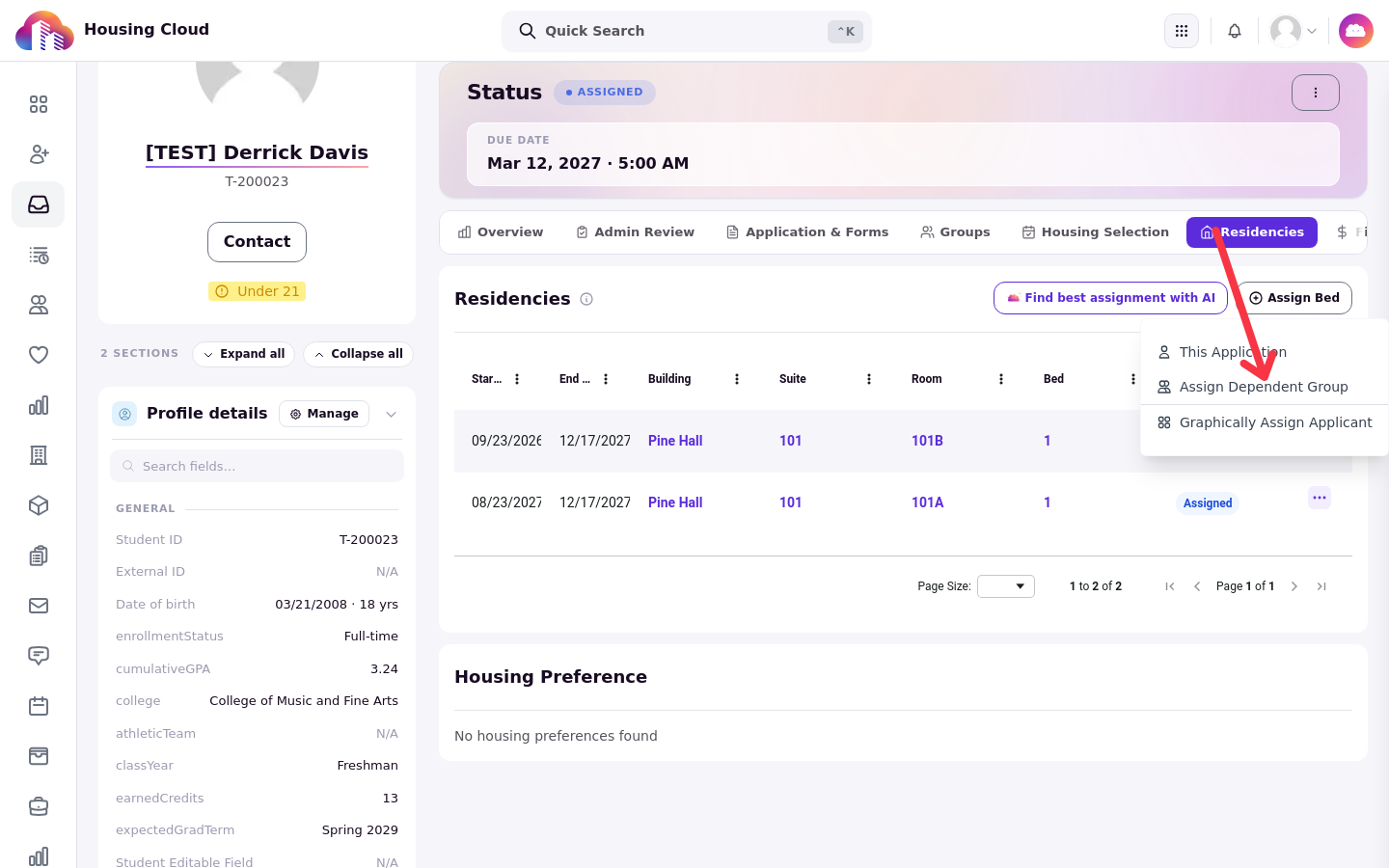
When the applicant belongs to a matching roommate group, the dependent-group option is shown but disabled, with the explanation: "This applicant belongs to a roommate group, so they can't also be assigned to a dependent group." Assign the roommate group through Entire Roommate Group instead.
Choose beds
Selecting the dependent-group option opens the room assignment modal, titled "Assign Beds for" followed by the group's name, with the fallback title "Assign Beds for the Dependent Group". Every group member is loaded into the picker, and each member must be assigned exactly one bed. The residency multiplier is bypassed for dependent groups, so the assignment is always one bed per member.
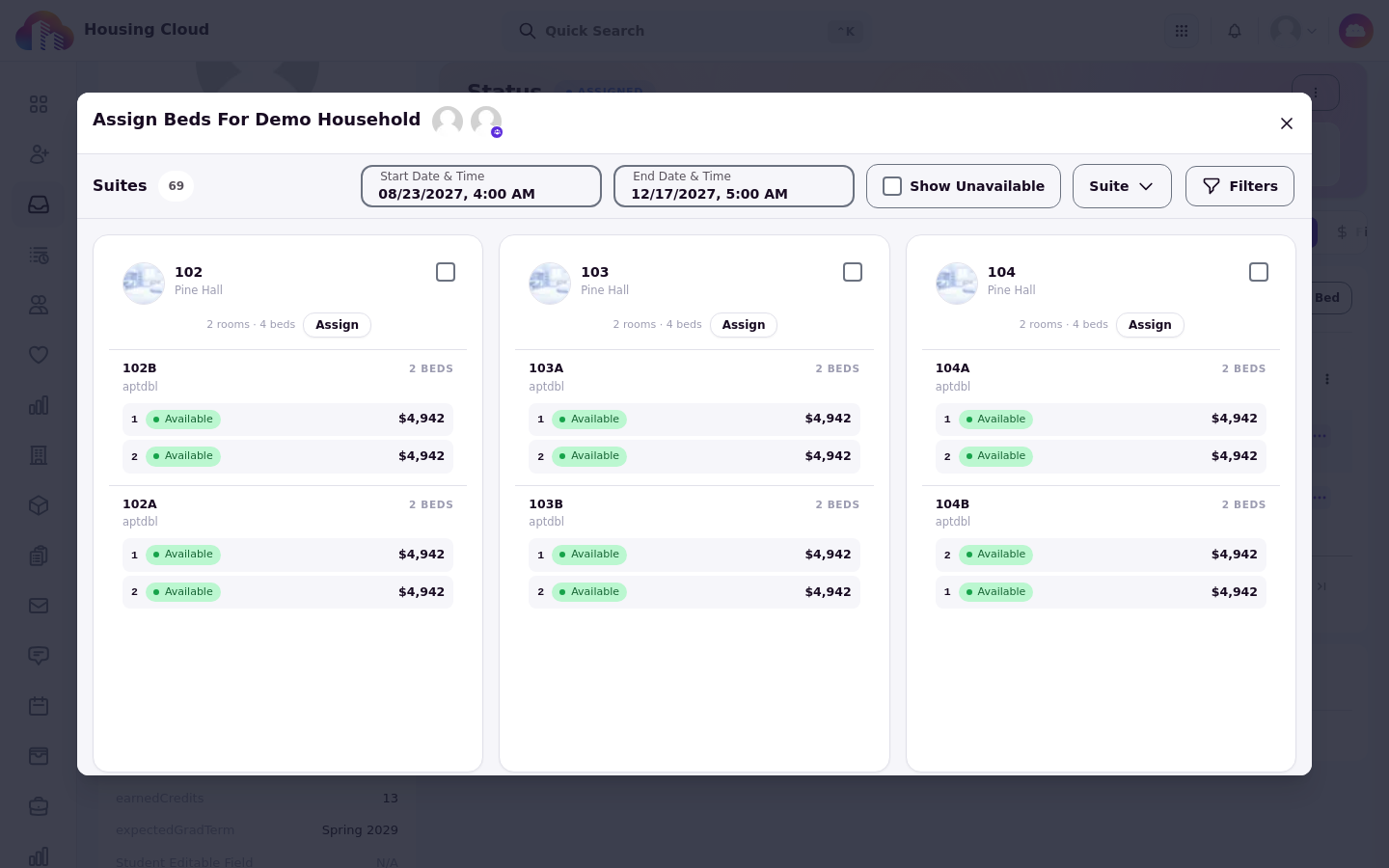
The primary applicant reuses the current application. The other members have no application of their own, and the booking service creates or matches them when you submit.
Room selection rules check every member's tags together. A rule violation pauses the flow until you select Ignore all violating rules, which then enables Next.
Review charges per member
The confirmation view lists each member separately with their building, room, and bed, followed by that member's charges. Review every member's row before you submit; the charges can be edited in this step. Charges are applied per member: each residency the submission creates carries its own charges, linked to the dependent group.
Submit the assignment
Submitting creates one residency per member in a single operation. Each new residency, and its charges, is associated with the dependent group.
Verify the assignment
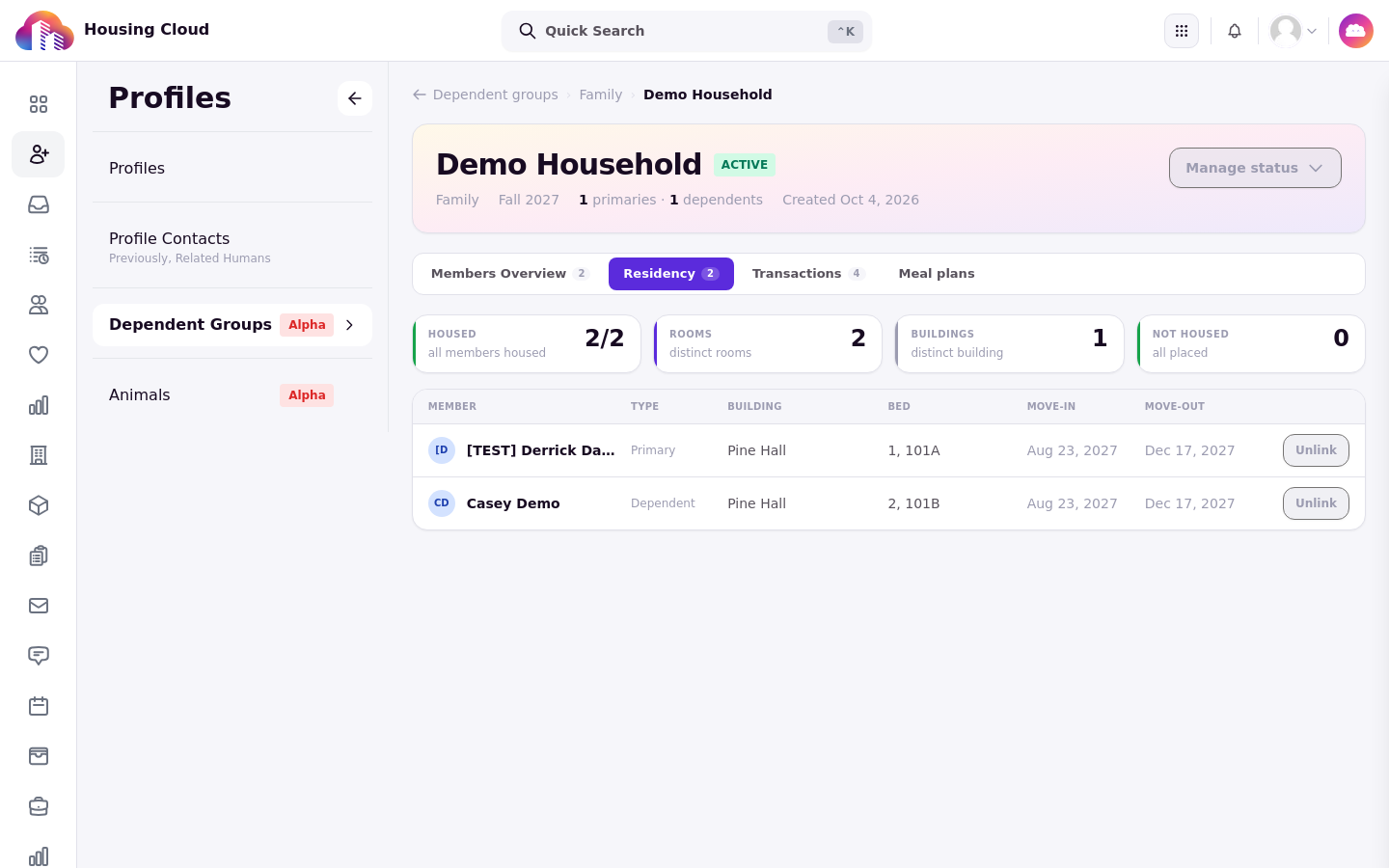
Open the group's detail page under Profiles > Dependent Groups and check the Residency tab. It shows occupancy per member, and surfaces exceptions such as a member with no linked residency.
For ongoing tracking of the group's residencies, charges, and meal plans, use Track a Household's Residency, Charges and Meal Plans.