Remind Residents About Uncollected Mail
Last updated: October 8, 2026
Reminders are never automatic: staff send them. Mail that has waited longer than the mailroom's ageing setting is labelled Ageing and the dashboard flags it, and from there you remind one resident or nudge everyone with mail waiting in one go. Every reminder reaches the resident by email and in-app notification.
The overdue alert
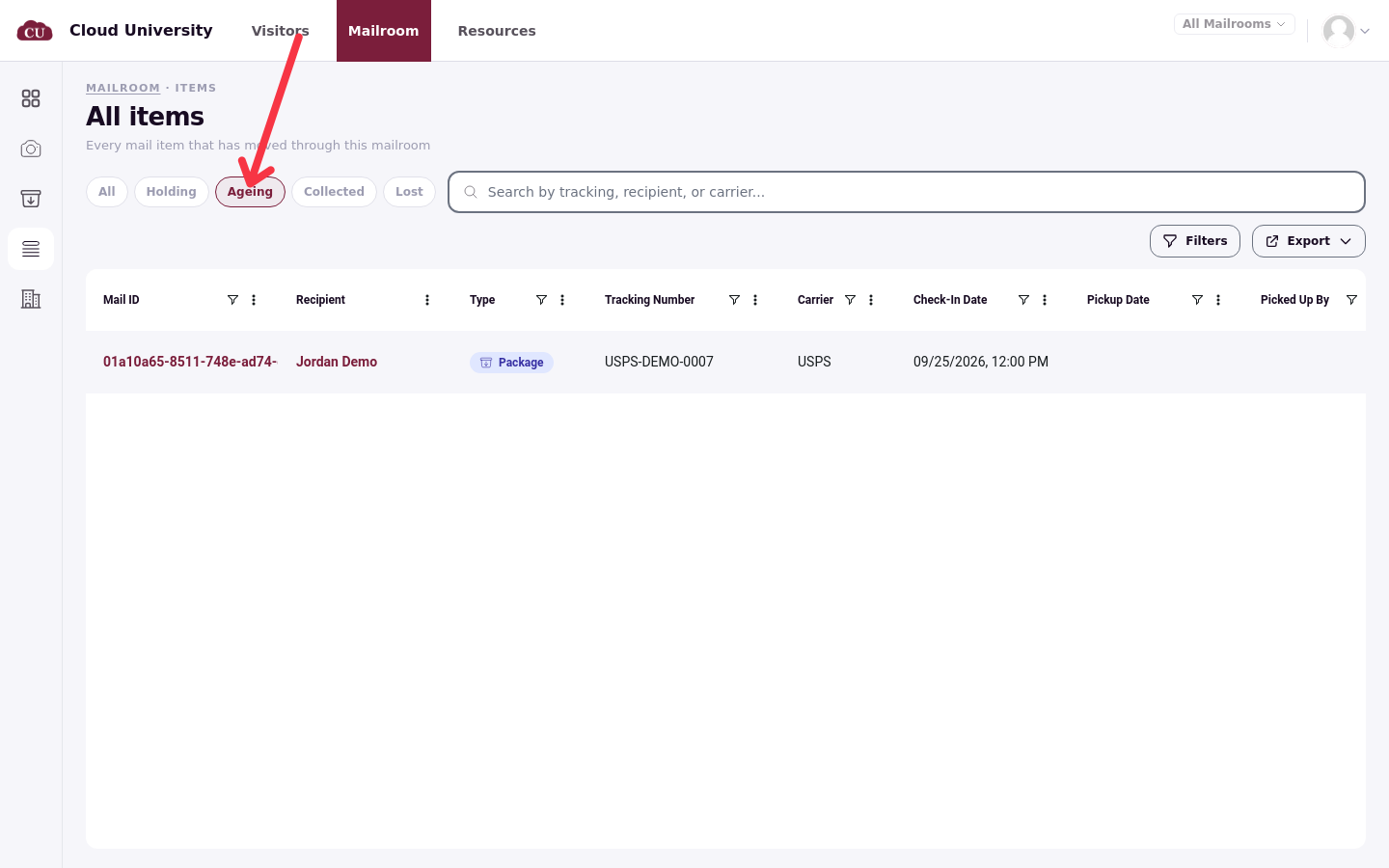
When at least one item has waited past the ageing threshold, the Clerk dashboard shows a red alert: 1 overdue (7+ days), with "Send batch reminder" underneath. The number of days follows the mailroom's Mark mail as ageing after (days) setting, counted from the item's received date. Review opens All items on the Ageing pill; the dismiss icon hides the alert for the session.
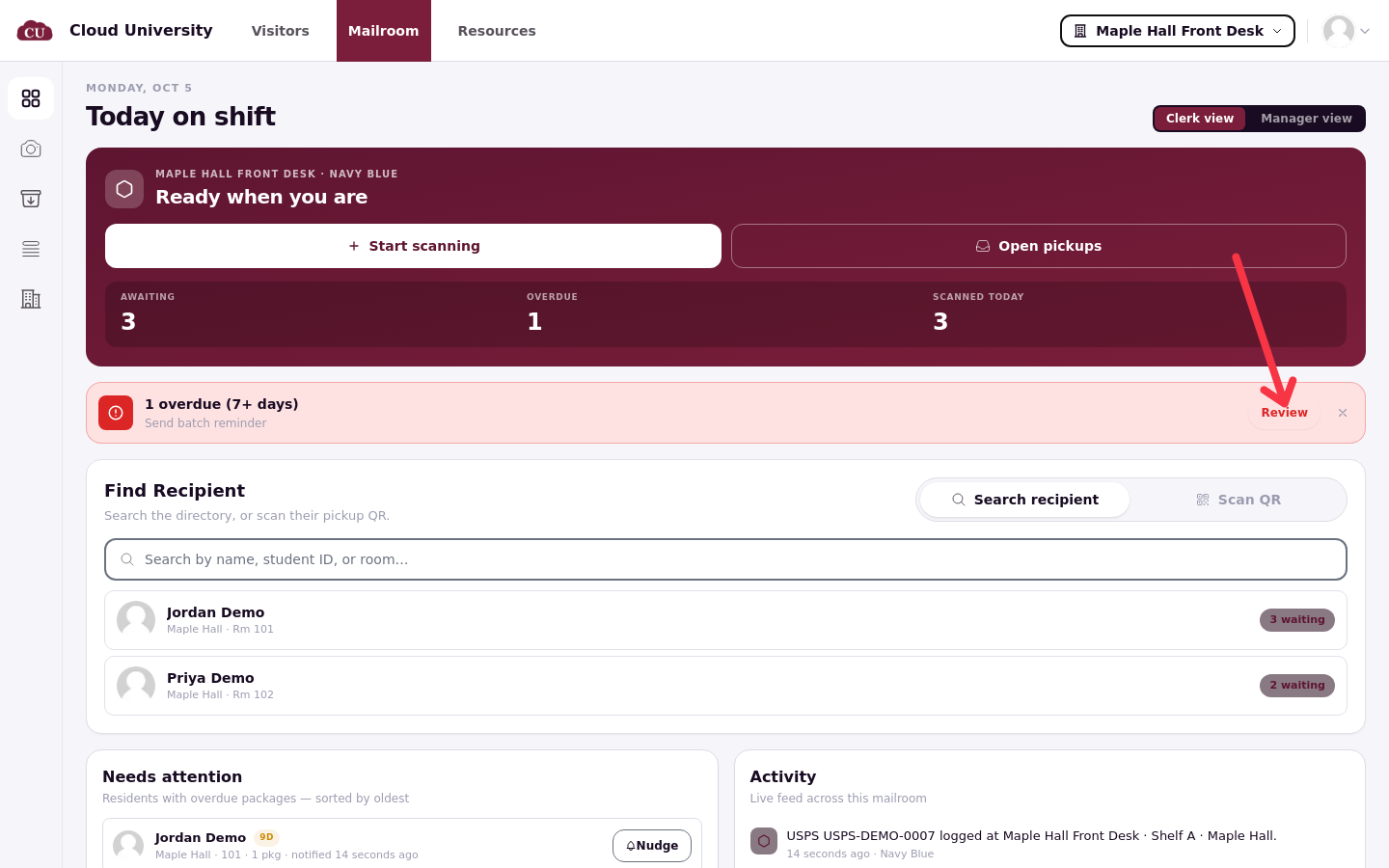
Below the alert, Needs attention lists "Residents with overdue packages — sorted by oldest", each row showing the resident, their room, how many packages and how long the oldest has waited, with a Nudge button.
Remind one resident
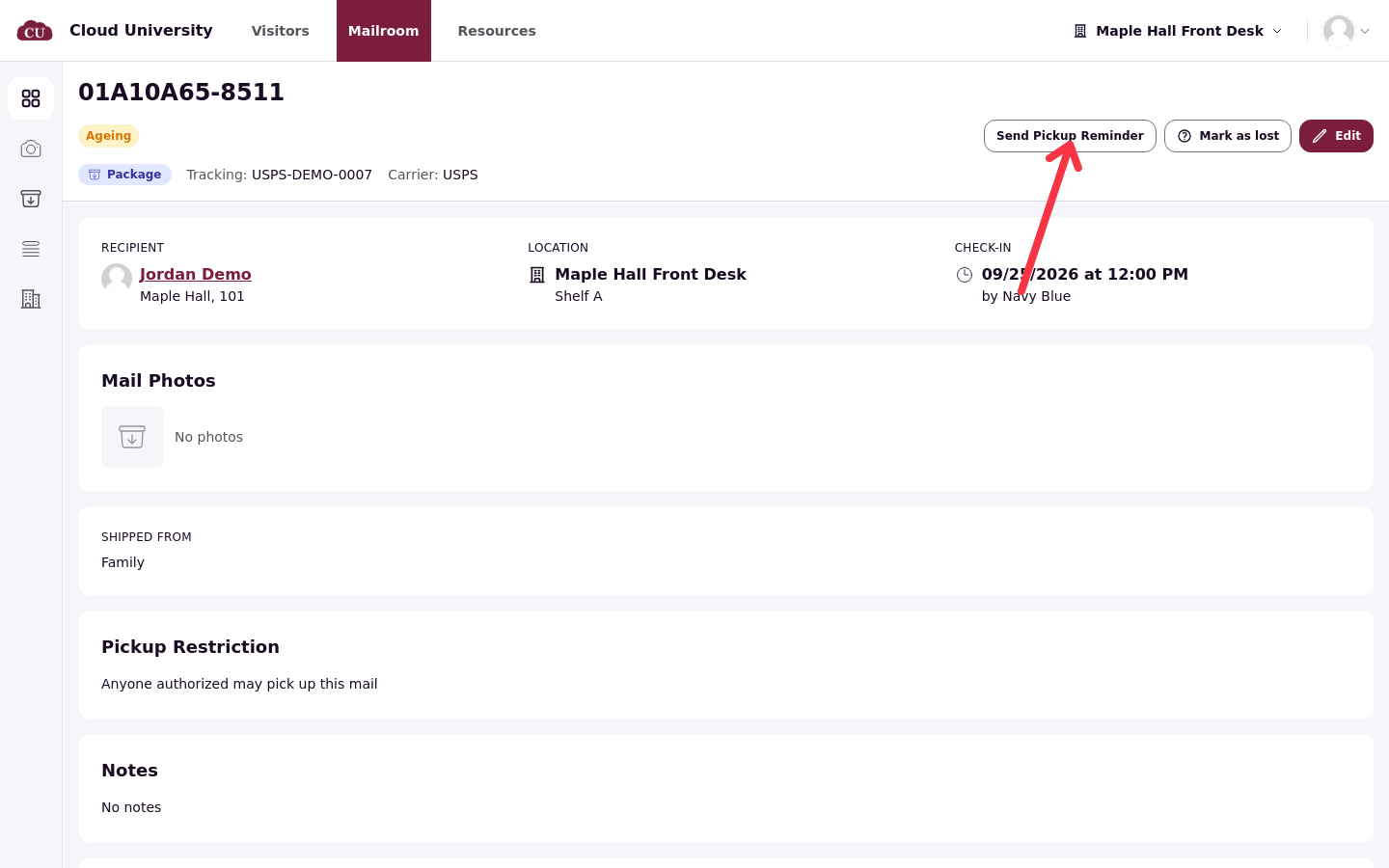
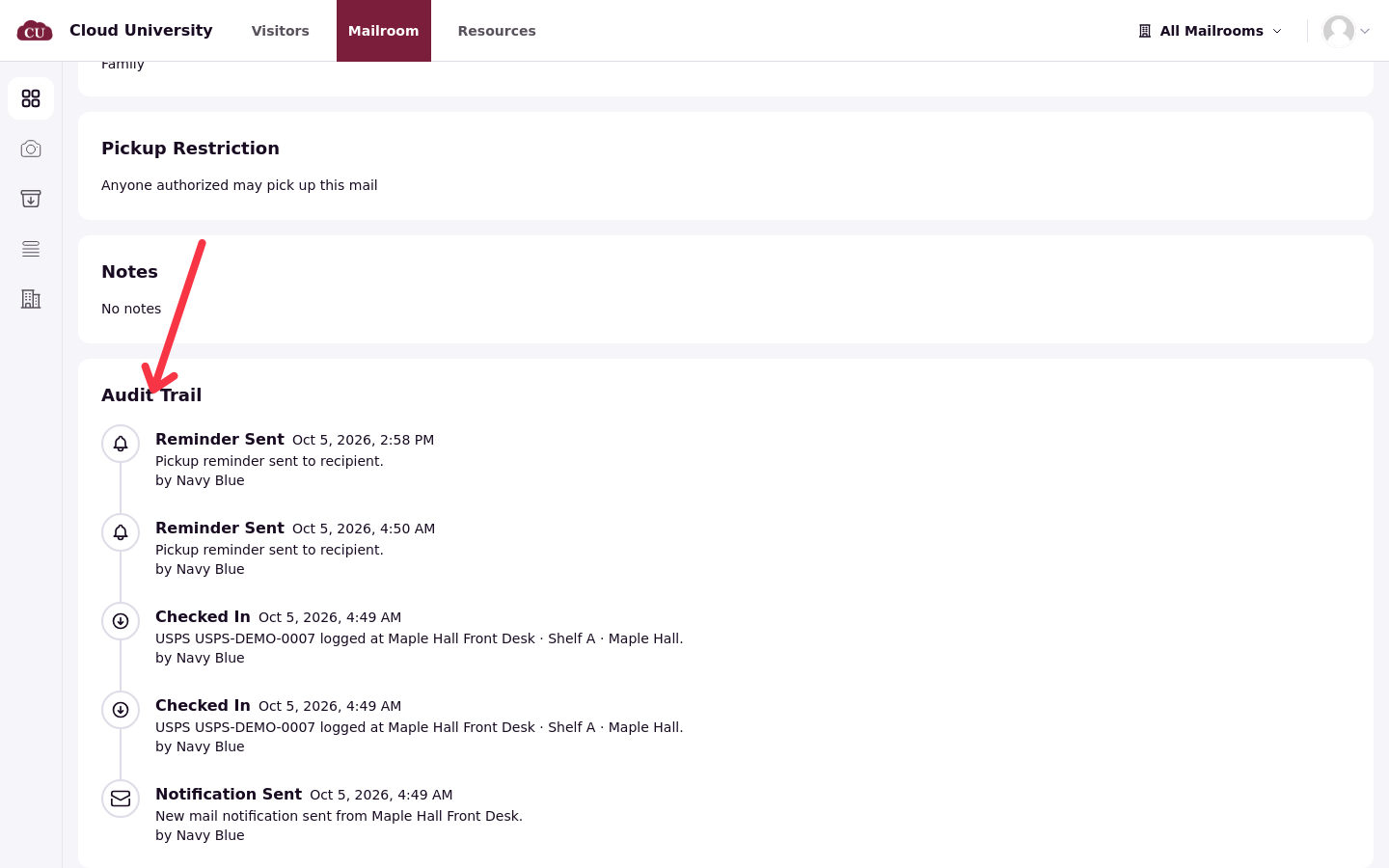
Open the item's page from All items and click Send Pickup Reminder in the header. A confirmation ("Pickup reminder sent") appears and the item's Audit Trail records that a reminder went out.
One reminder covers the resident, not one item: the email lists everything of theirs still waiting.
Nudge several residents at once
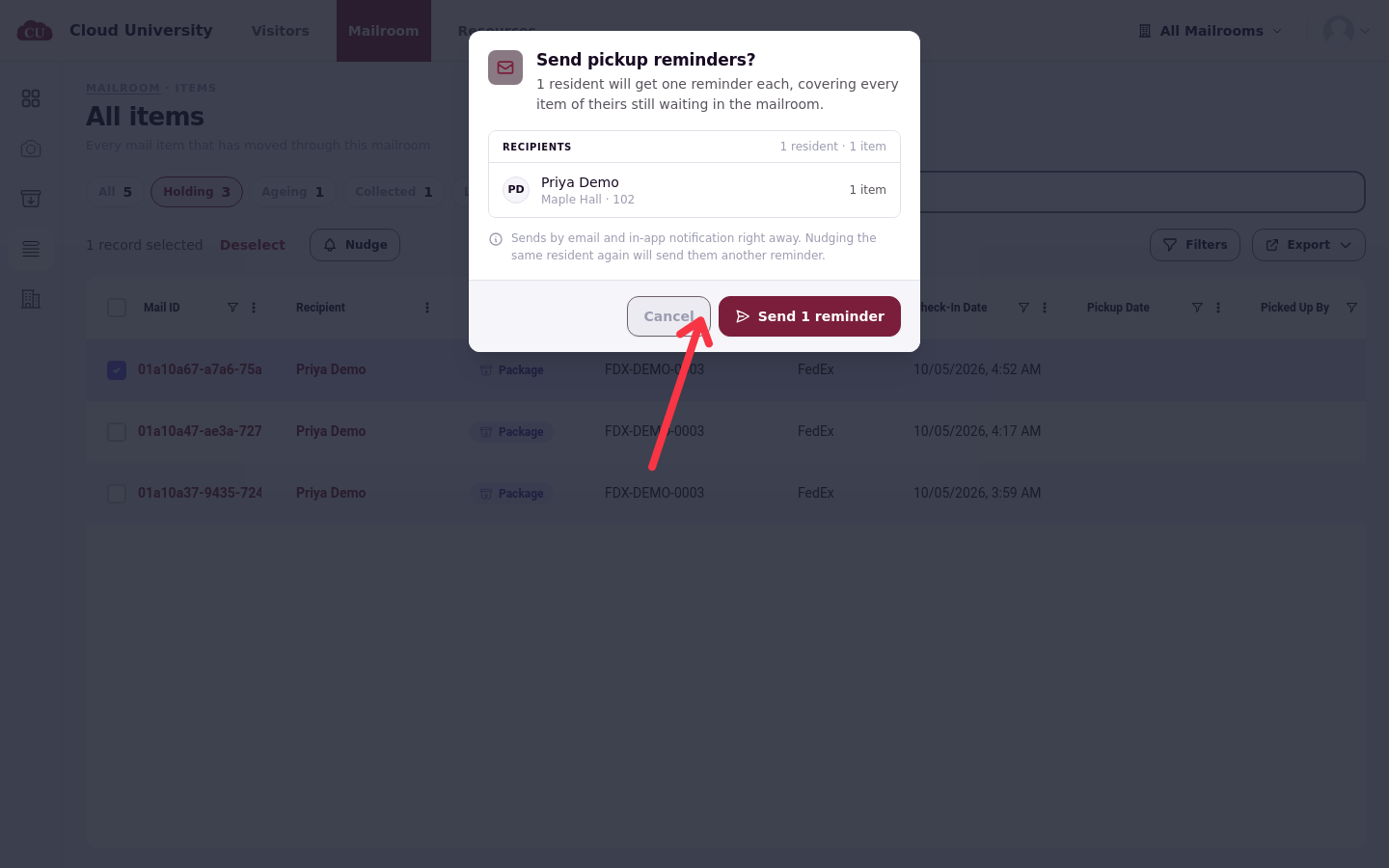
On All items, filter to Holding or Ageing, tick the rows, and click Nudge. The confirmation dialog, "Send pickup reminders?", names every recipient: "1 resident will get one reminder each, covering every item of theirs still waiting in the mailroom." It also notes that "Sends by email and in-app notification right away. Nudging the same resident again will send them another reminder." Check the recipient list, then send.
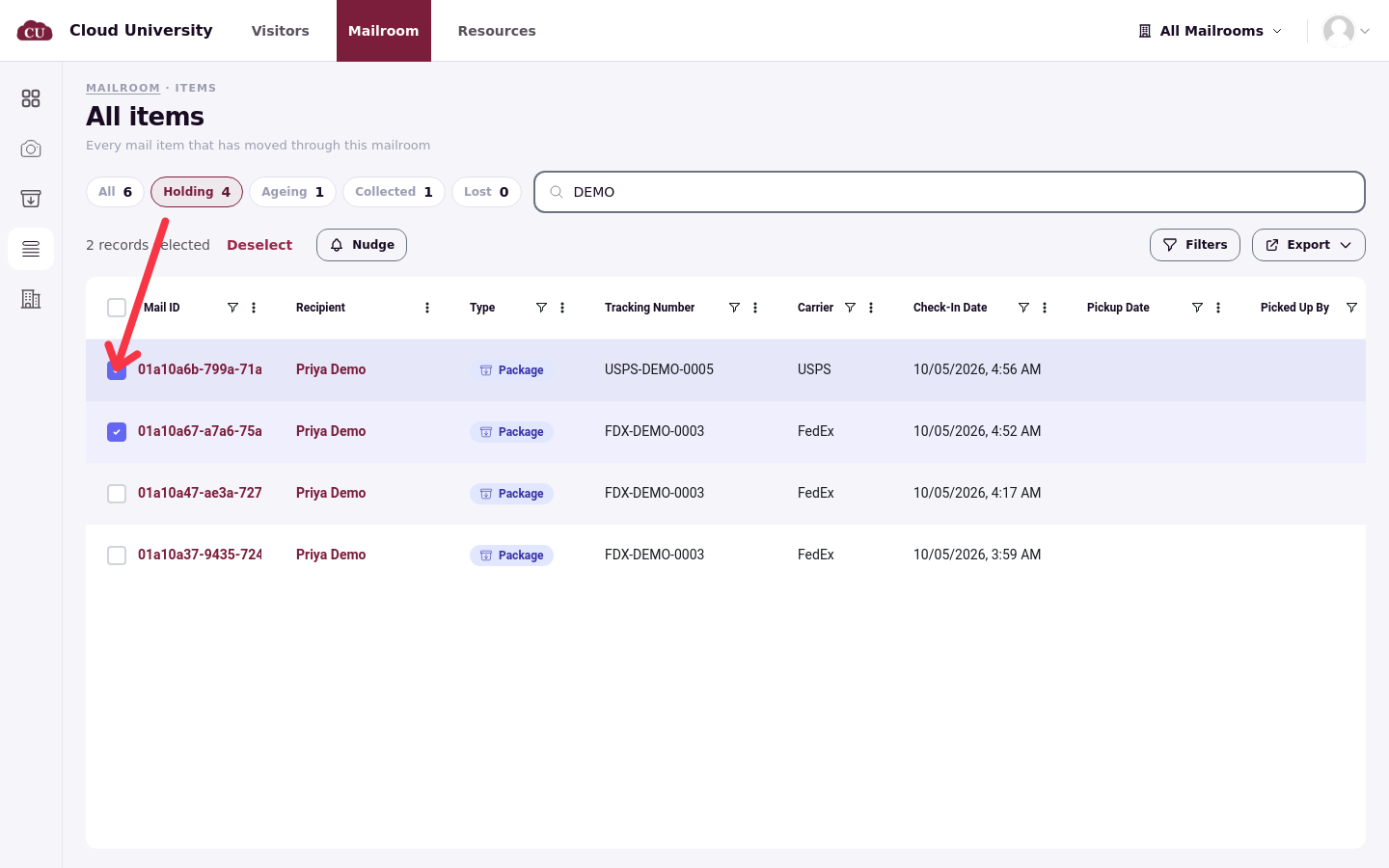
Collected, lost, cancelled or unassigned items cannot be nudged; select only waiting mail. Nudging the same resident again simply sends another reminder, so repeat nudges are safe but noisy.
Good to know
Nothing is sent overnight. There is no schedule: if nobody sends a reminder, none arrives, however long the mail waits.
Ageing is only a label. Marking mail as ageing changes the badge, the Ageing pill and the dashboard alert; it does not notify anyone by itself.
Verify a send on the item's Audit Trail, which records the reminder with the time and the staff member who sent it.