File a Request on a Resident's Behalf
Last updated: October 8, 2026
When a resident reports a problem at the desk or through their Resident Assistant, file the request for them so it is tracked like any other request. Desk staff file from the admin portal, and Resident Assistants file from the staff portal. The request behaves like any other, with one difference: it never gets a satisfaction rating.
Before you start
Pick the request type that fits what the resident reported. Desk staff file from the admin portal, and Resident Assistants file from the staff portal, where the available request types are loaded for staff and are not limited to the resident request-type list.
File from the desk
Open the resident's profile in the admin portal, open Profile actions, and choose Create Request On Behalf Of.
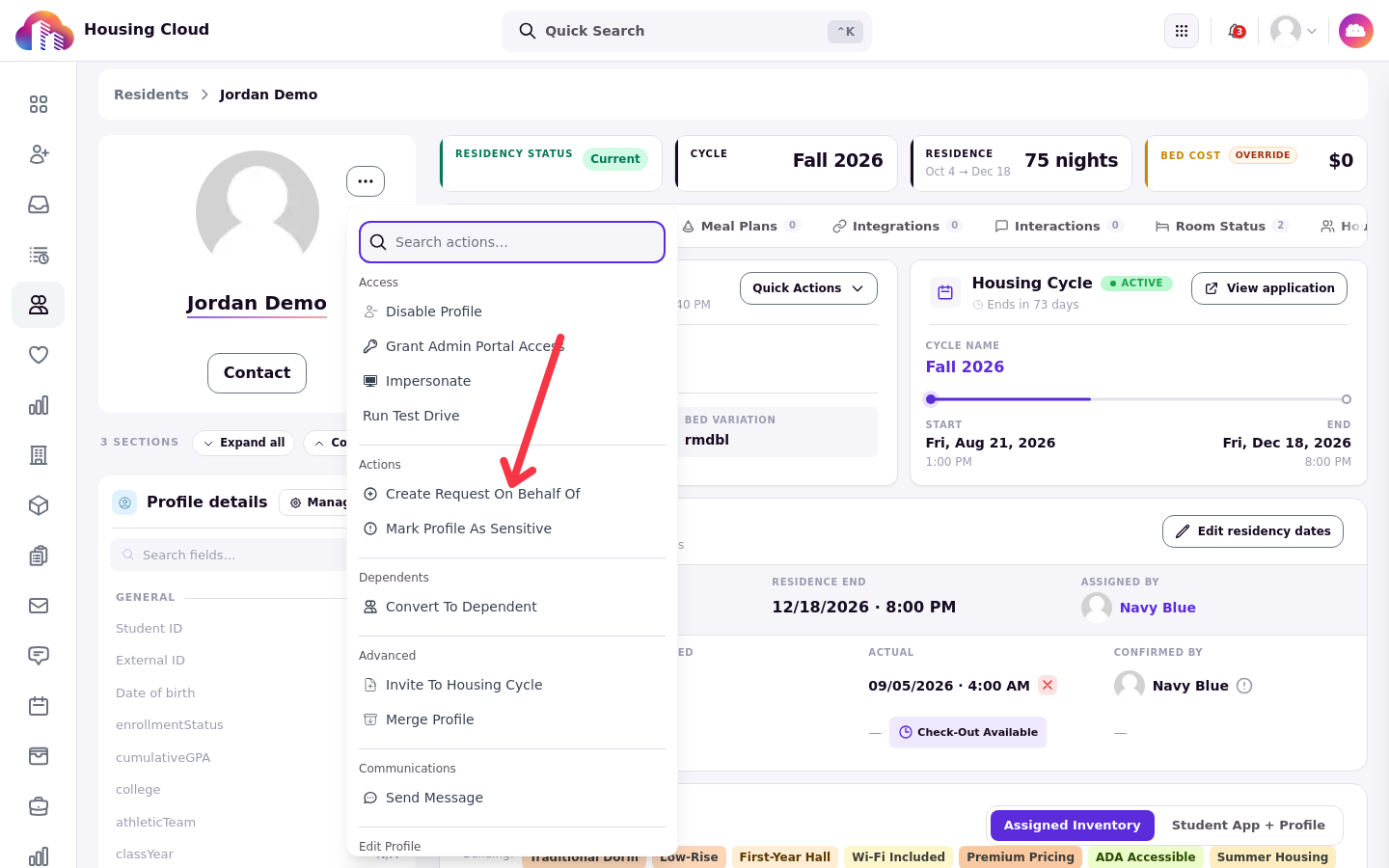
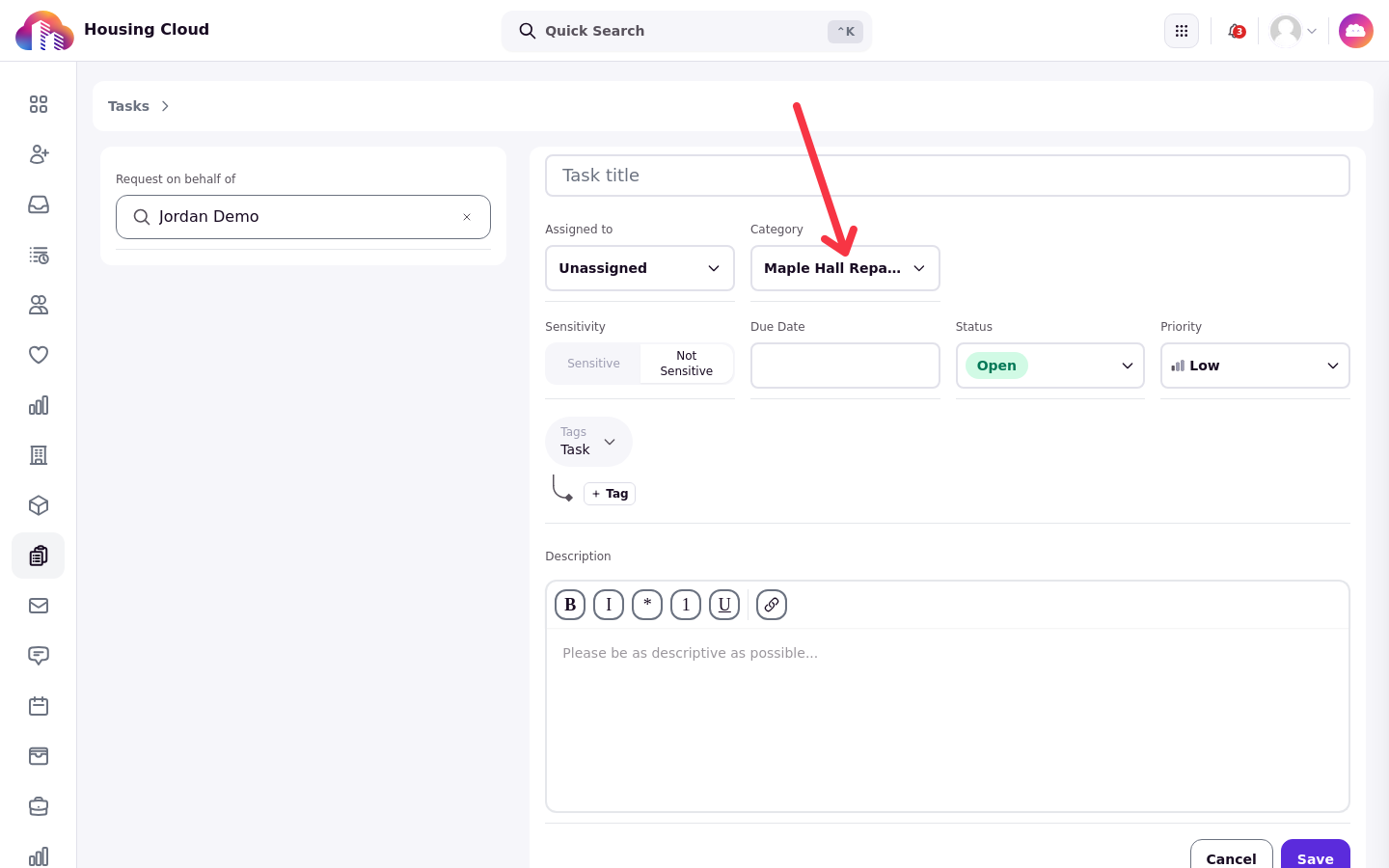
The request form opens with the resident already set as who it is for: pick the request type, add a title and the details, and save. You can also start from the Tasks queue with Create Task and choose the resident there.
File from the staff portal
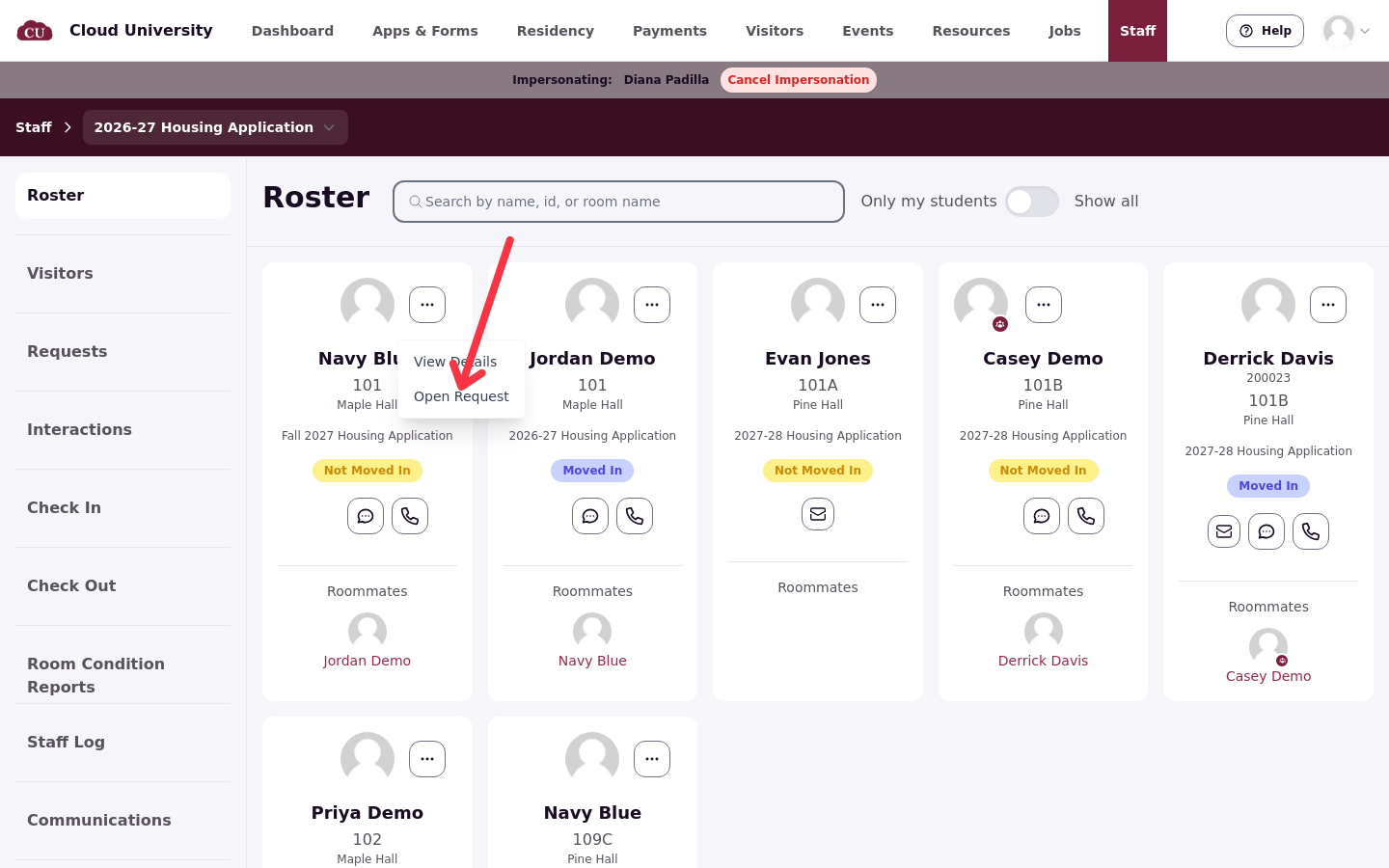
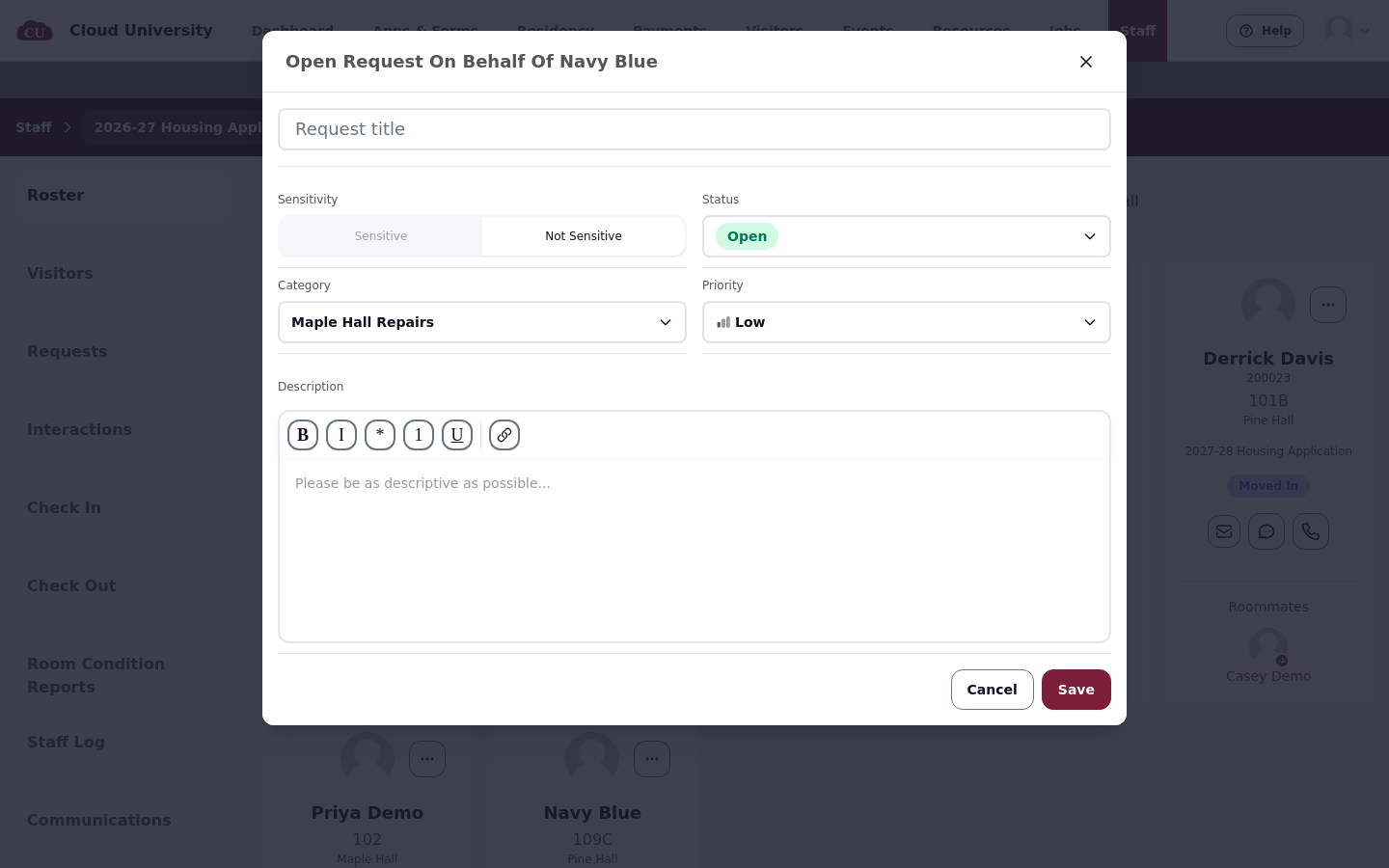
Resident Assistants file from the staff portal. From Staff, open the resident on the roster and choose Open request, then open a request on behalf of the resident by name. The available request types are loaded for staff; they are not limited to the resident request-type list.
The resident sees the request
An on-behalf request is never a private staff note. The resident sees the request in their own list and is notified. For a desk note the resident should not see, file it under an admin-only request type instead, such as Maple Hall Desk Follow-up.
How the request shows in the queue
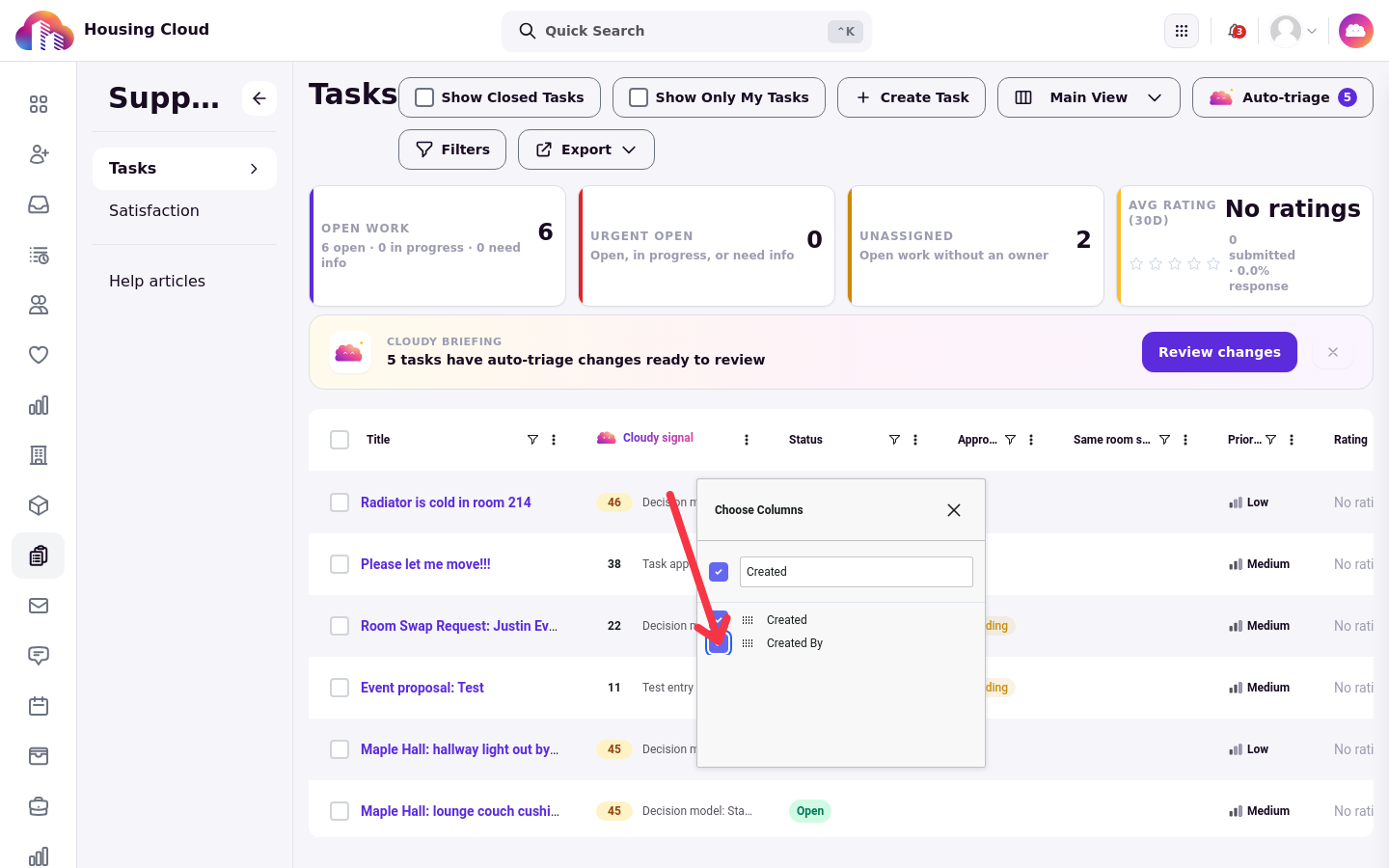
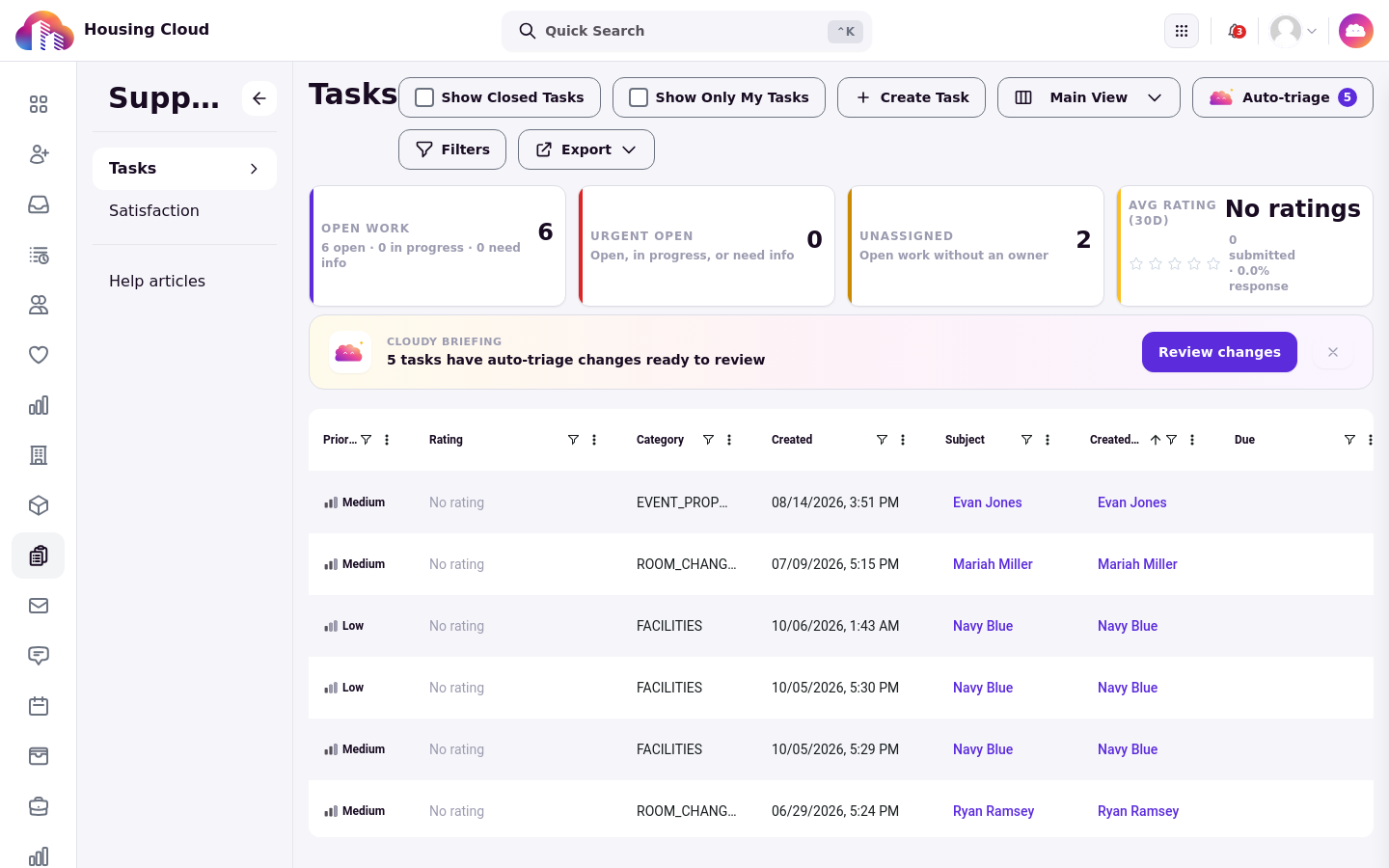
In the queue, Subject is the resident the request is for. Created By is a hidden column that shows who filed it. To show it, open any column header's three-dot menu, choose Choose Columns, and check Created By.
Who follows the request
The resident and the person who filed the request are added as followers, so both get updates as it moves.
Requests filed on behalf are never rated
A request filed on a resident's behalf never gets a rating email. That is why desk-logged lockouts and RA-filed requests never show up on the Satisfaction page.
RA-filed requests use the type's automatic assignee
A request an RA files on a resident's behalf uses the selected request type's automatic assignee by default, unless the form explicitly leaves it unassigned. Watch the Unassigned card on the Tasks queue, or let auto-triage suggest an owner.
Where the RA finds the request
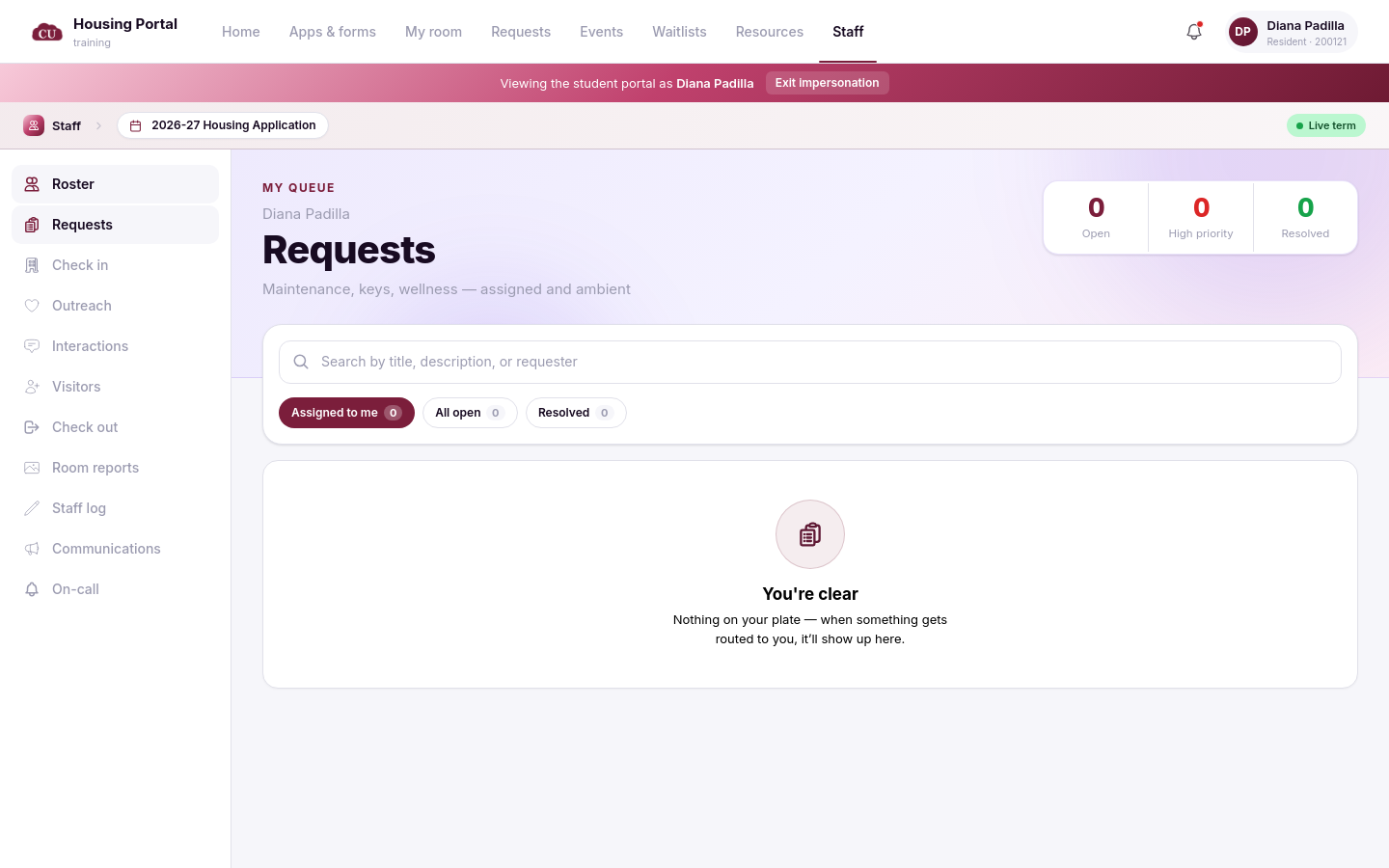
Filing a request does not by itself place it in the RA's Assigned to me view on the staff portal Requests page. The request appears there when assignment rules route it to that RA or their applicable staff scope. The RA still gets updates as a follower.
Good to know
On-behalf and staff-made tasks are never rated. Desk-logged lockouts and RA-filed requests never appear on the Satisfaction page.
RA-filed requests use the selected type's automatic assignee by default, unless the form explicitly leaves them unassigned.