Help Residents Use the My Household Page
Last updated: October 8, 2026
My Household is the Resident Portal page where a primary resident manages the members of their dependent groups. From it, a resident can add dependents to and remove dependents from any group where they hold the primary assignment. Share this page with primary residents so they can handle household member changes themselves instead of contacting your office.
The page is the resident-facing counterpart to the dependent groups you manage as an administrator. Residents handle adding and removing members only: group setup, dependent login access, and removing a primary member remain administrator tasks.
Share the page with residents
My Household has no link in the portal's desktop or mobile navigation, so residents cannot find it by browsing. Send the primary resident the direct URL yourself: your resident portal's address followed by /dependents.
When the resident opens the URL and signs in, the page heading reads My Household. For how residents sign in and move through the rest of the portal, see Navigating the Resident Portal, for Students.
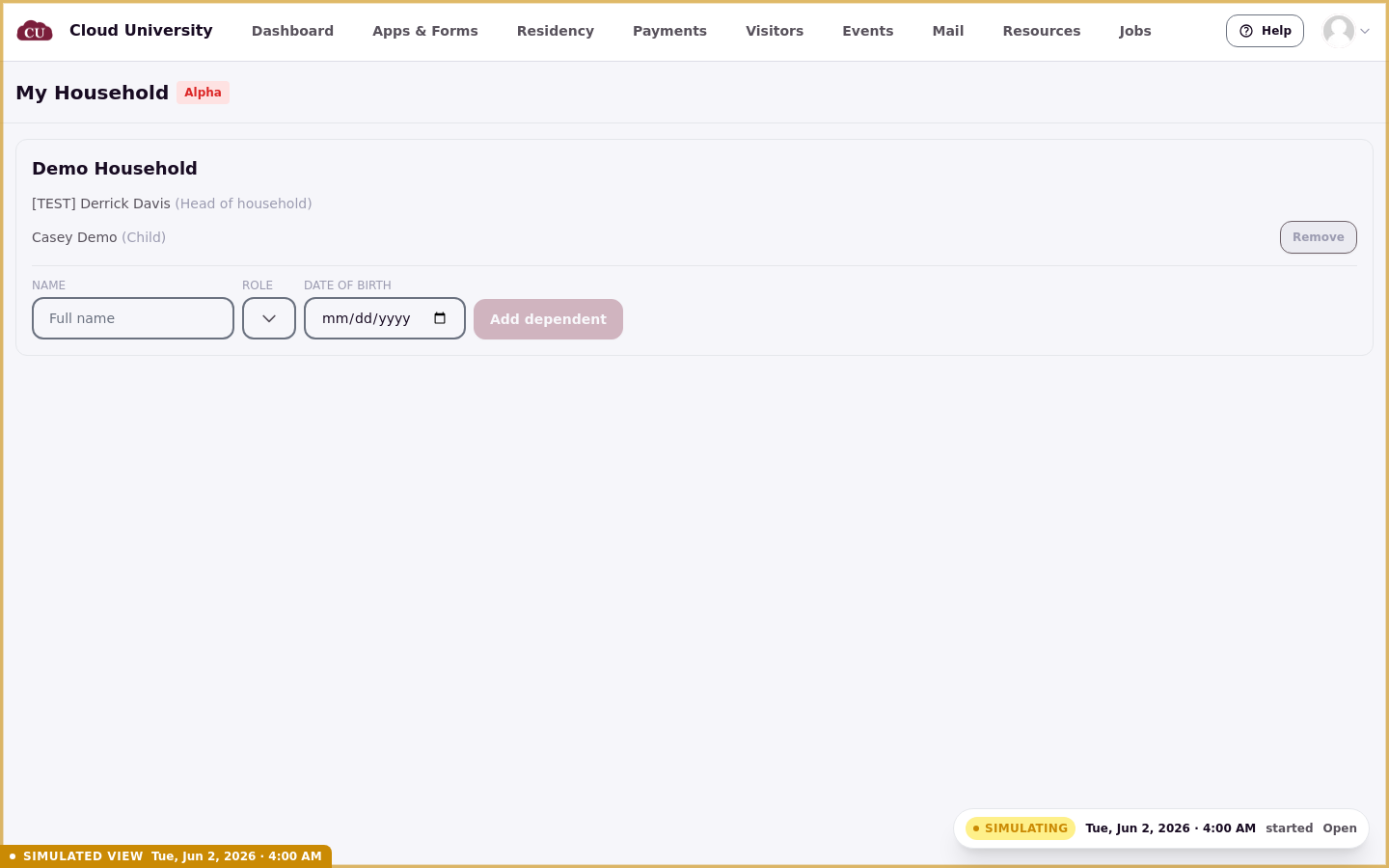
If a resident writes in because they cannot find My Household, the page is not missing from their portal. It has no navigation link; send them the direct URL.
Who can use My Household
Only primary members can use the page. It lists the dependent groups where the signed-in person has an active primary assignment.
A resident who is not a primary member of any group sees "You don't manage any dependent groups."
Being a dependent in someone else's household does not grant access to manage that household.
To understand what dependents themselves see when they sign in, see What a Dependent Sees in the Resident Portal.
Add a dependent
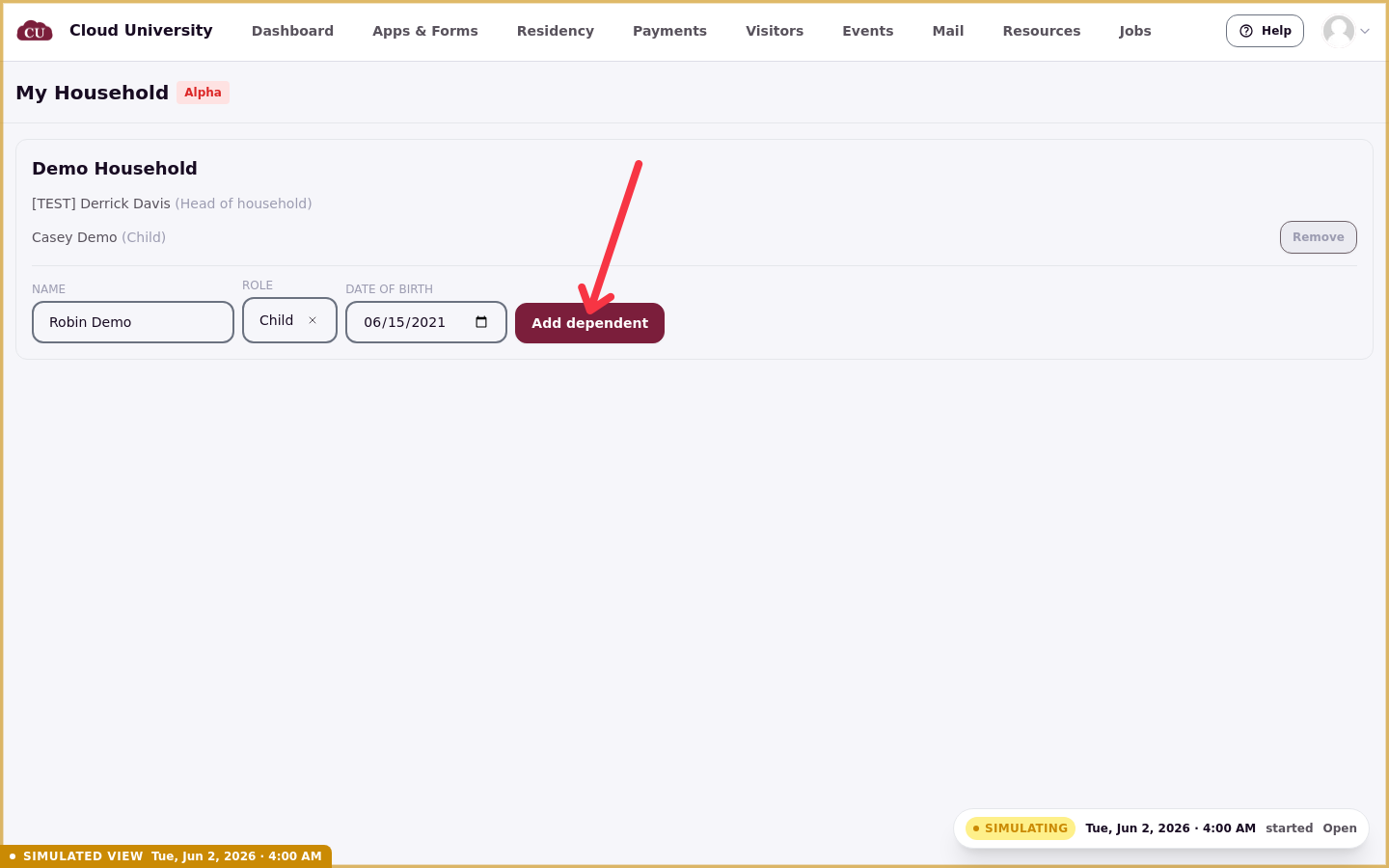
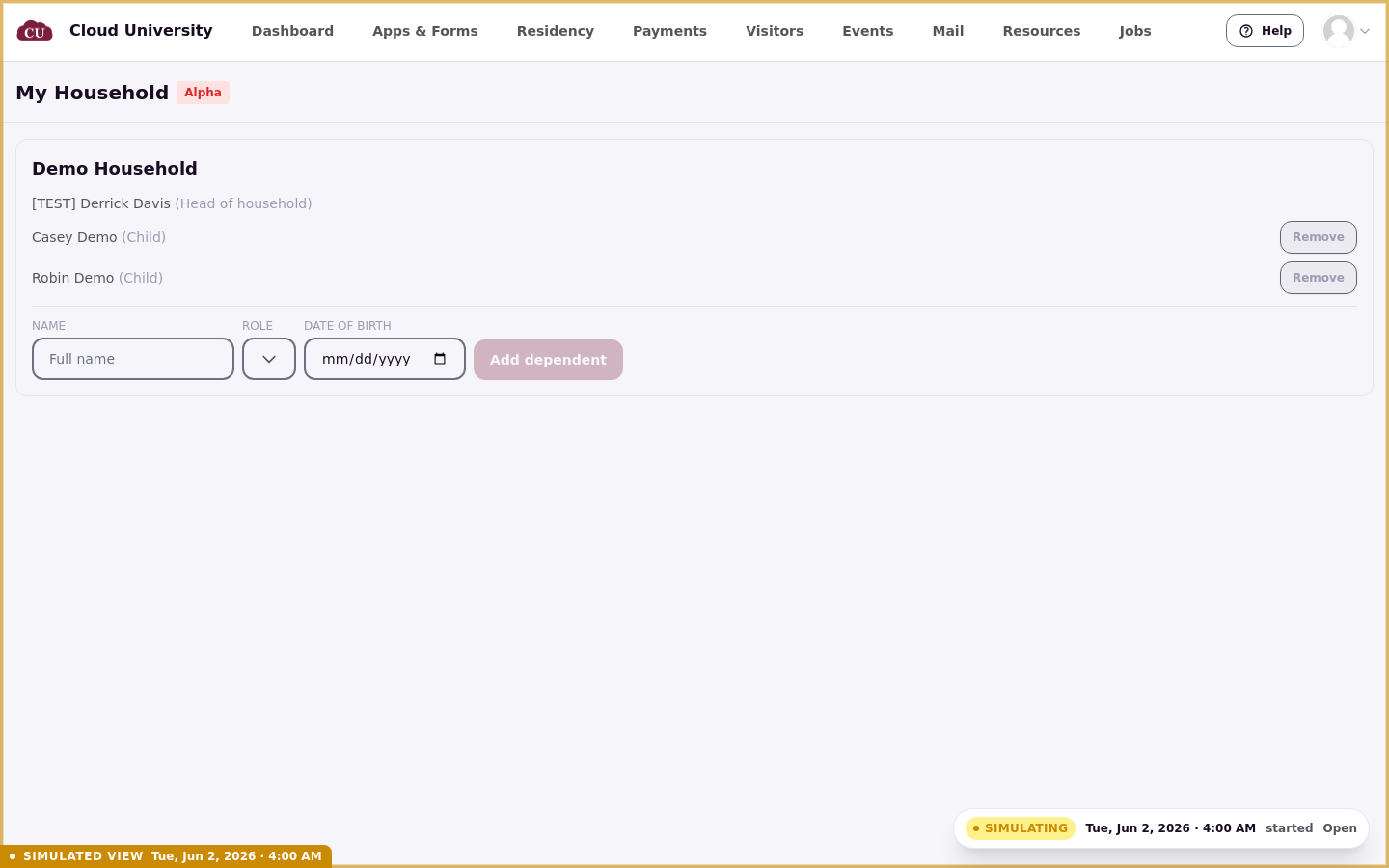
Each group on the page has a form for adding a dependent. The form asks for a Name and a Role, and Date of birth is optional.
The Role list shows the placeholder "Select a role…" before a choice is made and offers only active dependent-type roles. The Add dependent button stays disabled until the resident enters a name and chooses a role. A successful add shows the confirmation "Dependent added." A dependent added here has no email and no portal sign-in; granting login access is an administrator task.
Remove a dependent
Each member appears as their name with their role in parentheses. Members in dependent-type roles have a Remove button; primary members never do.
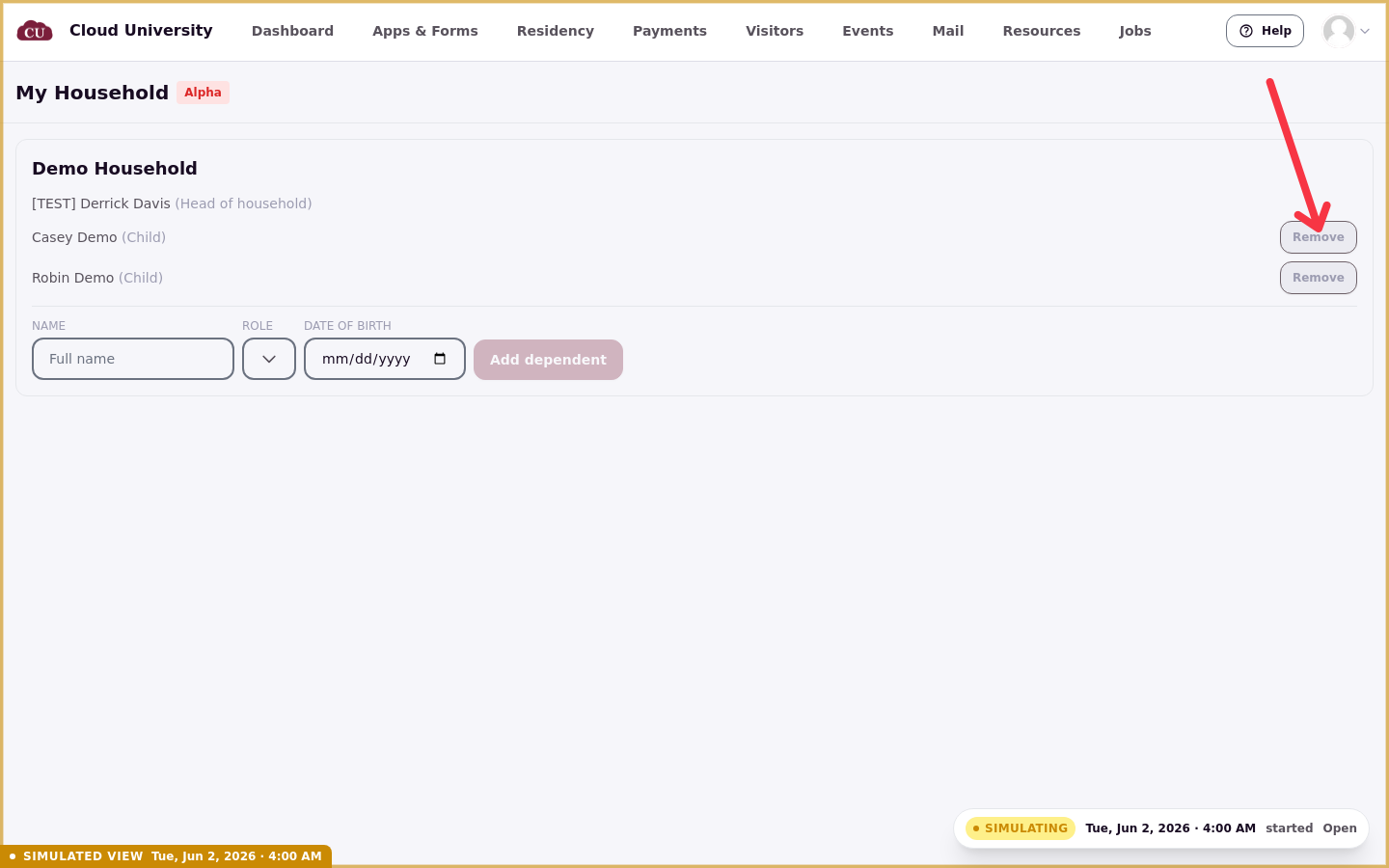
Removing a member shows the confirmation "Dependent removed." A primary member can be removed only by an administrator, so no resident can remove a primary from this page.
What the page does not do
My Household is limited to adding and removing members. A primary resident cannot grant portal login access to a dependent, see group status, or manage primary membership from this page.
A resident can't edit a dependent after adding them; the only correction is to remove the dependent and add them again. The page also can't link someone who already has a full profile, so that person must be added by an administrator.
Dependent login access is granted by administrators, not by residents. For how to grant it, see Create and Manage a Dependent Group.
If dependent groups are not available
When the Dependents feature is turned off for an account, the page shows "Dependent groups are not available for your account."
Verify changes on the admin side
Every add and removal a primary resident makes on My Household is reflected in the group's Members Overview on the admin side. Open a group's Members Overview to confirm the current membership after a resident makes changes.