Profile Confirmation Page, for Students
Last updated: October 7, 2026
The profile confirmation page is the first step in starting any housing application. This page allows you to review your demographic and contact information, update your avatar, and ensure all required fields are accurate before proceeding. Completing the profile confirmation page is a prerequisite for accessing and submitting a housing application. Once submitted, this page cannot be re-accessed until the next housing application period opens.
Accessing the Profile Confirmation Page
Click Start Application for any new housing application.

The profile confirmation page will appear as the initial step in the application process.

Remove or Change Your Avatar
To remove your avatar, click the x icon on the avatar image. This feature may not be enabled by your institution.

Finalize the removal by clicking Confirm.

If the avatar is empty, click the avatar icon to upload a new image.

Select an image from your device and click Save to set it as your new avatar.

Avatar updates can only be made during the profile confirmation process.

Reviewing Your Profile Information
Review your demographic and contact information displayed on the profile confirmation page. Editable fields will vary depending on your institution’s application process.

Request Profile Edits
For fields you cannot edit, click Request Edit if you notice any incorrect information.

Provide the corrected details in the form and click Create Request.
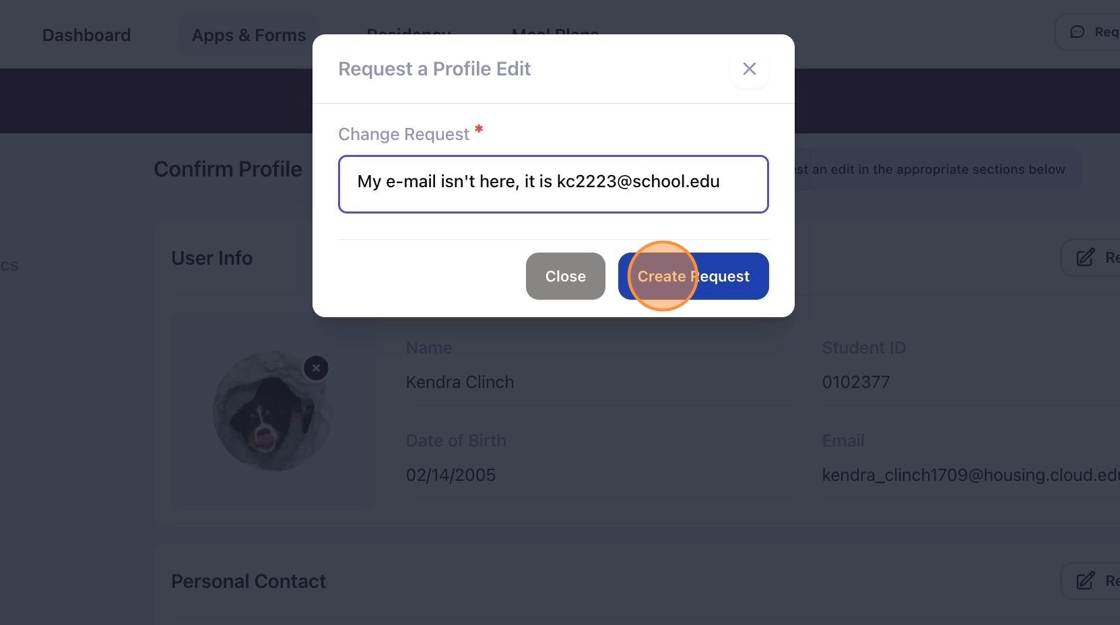
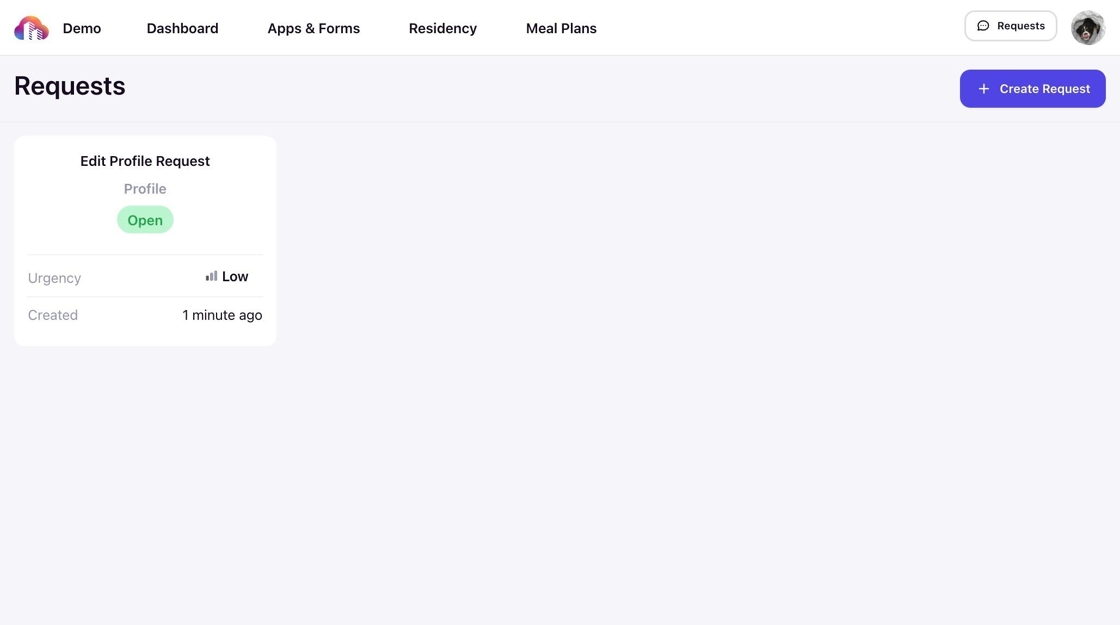
Your request will be sent to your housing administrators for review and follow-up.
Submit the Profile Confirmation Page
Ensure all required fields, marked with a red asterisk (*), are completed. Follow proper formatting when submitting information to ensure accurate contact details.

Once the review is complete, click Continue to proceed to your housing application.

Note: You cannot return to the profile confirmation page after submission.
Next: Complete your Application
After confirming your profile, you can proceed with completing your housing application. This includes answering required questions, submitting necessary documents, and, if applicable, setting up roommate preferences. Learn more about completing your housing application here.