Access Control - Door Access Rules
Last updated: October 2, 2026
Admins can create Door Access Rules to add a padding amount, in minutes, to the start and/or end of a residency for the purpose of access controls, often utilized for move-in/move-out, room transfers, or special demographics.
These access rules are intended to grant more appropriate data to access control systems and they will NOT change the actual residency start date, end date, check in time, or check out time.
Door Access Rules can be configured by an admin through "Setup > Door Access Rules"
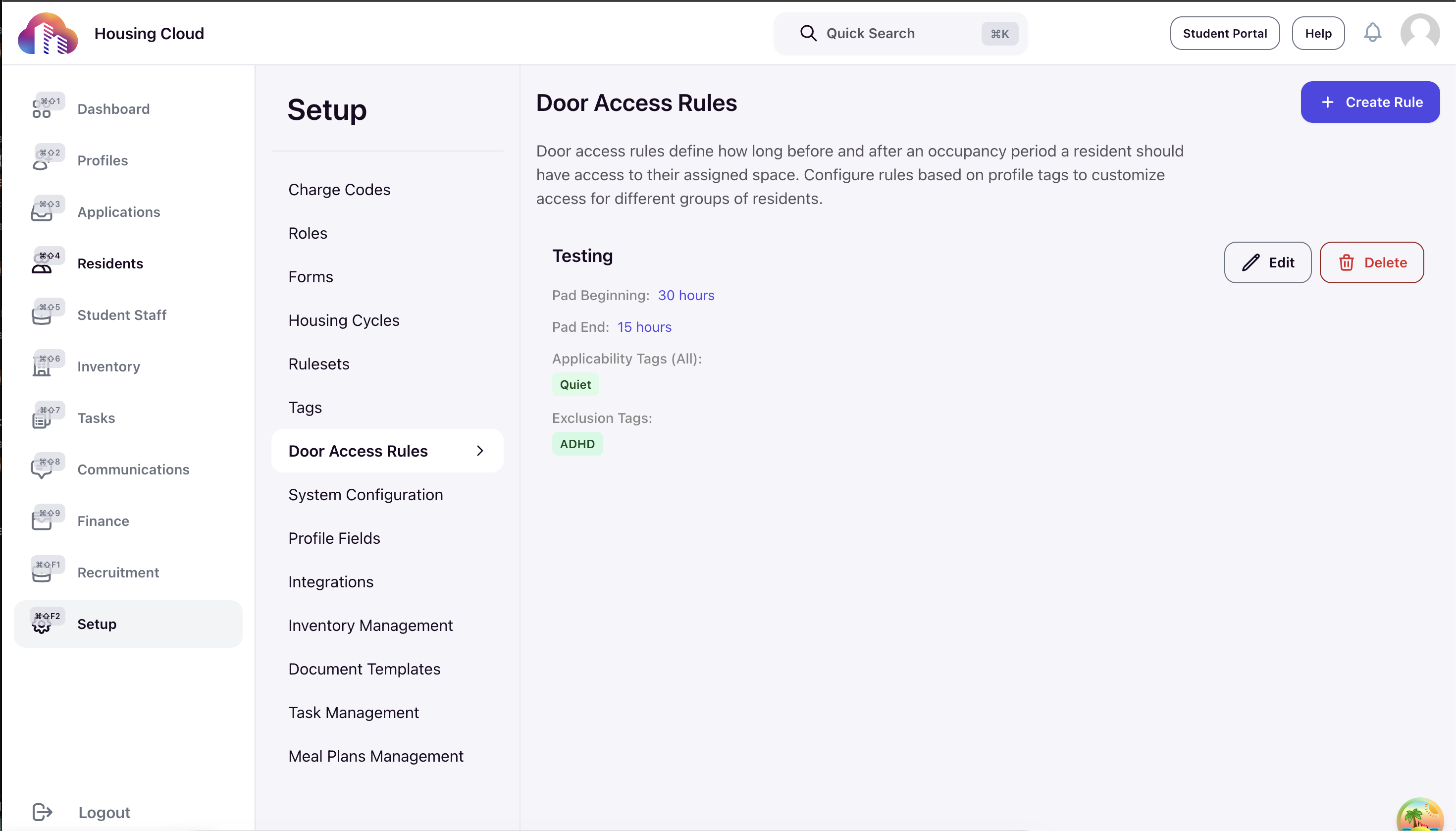
From this page, you can review, edit, or delete existing rules, or click the "Add New Rule" button in the upper right to open the form for creating a new rule.
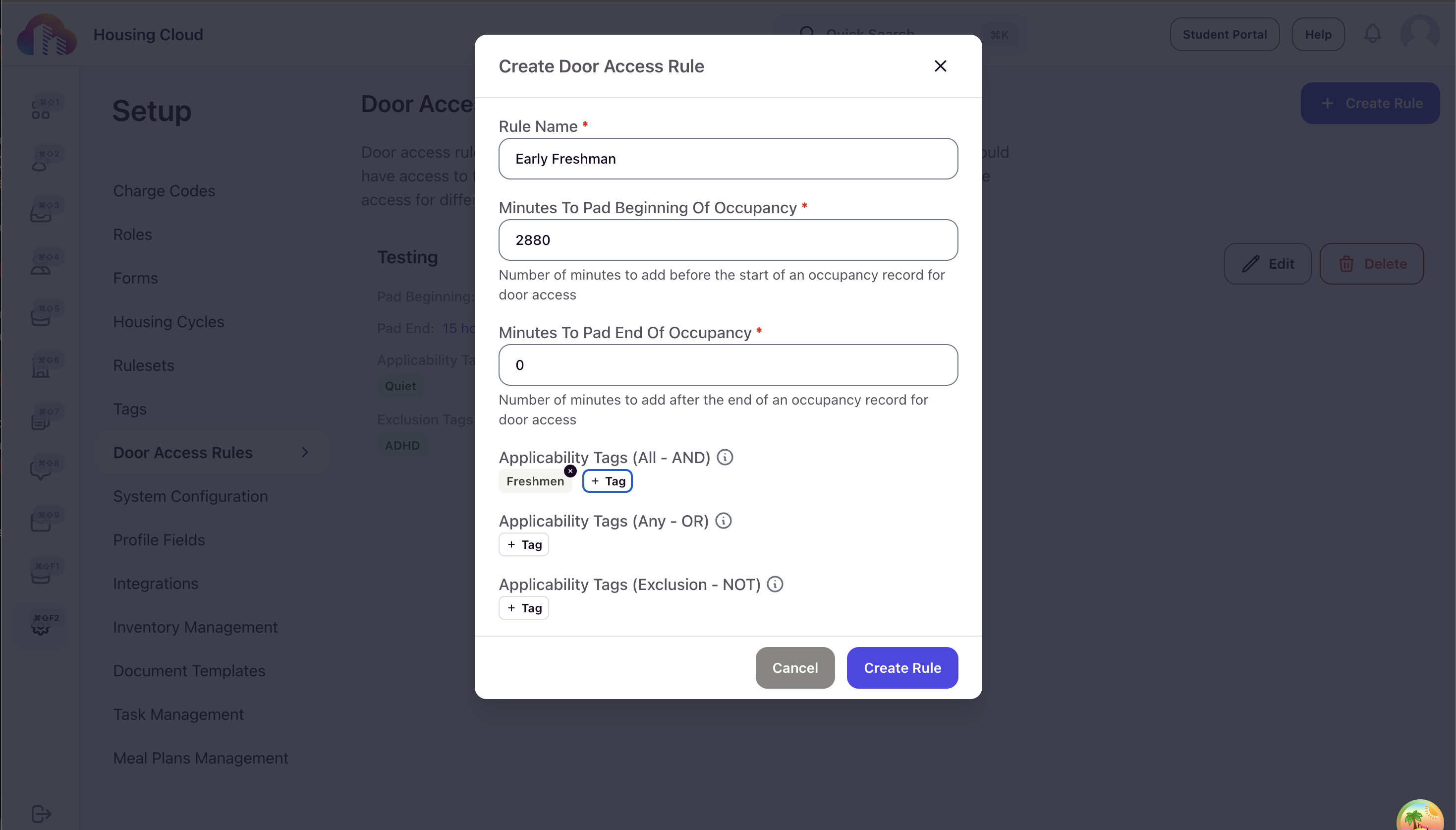
A few important points to note regarding rules:
- Rule Names are required to be unique
- Padding amounts must be positive integers, representing the minutes to pad to the respective time
- If multiple rules apply to the same profile, then the final padding will be a function of the largest time window created by the matching rules
- For example if you have the following rules:
- Students on a Sports Team have access 24 hours early and keep access for 12 hours after the end of the residency
- Students with Senior Status have no early arrival, but can stay for 48 hours after the end of the residency
- A senior student who is also on sports team would then have the combined 24 hour access early and 48 hour access after
- For example if you have the following rules: