Navigating the Housing.Cloud Resident Portal
Last updated: October 2, 2026
Many aspects of the Resident Portal will be customized to match your institution’s specific processes and procedures during your onboarding process. Therefore, some of the specific details below may not apply to your school’s portal. The resident portal is organized into four major navigation sections.
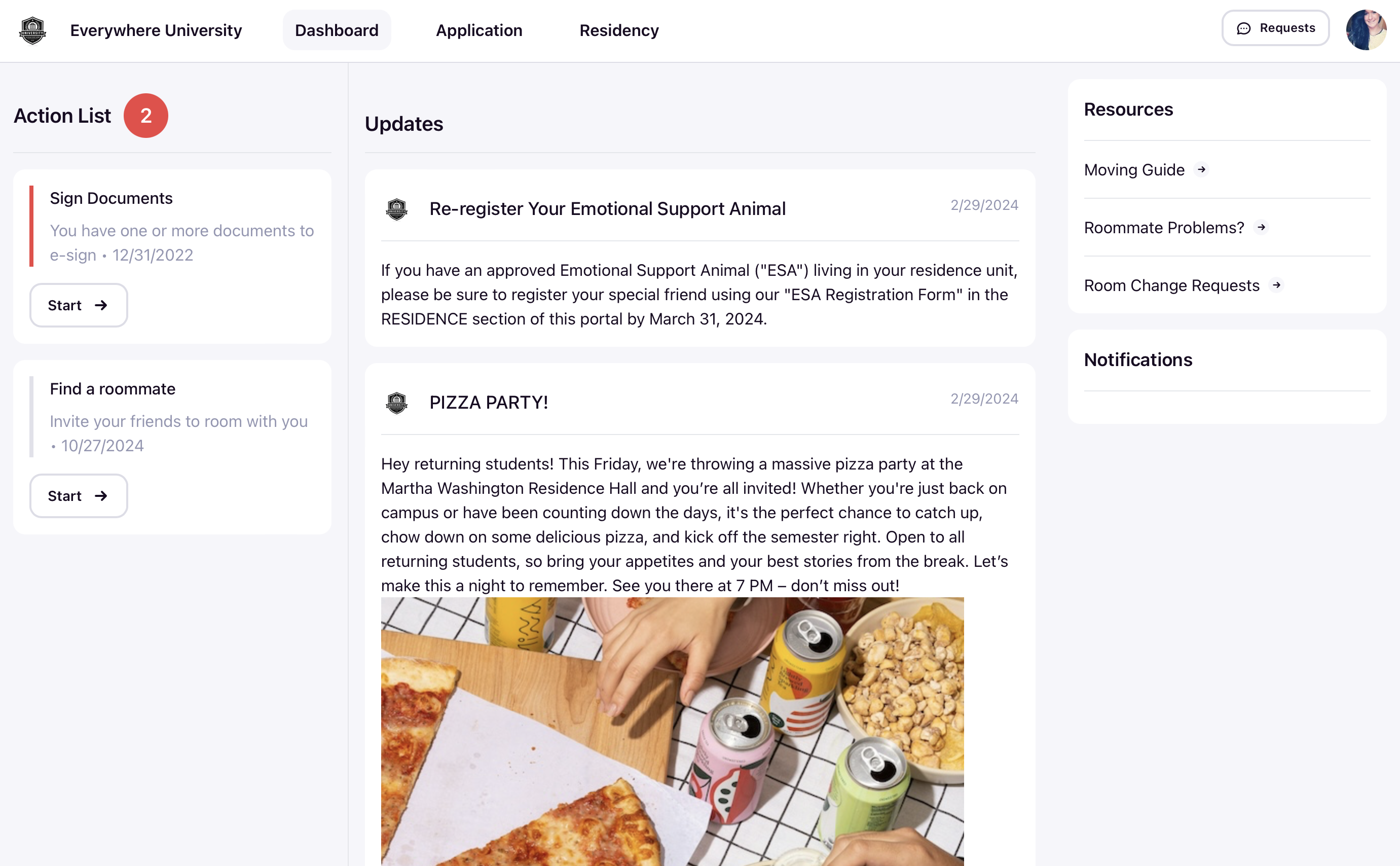
Dashboard
The Dashboard is the central hub and landing page where students can view updates, action items, and resources.
- Action List: Displays pending tasks such as signing documents or finding a roommate.
- Updates: Shows important announcements and events, like re-registering Emotional Support Animals or upcoming social events (e.g., pizza parties).
- Resources: Provides quick links to important information like moving guides, roommate problems, and room change requests.
- Notifications: Alerts students to any new or pending updates.
Applications
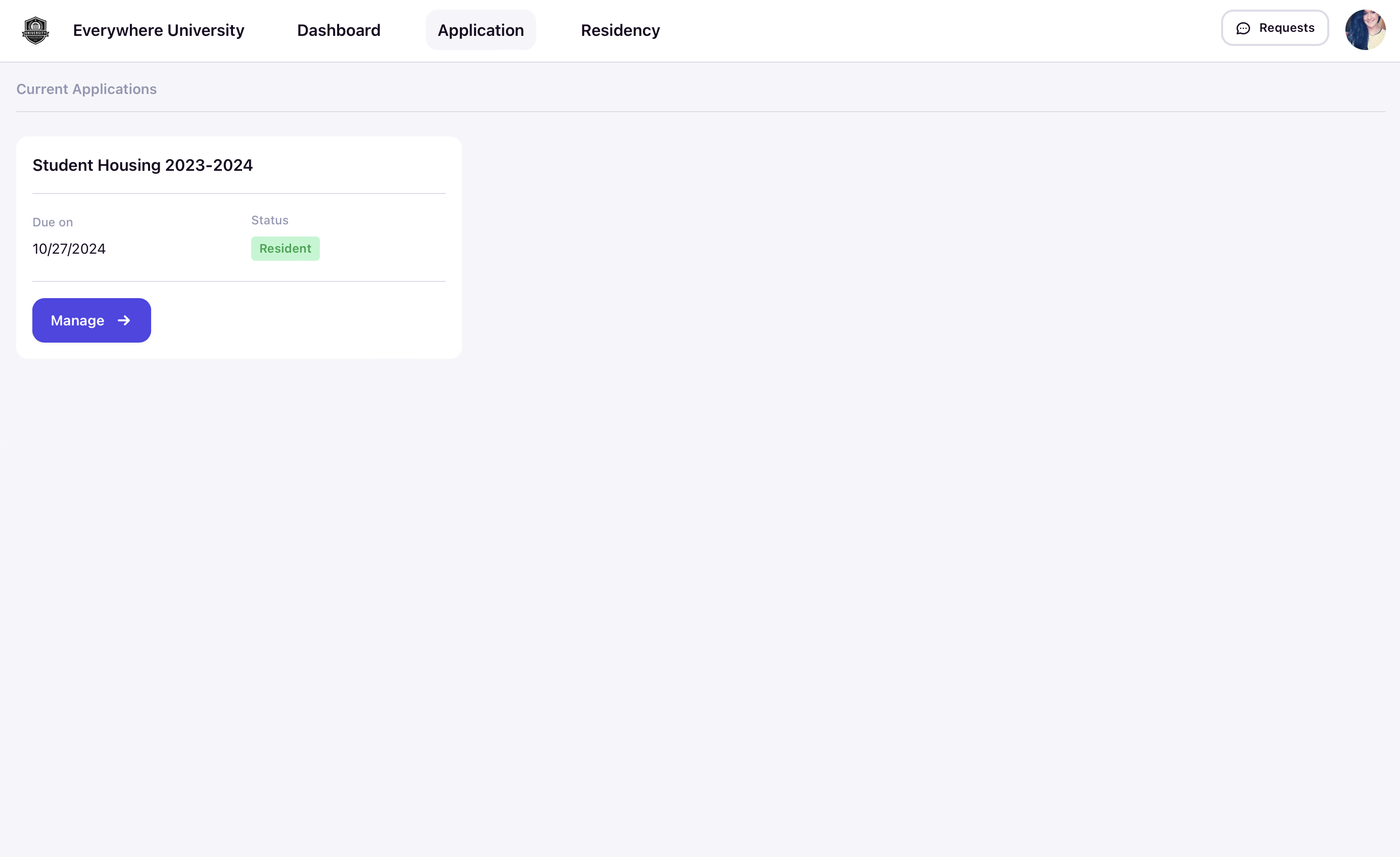
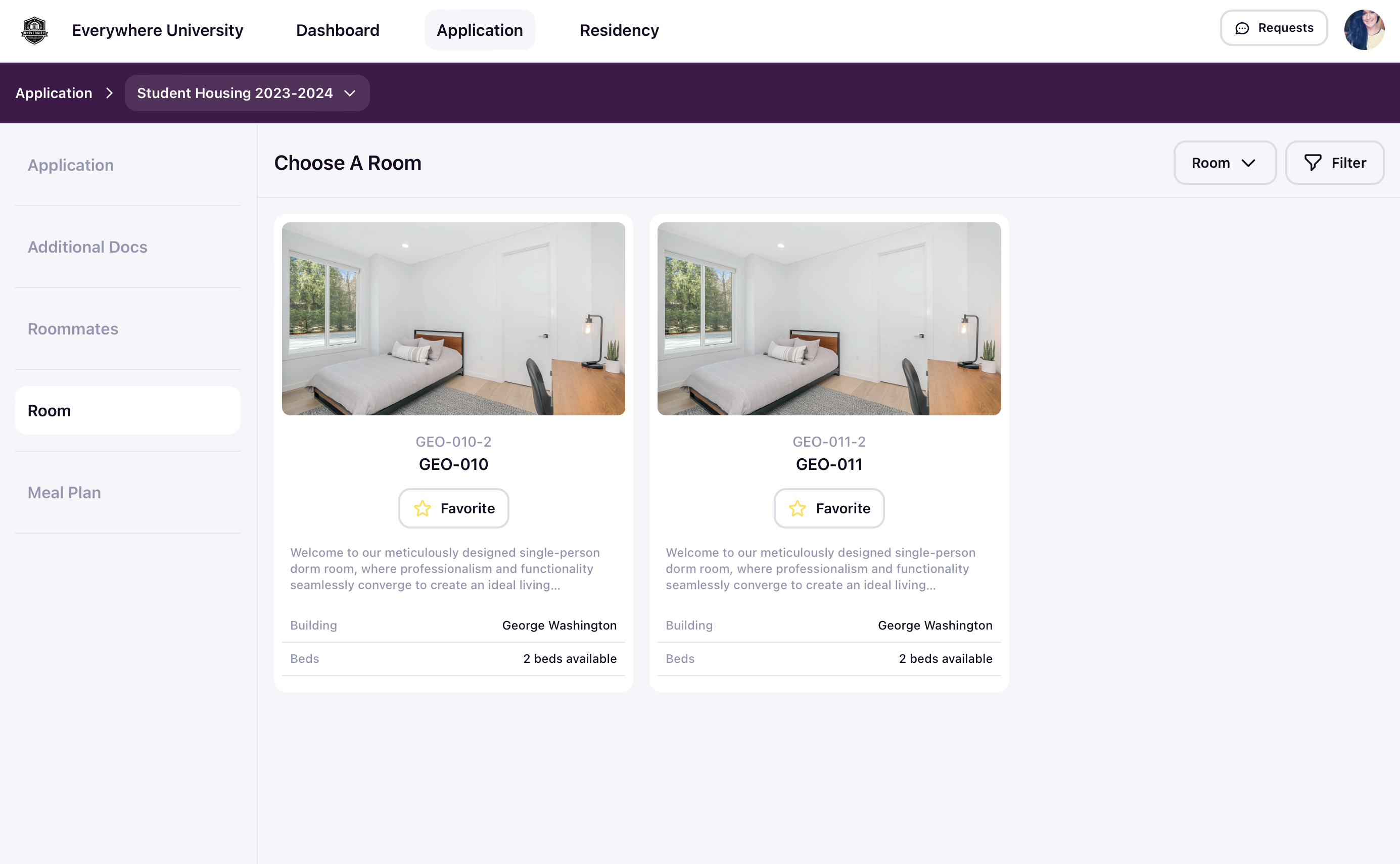
This section allows students to access relevant housing applications. Only the applications that your school has made available will be accessible to students. In this section, students can:
- Start an application and save information over multiple sessions without losing data.
- Submit an application once it is complete.
- Edit a previously submitted application, as long as the deadline has not passed.
- View the current status of each application, such as “In Progress,” “Submitted,” “Approved,” “Rejected,” or “Waitlisted.”
Residency
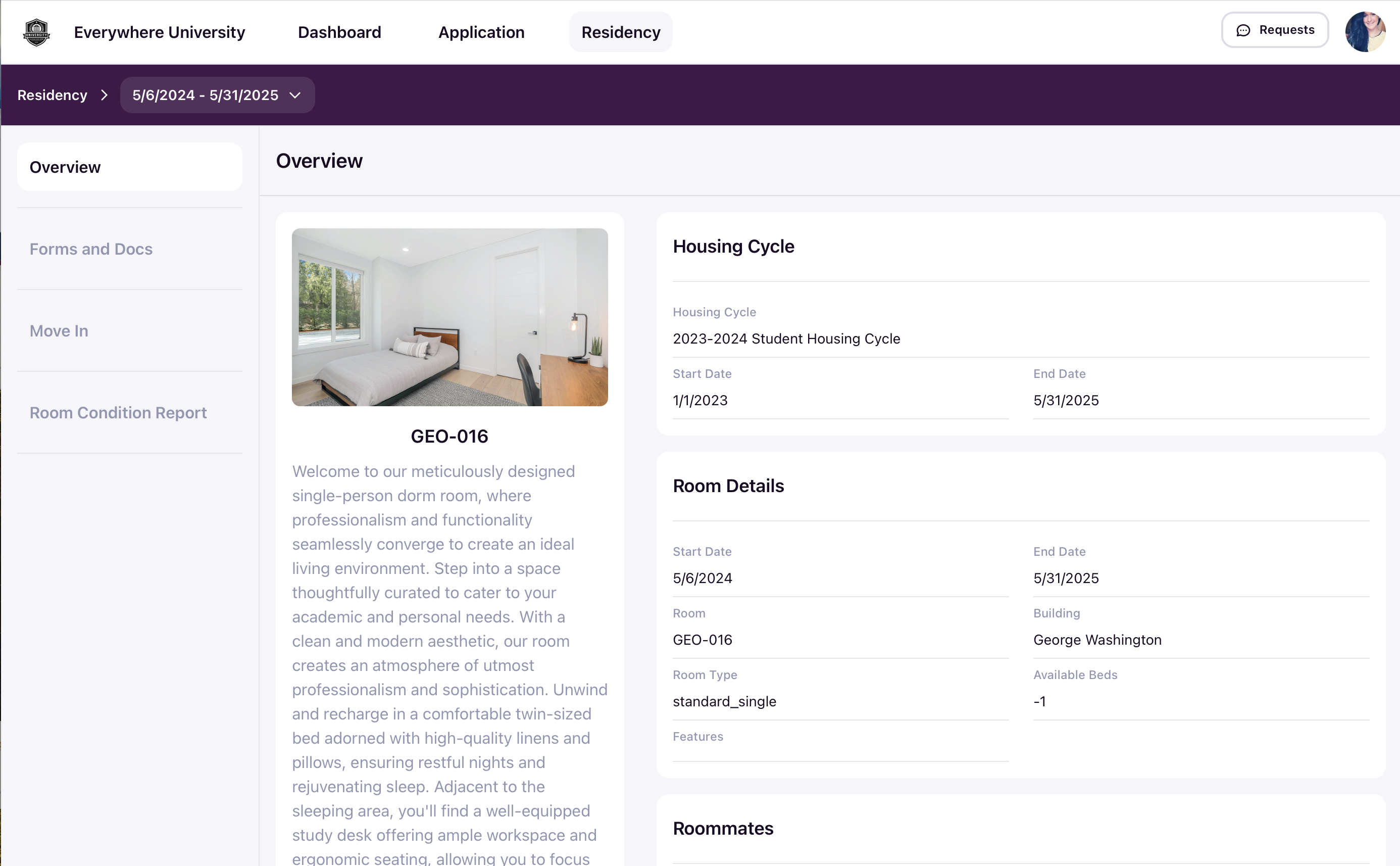
This area includes detailed information about the student’s assignment, including:
- Room details
- Roommate information
- Relevant documents and supplemental forms
- Contact information for assigned student staff (like a Resident Assistant)
During relevant periods defined by your school, students can also:
-
Choose a move-in or move-out group.
-
Find specific moving instructions for the group they have selected or been assigned to.
-
Submit or review a Room Condition Report.
Staffing
If a student is designated as a “Student Staff” member (like a Resident Assistant), they will have access to the “Staffing” section, which includes staff functions like:
-
Rosters: Includes details of students assigned to the student staff member.
-
Interactions: Allows recording of interactions with one or multiple students, with the option to escalate these interactions to housing admins if necessary.
-
Daily Notes: Provides a space to record assigned updates, such as Duty Logs, for access by housing admins.
-
Tasks: Enables student staff to receive and manage tasks assigned by housing admins until completion.
-
Move-in / Move-out: Allows staff to look up a student by name or QR code on the student’s mobile device and follow your school’s specific steps for move-in or move-out, such as issuing keys, checking profile data, or conducting a room condition report.