Room Swaps: Configuration and Student Experience
Last updated: August 28, 2026
Room swaps let students trade room assignments with each other after initial room selection. Students generate shareable invite links to propose swaps, and housing staff review and approve all requests.
This feature operates during active room swap phases you configure within your housing cycle. It gives students flexibility to adjust their living situation while maintaining staff oversight.
Before you begin: You need permission to edit housing cycles. Room swaps only appear in resident cycles (not applicant or non-resident cycles).
Navigate to room swap configuration
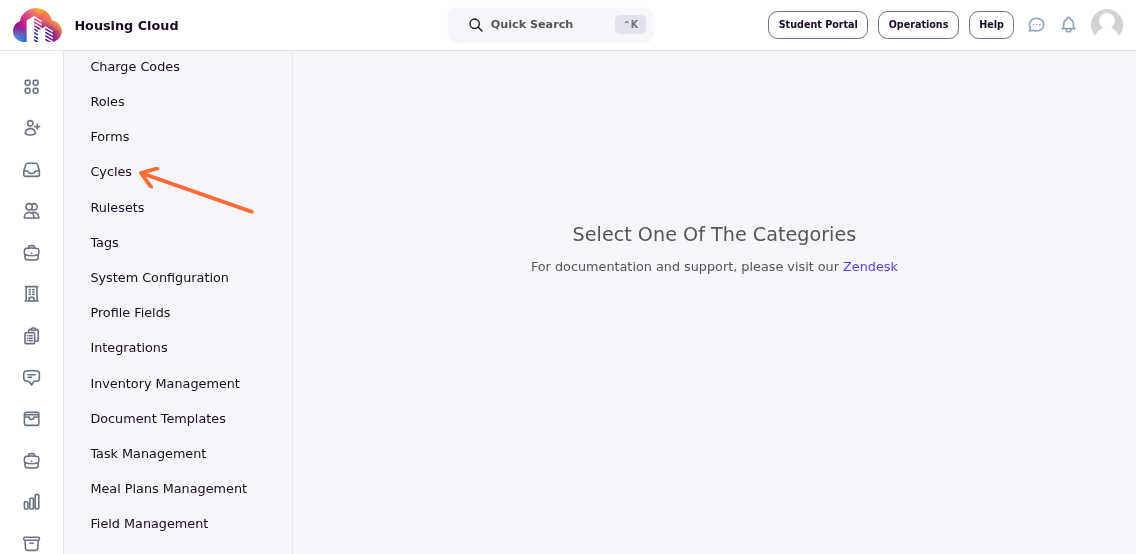
From the admin dashboard, click Setup in the left navigation, then select Cycles.
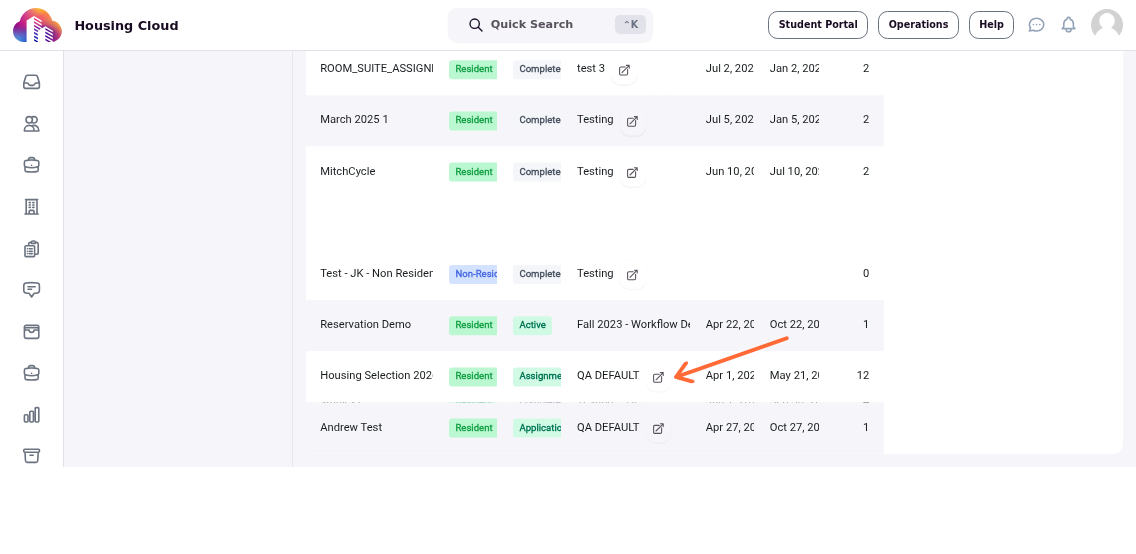
Find the housing cycle you want to configure and click the edit icon (pencil) next to its name.
Access the room swap section
In the cycle editor sidebar, click Phases. This section controls all time-based phases in your housing cycle, including room swaps.
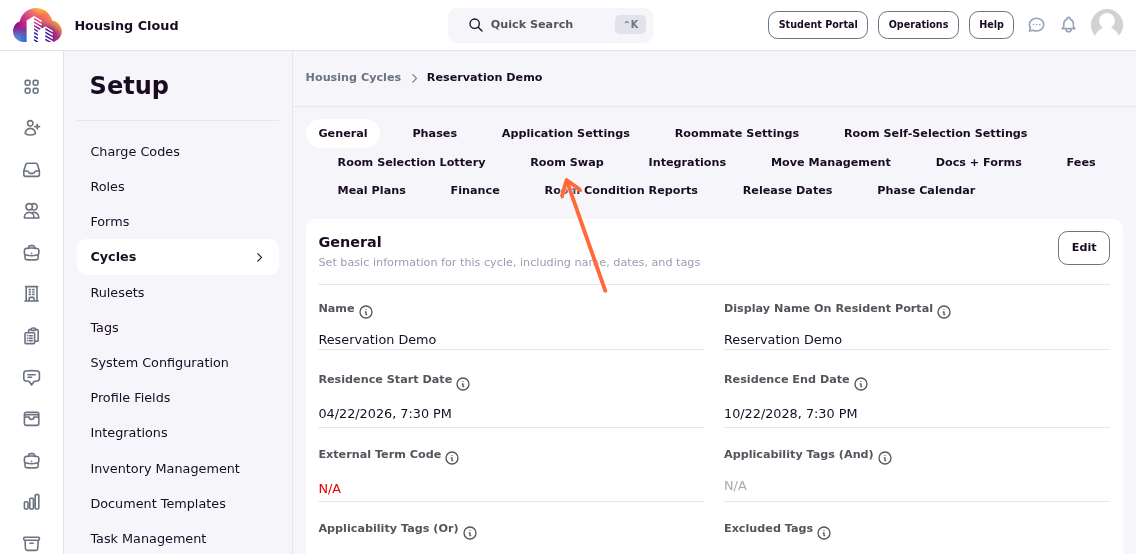
Scroll down to the Room Swap section. This shows a timeline of all room swap phases and global settings that control swap behavior.
Create a room swap phase
Click Add a new room swap phase to create a time window when students can initiate room swaps.
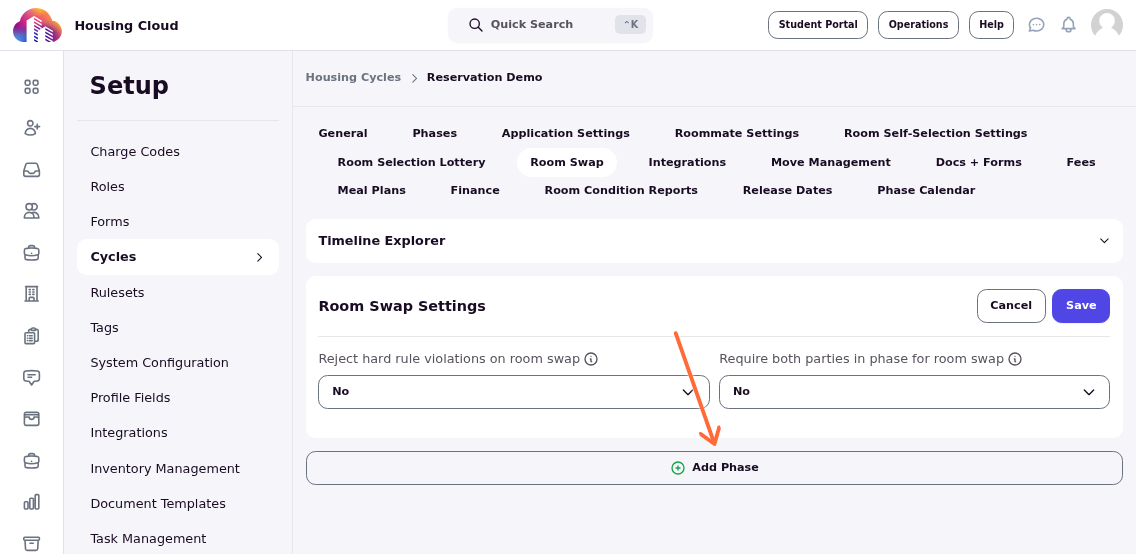
The phase configuration form appears with the following fields:
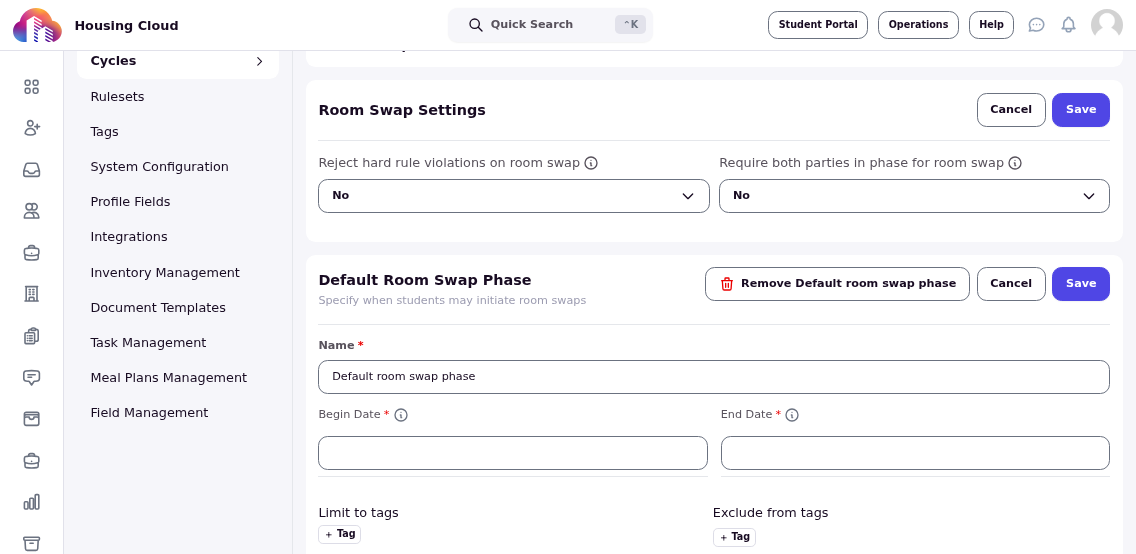
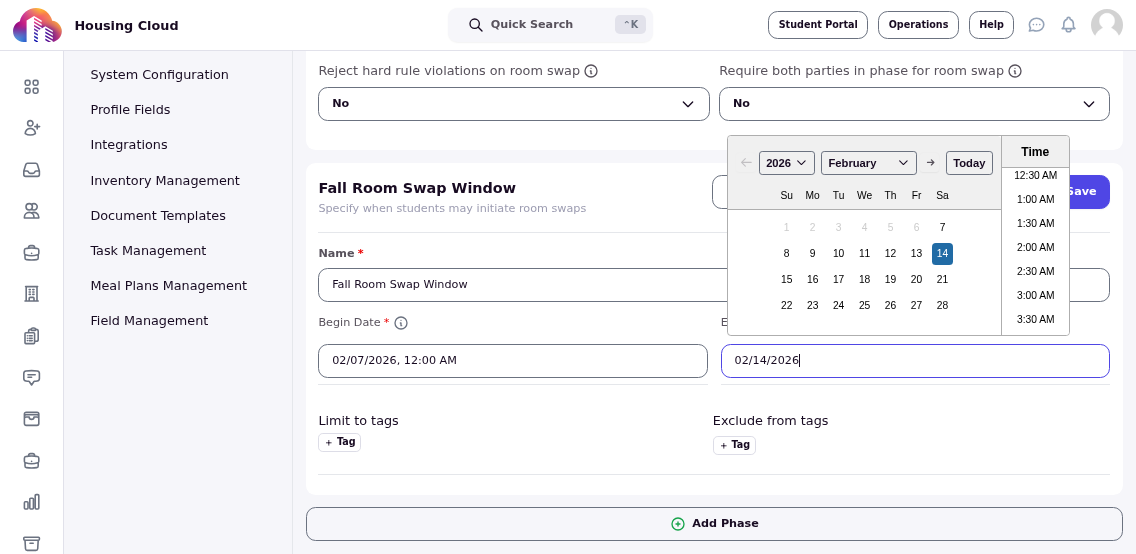
Phase Name: A descriptive name for this swap window (e.g., "Fall Room Swap Window" or "Spring Semester Swaps").
Start Date: When students can begin generating swap invites. Typically 2-4 weeks after move-in to allow students time to settle.
End Date: When the swap window closes. Avoid finals periods, breaks, and the last month before move-out.
Limit to tags: Restrict this phase to students with specific tags. Leave empty to allow all residents. If you add multiple tags, students must have ALL tags to participate.
Exclude from tags: Prevent students with certain tags from participating. Any student with one of these tags is excluded.
Schedule your first room swap phase 2-4 weeks after move-in. This prevents impulsive requests driven by first-day anxiety and gives students time to genuinely assess their living situation.
Here's an example configuration:
Configure global room swap settings
Below the phases, you'll see two settings that control how all room swaps behave:
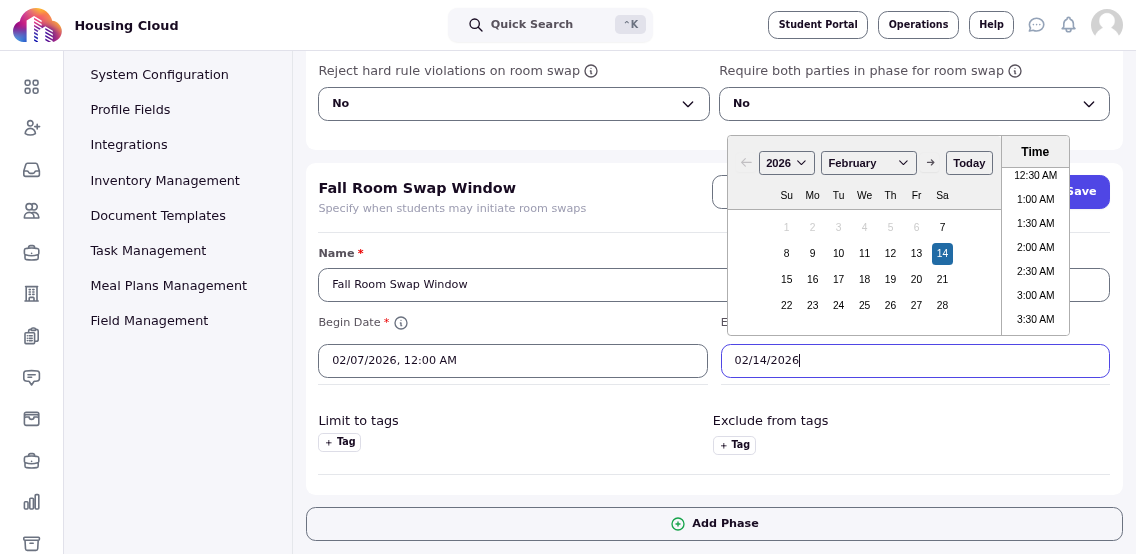
Reject hard rule violations on room swap: When set to "Yes," the system automatically rejects swap requests that violate hard rules in your matching ruleset (like capacity limits or gender identity restrictions). When set to "No," staff must manually verify rule compliance.
Require both parties in phase for room swap: When set to "Yes," both students must be eligible for an active room swap phase. This prevents cross-population swaps (e.g., first-years swapping with upperclassmen when they have separate phase windows).
If you enabled hard rules during room selection, set "Reject hard rule violations" to "Yes" to maintain consistency. Otherwise, swaps could create assignments that violate your housing policies.
Click Save at the bottom of the page to activate your room swap phases.
How students initiate room swaps
Once a room swap phase is active, eligible students can access the feature through their resident portal.
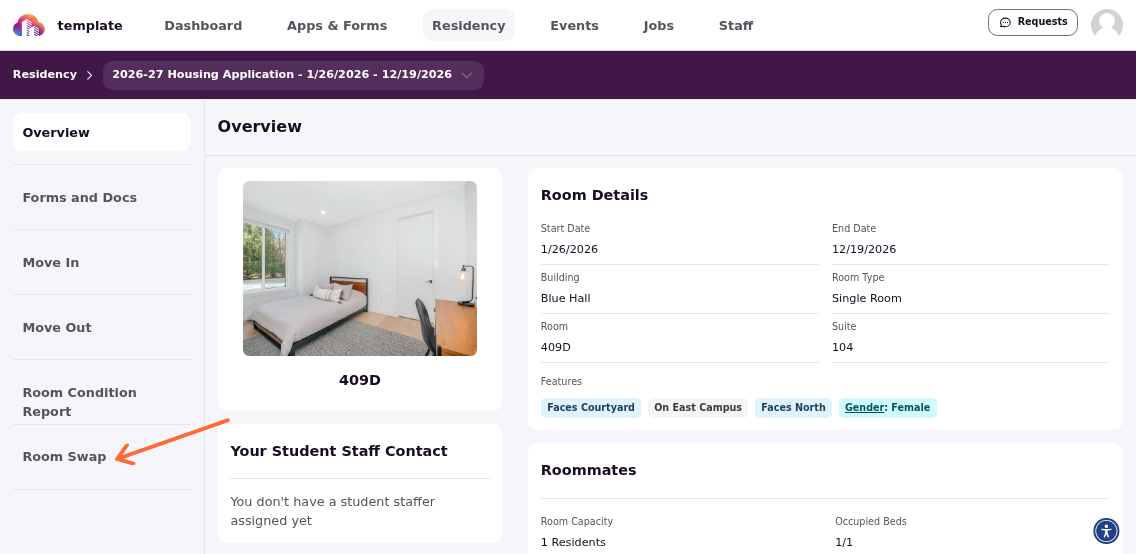
Students click Residency in their navigation menu.
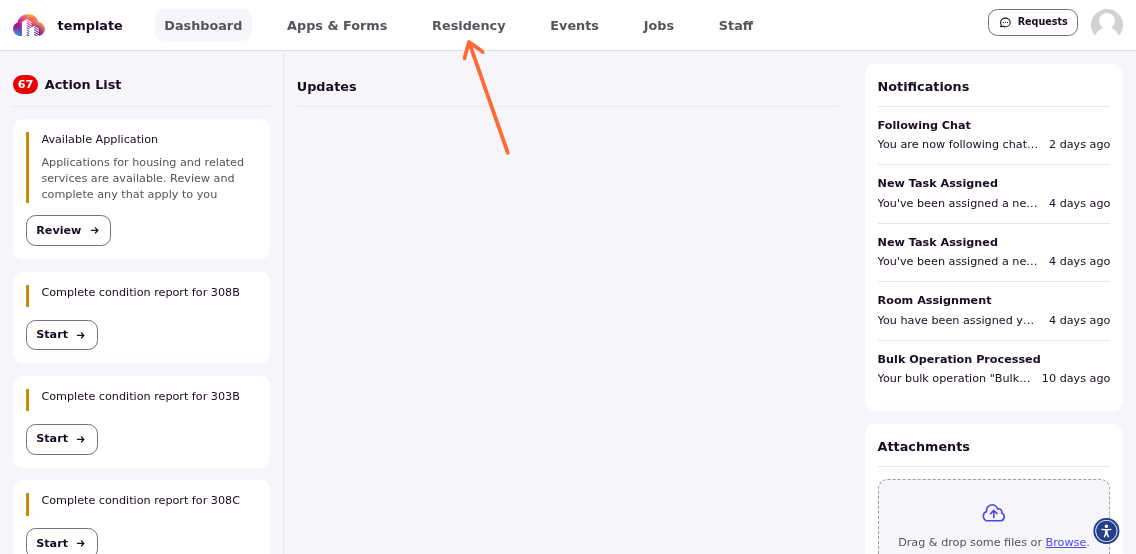
In the residency section, they click Room Swap in the sidebar.
Generate and share invite links
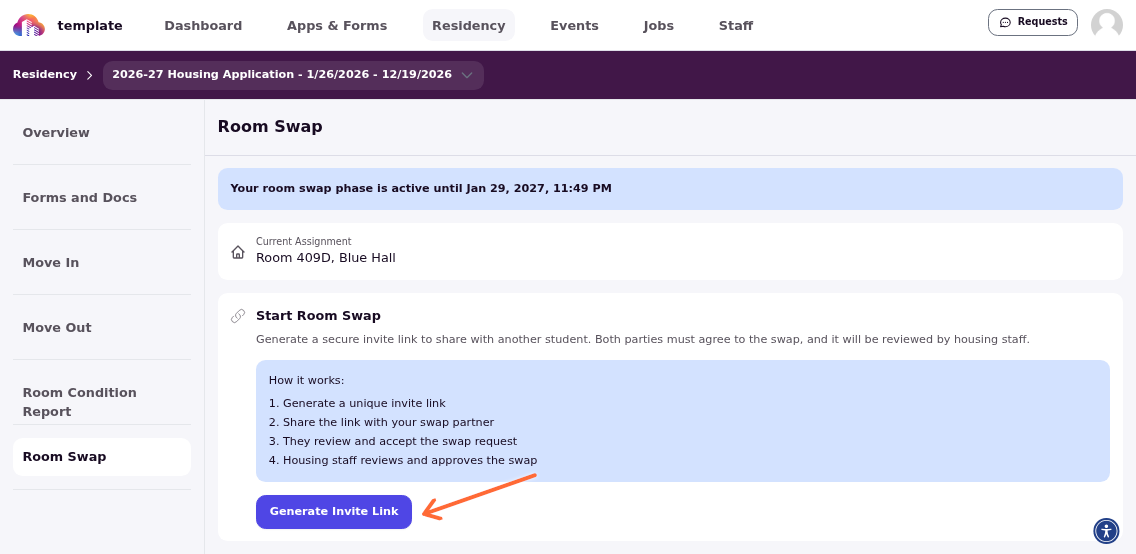
The room swap page shows students their current room details and the active phase deadline. To propose a swap, they click Generate Invite Link.
The system creates a unique shareable link. Students click the copy icon to copy the link, then share it with the peer they've arranged to swap with via text, email, or messaging apps.
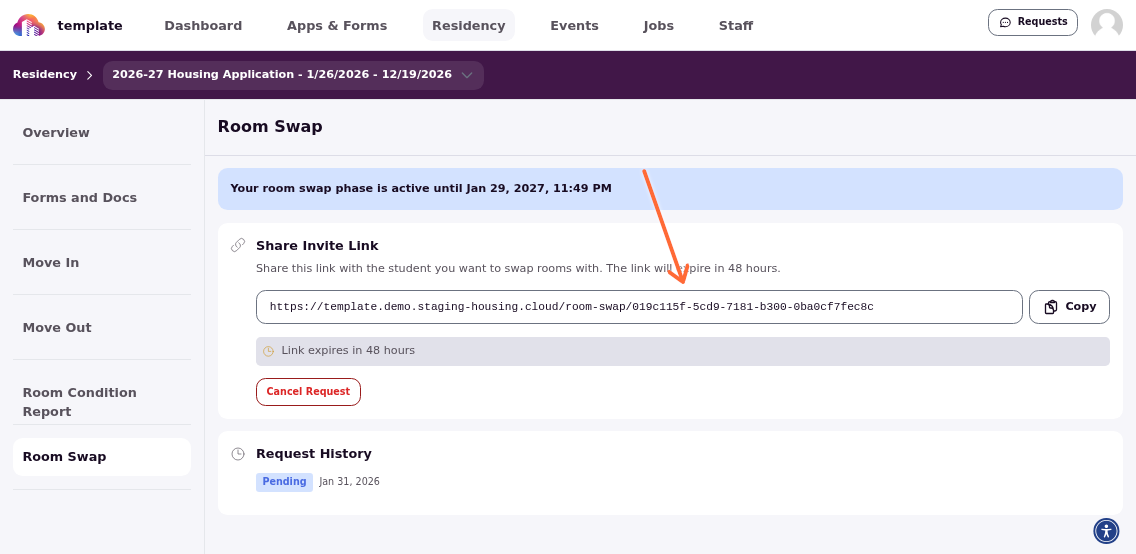
Students can cancel a pending invitation at any time by clicking Cancel next to the generated link. This lets them create a new invitation if plans change.
What recipients see
When another student opens the invite link, they see a comparison view showing both rooms side by side:
The interface displays:
Your Current Space: Their current room, building, and amenities
Proposed Space: The initiator's room they would move into
Occupant details and room photos (if available)
Recipients click Accept Swap if they want to proceed, or Decline Swap if they don't. The system checks their eligibility before allowing acceptance.
Students can only accept swaps if they meet phase eligibility requirements (correct tags, active residency status, and within an active phase window).
Track swap requests
The Room Swap page shows a history of all swap requests, including their current status:
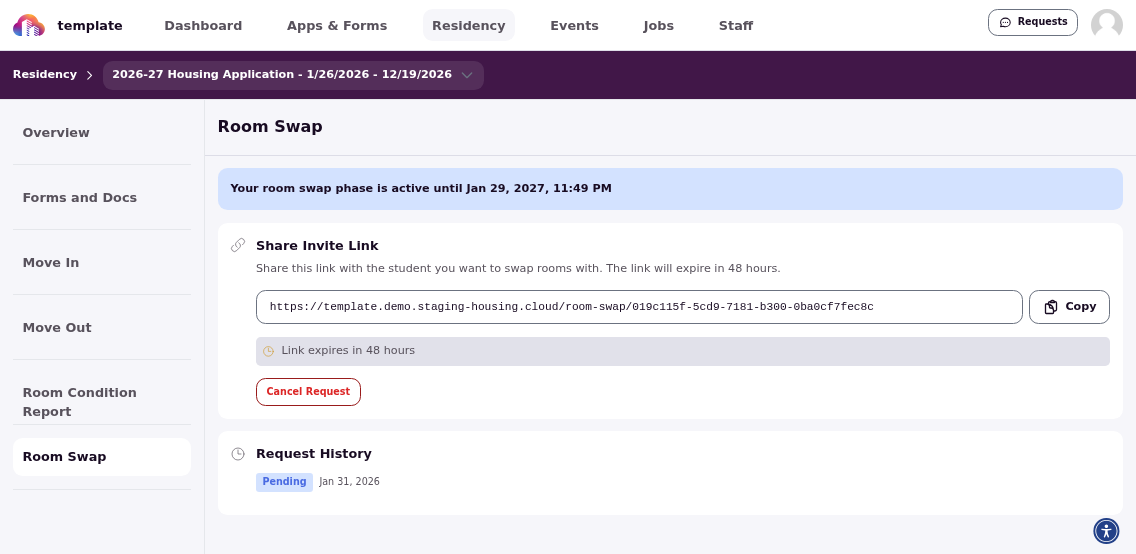
Each entry shows:
Status tag (Pending, Accepted, Approved, Rejected)
The other student involved
Date created
Link to view the staff review ticket
Students receive notifications when the other party accepts and when staff approve or reject the swap.
Staff review and approval
When a student accepts a swap invitation, the system automatically creates a task for housing staff: "Room Swap Request: [Student A] [Student B]".
Staff with task management permissions can:
Review both students' room details and eligibility
Approve the swap (updates both residency assignments automatically)
Reject the swap with a reason (both students are notified)
The swap only completes after staff approval. Both students keep their original assignments until then.
Common eligibility requirements
Students can only participate in room swaps when they meet these conditions:
Active residency status (Current, Assigned, Incoming, or Move-In Scheduled)
Within an active room swap phase matching their tags
Not in a canceled, transferred, or moved-out residency
Assigned to a specific room/bed (not just a building or waitlist)
If students don't see the Room Swap option or can't generate links, check that:
A room swap phase is currently active (dates include today)
Their student tags match the phase's applicability tags
They don't have any excluded tags
Their residency status is active
Room swaps happen after room selection, typically during the residence period itself. Don't schedule swap phases during the initial application or room selection timeline—those happen months before students move in.
When to enable room swaps
Enable room swaps if you want to give students flexibility after experiencing their assignment. This works well when:
You have staff capacity to review and approve requests
Your housing philosophy prioritizes student satisfaction
Physical room moves during the semester are logistically feasible
Consider not enabling swaps if:
Housing is at full capacity with no flexibility
Limited staff resources to process requests
Your policy prioritizes room stability and community building
Frequent moves would disrupt residence hall dynamics
Each swap request creates administrative and facilities coordination work. Budget sufficient staff time, especially during your first swap window each semester.